How Far Along Am I with This Week’s Tasks? DNF Mobile Content Dashboard
마포감튀
Hello!
I’m 마포감튀.
Today, we’ll take a look at Content Status, a handy feature in DNF Mobile.
Daily & Weekly Tasks
Every game has content you need to complete each day.
We often refer to these activities as our daily tasks.
It can be hard to keep track of how much you’ve done this week, right?
But logging into every character one by one is a hassle.
That’s where DNF Mobile’s “Content Status” feature comes in: it lets you check each character’s task progress at a glance.
Content Status
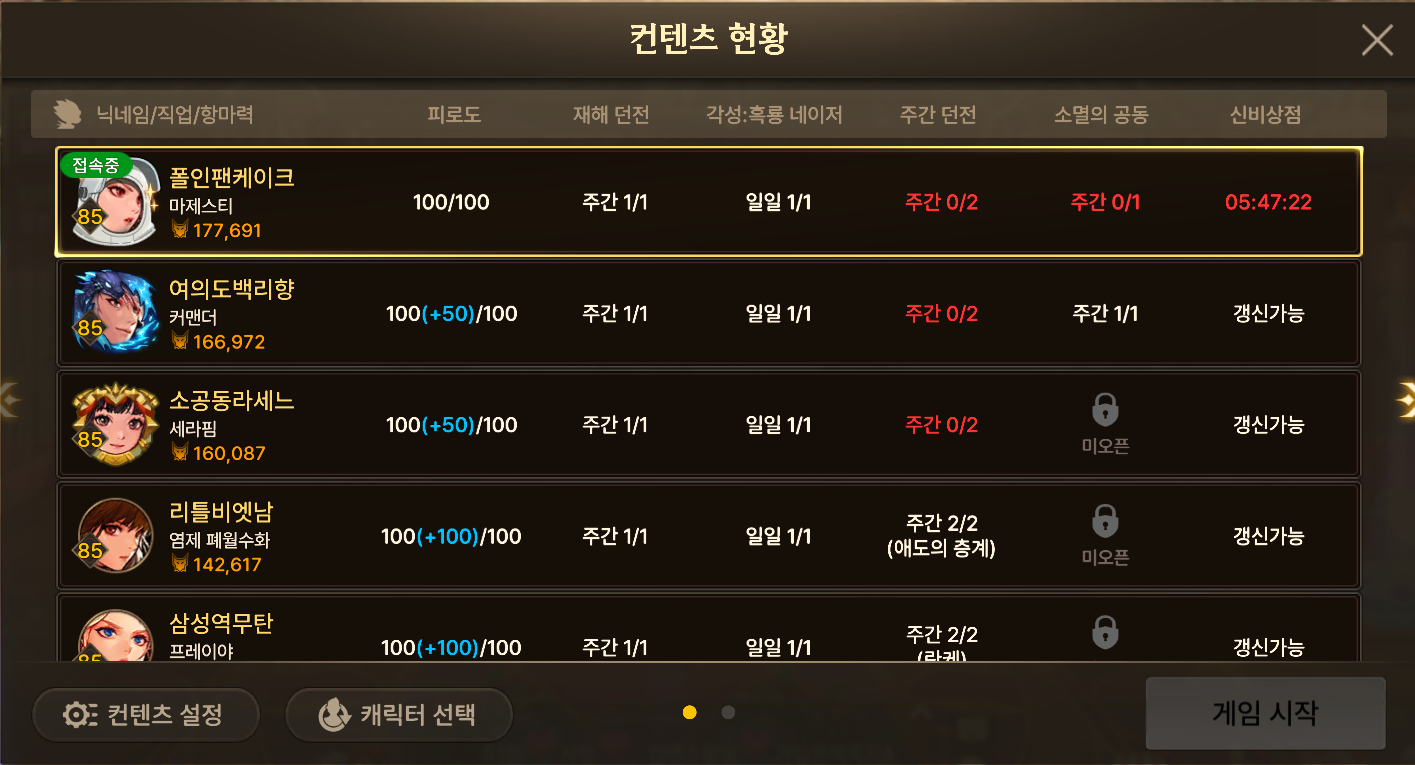
What do you think?
It gives you a clear overview, doesn’t it?
Let’s go over how to open the Content Status panel and what you can do with it.
Opening the Content Status Panel

It’s a little unusual, but to open the Content Status panel, tap “Change.”
You might expect to find it in the Scheduler, but that only shows task progress for your current character.
Content Status Panel Features
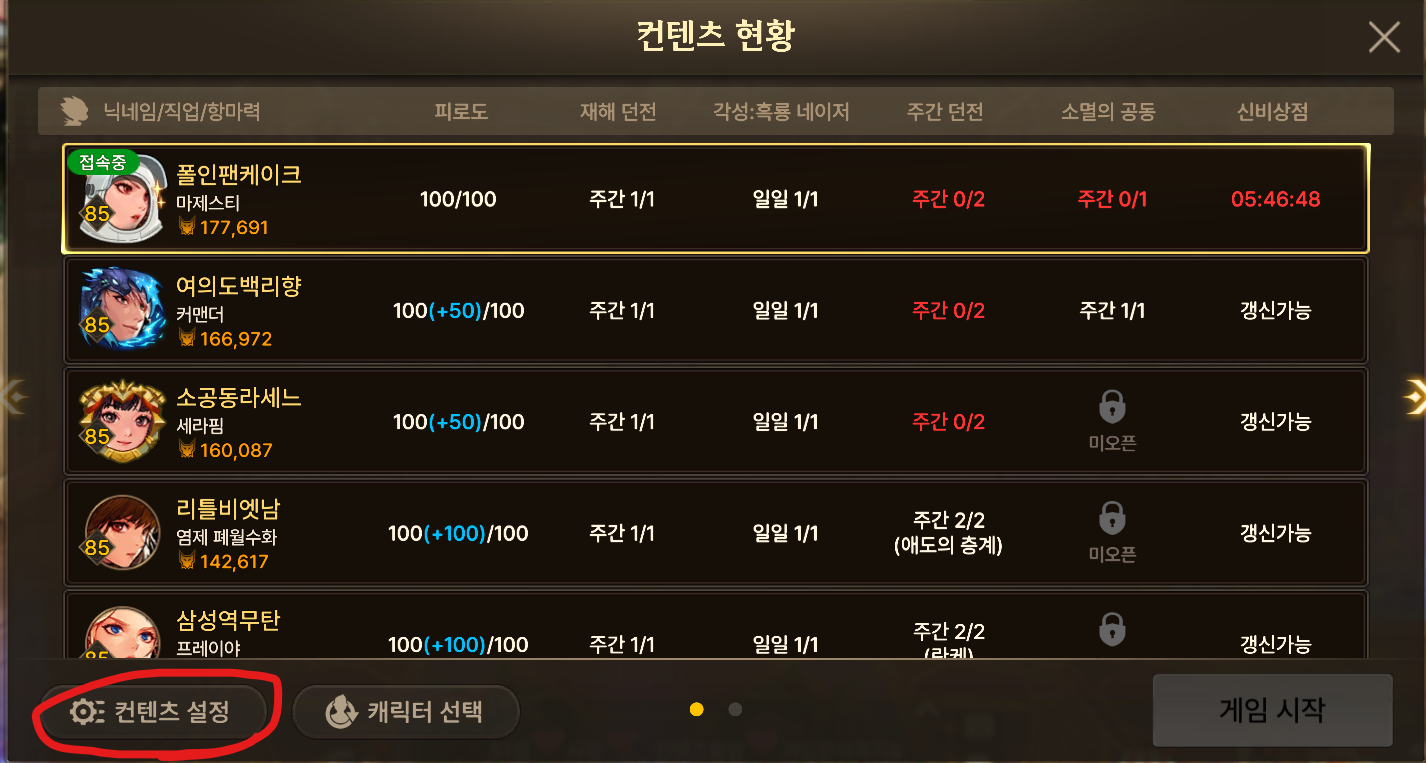
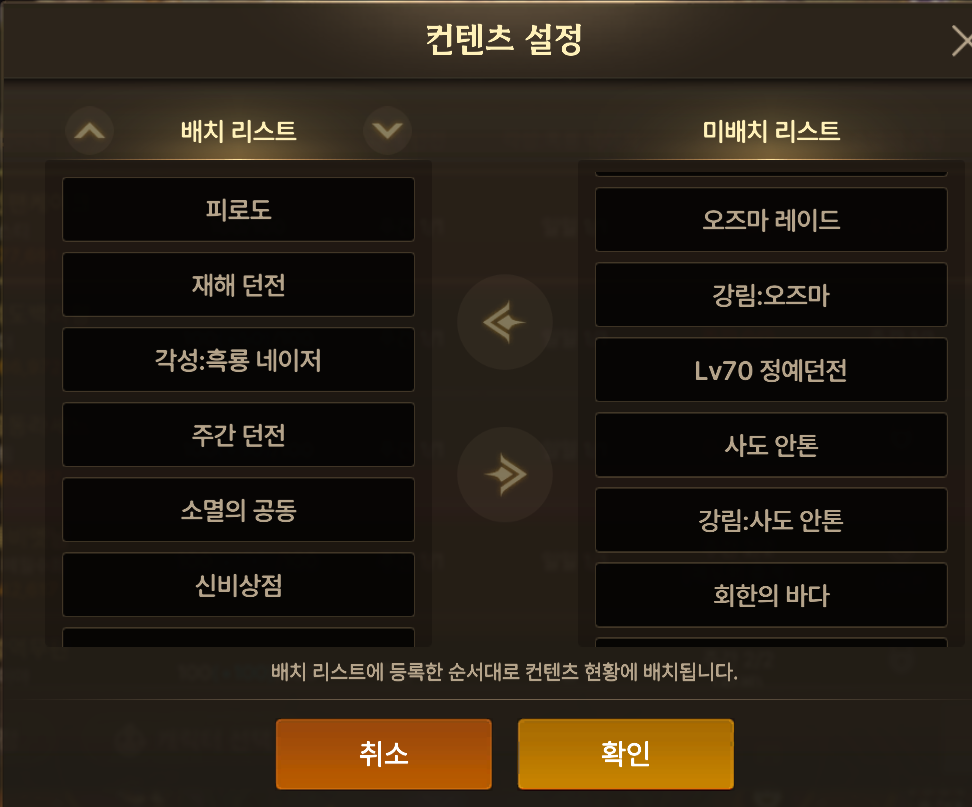
You can add a variety of in-game activities to the panel.
To access the menu, tap “Content Settings” in the bottom-left corner of Content Status.
Recommended Content Status Panel Setup
Everyone’s preferences will differ, but here are the entries I recommend.
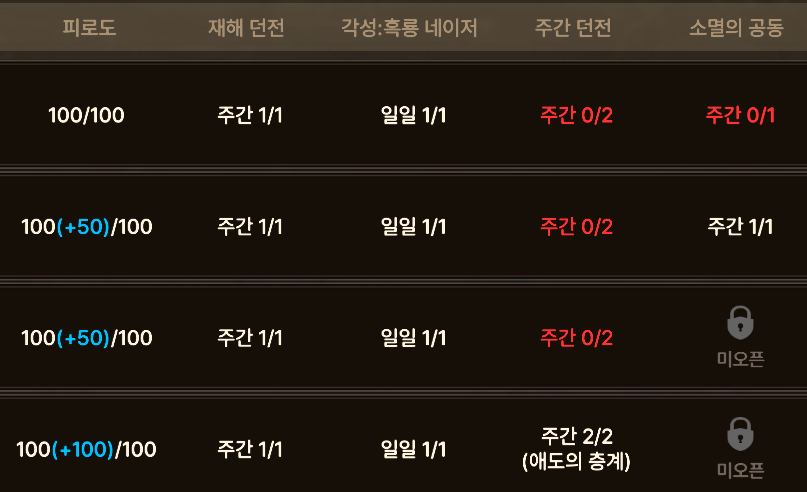
-
Fatigue: The most straightforward way to check whether you’ve used each character’s Fatigue.
-
Disaster Dungeons: Any Disaster Dungeon will do, so it’s worth running one suited to your character’s gear.
-
흑룡 네이저: This is the regular Black Dragon, not the awakened version. With a reasonable amount of gear farming in the level 85 season, you can clear it solo. It also awards a generous 6 연단의 증표, so it’s worth running consistently on 5 characters.
-
Weekly Dungeons: These are a key part of level 85 farming, so skipping your weekly runs means missing out on a lot.
-
소멸의 공동: This is the recently added level 85 Elite Dungeon. Normal difficulty requires 126,500 Exorcism, so I strongly recommend running it at a difficulty suited to your Exorcism.
Other Content Status Panel Options
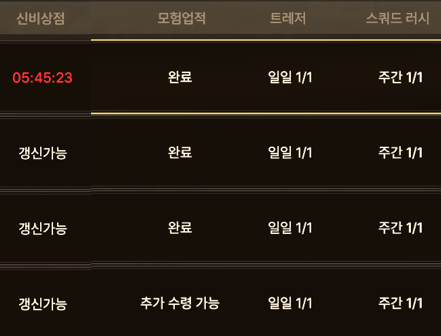
Here are some other activities worth considering beyond the 5 priorities listed above.
-
Mystery Shop: This shows you when free refreshes are available. Since an update last year, free refreshes replenish at 6 a.m. You can use this entry to check whether you’ve used them all for the day.
-
Adventure Achievements: Use this to check whether you’ve completed this particularly rewarding weekly task, which gives you 14 million gold each week.
-
Treasure: I’m not sure it’s worth running at the moment... Still, if you run it for resources, this lets you check whether you’ve done it.
-
Squad Rush: If you group up characters you’ve stopped gearing after a moderate amount of farming and use them to farm Ryan Cokes, this lets you check whether you’ve completed those dungeon runs.