Essential Things to Check Regularly in MapleStory #포춘 Cookie
마빡도로시
Hello.
The prompt for this post is “fortune cookie,” with the idea being to write about a theme that matches the fortune inside.
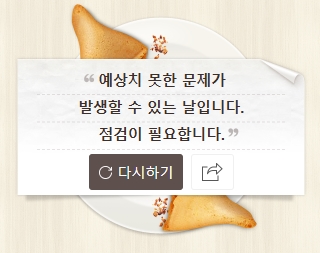
This was the message I received. If you put time into an in-game event but miss out on its rewards because the claim period has ended, that certainly qualifies as an unexpected problem.
To avoid situations like this, there are several things worth checking regularly. I have put together a checklist of some of the main ones in MapleStory, with explanations to help newer players understand what each involves.
Check your Intense Power Crystal sales every week
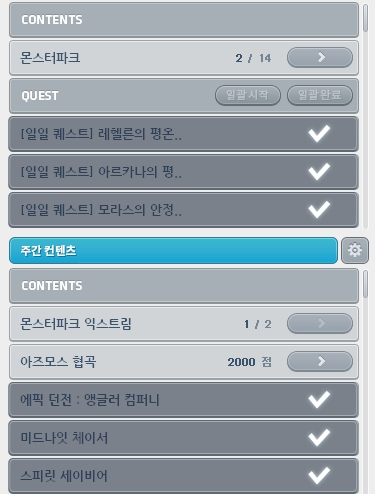
Before the Scheduler was introduced, keeping track of daily and weekly MapleStory tasks was difficult, and players had to record their completed activities manually in Excel or on player-created websites. The Scheduler now makes it easier to access activities, complete them, and review their status, so managing these tasks is much more convenient.
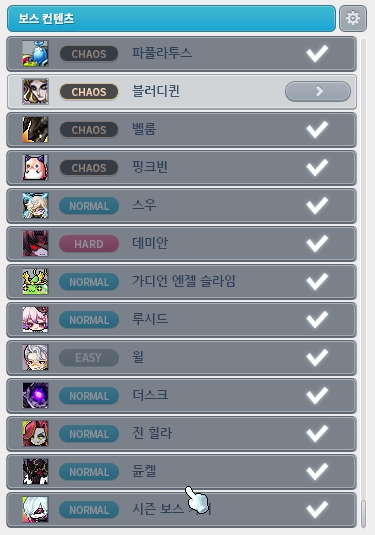
You can also use the Scheduler to check whether you have defeated your daily and weekly bosses, but one thing it cannot show you is whether you have sold your Intense Power Crystals.

Since you can sell only 12 weekly boss crystals per character each week, forgetting to sell them leaves you with a backlog that you cannot make up for through extra sales the following week. Missing a week's sales can therefore be quite costly.
Whether you rush to defeat your weekly bosses just before the reset at 0:00 on Thursday or clear them immediately after the reset and then forget about the crystals, it is worth checking that you have sold them before the next reset.
Some players have suggested that it would be more convenient if the crystals converted into mesos as soon as you obtained them, like the Golden Meso Pouches first introduced with this season's Challenger World bosses. Perhaps we will see this in a future quality-of-life update.
Also, when a new boss is added, make sure to check your weekly limit of 12 boss clears. This is especially important for players with high stats, since they often fight bosses in parties.
Things to check daily and weekly during events
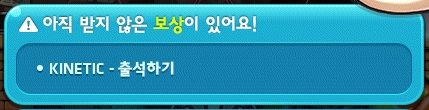
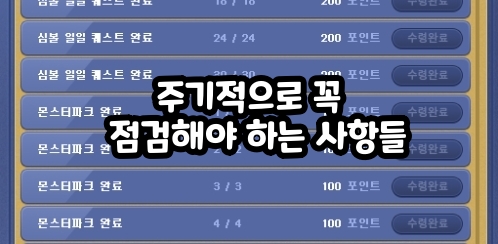
Alongside the regular content listed in the Scheduler, monthly events have their own daily and weekly tasks, which also make up a significant part of gameplay. The exit screen shown above displays the completion status for most of these tasks, so checking it carefully each time should help you avoid missing much.
Here is a breakdown of these tasks by main event category.
Main daily attendance events generally require participation on 5 out of the 7 days in a week, leaving 2 days of leeway. The following two are examples from the current event.
-
[Tallahart Fantasia]: Collecting Illusory Memories

-
[Challenger World]: Hunting Missions

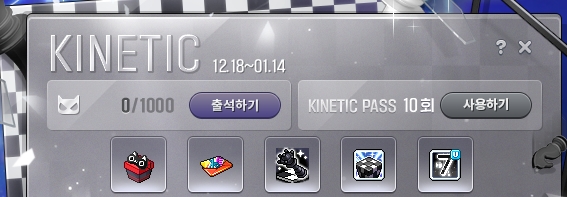
Secondary attendance events also use daily check-ins, but most do not have a weekly attendance limit. This time, the [KINETIC] event, which is available through 1/14 (Wed.), falls into this category.
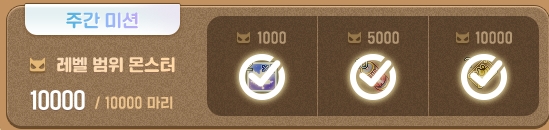
Main weekly attendance events involve weekly missions to defeat monsters near your level. The details vary, but defeating 10,000 monsters near your level generally lets you claim all the basic rewards. These events used to have daily limits as well, but those were removed, allowing you to finish everything in one day. The following are examples from the current event.
-
[Winter Preparation Missions]: Weekly Missions
-
[Elanos Chronicle]: Investigation Missions
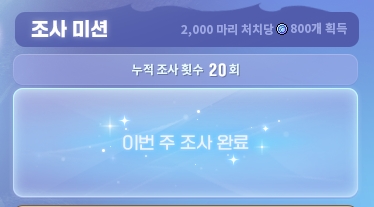
Even if you have defeated all the required monsters near your level, failing to click the attendance button or claim your rewards before the weekly reset effectively leaves you in the same position as not having completed the task at all. Make sure you not only finish the missions but also click the attendance button and collect the rewards. The game also reminds you about this when you exit.
-
[Challengers Pass]&[Momentum Pass]: Weekly Missions
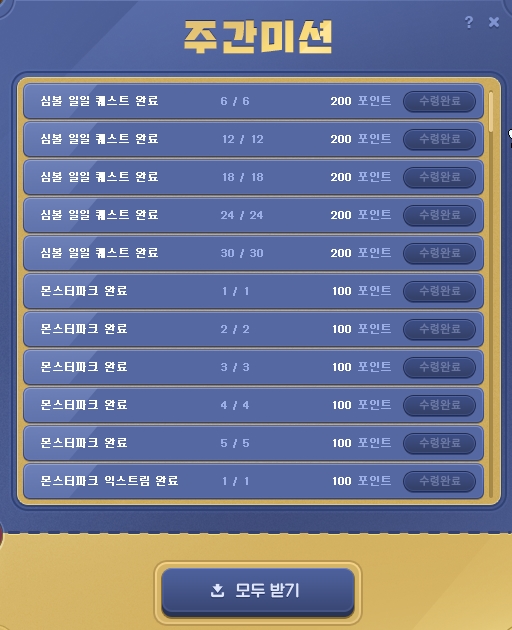
Similarly, recent pass-style events do not award points unless you complete their weekly missions, so finishing those missions every week is essential.
Finally, these attendance events let you make up missed check-ins by purchasing a pass with Maple Points. The cost varies by event, but it is usually around 1000 or 3000 points, so it is best to avoid needing a pass whenever possible.
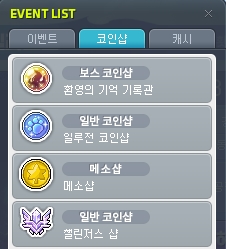
There are also event shop items that restock every Thursday at 0:00, so you need to make your purchases before the reset. These are now conveniently listed together in a separate Coin Shop tab, as shown above.

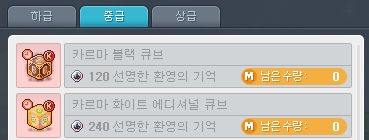
Items that restock have a notice in their descriptions indicating that a restock is scheduled, as shown above. The Karma Cubes in the weekly boss event coin shop are particularly valuable, making them a purchase you should be careful not to miss.
The following are examples from the current event.
-
[Illusory Memories]: EXP Coupons in the lower tier / Karma Cubes in the middle and upper tiers
-
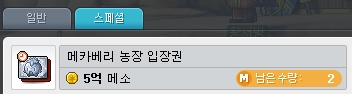
[Meso Shop]: Mechaberry Farm Entry Tickets
-
[PC Cafe Premium Gift Shop]: All items
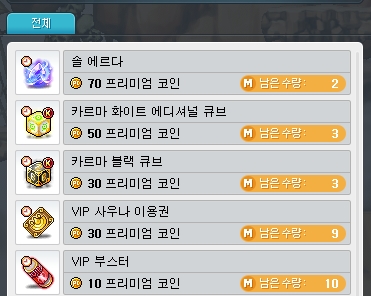
These offerings tend to be similar from one event to the next, but new items like the one in the current Meso Shop are likely to keep appearing, so it is worth checking the selection each time.
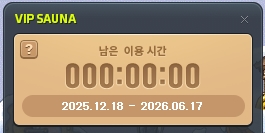
[VIP Sauna] usually starts and ends alongside a major event theme, then starts again immediately with the next one. Keep in mind that unused time does not carry over when it ends, so you will lose any time you have not used by that date.
Finally, most time-limited event rewards remain usable until 2:00 a.m. on the day immediately after the event ends. For example, rewards from an event ending on 1/14 at 23:59 will generally have a fixed expiration time of 2:00 a.m. on 1/15, so keep that deadline in mind.
Details that can cause confusion in PC cafe events
During major summer and winter event seasons like this one, PC cafe events include both a Premium Gift Shop and a cumulative rewards event running at the same time. Outside these seasons, only the cumulative rewards event runs.
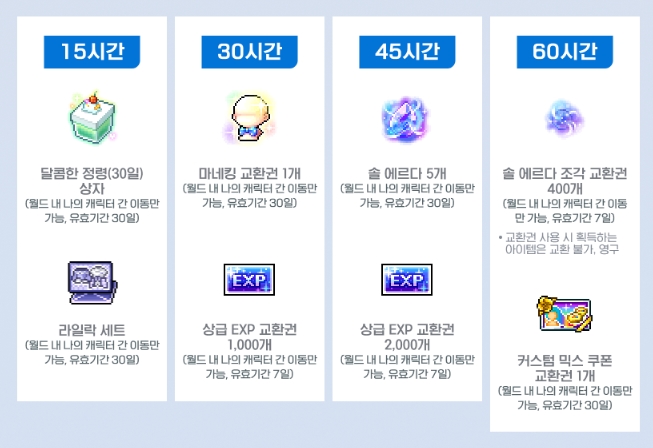
The two events have slightly different schedules, which can cause confusion. The key point to remember is that the cumulative rewards event runs until 23:59 on the Thursday when the live servers are updated, and a new event begins on Friday at 0:00.
This schedule appears to be intentional because it allows you to give the previous event's cumulative rewards to characters in [Challenger World], which opens after Thursday's maintenance.

The Gift Shop, on the other hand, runs until Wednesday at 23:59, so you must spend all the coins you have earned by the day before maintenance. If another Gift Shop event follows, it begins immediately after maintenance.
Why you should read the event details carefully at least once
Although the points above stay largely the same from one event to the next, other details can occasionally cause you to miss out in unexpected ways. Whenever a new event begins, it is worth reviewing its details at least once, whether on the official website, a community site, or YouTube.


For example, the current event has an event skill feature that provides stat buffs, which you access by clicking the “Enhance Illusory Magic” tab in the attendance interface to switch screens. Previously, these features were separate events with their own interfaces, so more players than you might expect had trouble finding this one when the event began. Some reportedly did not discover it until much later.
Major events almost always include event skills, so if you cannot find them in a future event, check the interface again or look up the relevant information.
A similar example is the Barrier Control Rod from the [Mysterious Barrier] event. It was available in the Meso Shop during the previous event, but this time it moved to a dedicated shop within the event interface, leading many players to assume it was no longer being sold.

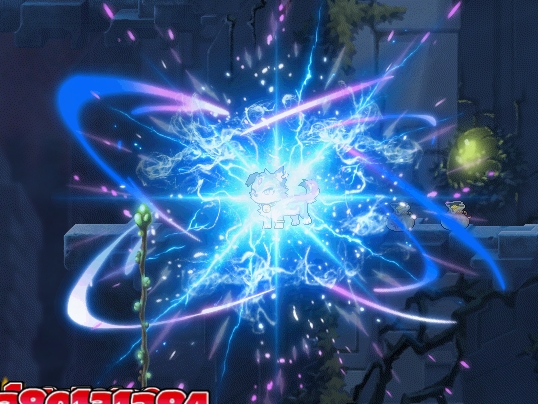
Other details to check include the placeable skill introduced as an event skill this time, which becomes stronger at certain level milestones.
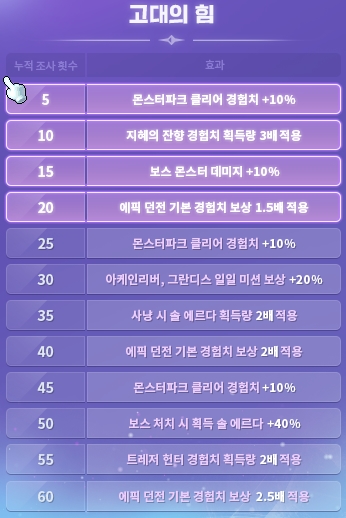
Some effects also apply only after you complete the attendance requirement for defeating monsters near your level, making it more beneficial to participate after completing that requirement each Thursday. Be sure to check these details with each new update season so that you do not miss out.
Thank you for reading.

![[메이플] 웃긴 게임 닉네임 추천 모음집!](https://peak-file.nexon.com/uploads/20250930_1004_6c3-ae64-43f8-9a2f-8ef62290c128)