How to Make Game Character Stickers for Your Phone
네오필
These days, you can create your own illustrations or merchandise designs with a single click.
In the past, this meant paying for a commission. Now that AI tools like Nano Banana can produce high-quality results, most people use them instead. They're free, and you can request revisions without feeling uncomfortable about asking.
I make things featuring my game characters from time to time, too.
Here, I'd like to share a few ideas worth trying.
How to Use Nano Banana
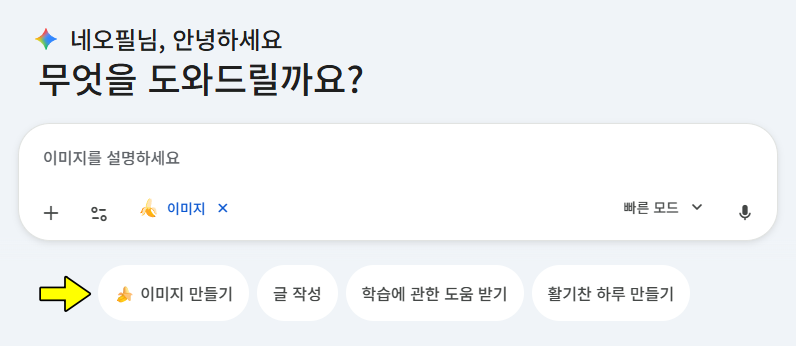
To use Nano Banana, simply make a request in Google Gemini as you would in a regular chat.
Click 'Create images' just below the chat window, then type your request into the input field.
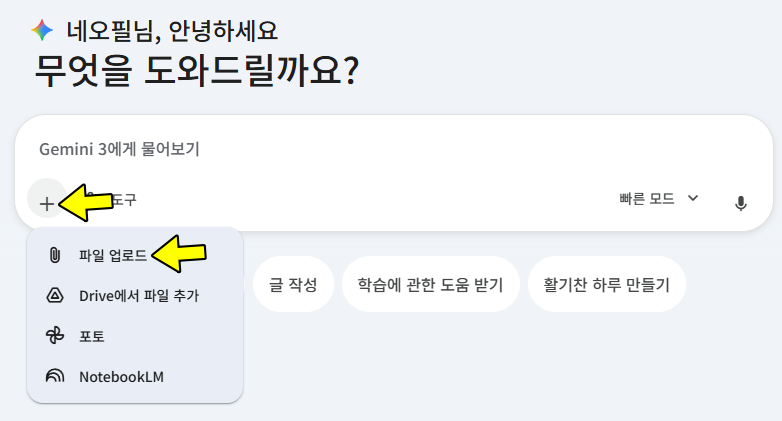
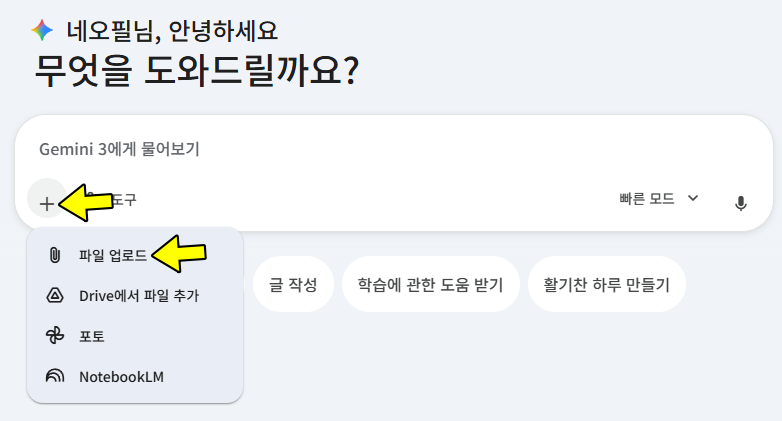
To use your game character as a reference, drag a screenshot file into the browser, or click the + button to upload it.
For more consistent results, include details about the character's appearance, outfit, background, camera framing, and mood.
|
Category |
Nano Banana (Standard) |
Nano Banana Pro |
|
Base model |
Gemini 2.5 Flash Image |
Gemini 3 Pro Image |
|
Resolution |
Typically produces 1K images at around 1024×1024 |
Supports high-resolution 2K·4K output, suitable for printing and detail shots |
|
Generation priorities |
Emphasizes speed and lightweight use for concept sketches and casual projects |
Emphasizes quality, detail, and text accuracy for finished work |
|
Text rendering |
Basic text rendering |
Significantly fewer distortions in fingers and lettering, with improved multilingual text rendering |
|
Compositing |
Focuses on simple edits and composites |
Optimized for combining multiple images and composing complex scenes |
|
Character consistency |
Standard |
Better at keeping characters consistent in images with multiple people and across multiple shots |
|
Creative control |
Basic prompt-based control |
Offers precise, studio-level control over camera angles, lighting, color correction, depth of field, and more |
|
Suitable uses |
Thumbnail drafts, concept sketches, light editing |
Commercial banners, brand images, printed materials, product detail images, campaign visuals |
The table above summarizes the differences between the standard model and Nano Banana Pro.
You can use Pro for free, but the usage allowance is lower than with a paid subscription.
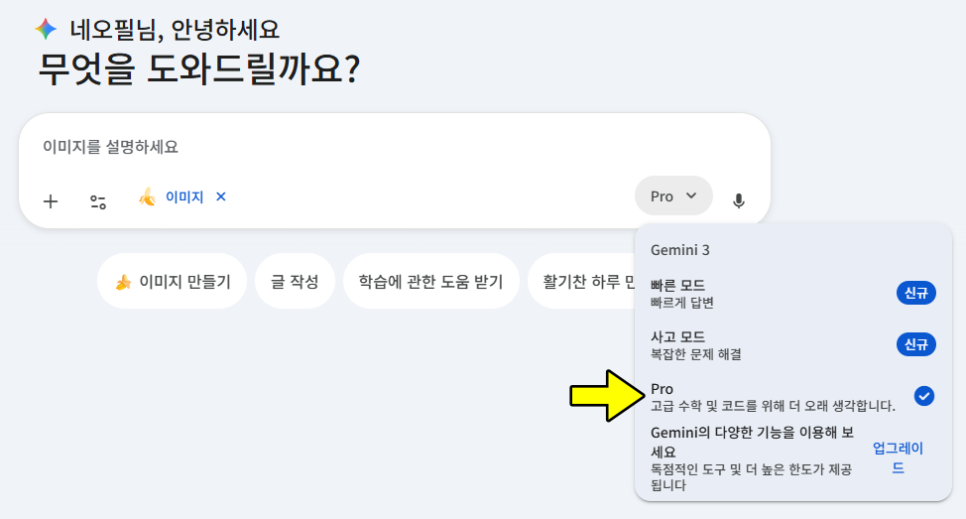
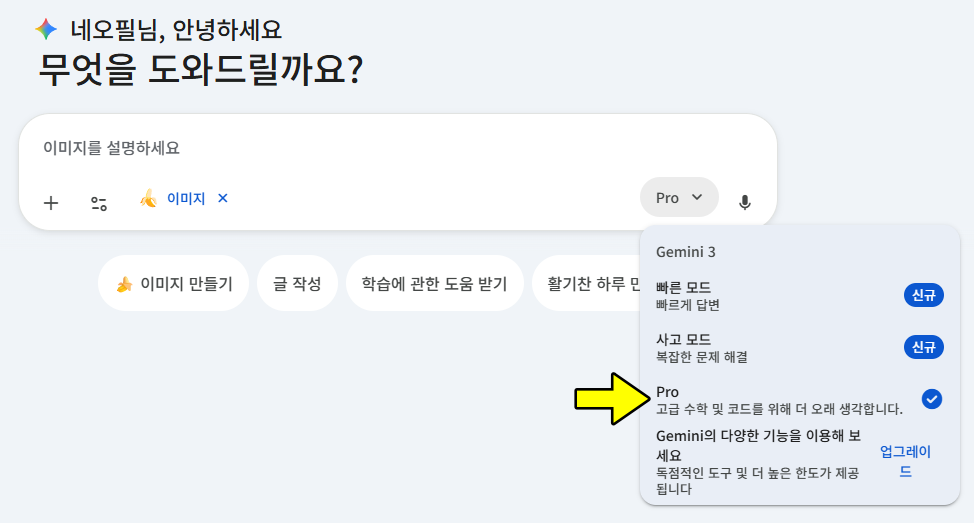
To use the Pro model, choose Pro from the model selector on the right.
To help ensure it uses that model, request 4K resolution in your prompt.
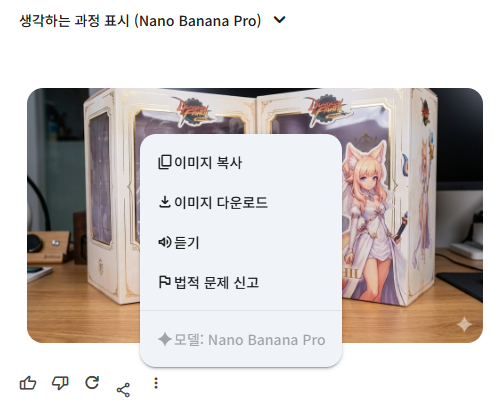
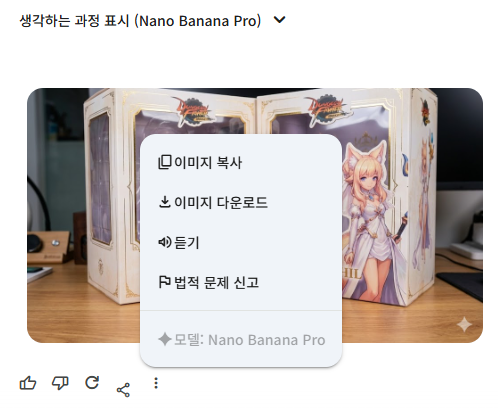
You should then see Nano Banana Pro displayed while the image is loading, as shown here. You can also check the model by clicking the Show more button.
Phone Sticker Prompts
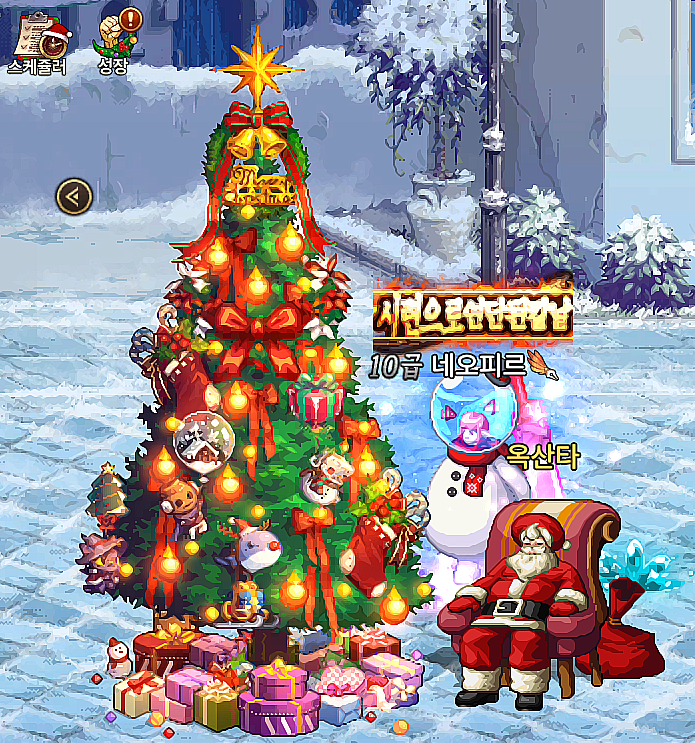
For phone stickers, you can get good results simply by specifying the style, composition, linework, background, and whether to include text.
I used the screenshot above with the following prompt.
I chose the standard model for faster results.
Turn the character in the uploaded screenshot into a sticker illustration for decorating a smartphone.
Keep the character's entire body in frame. Remove all game elements, including the background, UI, text, health bars, and minimap.
Add a thick white outline around the character to make it look like a real sticker.
Use a pure white background, and keep background patterns, shadows, and lighting effects to a minimum.
Create a high-resolution phone sticker image with a 1:1 aspect ratio.
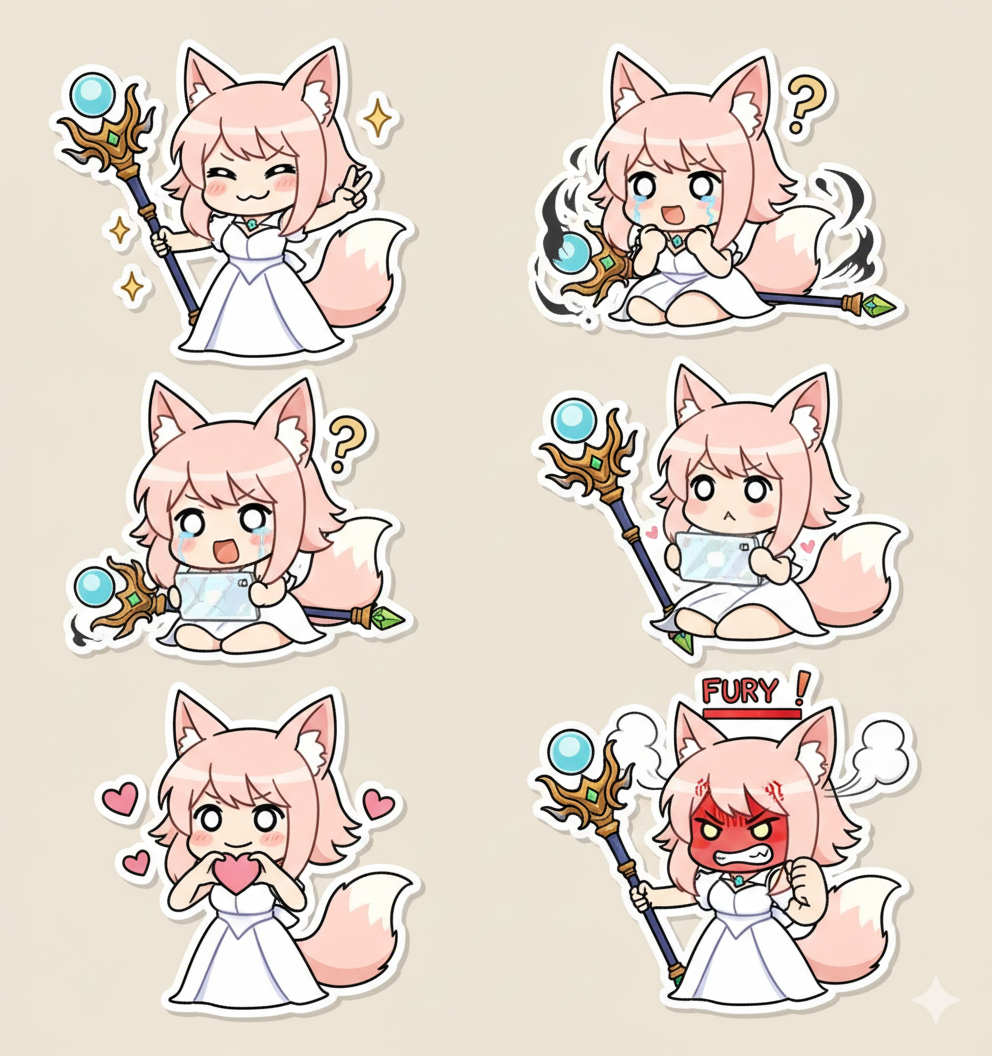
Here's the result.
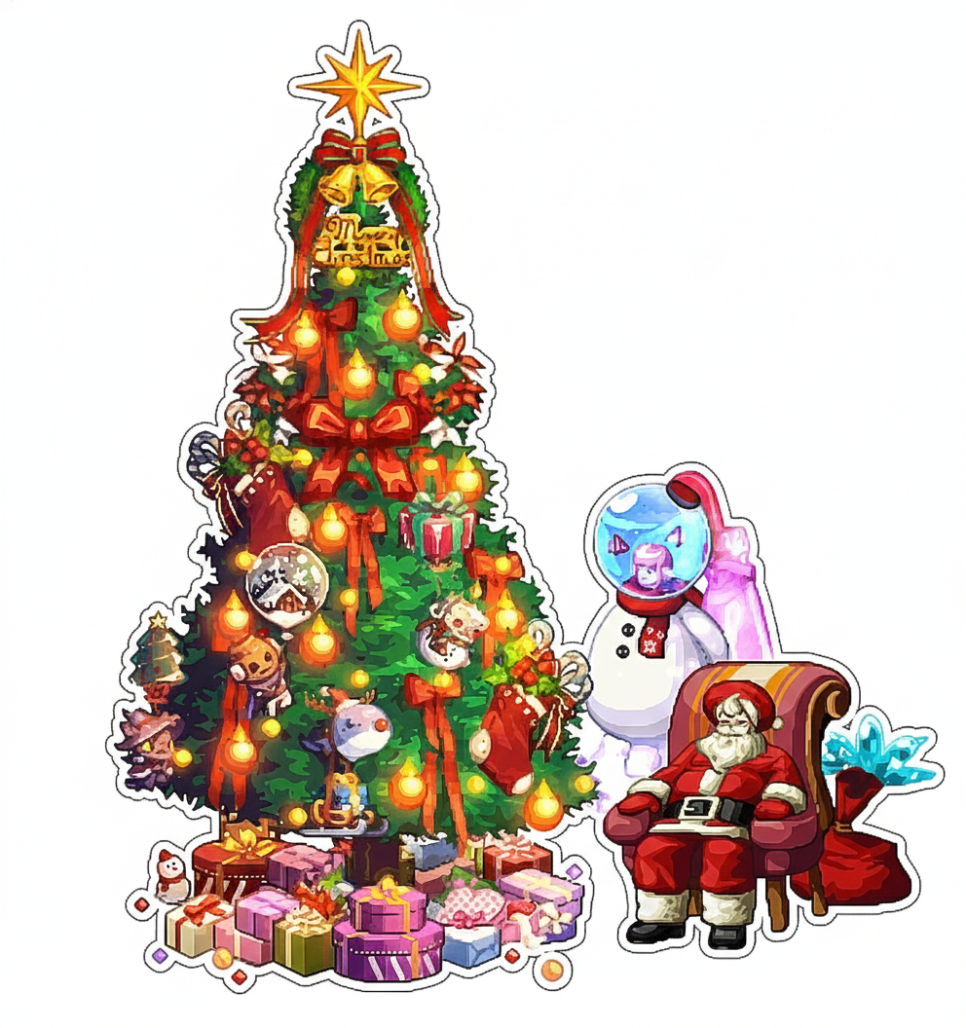
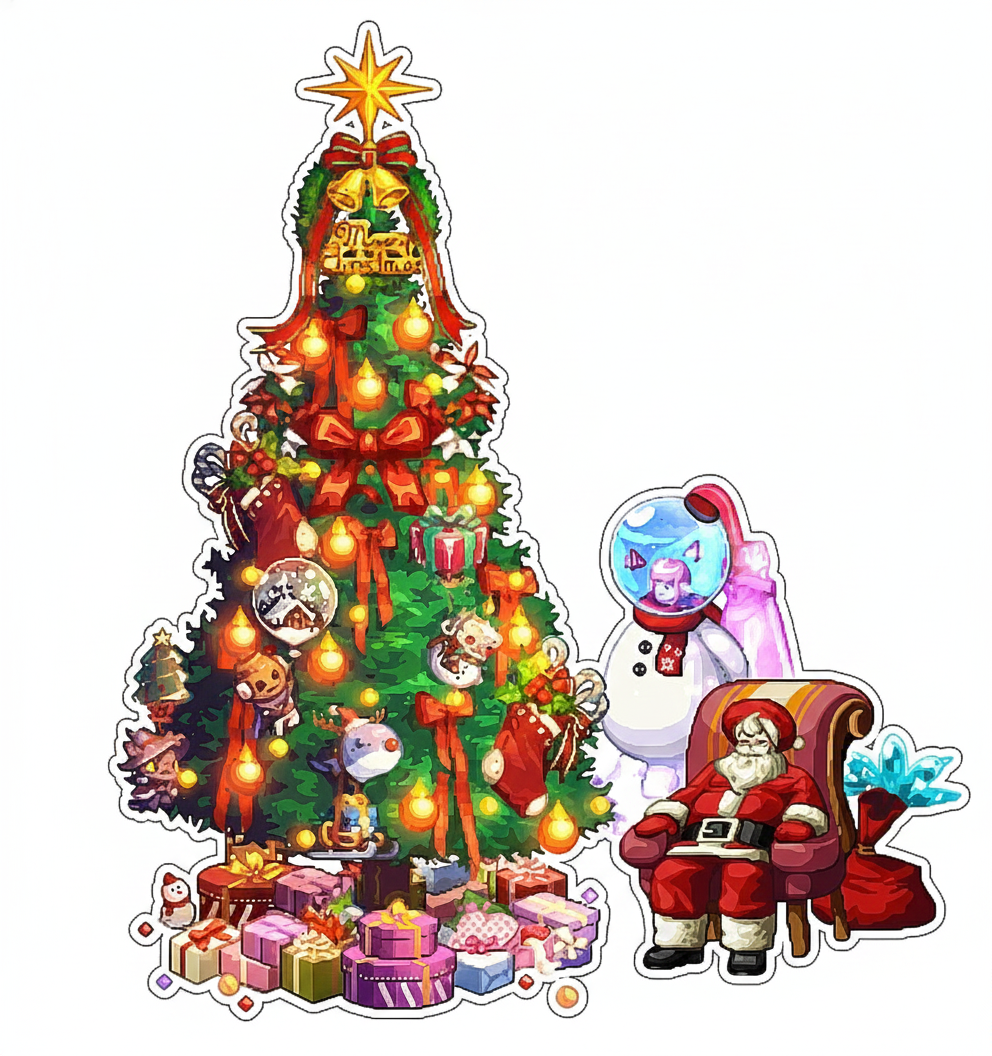
It neatly removed the character's nickname and title, the in-game icons, and even the background.
The quality is good enough to use as a sticker on the back of a phone without any changes.
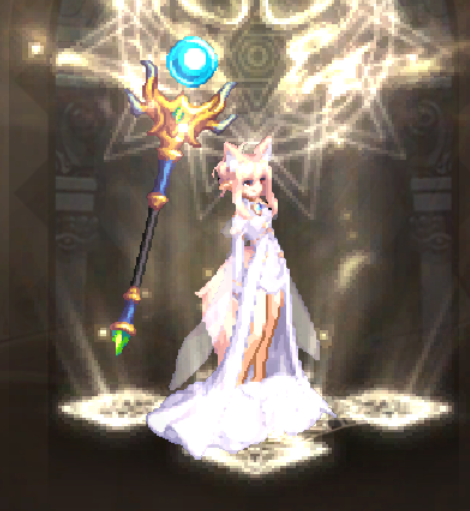
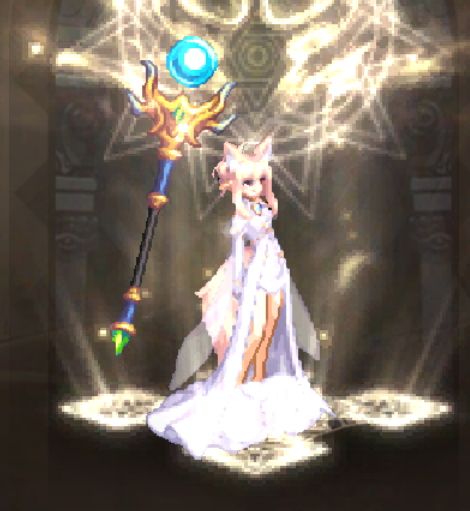
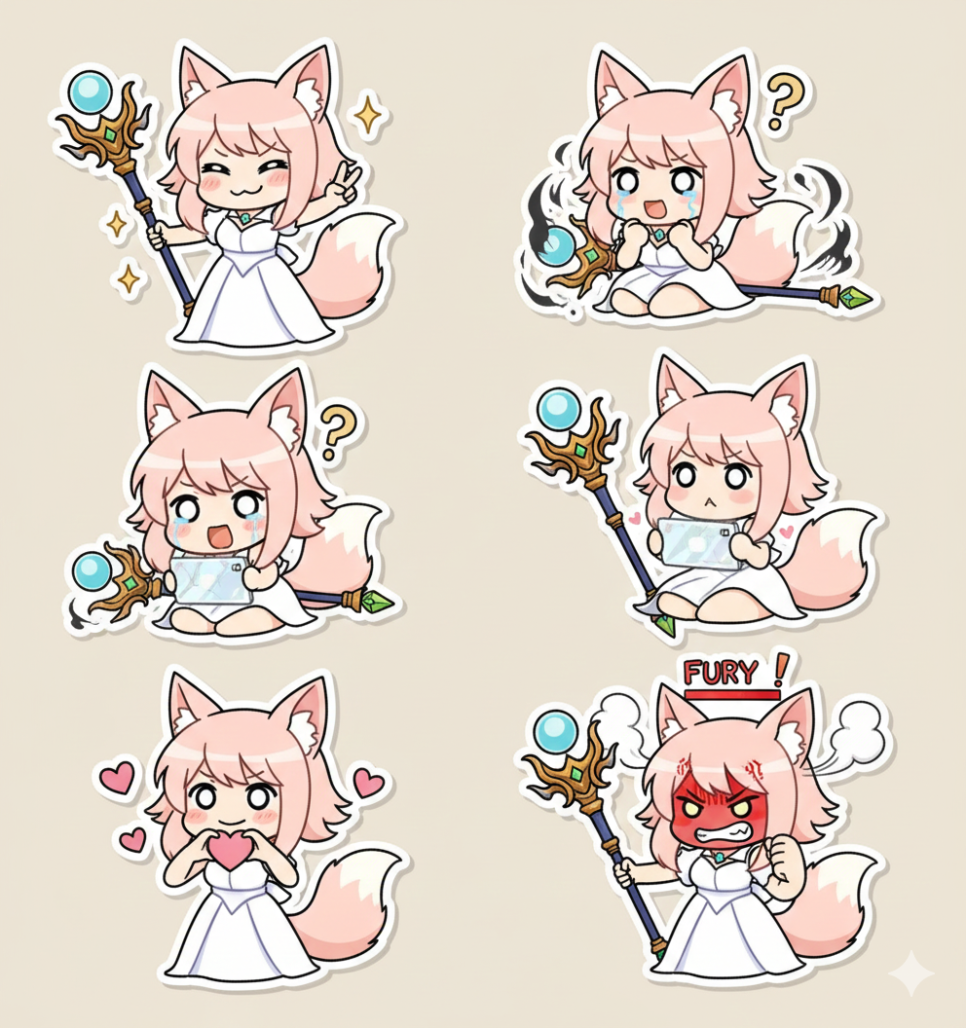
Next, I'll ask for a set of phone stickers featuring the same character in different poses, like a set of emotes.
Using the character in the uploaded screenshot, create a set of 6 stickers for decorating a smartphone.
Keep the character's hair, outfit, and colors consistent with the original. Give each sticker one of the following expressions and poses.
① A victory pose with a confident expression
② A defeated or overwhelmed expression, slumped on the ground
③ A surprised pose with eyes wide open
④ Playing a game with a focused expression
⑤ A cute pose sending a heart
⑥ An angry pose, as if the rage meter is at MAX
Draw all stickers in a kawaii/SD style with bold, clean outlines and simple cel shading.
Leave plenty of space around each character and add a thick white outline. Use a consistent white or very light solid-color background for all stickers.
Do not include any game UI, numbers, text, logos, or watermarks.
Use a vertical 9:16 aspect ratio suitable for a smartphone background, and make each sticker usable on its own.
Here's the result.
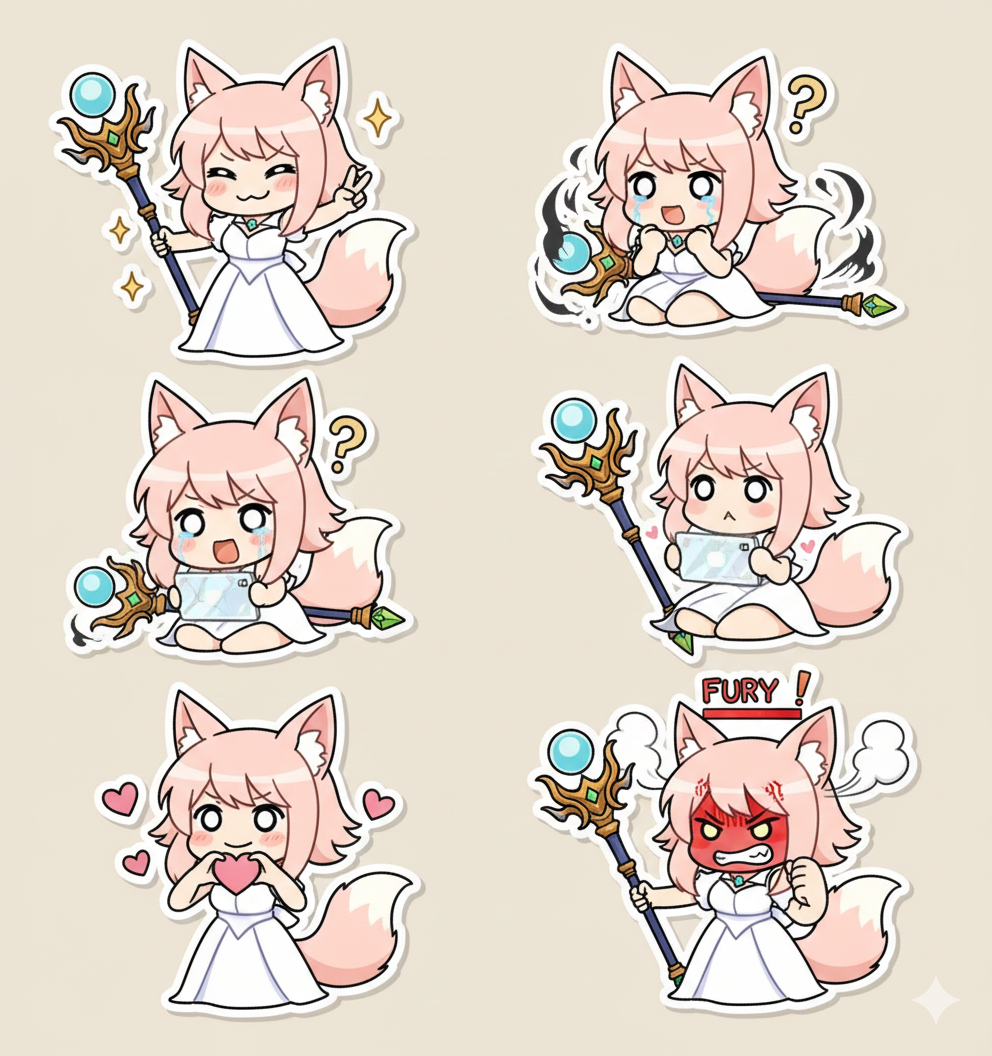
For a design closer to the original, remove “kawaii/SD style” from the middle of the prompt.
Feel free to change the character's poses and expressions.
More Prompts to Try
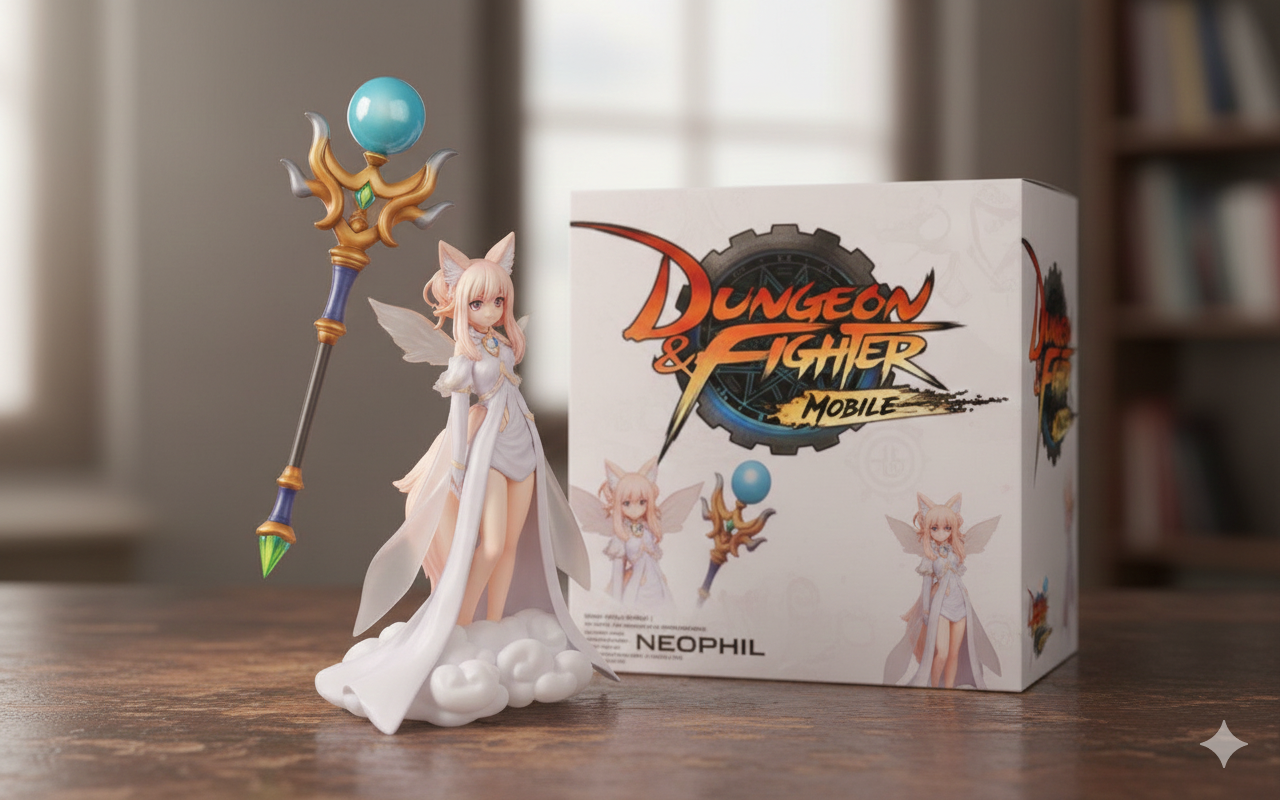
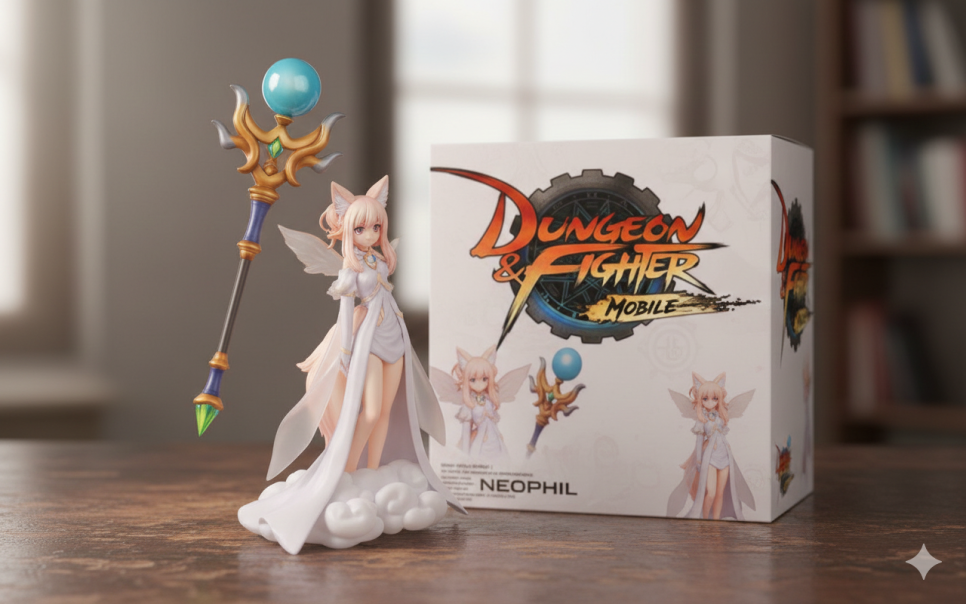 Standard model
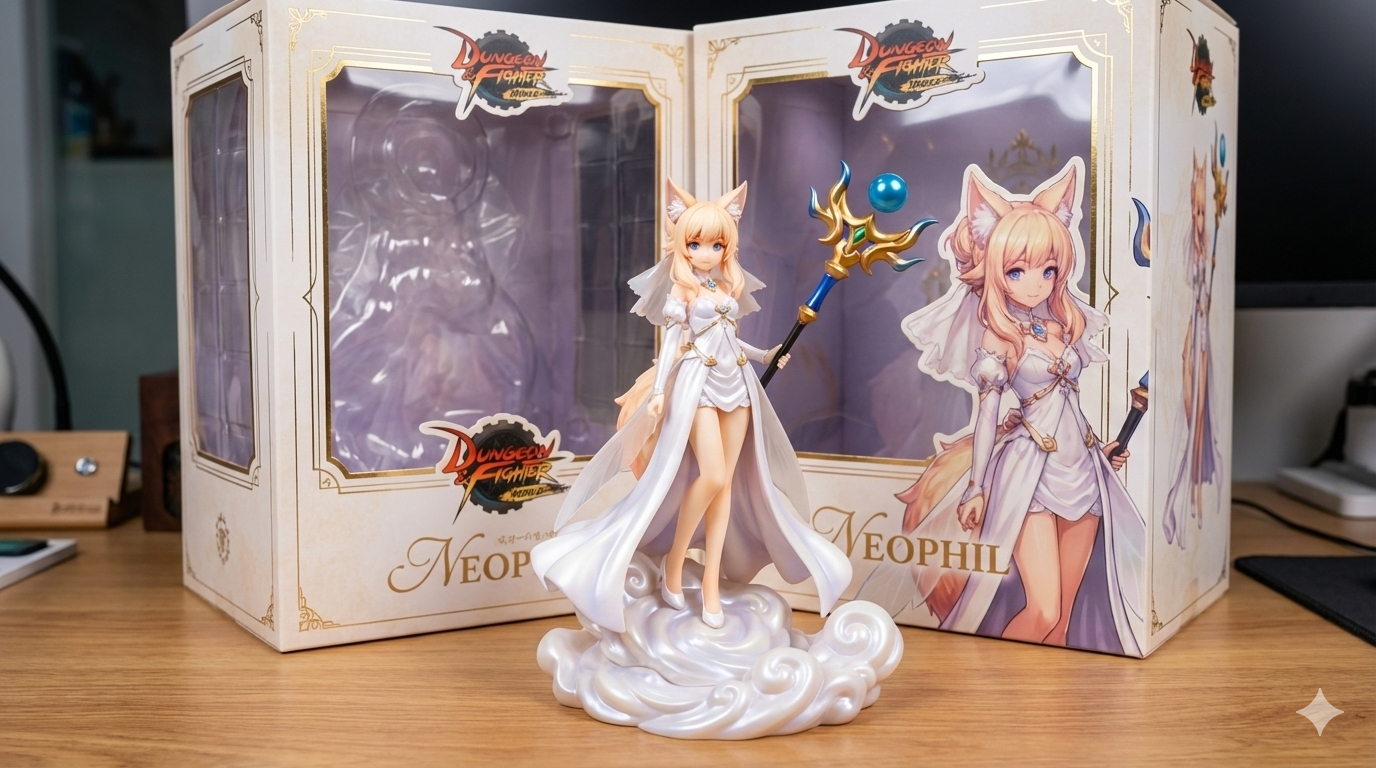
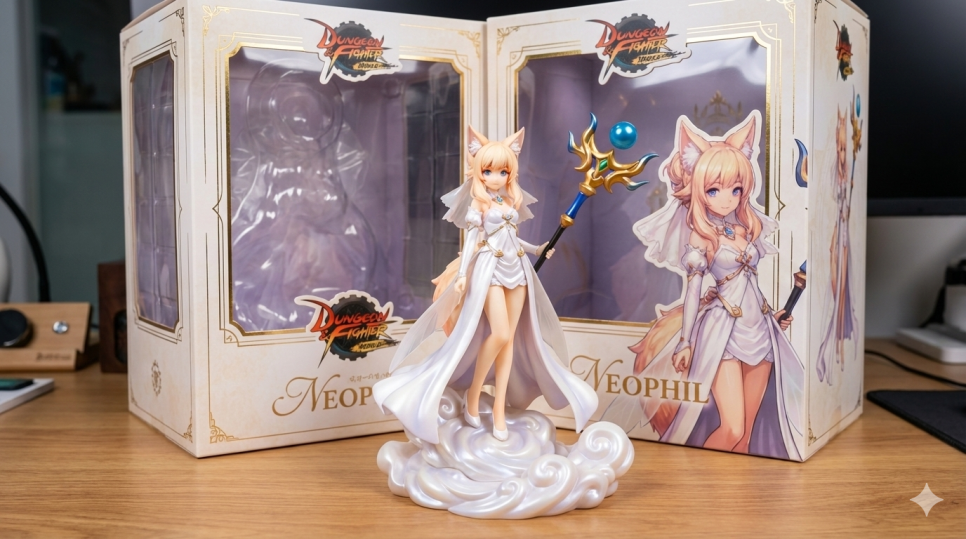 Pro model. The extra detail is noticeable.
Turn this game character into a 1/7 scale figure.
Place the figure on a desk, with its packaging box behind it.
Use the attached logo as the game logo on the packaging box.
The character is meant to have clouds around their feet.
The character's name is NEOPHIL.
Nano Banana can create designs for many other types of merchandise, too. In fact, it first became known for its figure images.
I tried creating a 1/7 scale figure with the prompt above.
When writing a prompt, it helps to explain any details the AI might misinterpret.
For example, it interpreted the clouds around this character's feet as part of the outfit, so I clarified that they were clouds.
Be specific about other details, too, such as the number of tails or a hair color that's hard to identify.
It adds a BANDAI logo and a made-up name to the packaging box, so upload the game logo and include the character's name in your request.
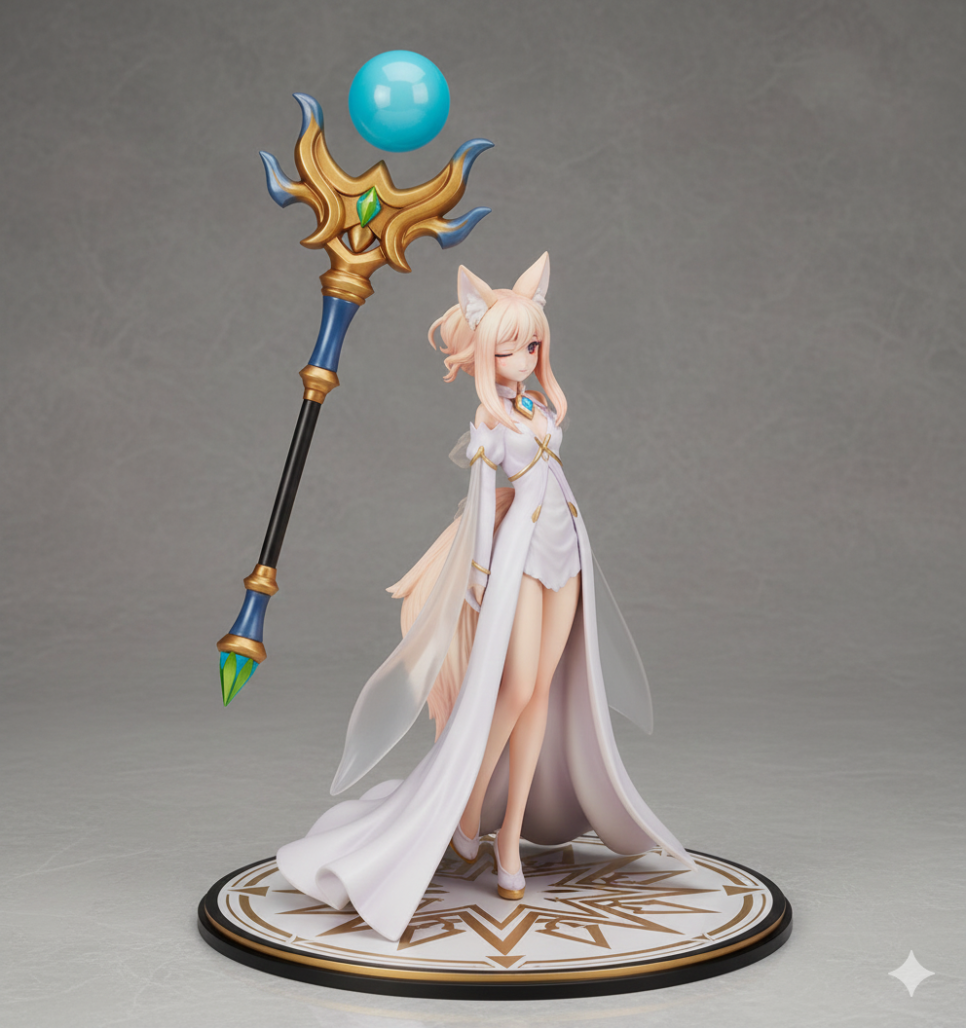
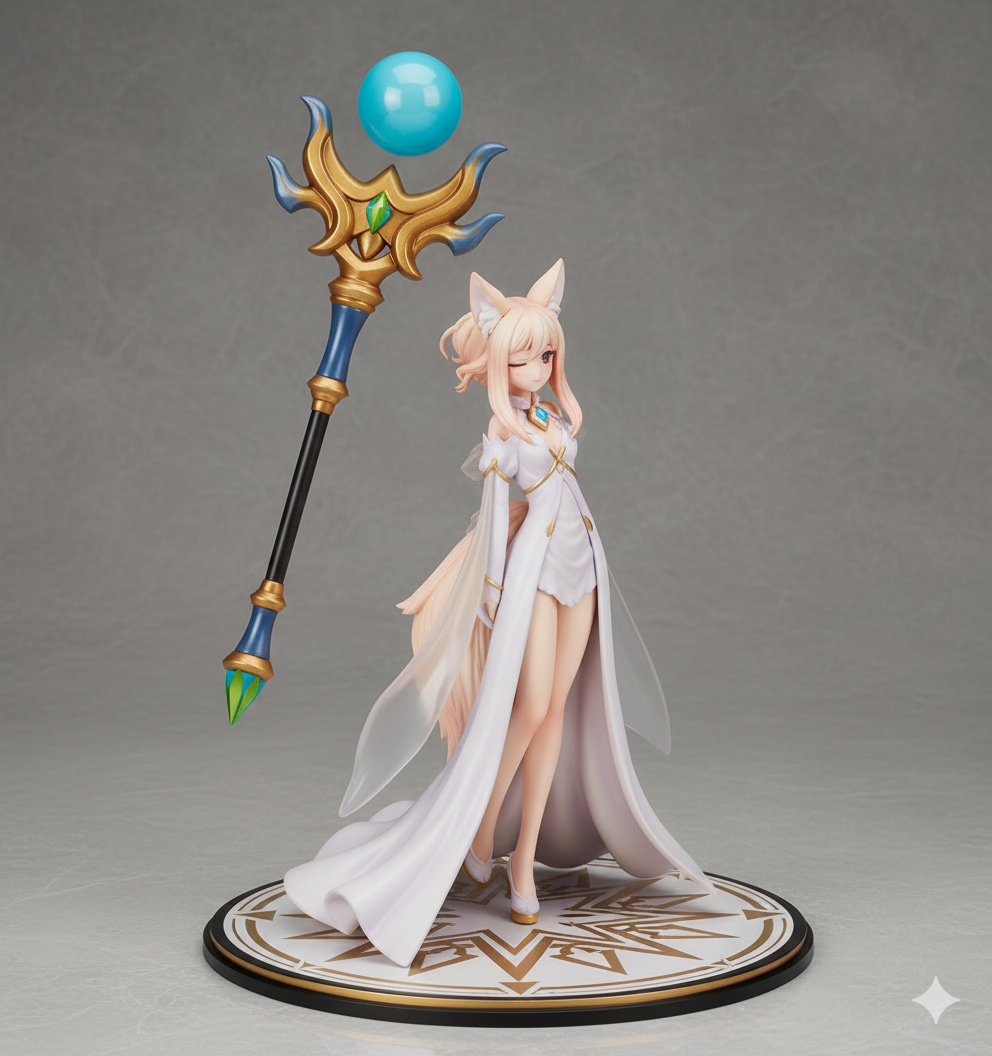
You can also ask it to remove the packaging box altogether.
I forgot to ask for clouds here, but the result still looks good.
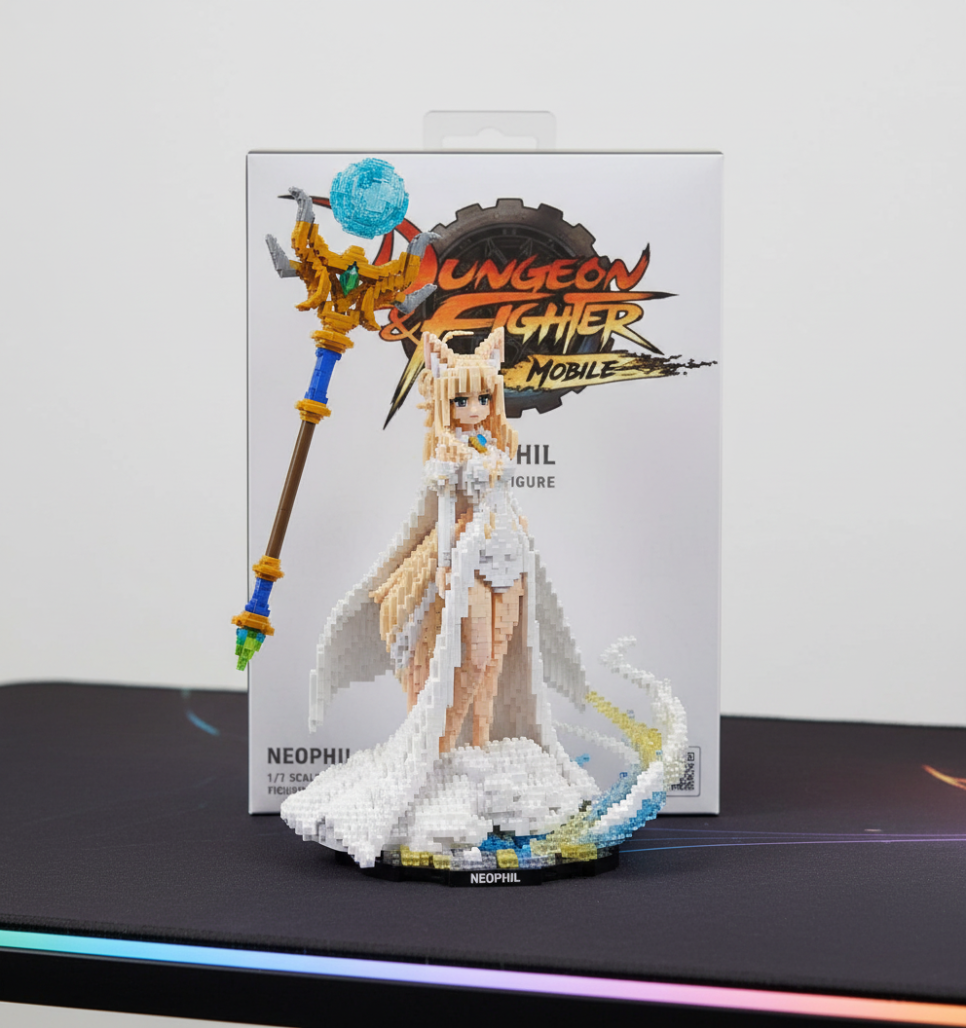
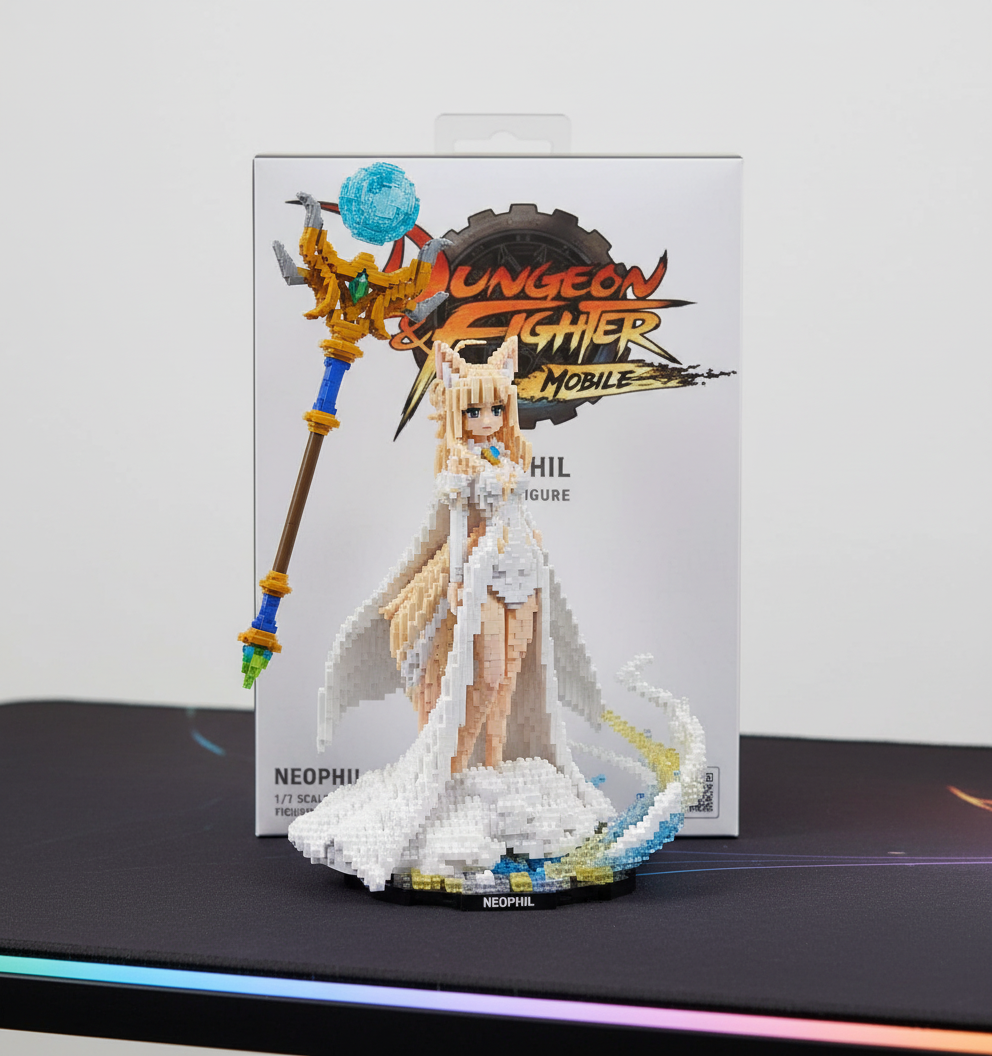
nanoblock
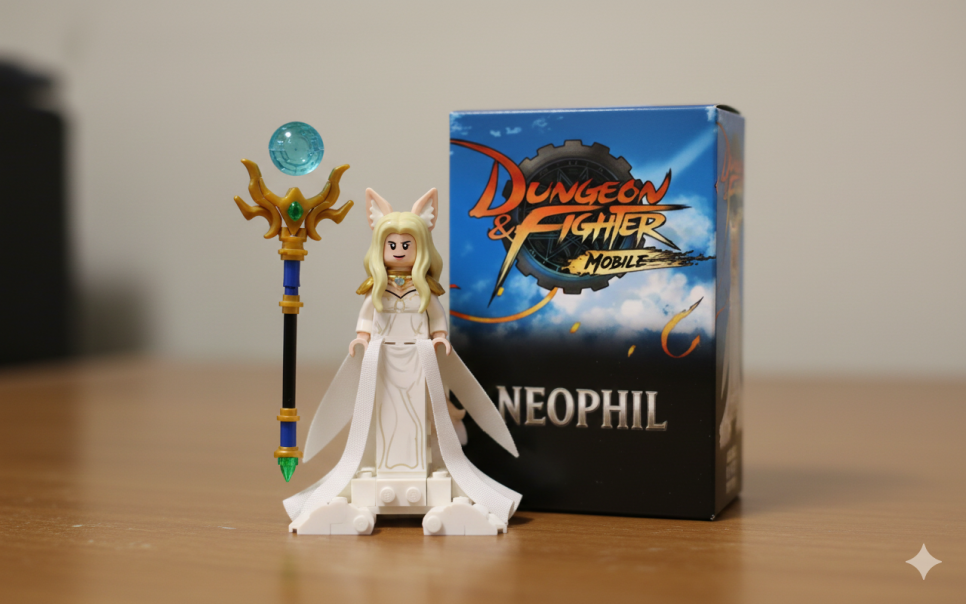
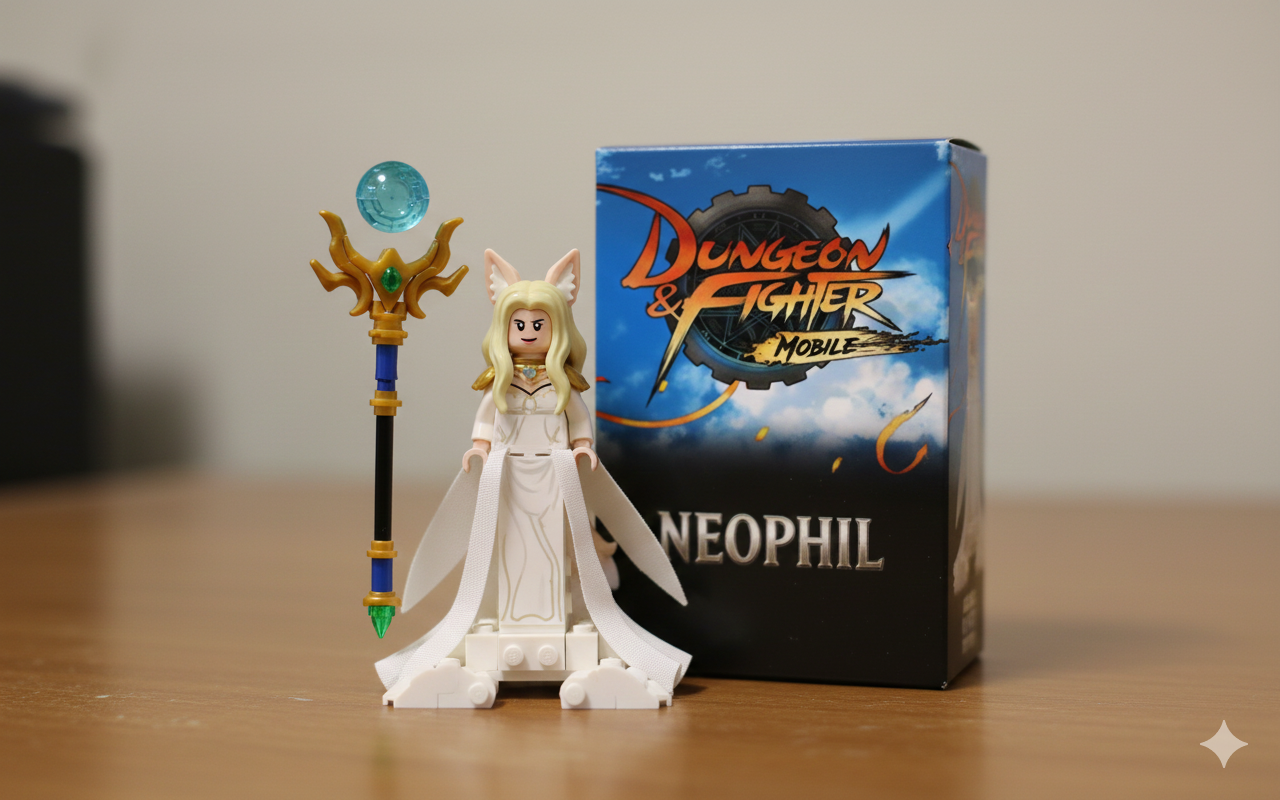
LEGO
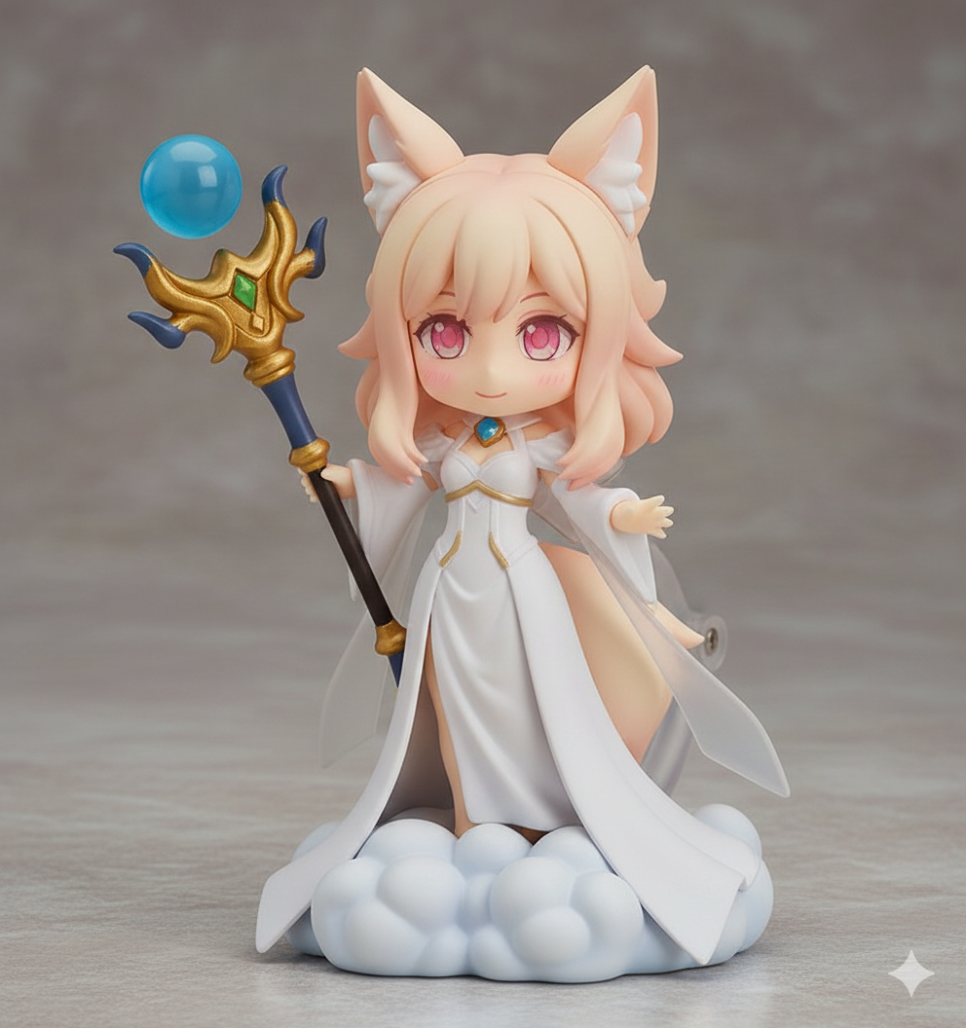
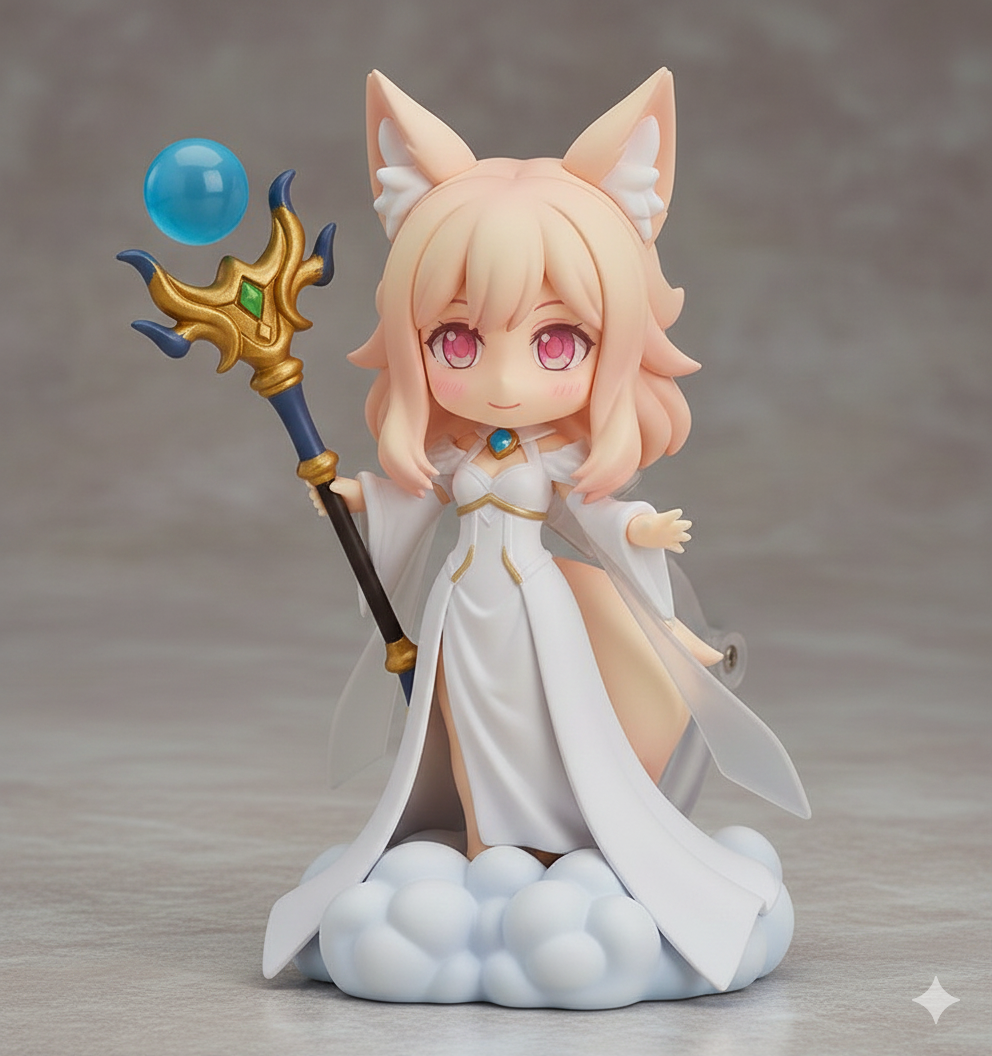
Nendoroid SD figure
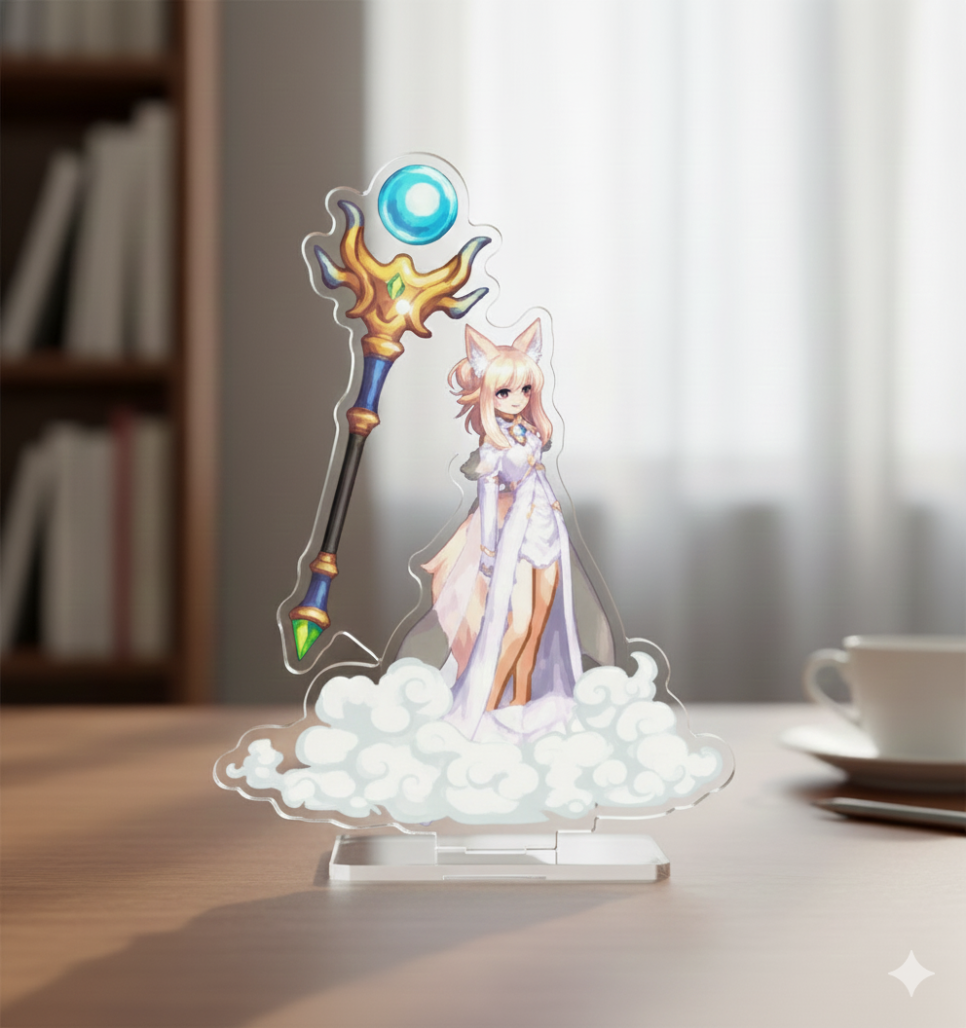
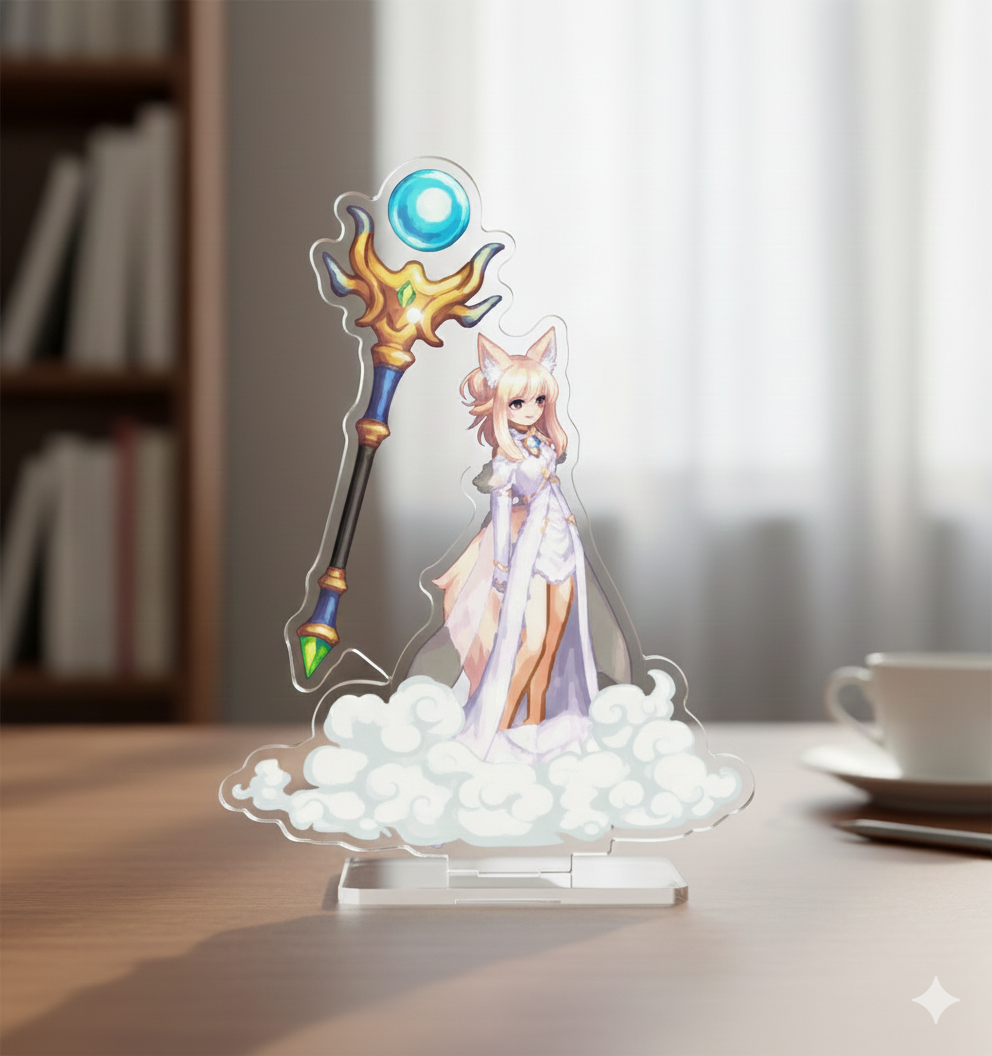
Clear acrylic stand
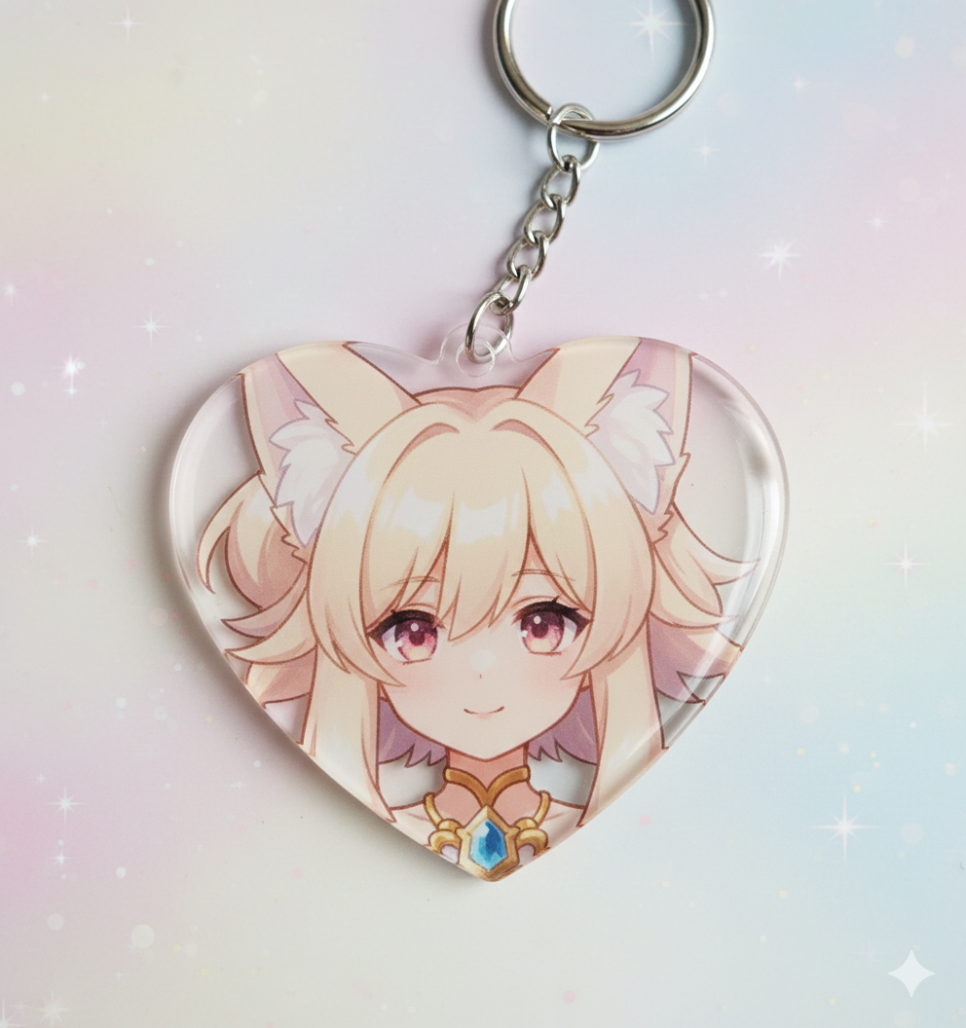
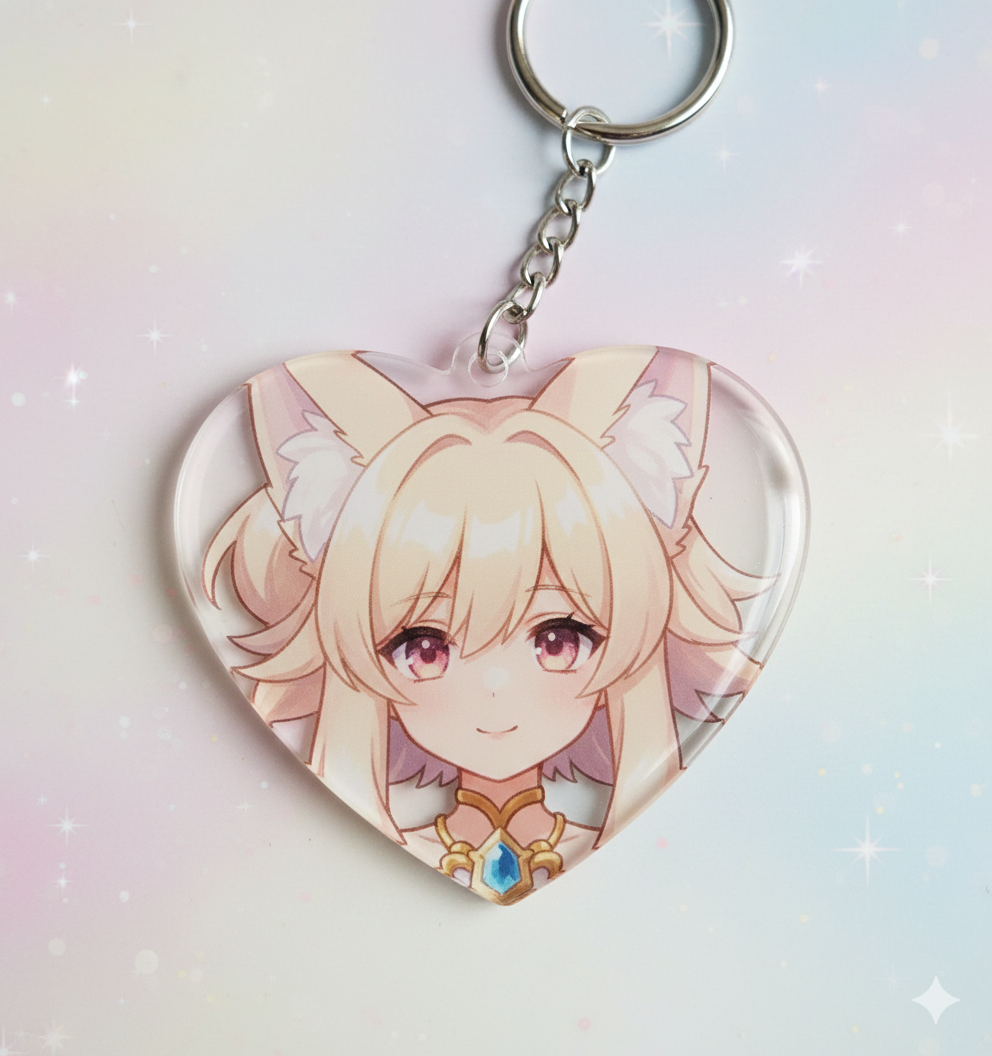
Heart-shaped keyring
I used this approach to create a variety of merchandise designs.
Keyrings can be round, square, or other shapes—not just hearts. For the best-looking result, ask for a large image of just the character's face.
Other options include pin-back buttons and phone grips.
Wrapping Up
That covers the basics of using Nano Banana and some prompts to try.
I started experimenting just for fun, but making these designs has left me feeling more attached to my characters.
I plan to put a little more care into character customization and keep having fun with different merchandise designs.
![[피크 챌린지] 마비노기의 커스터마이징은 왜 아직도 사랑받을까?](https://peak-file.nexon.com/uploads/20260727_0400_d278594e.png)