[Mabinogi Mobile] Helpful Settings for Beginners: You Don’t Need to Know Them, but They Make Things Much Easier
자경씨
This post was created as part of
NEXON PEAK activities.
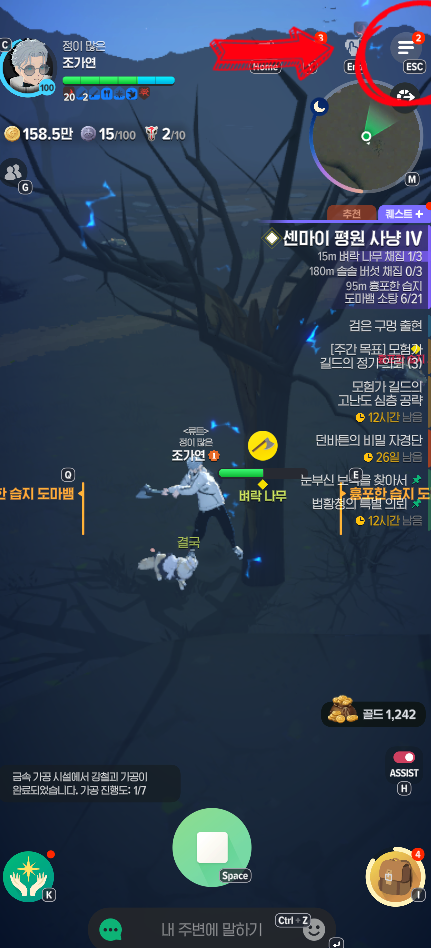
Small changes to a game’s settings can make playing more convenient. As a beginner, though, you tend to leave those settings alone. Changing the wrong option might cause problems or create extra hassle, but the main reason is simply not knowing what the options do. Leaving unfamiliar settings alone feels like the safer choice. With that in mind, I have put together a few personal recommendations that can make playing a little easier. These are based entirely on my own play style, but looking through them may help you work out what suits yours. To get started on PC, press ESC; on mobile, tap the menu in the upper-right corner. You can then open Settings on the right.
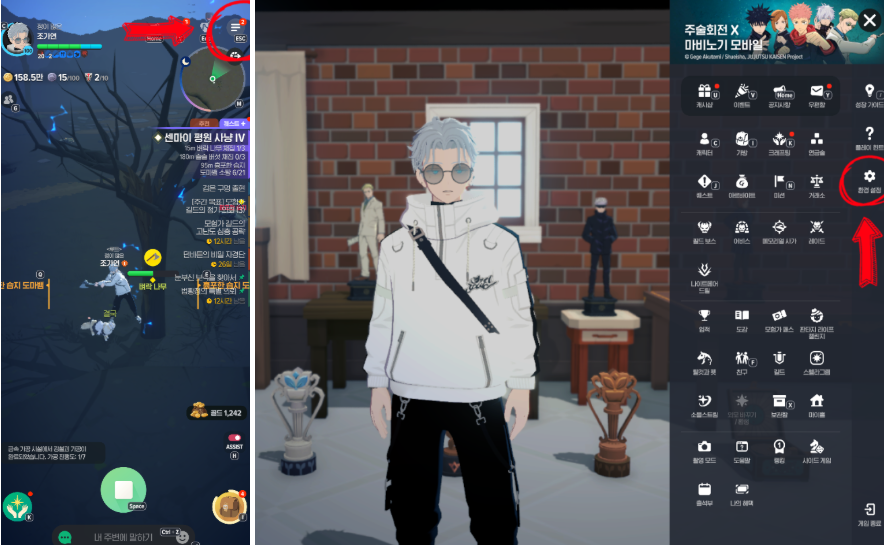
Once you open Settings, you will see tabs for Game, Controls, Graphics, Sound, Community, Notifications, and Account. The options are fairly straightforward. Let’s go through them section by section.
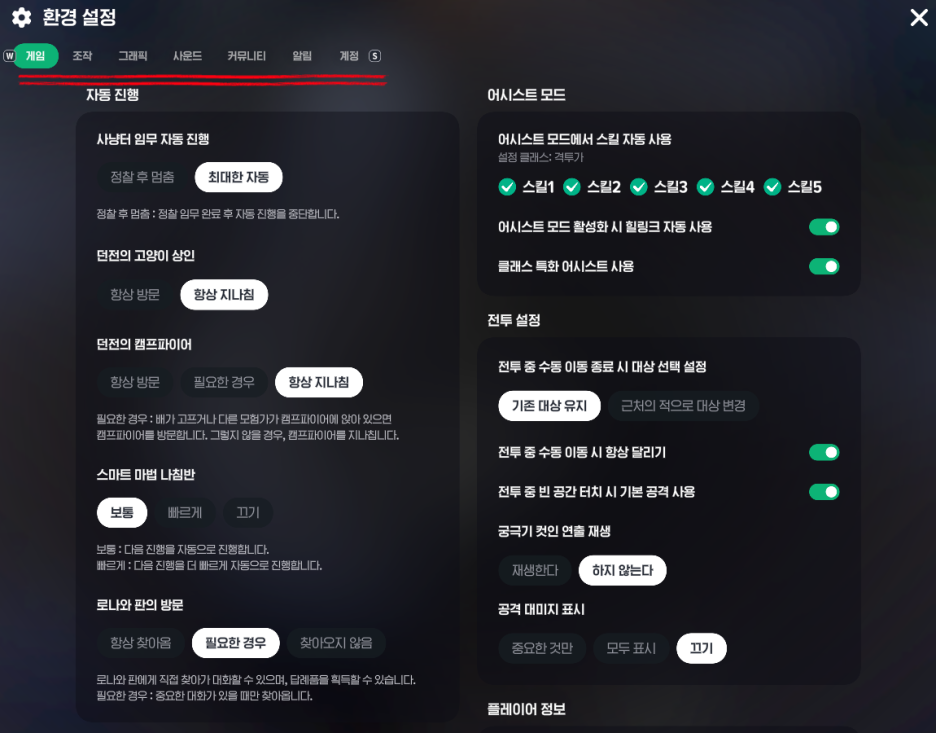
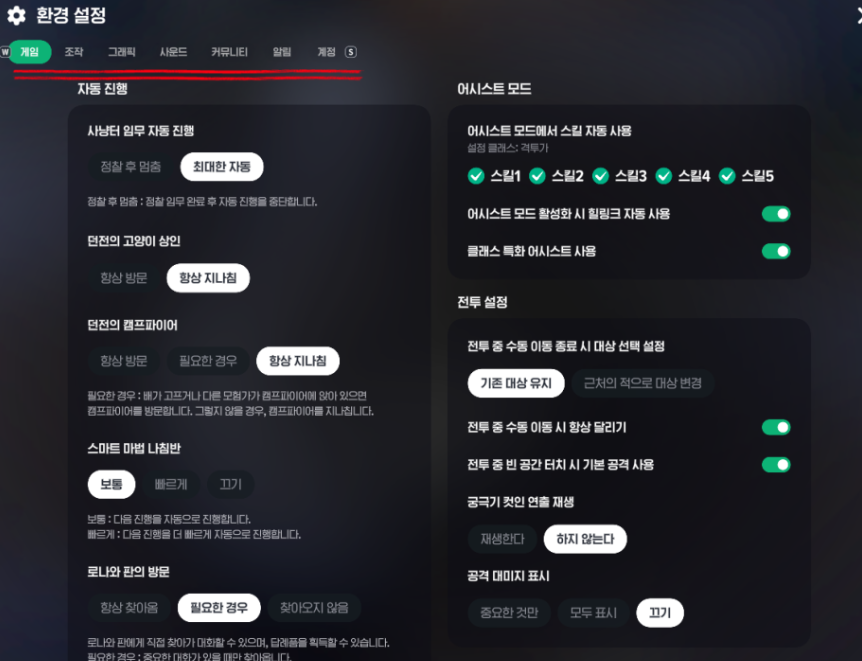
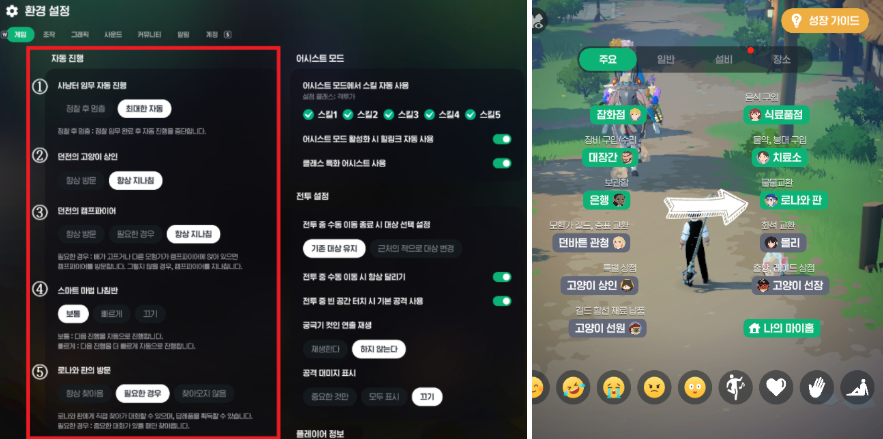
(1) The first option under automatic hunting ground mission progression covers area scouting missions. It lets you stop progression after sending out a pigeon(?). Personally, I do not see why I would need to stop after scouting, so I have set this up to keep things as automatic as possible. (2) The dungeon’s cat merchant and (3) its campfire appear in the -3 area of each dungeon. Setting these to Always Visit will pause automatic dungeon progression. Unless you specifically need to visit the cat merchant, Always Pass By is generally more convenient. The same goes for the campfire. (4) The Smart Magic Compass automatically resumes your character’s current activity when they stop along the way. For example, after you enter a dungeon, your character will set off automatically once a certain amount of time has passed. I leave this on Normal. You can turn it off if you do not like the feature, or choose Fast if you would rather get moving sooner. (5) I have set Lorna and Pan to visit only when necessary, since I do not want to miss visits related to events and similar occasions. For everyday visits, I use the Quick Guide to have Lorna and Pan come to me.
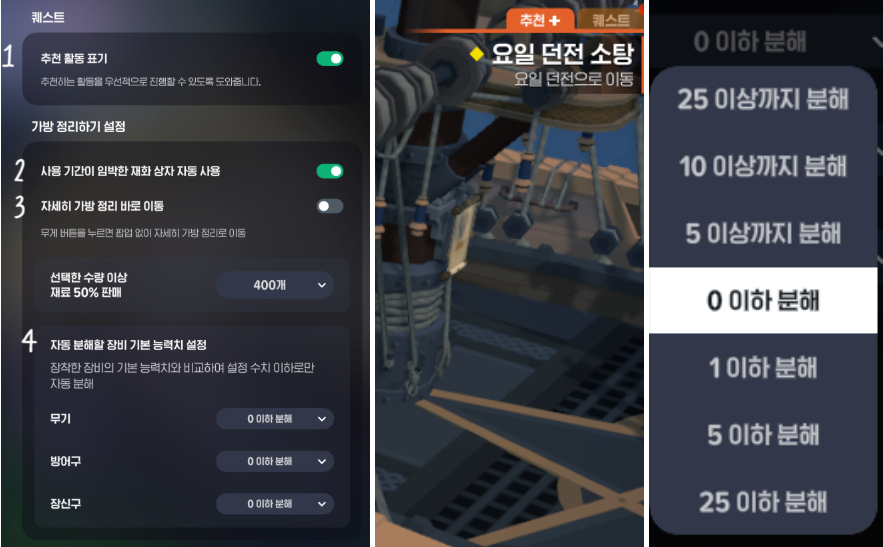
Below that is (1) Quests - Show Recommended Activities. Enabling this adds a tab beside your quests that displays recommended activities. In my experience, it usually shows the daily dungeon, so I keep it enabled as a reminder to do that dungeon. Next is (2) the bag organization setting. Although I already check for time-limited items and use them, I have enabled automatic use in case I overlook something and miss the chance to use it. (3) However, I have turned off the option to go straight to detailed bag organization. The simple option is more convenient for selling miscellaneous items or equipment with lower stats than what I am using. (4) Be careful with the base stat thresholds for automatically dismantling equipment. I have set all the differences to 0 because my equipment already has the highest stats currently available, so nothing with higher stats will drop. Even during normal play, if you only need higher-stat equipment for enhancement rather than equipment with matching stats, setting this to 0 can make sorting easier. Equipment with even 1 point more than your base defense or attack will be excluded from cleanup. A mistake here could cost you equipment you need for enhancement, though, so I strongly recommend double-checking these settings.
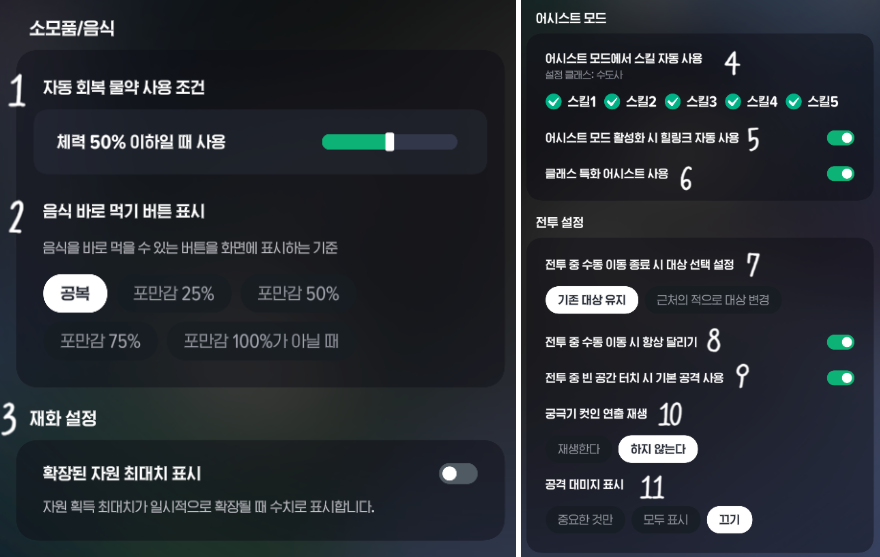
(1) Next are consumables and food. I have automatic potions set to trigger at 50% HP or below. I generally leave them off when controlling my character manually, but enable them for repeated dungeon runs to keep my character from dying. (2) I have food set to appear only when my character has an empty stomach. You can adjust this to suit your preferences as you play. An empty stomach removes the base HP increase from food effects, so some players prefer to eat before that happens. (3) Currency settings do not affect gameplay much, so I have left them at their defaults. (4)(5)(6) I have also enabled all the assist options with automatic play in mind. I have heard that, depending on the class, using certain skills automatically can get in the way during automatic dungeon runs or in hunting grounds. Some players disable specific skills for that reason, but the Fighter I currently play does not really have that issue, so I have left every skill enabled.
I also use the default combat settings, with two exceptions: I have turned off (10) ultimate skill cut-in effects and (11) the attack damage display. I prefer a clearer view of the screen and find it inconvenient when effects obscure things during combat. These options come down to personal preference, too.
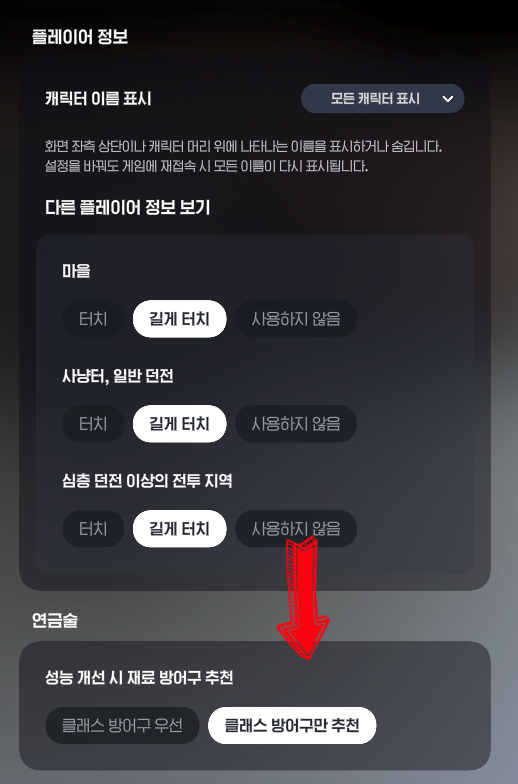
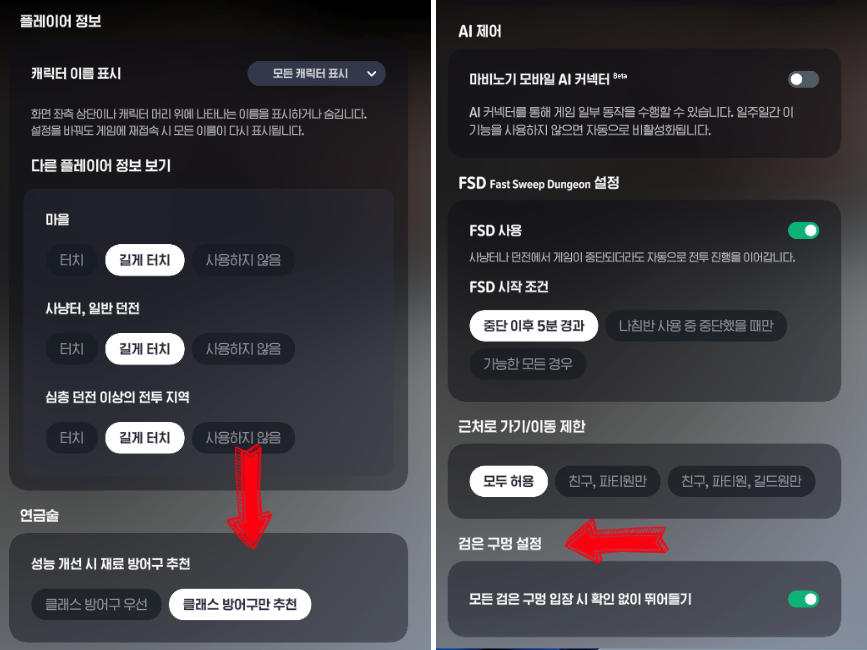
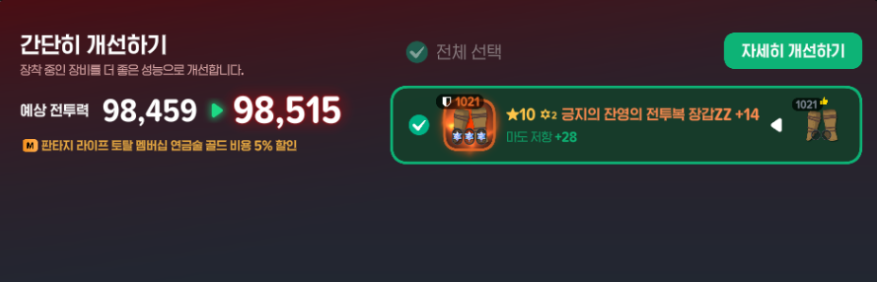
This section is straightforward. Opening player information with a tap brings it up too often, but I still want to look someone up occasionally, so I have set it to a long press. I do not use AI, and I have left the move-nearby and movement restriction options as they are because I see no need to block those actions. One option worth a closer look is the setting for recommending armor as alchemy enhancement material. If you choose Prioritize Class Armor, recommendations are based on stats when you obtain better equipment than what you are wearing. Class armor only takes priority when the stats are equal. By contrast, Recommend Class Armor Only limits recommendations to armor suited to your class, making equipment setup a little easier. Enabling the black hole setting is also convenient: you can proceed immediately without stopping for another confirmation or being interrupted by attacks from other aggressive monsters.
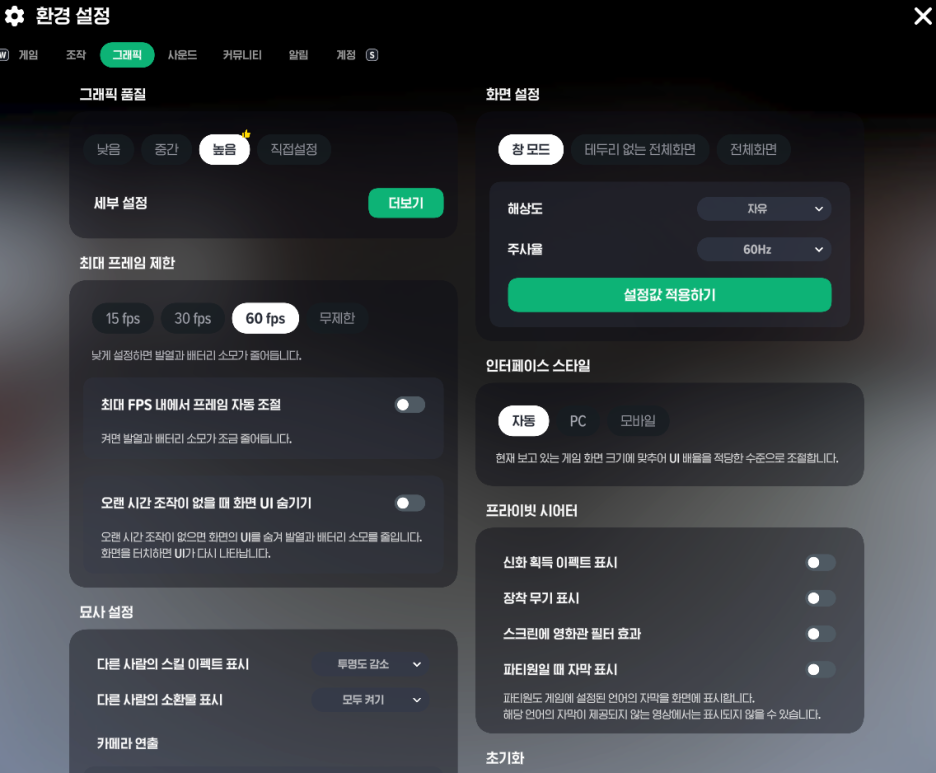
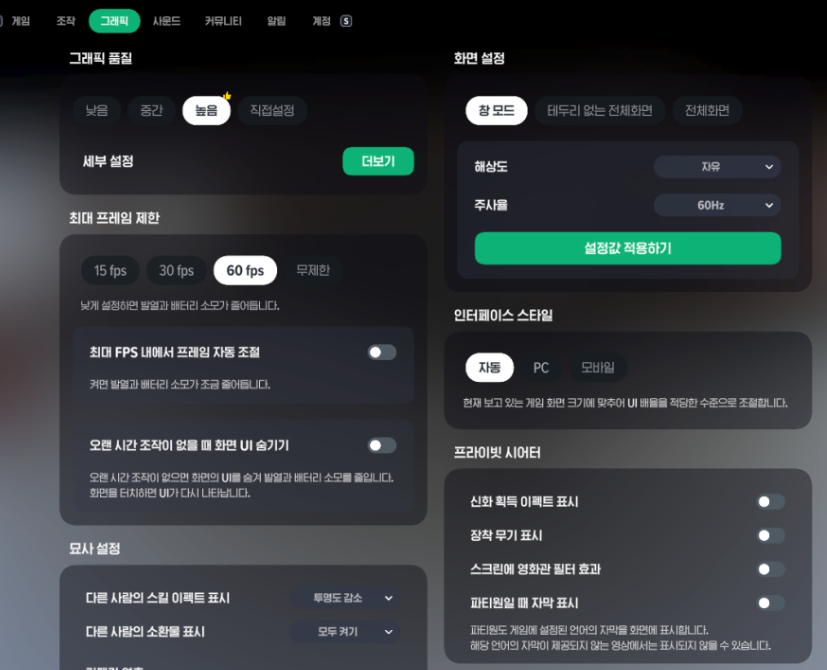
I check the graphics settings quite often when playing on mobile. On PC, I use the settings shown below. On mobile, though, I keep the graphics quality as low as possible because the device gets hot and the game lags. I also lower the maximum frame rate. Heat and battery drain are hard to ignore.
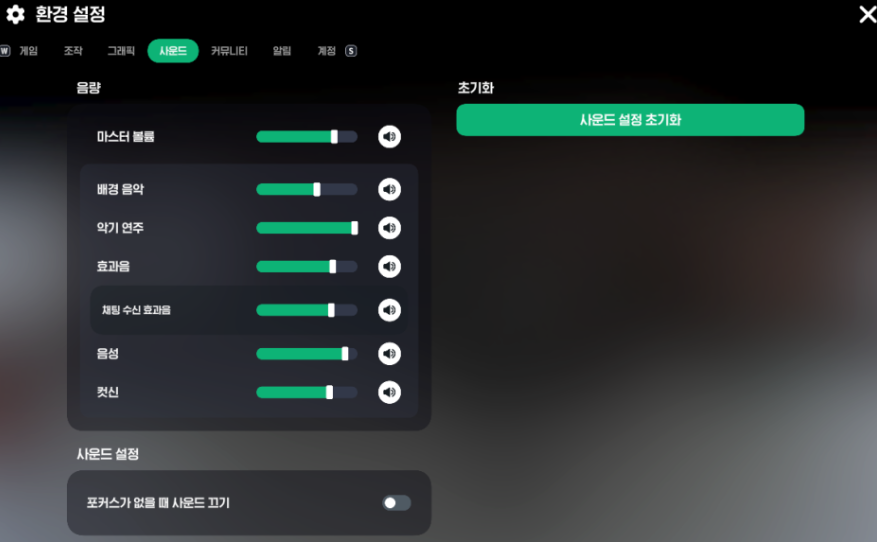
Sound is very much a matter of personal preference. I prefer listening to player performances over other background music. I do not want to miss those performances when leaving a dungeon or passing through town, so I have set their volume highest. I adjusted the remaining options one at a time while listening. Since this is all about your own taste, you may enjoy listening to each option and adjusting it to your liking.
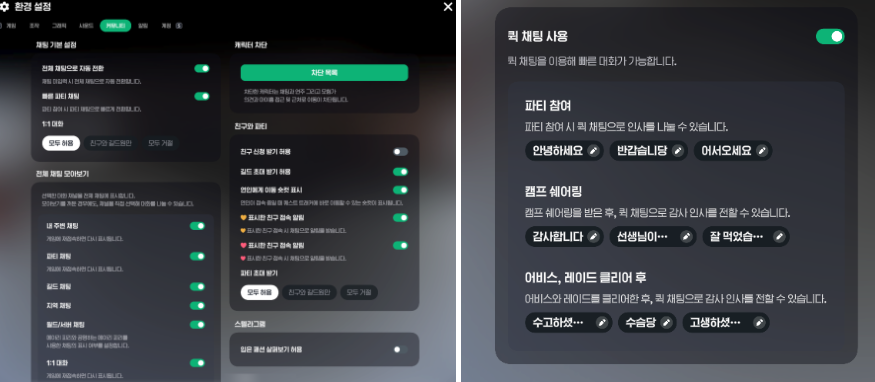
You can adjust the Community section to your preferences as well. The goal is to create an environment that suits you, so think about what has felt inconvenient during play and what you would like to see more often. I enjoy reading other players’ conversations while gathering, processing materials, or doing other life activities—even during combat. I also enjoy the dad jokes(?) people share through their horns, so I tend to keep all chat enabled. On days when chat is quiet, it feels a little lonely.
I have notifications enabled so I do not miss a friend logging in. That makes it easy to invite them along to an Abyss dungeon or a raid as soon as they arrive. For Quick Chat, it helps to save phrases you use often. There are default messages for greeting a party when you join, thanking someone for food through Camp Sharing, and saying goodbye after an Abyss run or a raid. Still, customizing them to suit your personality and preferences makes using them more enjoyable.
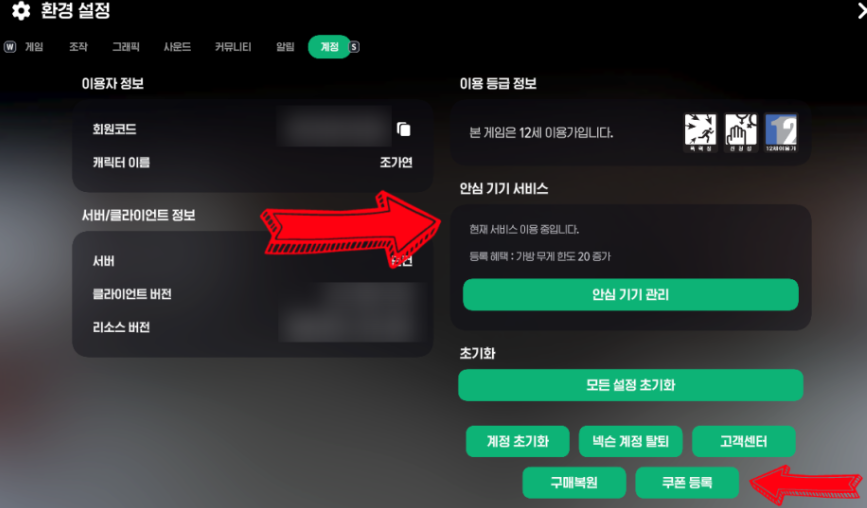
Finally, there is the Account section, where you can check your account information. I included this less for its settings and more to highlight two useful details: registering for the Trusted Device service increases your bag’s weight limit by 20, and you can redeem coupons under Settings > Redeem Coupon. It is worth making sure you claim any coupons that are released.
That covers the settings I use in Mabinogi Mobile. Ultimately, I do not think there is one right way to configure a game. Settings are there to make playing more comfortable as you gradually discover what suits your preferences and play style. Still, I would be very glad if this guide made them easier to explore. I hope everyone reading this has a happy day.