75? 84? 87? 104? Why are there so many different types of keyboards?
신비한노란사자27873
A Few Ramblings
When I was young, the membrane keyboard at home was all I knew.
Black, or some retro shade somewhere between gray and beige.
I simply assumed that was what keyboards looked like.
As gaming became a hobby, the keyboard naturally became, alongside the mouse,
the electronic device I spent the most time with,
and before long, it began to interest me in its own right.
Taking up “keyboards” as a hobby—if that is the word for it—I scraped together money I did not really have to collect all sorts of them,
worked my way through offerings from the supposedly great names in keyboard manufacturing,
and got into the routine of assembling and lubricating keyboards, until one day I looked around
and realized I was far from alone: plenty of other people had taken up what was now a fairly common hobby.
When you get down to it, Chinese companies entering the keyboard manufacturing business made all this possible…
But this is not meant to be a history lesson, so I will leave that subject alone.
The point is that these days, even a quick look on Coupang
reveals a very different picture from the days when keyboards all looked more or less alike:
some are split in half, some are short, others long or tiny—there is quite a range.
And they all seem to have some number tacked onto their names.
Honestly, it is a rather haphazard way of classifying things, one that amounts to “if you know, you know.”
Still, to make them a little easier to tell apart, I will spend a while rambling about keyboard layouts.
1. 104-Key
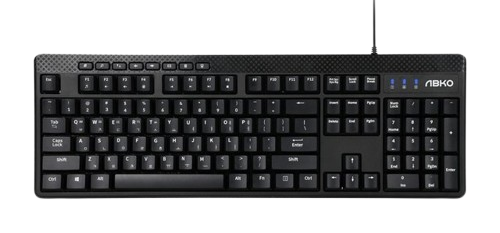
This is the keyboard we always saw growing up—the most basic, most common kind.
It is called 104 Key for the simple reason that it has 104 keys.
Strictly speaking, the keyboard above is not a 104-key model, since it has extra multimedia keys.
The layout includes ESC and the numbered F-key row at the top, a numeric keypad, and
the ScrollLock, Pause, and PrintScreen keys that most people no longer use.
2. Tenkeyless (TKL), 87-Key (Mid-80s), 80%
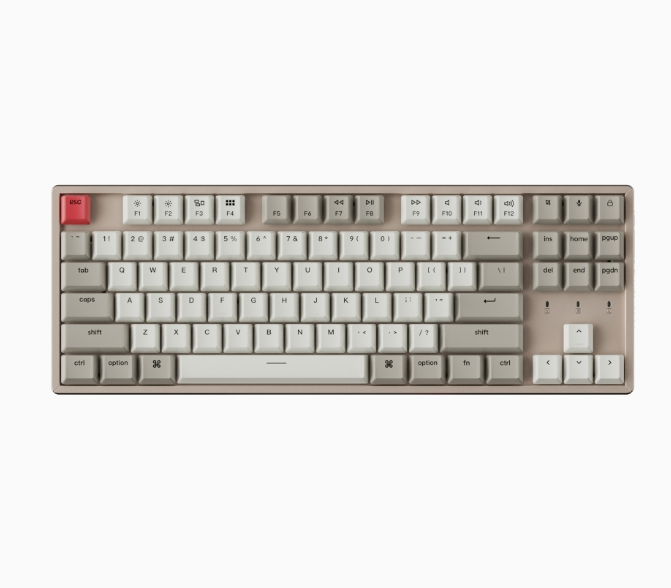
This is the most basic variation on the 104-key layout.
Known as Tenkeyless (TKL), it takes the 104-key layout and removes the numeric keypad.
Despite the name Ten-key-less, it does not remove exactly 10 keys; in practice, you are left with around 87.
It is also called an 80% layout because the keyboard takes up roughly 80% of the space.
3. 80-Key (Low 80s), 75%
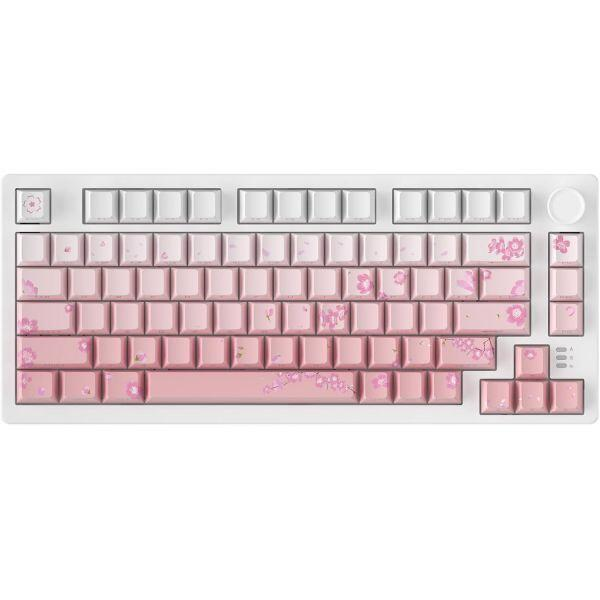
The 80% tenkeyless layout still holds on to keys such as ScrollLock, Pause, and PrintScreen
that do not get much use.
For anyone who would rather do without them, there is the 75 layout, which trims back the right side to make things more compact.
With offerings from AULA, known for its “tarantula” keyboards, among others, this layout actually seems
more mainstream than the 80% layout these days.
There are various subspecies, if you will: some remove the gaps entirely, keeping all those mysterious keys mentioned above while shrinking the overall footprint,
while others add a knob or an LED screen.
4. 60%
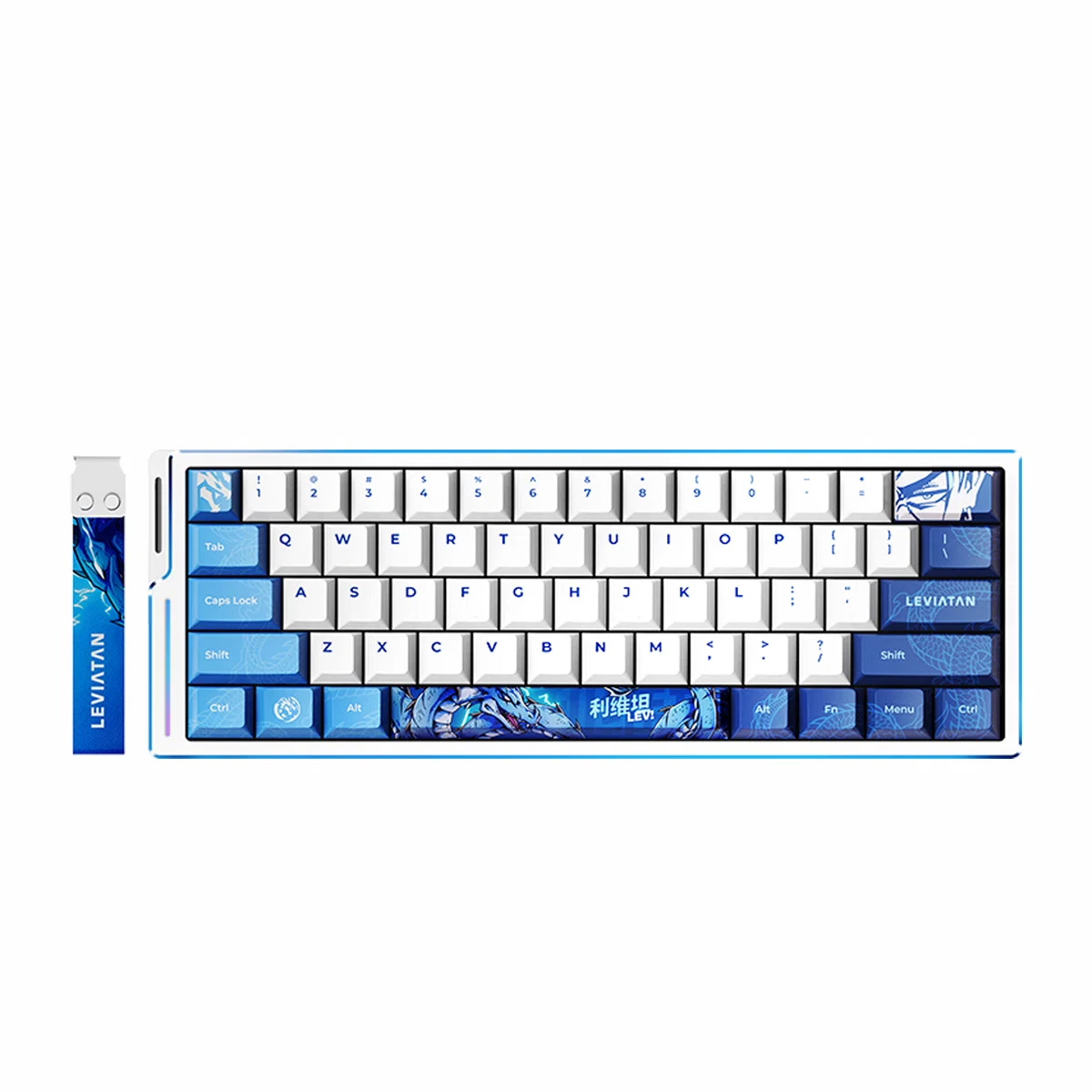
Who needs any of it? Why even have an F-key row?
This is an extreme layout that goes as far as removing the F-key row.
Its portability makes it a favorite among some people who regularly carry their keyboards around.
But the F-key row sees more use than you might expect for shortcuts in various games,
and it is also handy when working on documents, so I doubt I will ever use one.
On looks alone, I like it: small, compact, and rather cute. Even if I cannot use it.
From this point onward, rather than variations on the 104-key layout,
we are looking at something closer to offshoots of the HHKB layout, which is (even more) compact.
5. HHKB
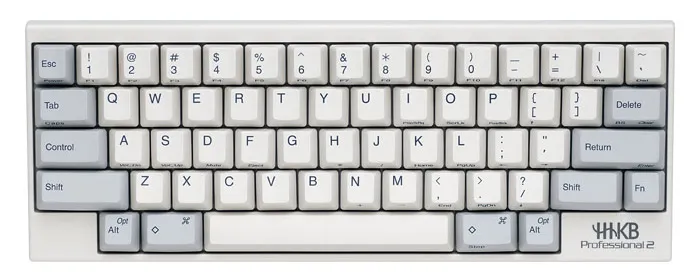
Speaking of which, here is the HHKB layout.
Said to take its inspiration from Apple's M0110, it differs somewhat in its arrangement and shape
from the 104-key-based keyboards most people use today, so it is not something you are likely to come across very often.
6. Alice Layout
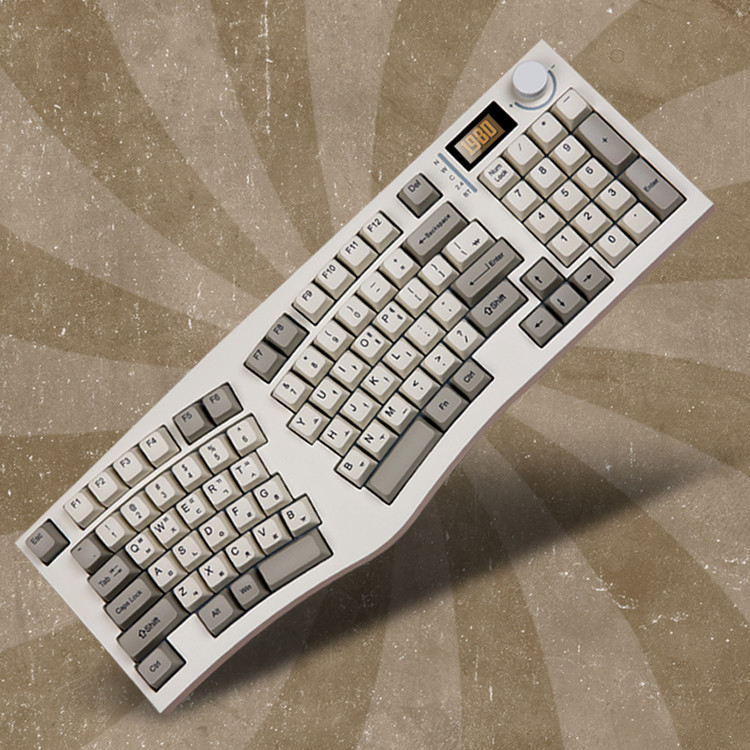
With most of the variations on the 104-key layout covered, we are now, as with HHKB,
getting into more niche territory—the sort of keyboards you do not see every day.
This is the Alice layout, the sort of keyboard shape that tends to come with talk of “ergonomic” design and so forth.
Like the 104-key layout, it has variations of its own, including tenkeyless versions and even shorter 75% layouts.
Having used one myself, I can say it really is much more comfortable than a regular keyboard.
Normally, when we rest our hands on a keyboard, they sit closer together than shoulder width.
Our arms angle inward, then our wrists bend outward again to line up with the straight rows of keys.
With an Alice layout, by contrast, our arms still angle inward, but our wrists do not have to bend outward.
7. Split
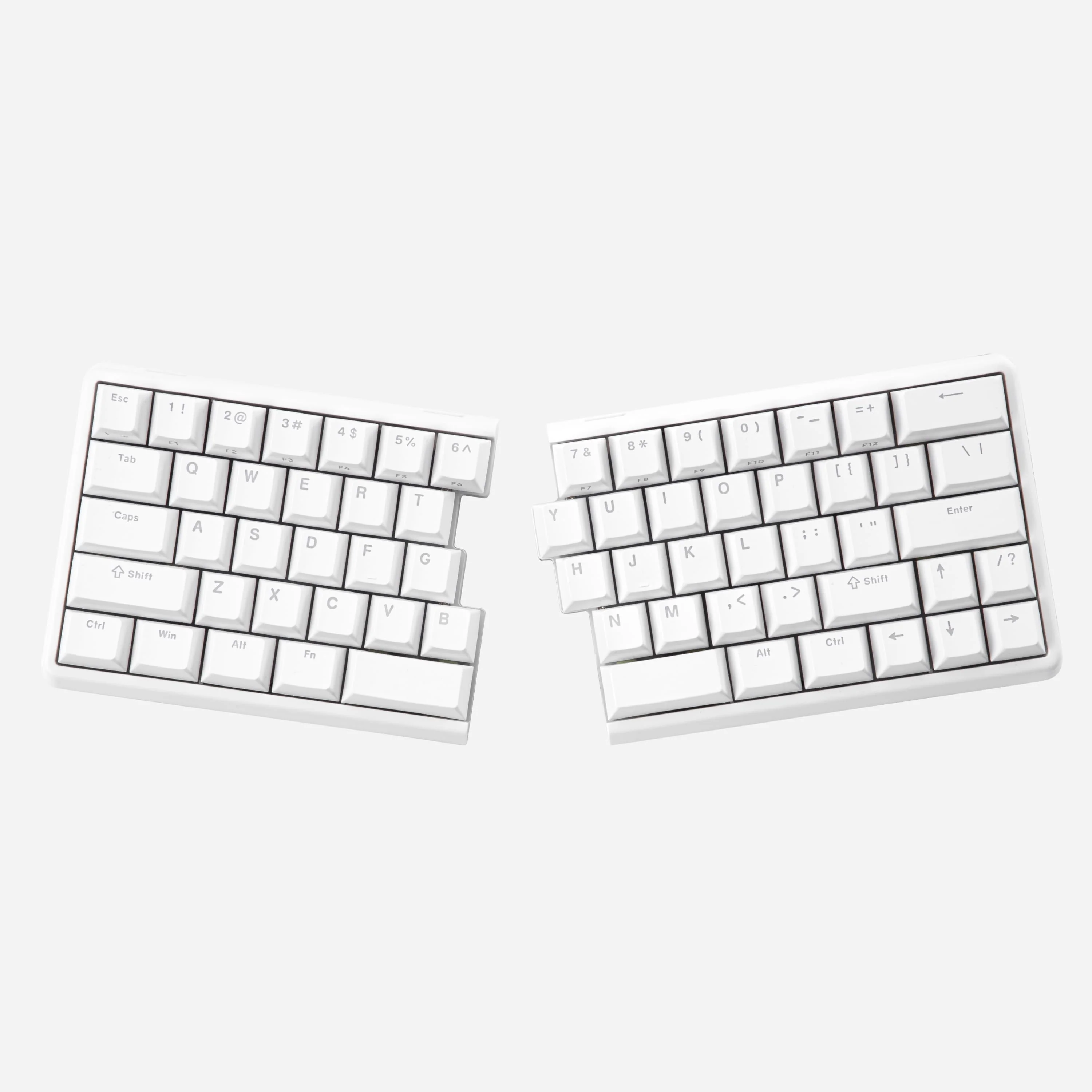
This takes things further than the Alice layout: they have simply split it in half.
I can space my left and right hands to match the width of my body, which makes it wonderfully comfortable.
Regular keyboard - Arms angled & wrists bent
Alice - Arms angled
Split - Neither
That is the difference. I can let my arms rest wherever feels comfortable, wherever I happen to want them,
and still type without any trouble.
This, too, comes in various forms, from tenkeyless to 75%, 60%, and so on.
The only inconvenience of using a split layout is that seven out of ten people who see it
strike up a conversation with “What an unusual keyboard.”
And two of the remaining three joke, “Why are you using a broken keyboard?”
8. Number Pad, Numpad, Ten-Key
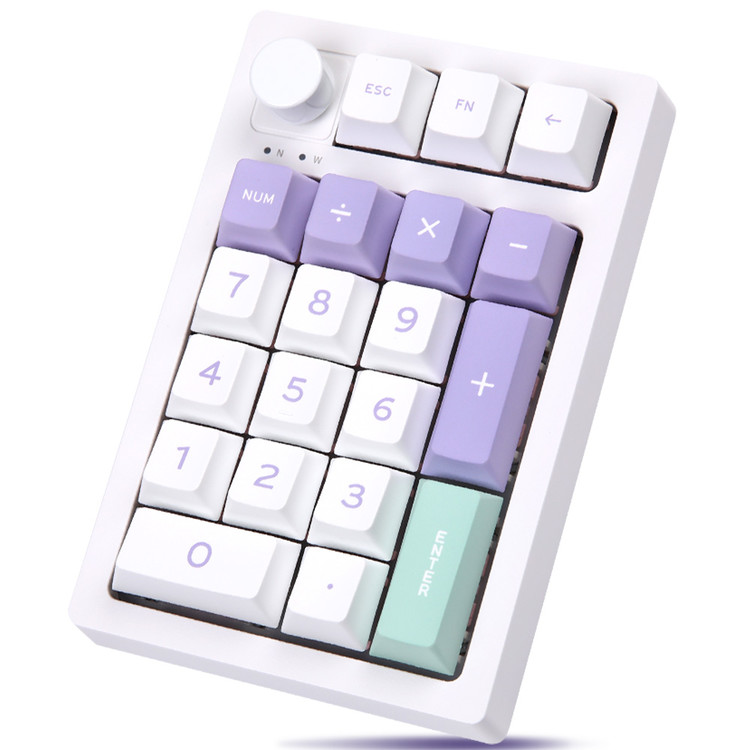
When entering passwords or working on a tenkeyless or an even shorter keyboard,
there are times when not having this little thing proves more inconvenient than you would like.
For those occasions, people sometimes use a separate one like this.
You can occasionally spot them at places like neighborhood grocery stores, too.
Beyond these, there are keyboards shaped like human hands that you slip your hands into like some sort of sci-fi robot controls,
ultra-extreme keyboards that remove the number row along with the F-key row, leaving only 3~4 rows,
and, admittedly as a joke, keyboards with nothing but Ctrl, Z, C, and V, or just ㄹㅇㅋ, among others.
There are plenty of keyboards that no longer look anything like what we think of as a keyboard.
At this point, you could almost line up a few Go stones
and insist they were a keyboard, and they might just spend the rest of their lives as one.
Anyway, that concludes this tour of keyboard layouts, written, once again, because I was bored.