[MapleStory] What If My Maple Baby Lived on My Desktop? The Desktop Pet I Wish I Had
달냥
Hellooo~ (˶ˊꇴˋو(و ⁾⁾
It's your Nexon Picker, 달냥.
If I had to pick one tiny, adorable character to keep by my side both in games and in everyday life…
I'd choose my MapleStory character, my Maple baby!
I've grown attached to this little character, with the hair and outfits I've picked out myself,
and I'd love to have them keep me company on my desktop, even when the game isn't running.
I recently saw that another game I'm playing, 《Wuthering Waves》, had released
a desktop pet program that lets its characters hang out on your desktop.
That got me thinking:
'Couldn't MapleStory turn my Maple baby into a desktop pet too...?'
And what if it could connect with NEXON PLUG..? Ooh... now that sounds nice!
Today, I want to talk about desktop pets, which had their moment in the spotlight, and some features I'd love to see in NEXON PLUG too.
Let's get into it!
|
| Contents | |
|---|
|
① Game Characters on Your Desktop? Wuthering Waves' Desktop Pets |
|
② What If My Maple Baby Lived in NEXON PLUG? |
1. Game Characters on Your Desktop? Wuthering Waves' Desktop Pets
Have you heard of desktop pets?
They're pretty much what they sound like: programs that put a little character on your computer desktop to keep you company.
They were popular wa~~~y~~ back~~~~ in the day, and I guess trends really do come back around, because they've caught on again.
A month ago, 《Wuthering Waves》 also released a desktop pet program
called Wuwa Tappo (우와 타포).

The program officially launched on 2026/10/26 and was reportedly made
under an official license from Irox Games, the developer of 《Bongo Cat》.
The most fun part? When you use your keyboard or mouse, the character on your desktop moves along with you.
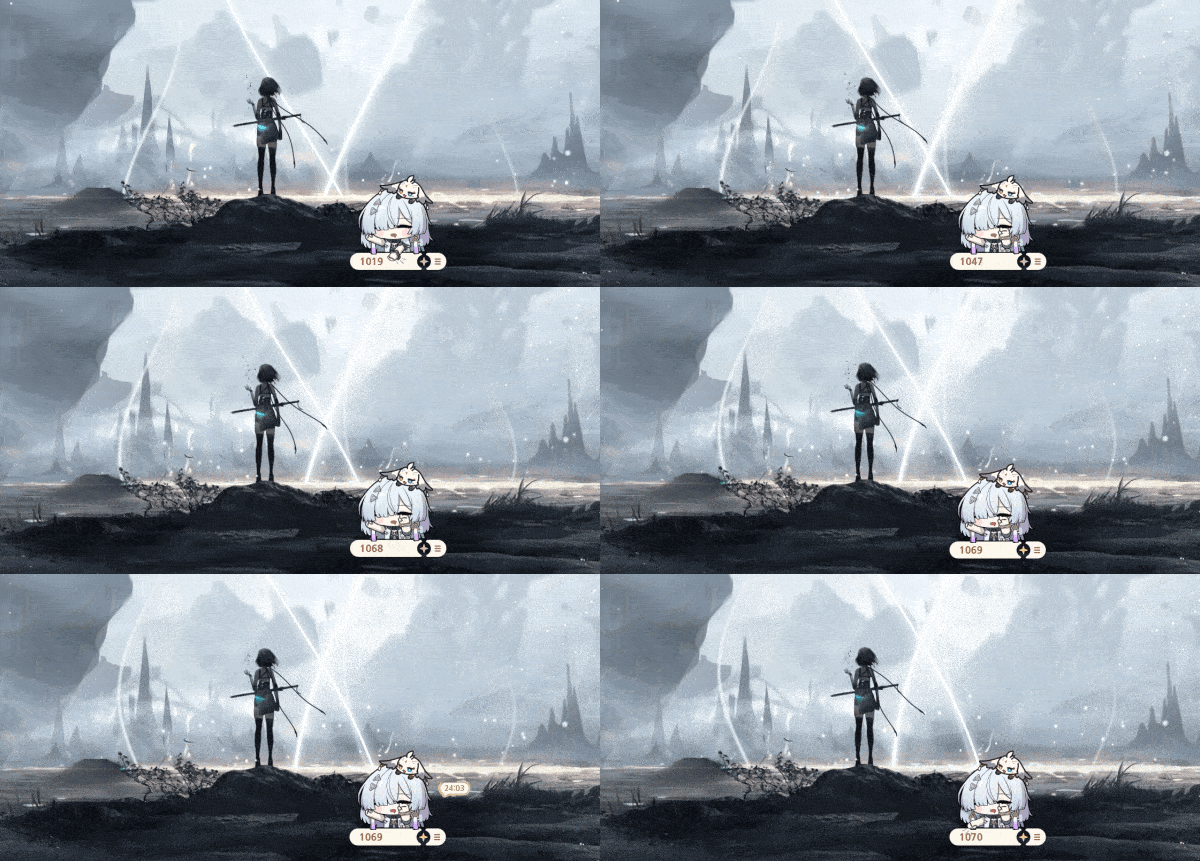
Source: GAMETOC (https://www.gametoc.co.kr/news/articleView.html?idxno=112494)
When you type, the character responds by tapping on its desk.
It's like having your favorite character beside you while you're studying or working on a document.
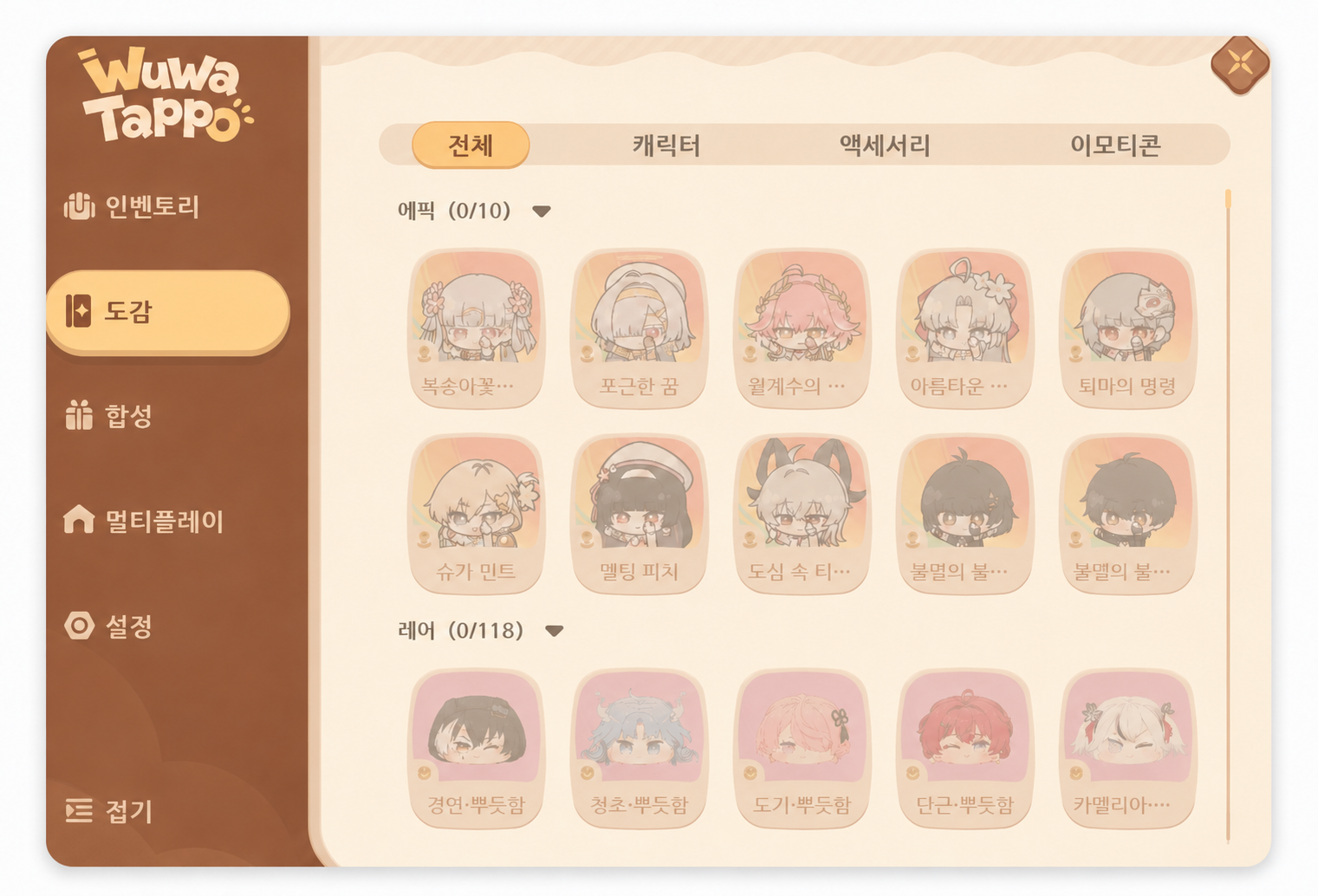
And there's more to it than a little character moving around.
As you use the program, you can collect new characters, accessories, and emotes, and there's also
a multiplayer feature so you can enjoy it with friends.
|
Category |
Wuwa Tappo |
|---|---|
|
Game |
Wuthering Waves |
|
Release Date |
2026/10/26 |
|
Supported Platform |
Windows PC |
|
Main Features |
Reactions to keyboard input, character and accessory collecting |
|
Extras |
Emotes, multiplayer |
|
Price |
Free |
I really loved the idea of spending time with characters from your favorite game in everyday life, outside the game itself.
And seeing this naturally brought one game to mind...
None other than MapleStory!
2. What If My Maple Baby Lived in NEXON PLUG?
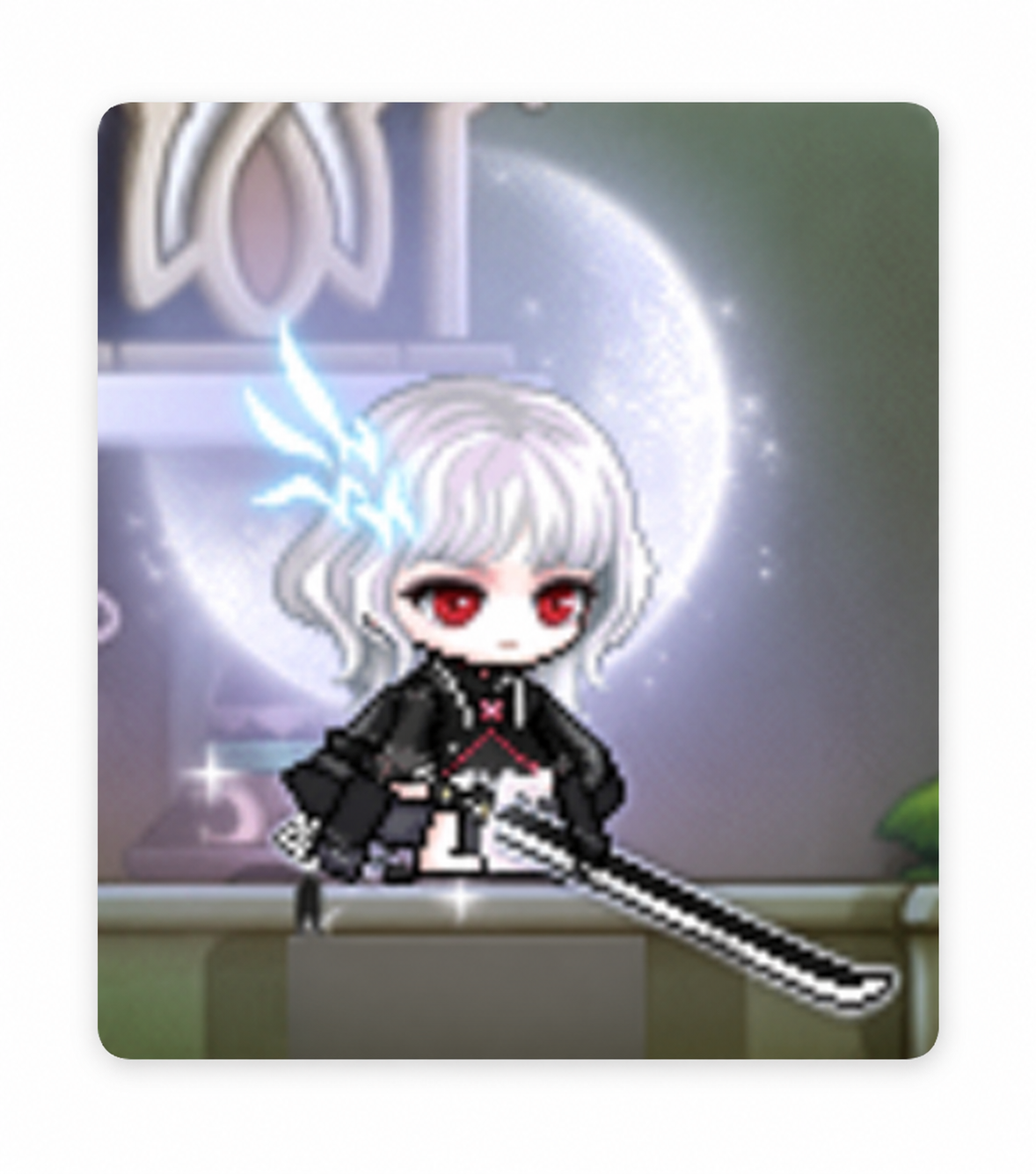
For me, one of MapleStory's biggest draws has to be dressing up your character.
With all the ways to mix and match hair, faces, outfits, hats, capes, and more, even characters of the same class
can have completely different looks!
It's no wonder MapleStory players affectionately call their characters their 'Maple babies.'
When I think of MapleStory characters, I don't just picture them fighting monsters or leveling up;
I also think of that special cuteness those tiny pixel characters have.
But usually, you only get to see the character you've dressed up when you're logged into the game.
What if the Maple baby you'd styled yourself could wander around your desktop too?
For example, your character could type along with you, just like in Wuwa Tappo,
or nod off when you've been idle for a while. They could even turn their head
to follow your mouse cursor—wouldn't that be fun?
|| Features I'd Love in a Maple Baby Desktop Pet || |
|---|
|
Feature |
What I'd Like to See |
|---|---|
|
Character Sync |
Use my current MapleStory character's hair, face, and outfit |
|
Keyboard Reactions |
My Maple baby types along when I type |
|
Idle Animations |
Sleeping, sitting, yawning, and more |
|
Emotes |
Smiling or angry expressions when clicked |
|
Pet Companions |
My in-game pets appear alongside my character |
Personally, the most important part is being able to bring over the actual character I've leveled up and dressed up, exactly as they are.
A preset mascot would be cute too, but I'd feel so much more attached to the Maple baby I'd styled myself hanging out on my desktop.
And if my in-game pets could join them, wouldn't that be the icing on the cake?
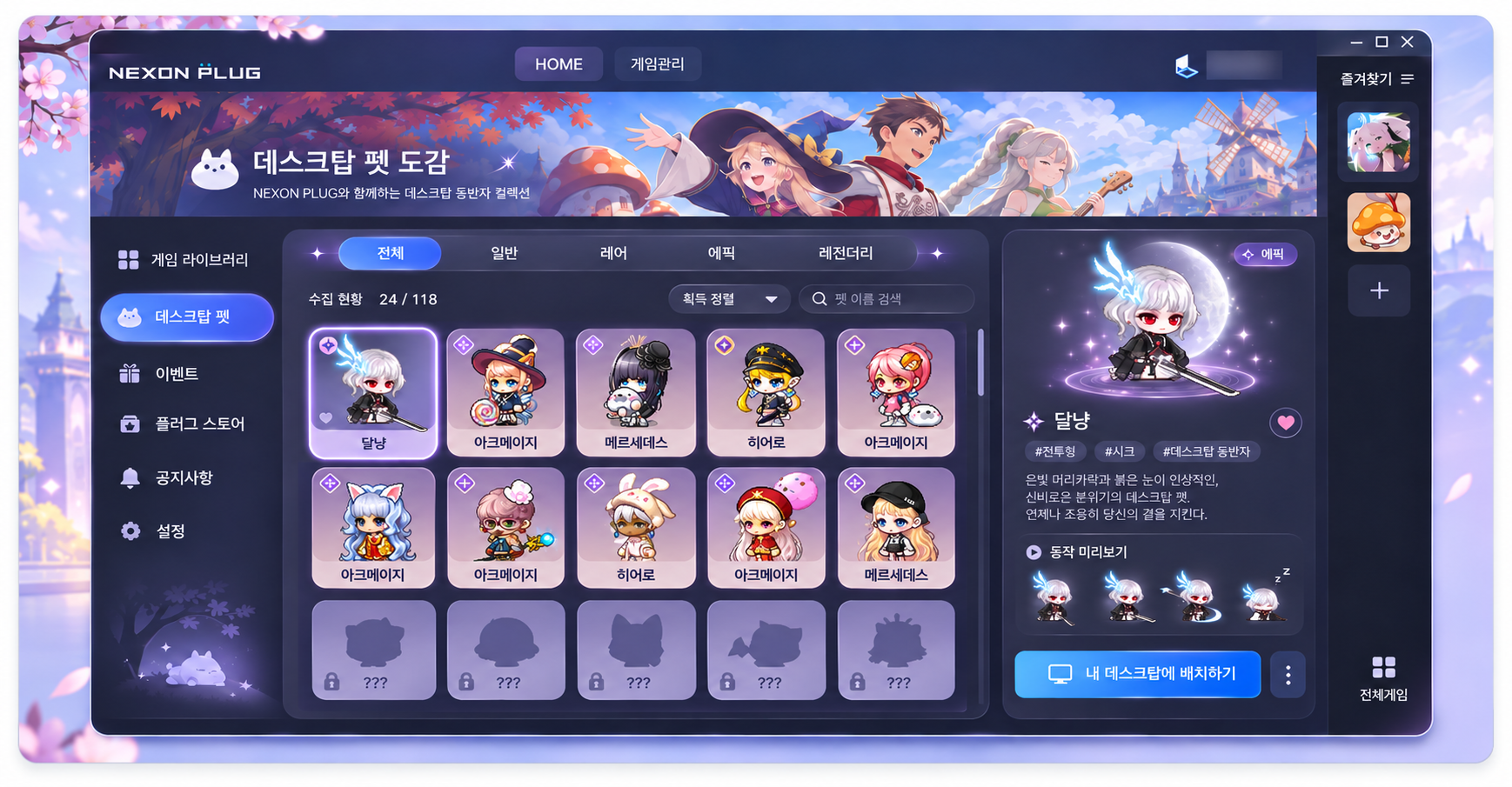
A collection-book setup like this could be nice too.
|| What If NEXON PLUG Supported It? || |
|---|
I'd love to see a feature like this added to NEXON PLUG,
the program used to launch MapleStory.
Right now, NEXON PLUG is used for things like launching games and connecting with 넥슨링크.

What if it also had a desktop pet feature that let you choose one of the MapleStory characters
on your account and bring them onto your desktop?
Your character could keep you company on your desktop even when you aren't logged into MapleStory.
Of course, this is just my personal wishlist—I'm not saying that MapleStory or NEXON PLUG
actually offers this feature.
Still, MapleStory's pixel characters have plenty of personality even on a small screen,
so I think they'd be a lovely fit for desktop pets.
Especially if you're someone who loves dressing up characters or puts a lot of love into leveling up several of them,
wouldn't this catch your interest the way it caught mine?
Wrapping Up
This mission got me thinking about which character I'd want by my side,
and sure enough, my Maple baby from MapleStory was the first to come to mind.
In the game, the fun comes from leveling up your character and changing their outfits,
while the charm of a desktop pet is getting to share everyday life with that character too.
Watching a favorite character react as you type is cute, just like in Wuwa Tappo from 《Wuthering Waves》,
but if that character were the Maple baby I'd styled myself, it would feel even more special.
I hope one day we'll be able to bring our Maple babies onto our desktops through NEXON PLUG too.
https://typing-friends.bonodesign2da.chatgpt.site/
In the meantime, you could check out a site like this, or try searching for desktop pets, how to make them, how to raise them, and so on.
There are all sorts of options out there, so they're worth a look too.
That's all for this post!
I'll be back next time with another gaming story.
This is 달냥, signing off!