[Mabinogi Mobile] Spare Yourself the Newbie Embarrassment! 2 Easy Mistakes to Watch Out For
달냥
![[Mabinogi Mobile] Spare Yourself the Newbie Embarrassment! 2 Easy Mistakes to Watch Out For](https://peak-file.nexon.com/uploads/20261028_0217_5638ad94.png)

Hellooo~ (˶ˊꇴˋو(و ⁾⁾
It's your Nexon Picker, 달냥.
There's a lot to figure out when you first start a game, right?
In Mabinogi Mobile especially, be careful about using the bag cleanup feature without checking how it works
or overlooking the resource costs of automatic dungeon retries.
Why, you ask? …

Both features make life easier, but misunderstanding the settings could leave you getting rid of items you need or spending resources you didn't expect to use.
By the time you realize what happened, you might be going...
"Wait... ah.. aaah.. ugh.. sh..”
Yep, it's that kind of situation. ㅋㅋㅋㅋ..ㅠㅠㅠㅠㅠㅠ
So this time, I've put together a guide to spare new Mabinogi Mobile players a few embarrassing memories:
2 mistakes beginners can make.
|
| Contents | |
|---|
|
① Bag Cleanup: Why You Shouldn't Just Hit the Cleanup Button |
|
② I Thought Entry Was Free? Watch Out for Auto Retry |
1. Bag Cleanup: Why You Shouldn't Just Hit the Cleanup Button
As you play Mabinogi Mobile, equipment and materials pile up, and your bag gets heavy pretty quickly.
That's where Bag Cleanup comes in handy.
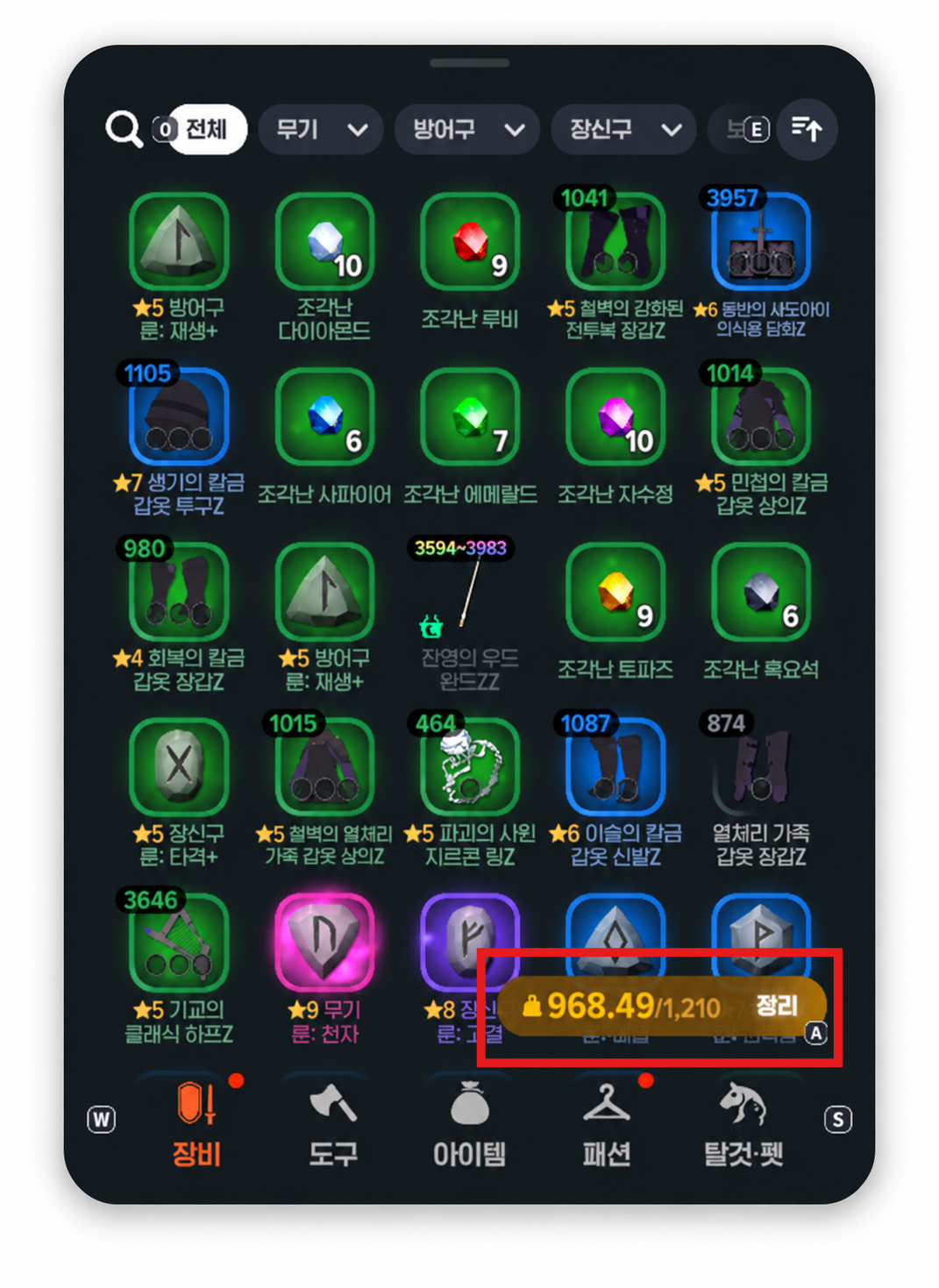
Press the weight button in your bag to open the cleanup screen. From there, you can sell or dismantle items based on the conditions you've set.
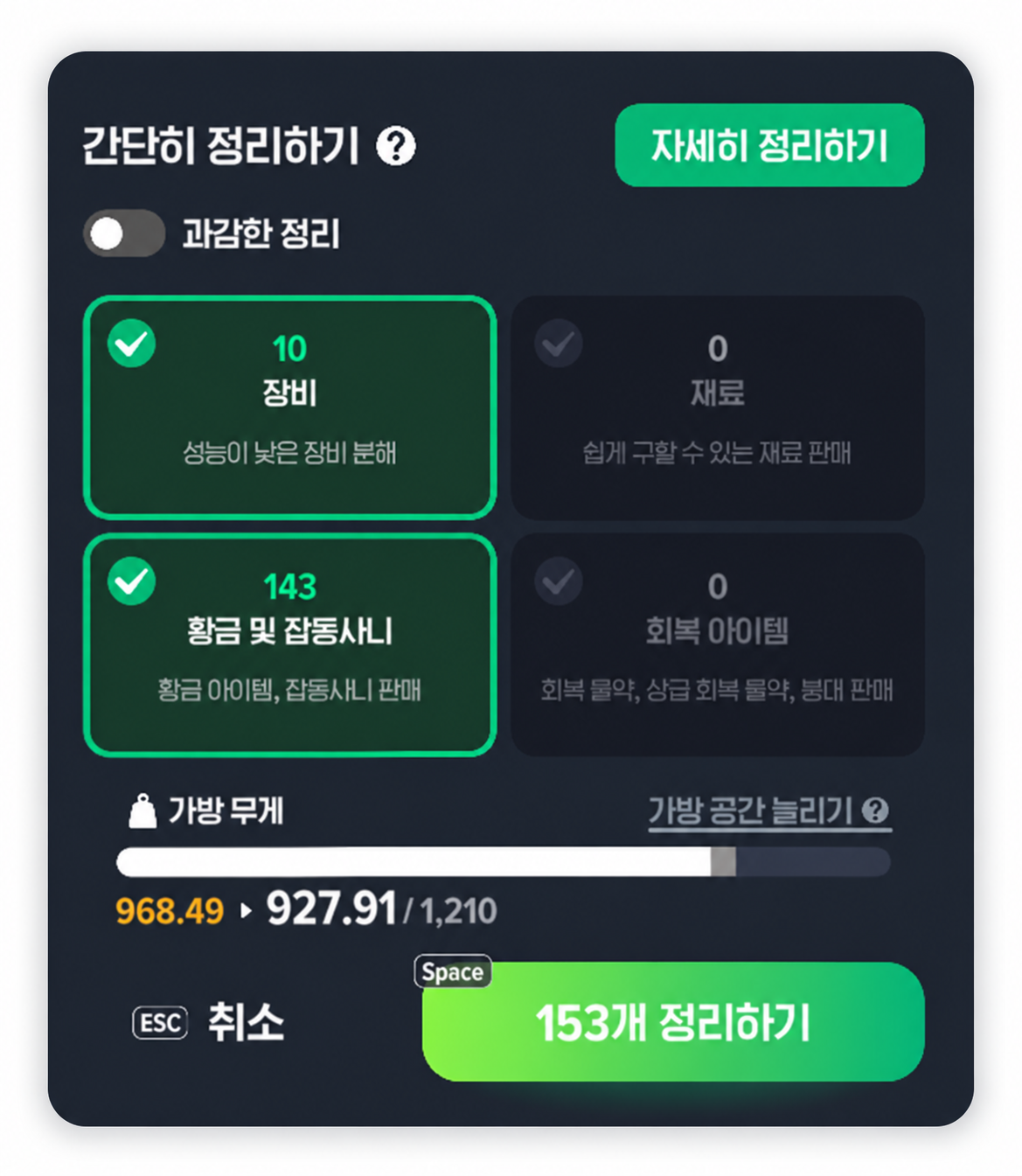
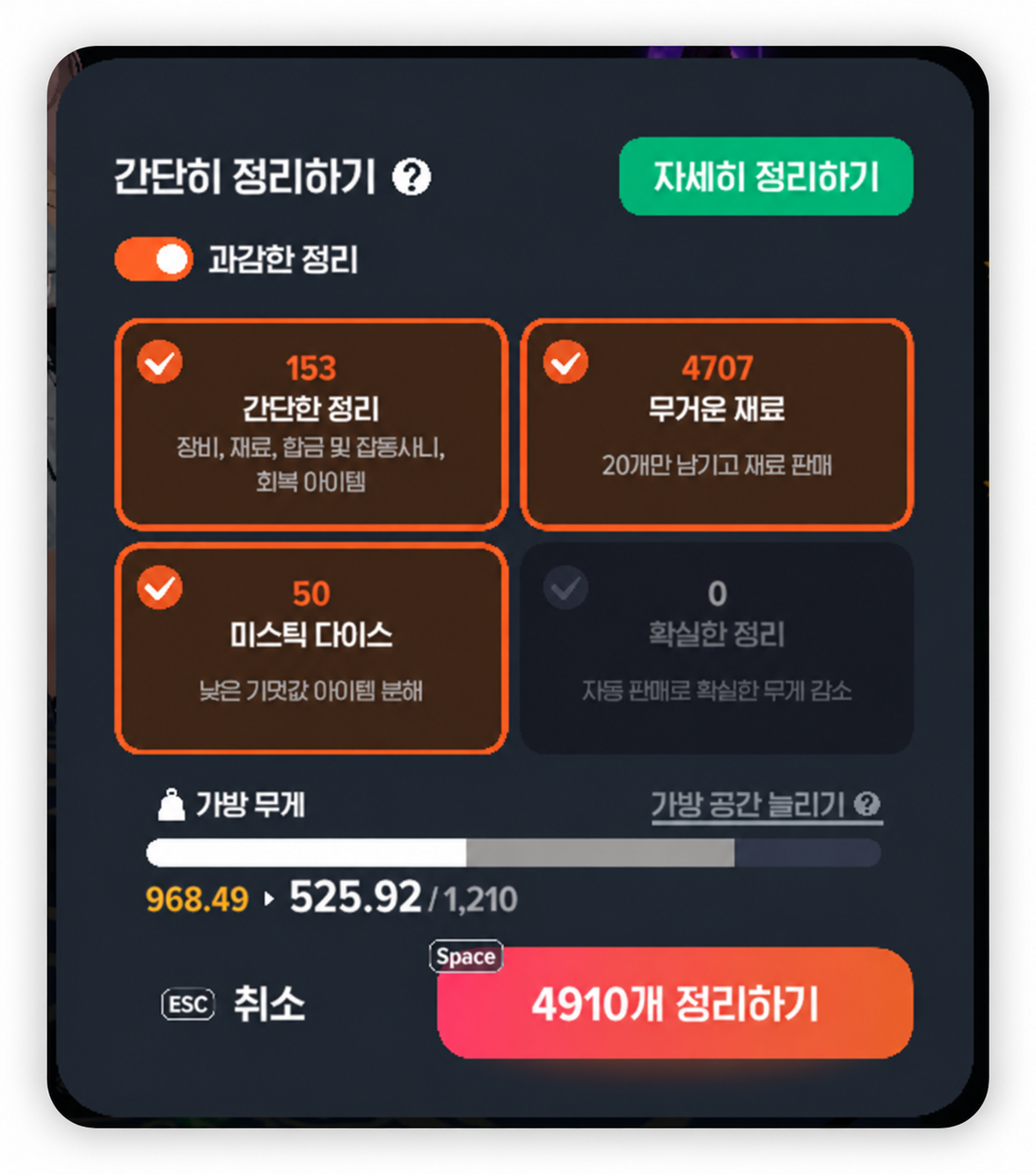
The option to watch out for here is Aggressive Cleanup.
The name might sound like it just tidies up your bag a little more thoroughly...
But it can actually clear out quite a lot of items.
In particular, the 'Heavy Materials' option keeps only 20 of each eligible material and sells the rest.
What if you've stocked up on crafting materials, and those materials are selected for cleanup?
Those materials you've been saving could disappear in an instant... ㅠㅜㅎ.. ㅎ… ㅠㅜㅠㅜㅠㅜ…
So don't just hit the cleanup button because your bag is heavy.
Instead, get into the habit of checking which conditions are selected first.
|| How to Avoid Mistakes || |
|---|
If you're still getting used to bag cleanup, try Detailed Cleanup.
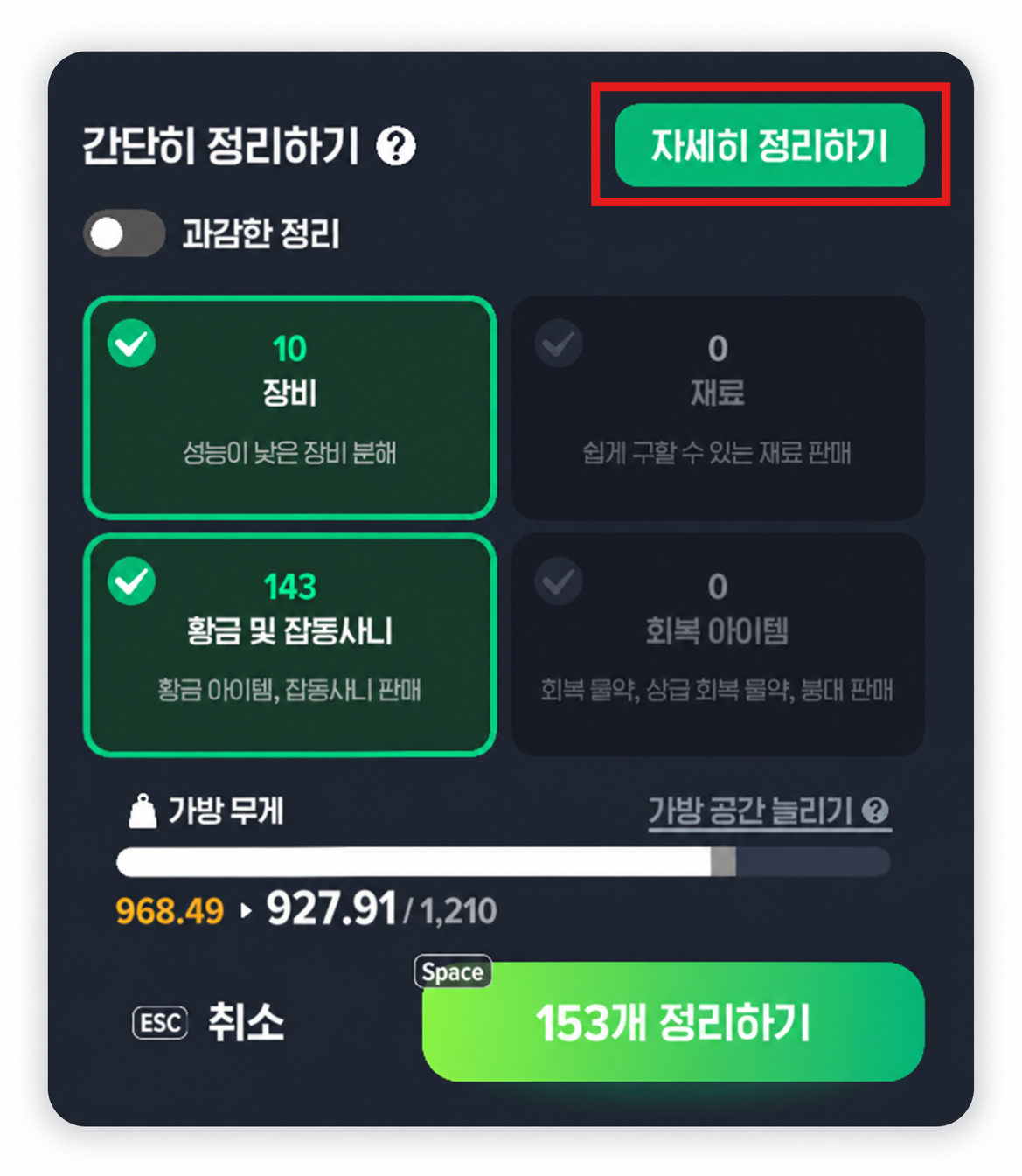
It lets you review and select the items you want to sell or dismantle yourself.
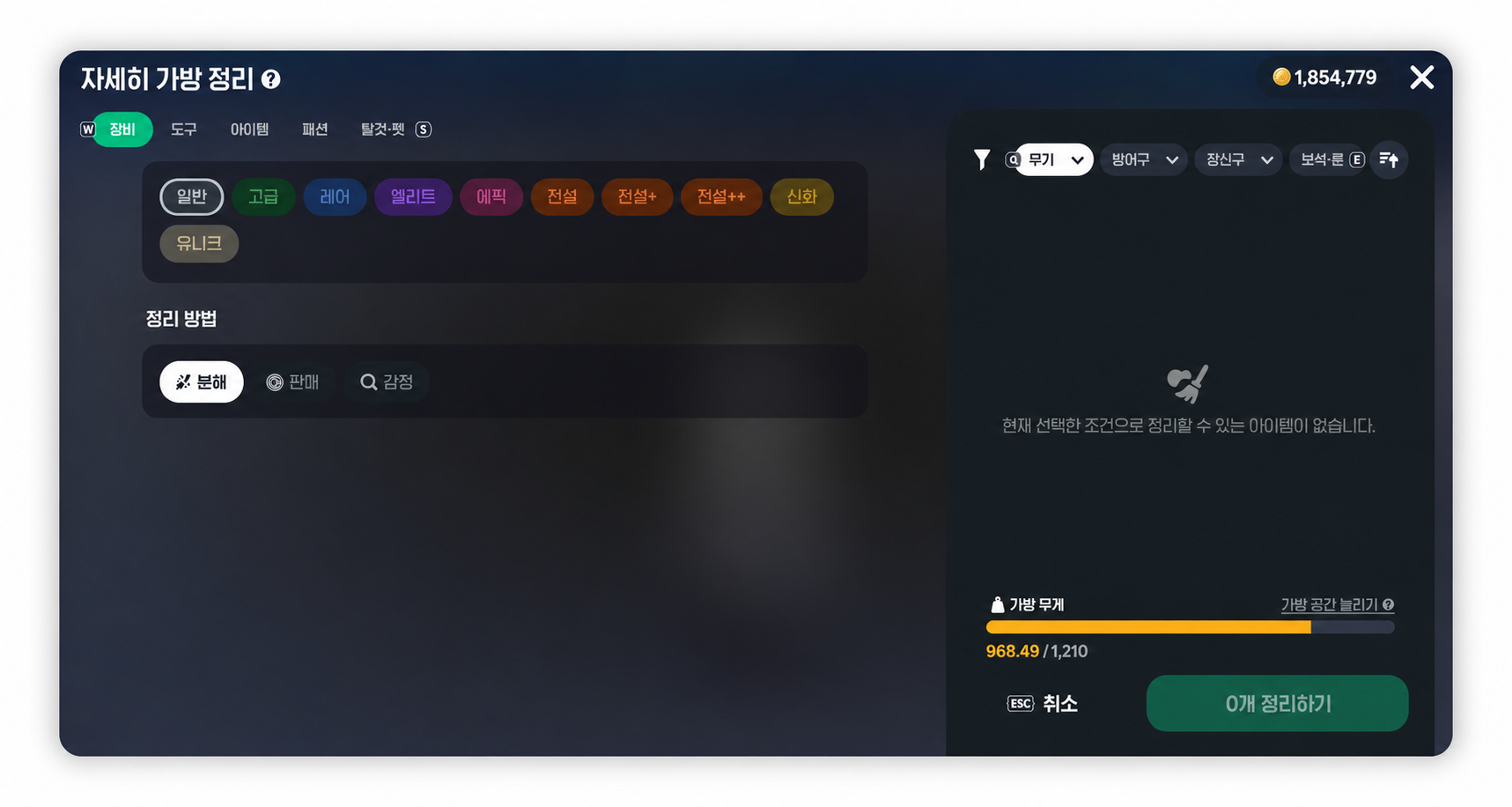
You can also change how cleanup works in the settings menu:
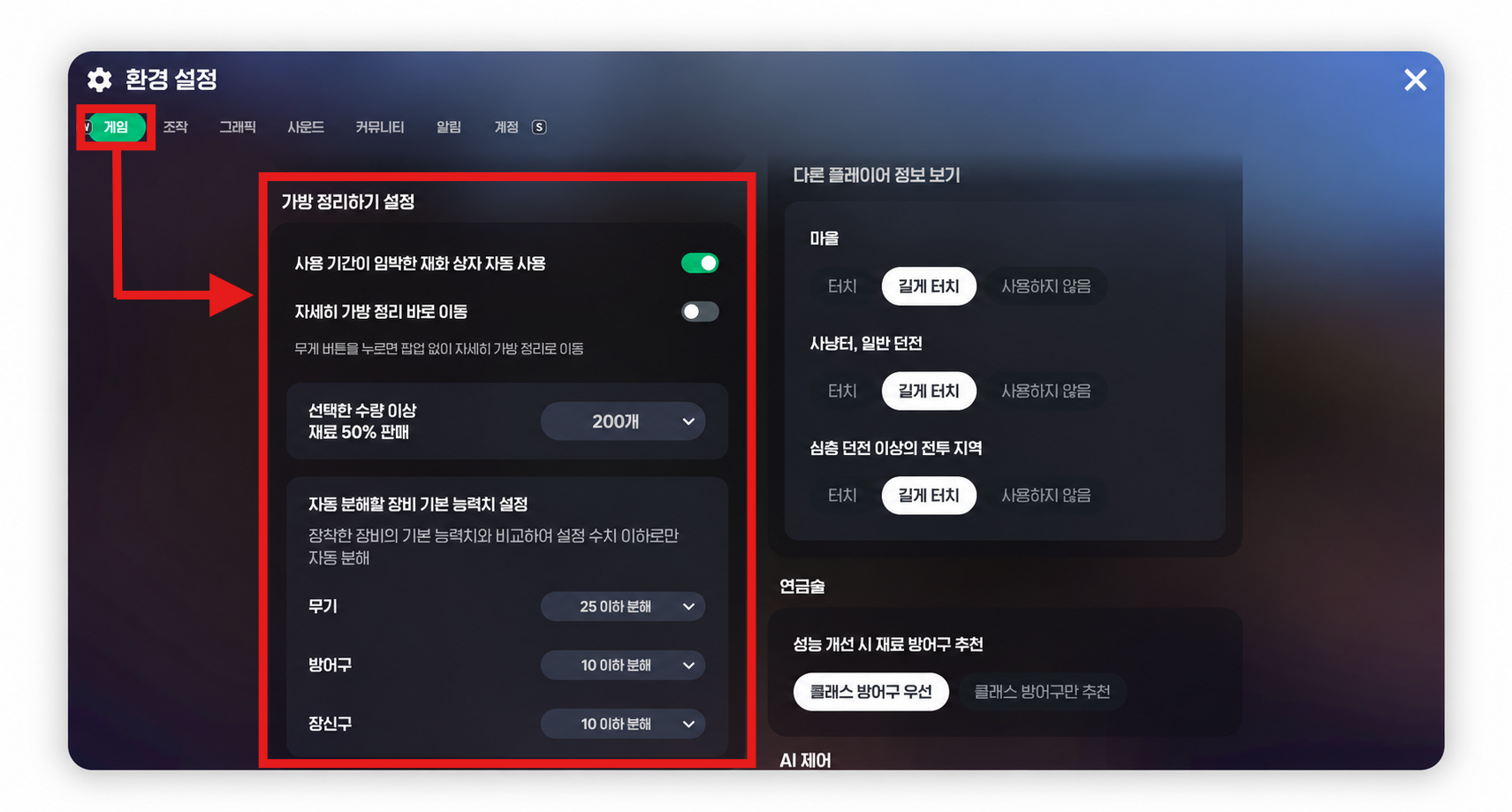
|
Menu (≡) → Settings → Game → Bag Cleanup Settings |
If you've accidentally sold an item, check the Buyback tab at an NPC shop.
You can buy back items you've sold or discarded within 1 hour, but once the list exceeds 30 items, the oldest entries start disappearing.
Just remember: you can't recover dismantled equipment the same way!
|| Can't I Just Use Performance Improvement? || |
|---|
There's one more thing to watch out for here: Performance Improvement.
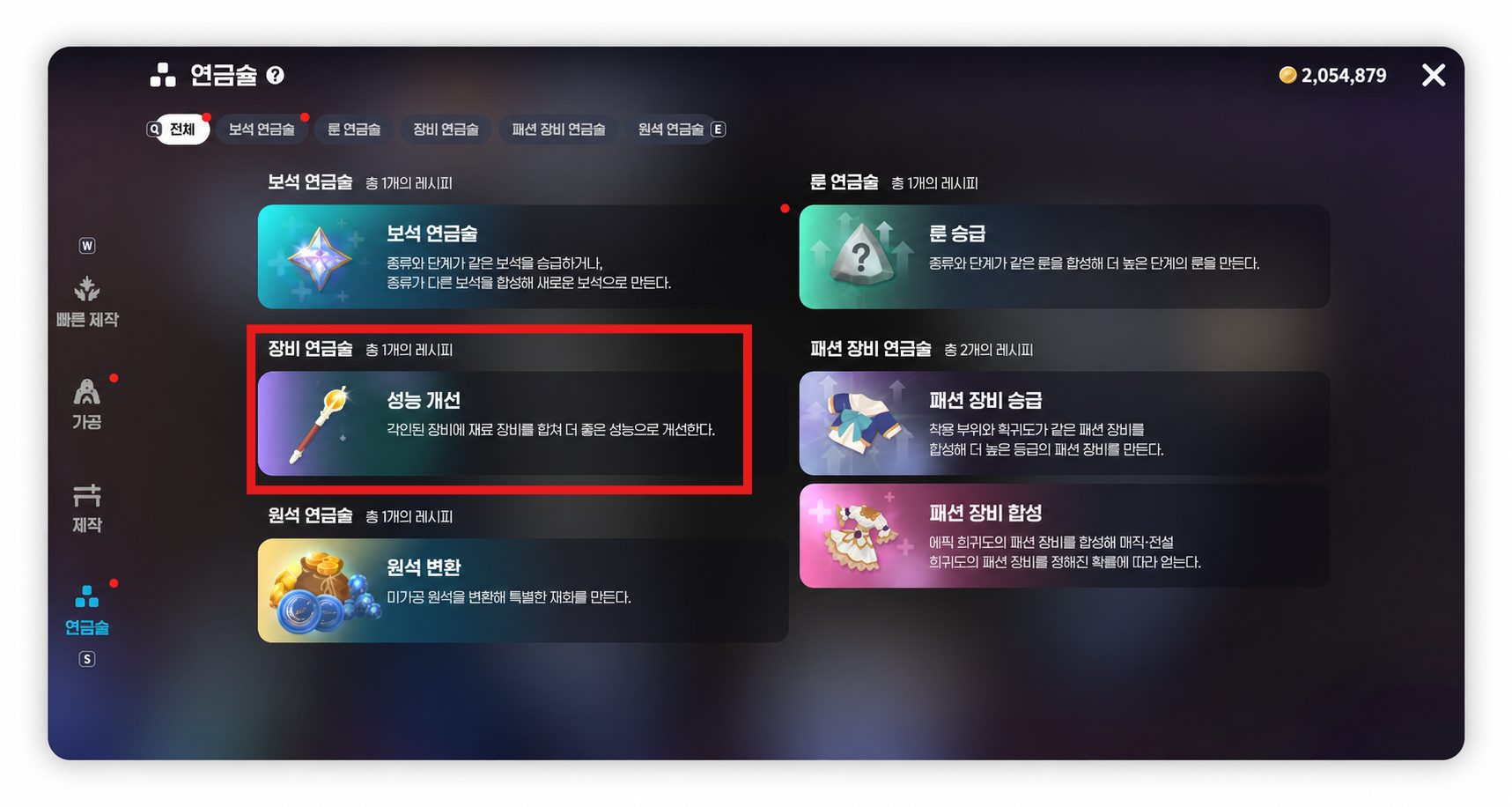
Just because a piece of equipment shows up under Performance Improvement doesn't mean you should go ahead and use it.
You need to choose improvements with stats that suit the gear your character's class uses.
Here's why you shouldn't just click through: in my case, I need to raise Intelligence... I think? So I need to wear cloth armor.
But the Performance Improvement recommendations actually tell me to switch to heavy or light armor.. ㅠ
When I was a beginner, I didn't know any better and just went along with Performance Improvement... That made things a bit rough for me.
2. I Thought Entry Was Free? Watch Out for Auto Retry
The second feature to watch out for is dungeon Auto Retry.
In Mabinogi Mobile, you can enter normal or deep dungeons without selecting a mission.
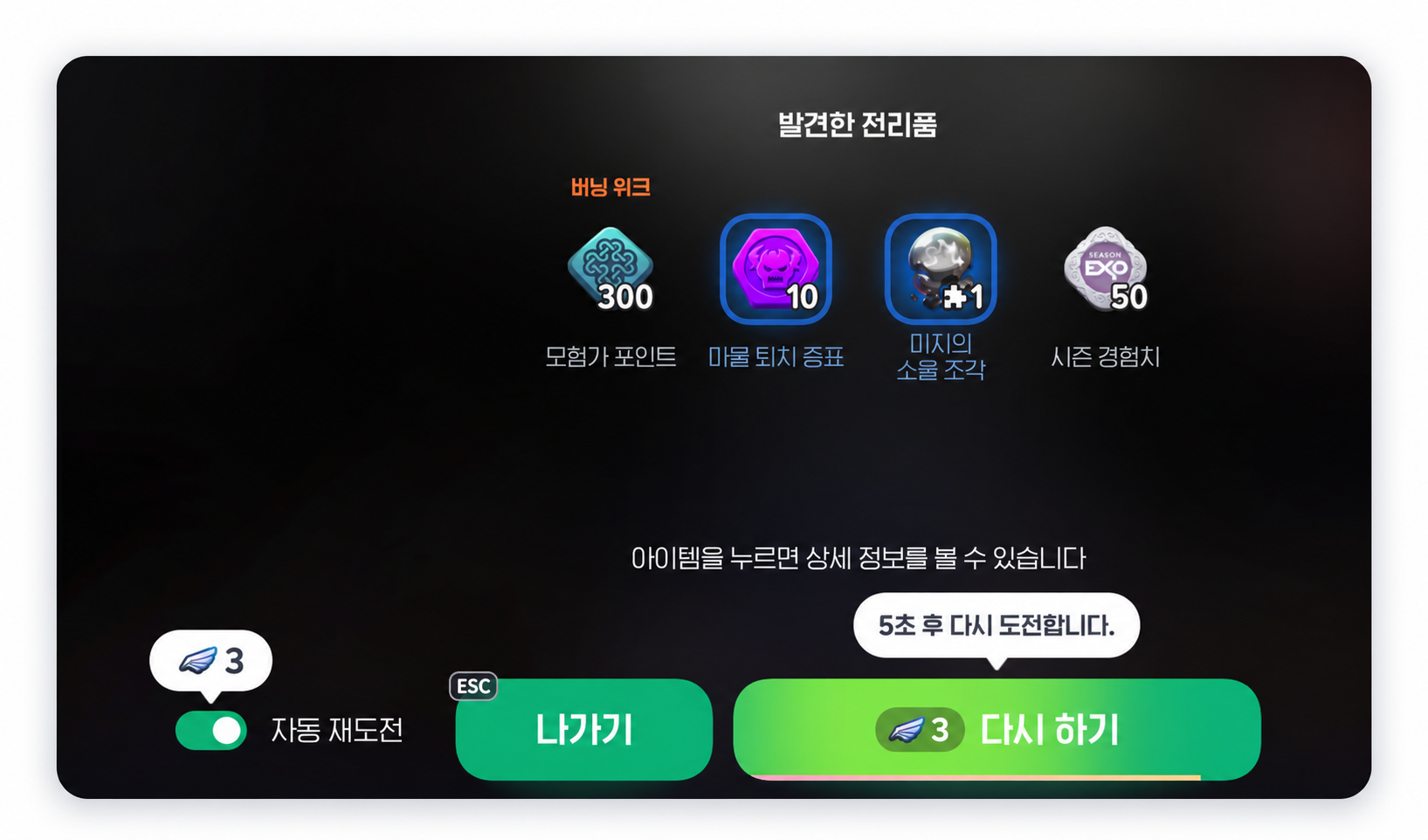
This lets you play the dungeon without spending Silver Coins or Fomor Offerings.
But here's where things can get confusing.
Free entry and Auto Retry are separate things!
With Auto Retry enabled, you'll automatically re-enter the same dungeon after clearing it.
Not having to enter manually every time is handy, but each automatic retry costs 3 Spirit Wings.
If you're also using the Companion feature, you'll spend extra Heart Tokens too.
So if you leave Auto Retry on for repeated runs, those resources will keep getting used up.
Of course, spending resources to save time isn't a bad choice.
The problem is using the feature without realizing it's spending resources.
|| How to Avoid Mistakes || |
|---|
Check these three things before entering a dungeon:
|
What to Check |
What to Look For |
|---|---|
|
Auto Retry |
Enable only when needed |
|
Spirit Wings |
Costs 3 per retry |
|
Companion Settings |
Check whether extra Heart Tokens will be spent |
If you're planning several dungeon runs, I'd especially recommend checking how many resources you have left first.
Auto Retry is convenient, but remember: the more times you repeat a dungeon, the more resources you'll spend.
Wrapping Up — At a Glance
These two mistakes have something in common.
The takeaway? Just because a feature is convenient doesn't mean you should use it without thinking.
You're probably thinking, "Well, isn't that obvious..?" ㅎ.. I thought so too...
To all those countless pieces of cloth armor I ground up... you're doing okay out there, right..? I miss you..
Bag Cleanup and Auto Retry can both save you time when you use them well.
But before using them for the first time, check which items or resources they'll use up.
If you're brand-new to Mabinogi Mobile, this is especially worth keeping in mind.
I'd recommend getting familiar with the cleanup and automation features one at a time.
Before you end up going, "Ah, come on.. ugh..." and wishing you'd checked sooner.
That's it for this post!
I'll be back next time with more gaming talk.
This has been 달냥!



![[FC온라인] 온라인 축구 게임은 보는 재미가 있을까? 2026 FSL SUMMER 결승 축알못 관전 후기](https://peak-file.nexon.com/uploads/20260909_0153_415d9adc.png)
![[메이플스토리] 뉴비 시절 흑역사, 스킬 시퀀스도 모르고 사냥했다고?](https://peak-file.nexon.com/uploads/20261026_1015_7fc79cd0.png)