[Mabinogi Mobile] A Great Pick for One-Handed Play! How to Set Up Portrait Mode and Play Comfortably
달냥
![[Mabinogi Mobile] A Great Pick for One-Handed Play! How to Set Up Portrait Mode and Play Comfortably](https://peak-file.nexon.com/uploads/20261028_1242_b2264aeb.png)
Heyyy~ (˶ˊꇴˋو(و ⁾⁾
It's your Nexon Picker 달냥 here!
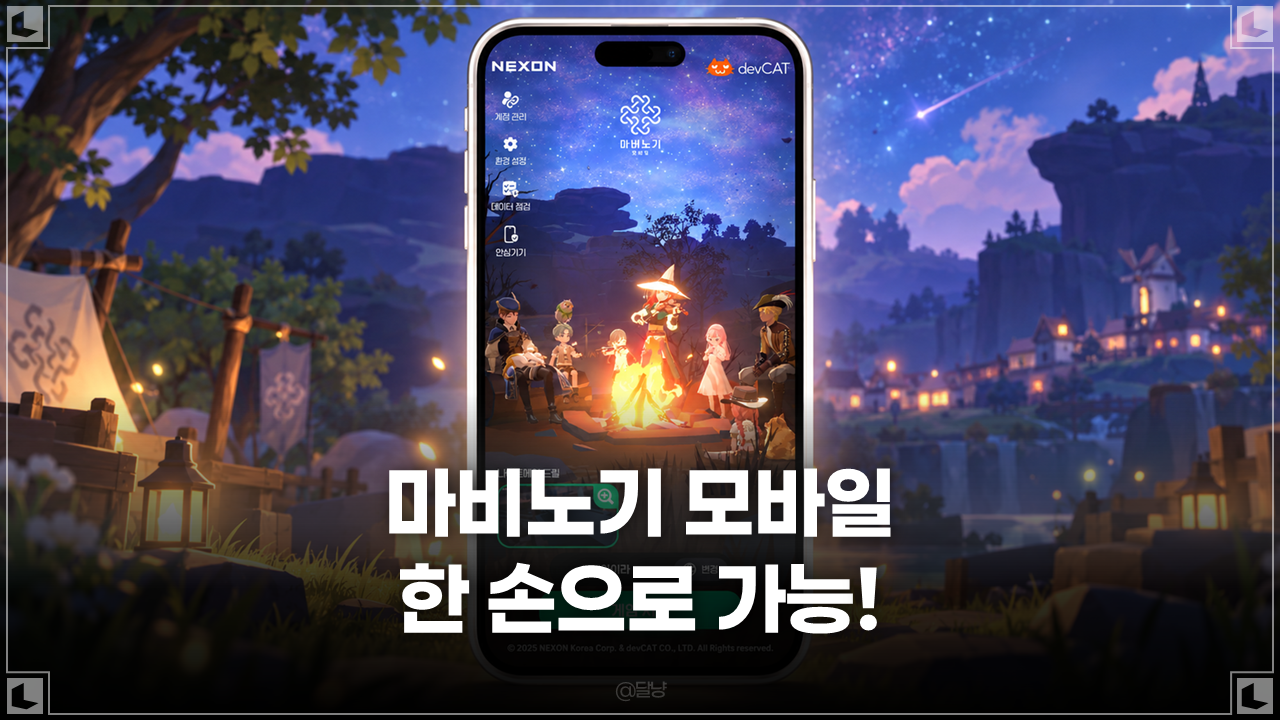
Looking for a mobile RPG you can comfortably play with one hand? I'd recommend portrait mode in Mabinogi Mobile!
I've had loads of things to do away from home lately, so I've often had to rush out with just my phone.
But all that running around meant I kept missing my dailies... ㅠ..
So I installed 모비노기 on my phone too, and guess what...? It supports portrait mode!
I had no idea ㅋㅋㅋㅋㅋㅋ
You can hold your phone upright like you normally would and play without turning it sideways,
and handy features like the Magic Compass and Assist Mode make manual controls
less of a hassle!
I play Mabinogi Mobile too, but when I think about it, I don't raid every time I log in. Some days, I just do a few quests, check my rewards, or chill out with a little fishing.
Having to hold your phone or tablet with both hands every single time would be a bit of a hassle, right?
That's why it's so handy that Mabinogi Mobile lets you choose landscape or portrait mode to suit what you're doing.
In this post, I'll walk you through setting up portrait mode, activities that work well with one hand, and a few things worth knowing when you use it!
|
| Contents | |
|---|
|
① One-Handed Mabinogi Mobile: Setting Up Portrait Mode |
|
② Easygoing Activities for Portrait Mode |
|
③ Landscape or Portrait: When Should You Use Each? |
1. One-Handed Mabinogi Mobile: Setting Up Portrait Mode
When you think of a mobile MMORPG, you probably picture holding your phone sideways and playing with both hands.
But Mabinogi Mobile supports both landscape and portrait modes!
No extra apps needed—just change the screen orientation in the game settings.
|| How to Set Up Portrait Mode || |
|---|
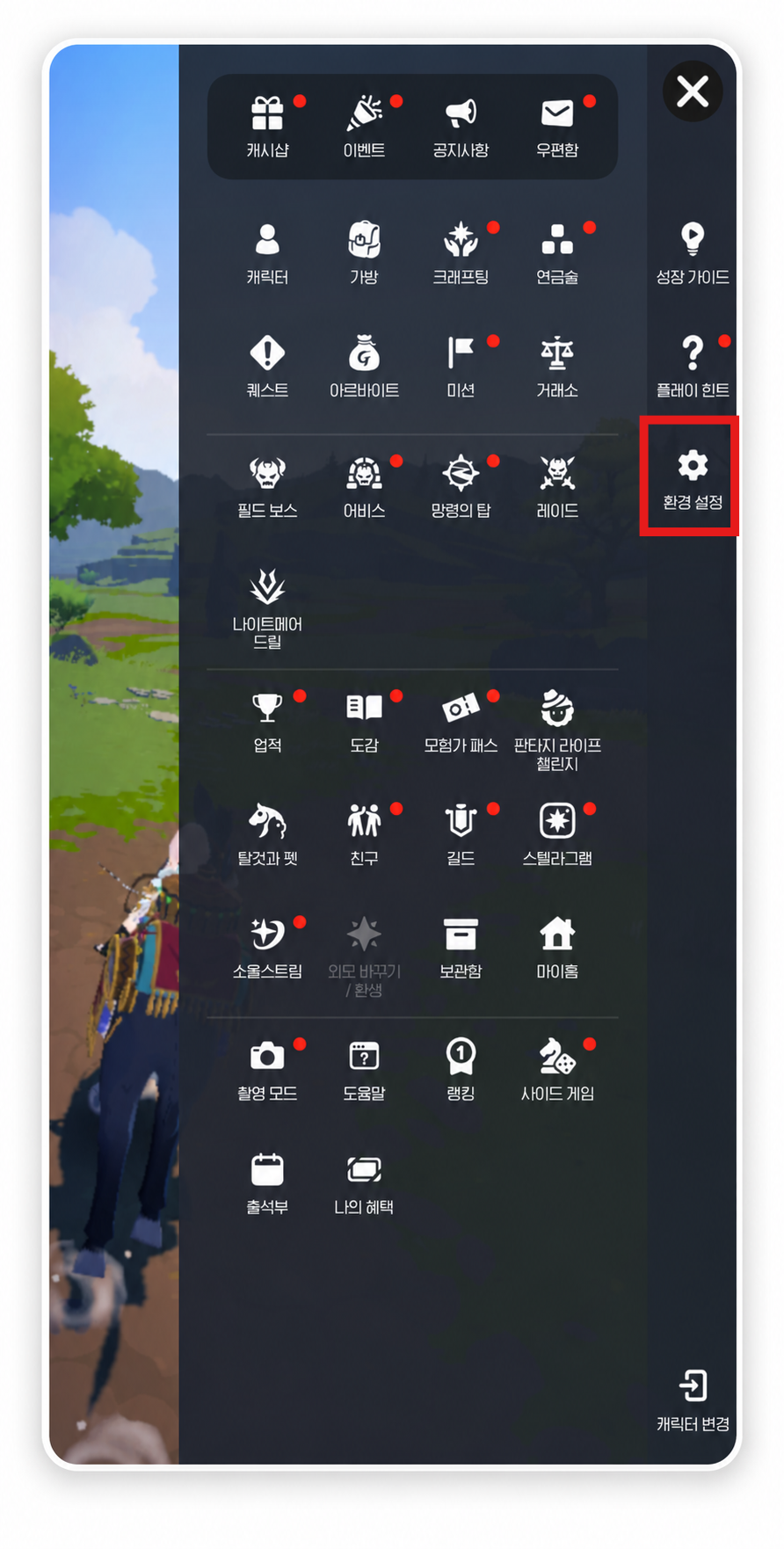
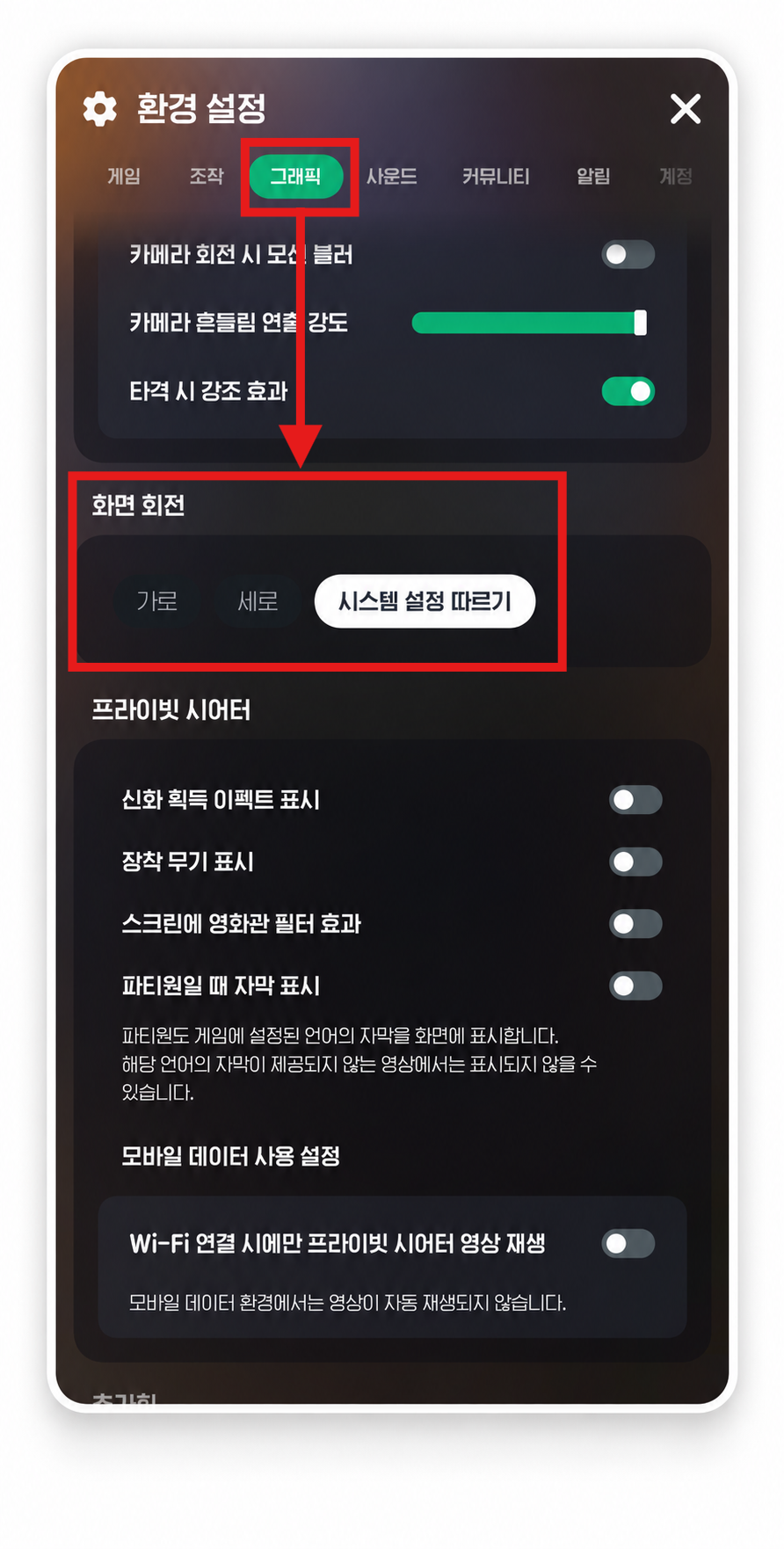
|
|
|
|
Under Screen Rotation, you can choose from Auto-Rotate, Landscape, Portrait, and Follow System Settings.
If the game screen doesn't rotate when you turn your phone, check your phone's own auto-rotate or orientation lock settings too!
The best part of portrait mode is getting to play while holding your phone the way you normally do.
Pretty handy when you're checking the screen with your phone in one hand, or just popping in for a few quick activities, right?
I love being able to handle pretty much everything with one hand in portrait mode!
2. Easygoing Activities for Portrait Mode
So, what kinds of activities work well in portrait mode?
Personally, I'd check out these two features: Magic Compass and Assist Mode .
|| Questing with the Magic Compass || |
|---|
Mabinogi Mobile has a Magic Compass feature that helps you work through quests.
To activate it, complete the “Meeting on the Hill” quest and use the Magic Compass you get from Nao.
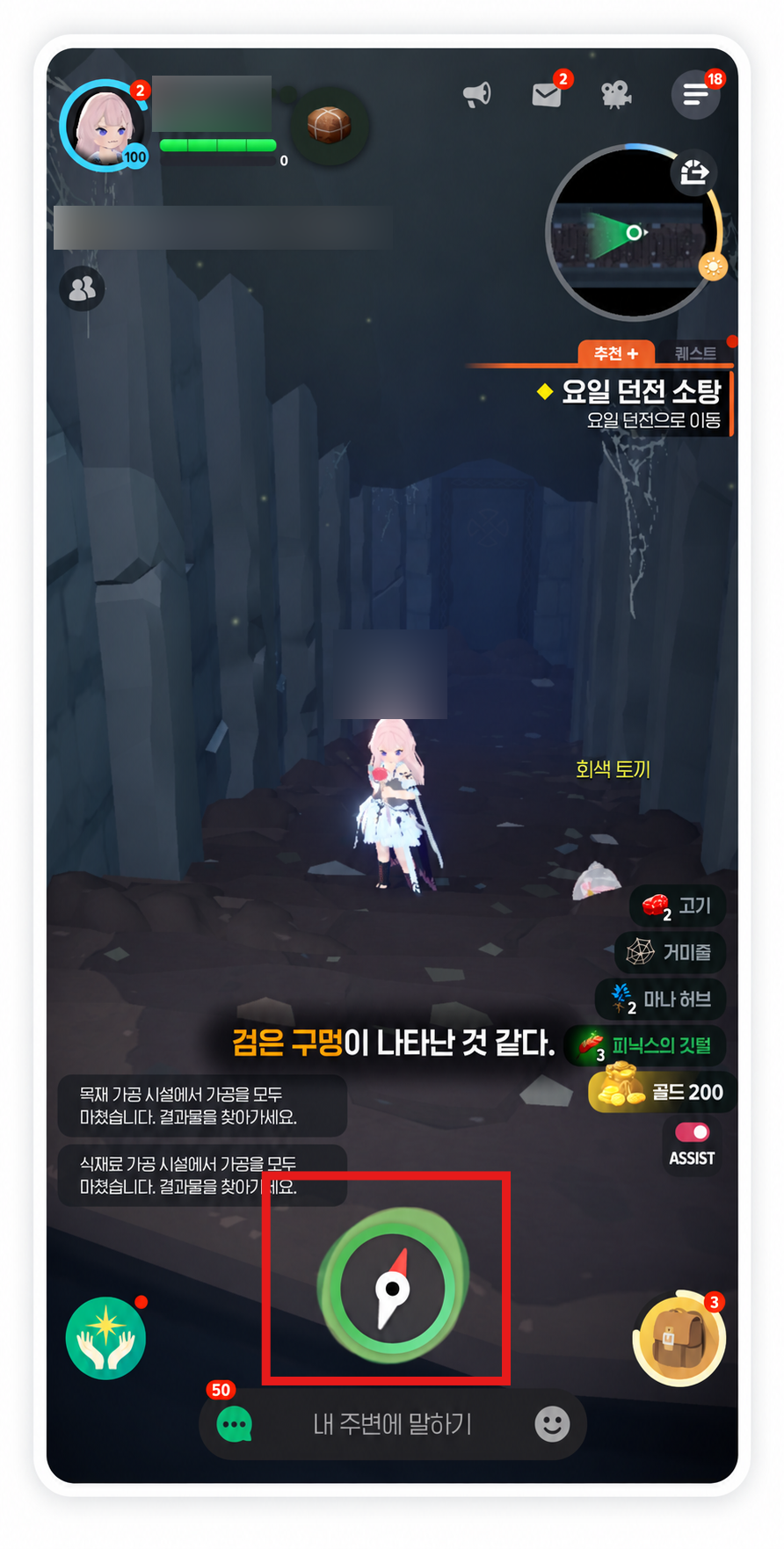
Once your character has stood still for a little while, a compass pops up on the screen to help you progress through your selected quest.
└ Basically, it's like a button that switches on auto-hunting!
With the Smart Magic Compass, certain activities go a step further—once the compass appears
and a little time passes, you'll automatically move on to the next step. (This is seriously the GOAT)
Here's where to find the setting!
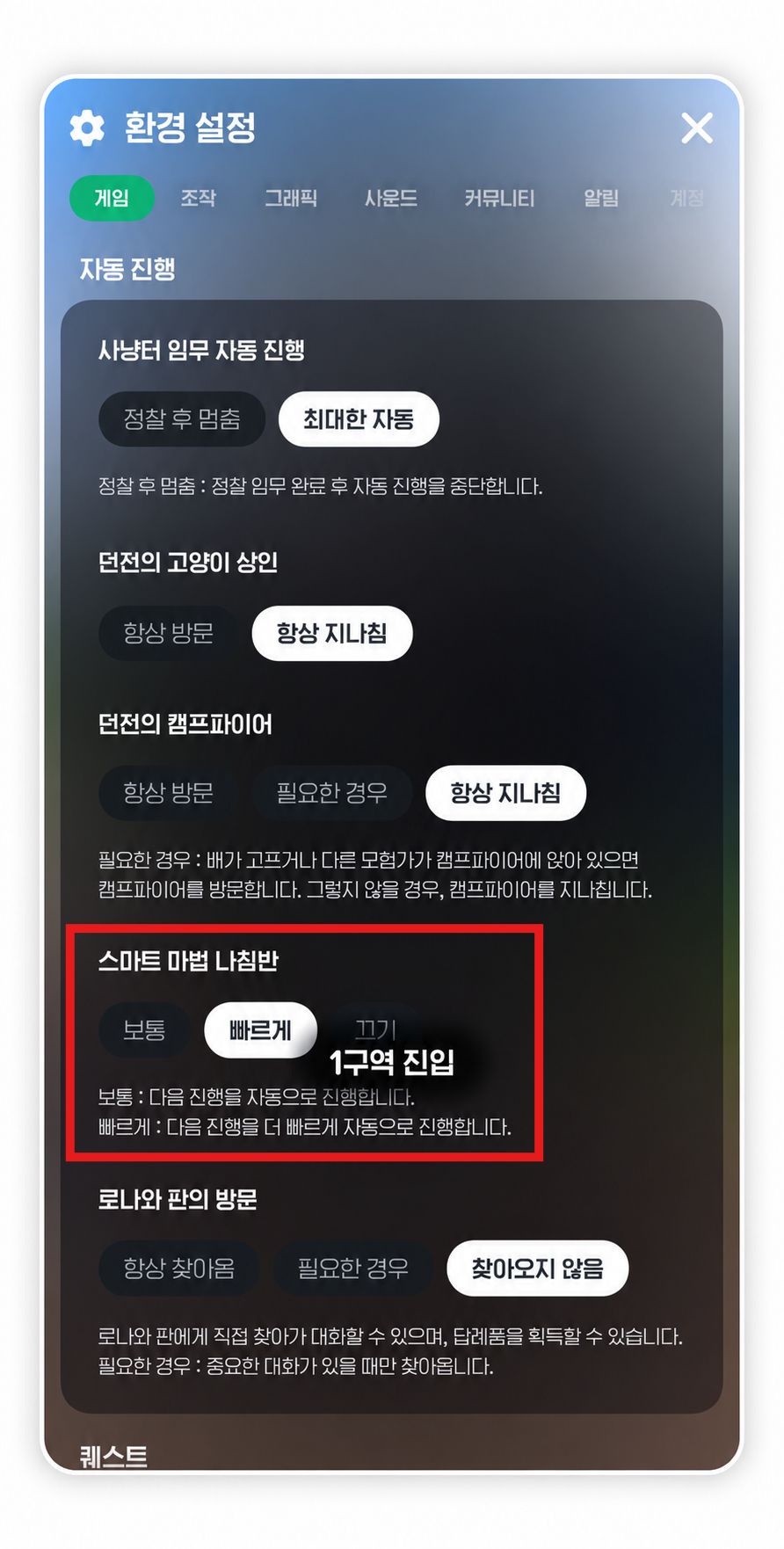
|
Menu (≡) → Settings → Game → Auto-Progress → Smart Magic Compass |
Choose from [Normal, Fast, Off]—the feature works in activities that support it.
Just keep in mind that quests where you need to explore or control things yourself might not support auto-progress.
I think it's a great fit for one-handed play, since it helps with all that repetitive movement and quest progression!
|| Easier Combat Controls with Assist Mode || |
|---|
And of course, getting around isn't the only thing you can get help with—there's a handy feature for combat too!
That's where Assist Mode comes in.
Turn on Assist Mode on the combat screen, and it'll automatically use regular skills to suit the situation.
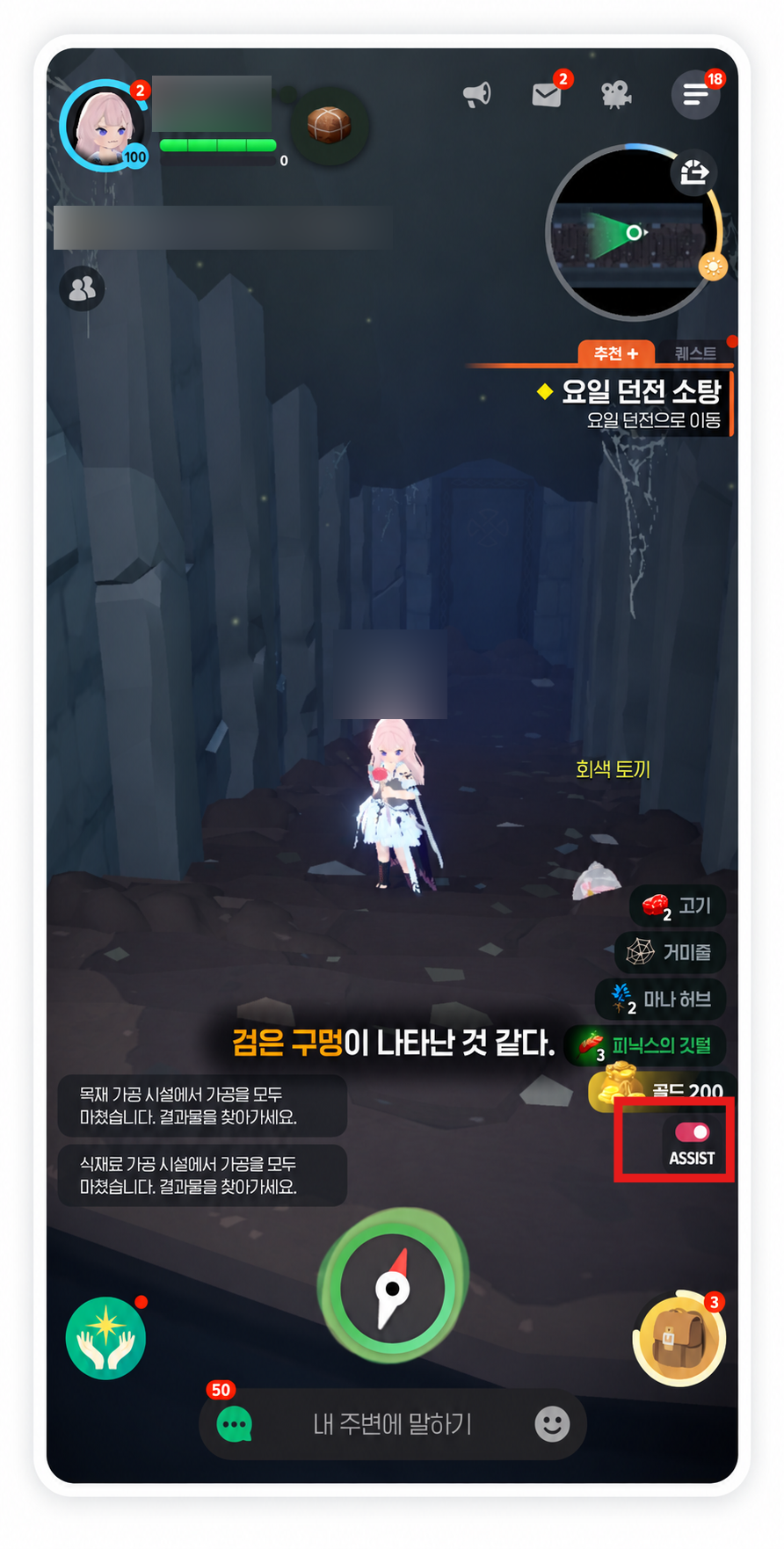
You can turn it on or off with the Assist ON/OFF toggle to the right of your skill slots,
and even choose which skills it uses automatically.
But Assist Mode won't do all the fighting for you... ㅠ
You'll still need to take control in some situations, like moving your character or dodging boss attacks.
So I'd use it to take some of the work out of simple fights,
and handle things manually when you need to dodge boss attack patterns with precise timing.
3. Landscape or Portrait: When Should You Use Each?
Being able to play one-handed might make portrait mode sound like the easy choice every time, but it isn't right for every activity!
That narrower screen can be limiting when you need to keep an eye on your surroundings or use several controls at once, so
landscape mode might feel more comfortable.
I'd recommend switching between them based on what you're playing. Here's how I'd break it down!
|
Activity |
Recommended Mode |
Why |
|---|---|---|
|
Auto-progressing quests |
Portrait mode |
Easy to check at a glance |
|
Laid-back fishing |
Portrait mode |
Fewer inputs needed |
|
Checking daily missions and rewards |
Portrait mode |
Simple, mostly menu-based controls |
|
Regular combat and hunting |
Choose based on the situation |
Depends on whether you're using Assist Mode |
|
Reacting to boss attack patterns |
Landscape mode |
Wider view and easier manual controls |
|
Focused raid runs |
Landscape mode |
Easier to keep track of your surroundings |
In particular, portrait mode is great for players who want to pop in for a quick session or do simple activities
with their phone in one hand.
On the other hand, when you need to move, dodge, and use skills yourself, playing with both hands can be safer and more comfortable.
The nice thing is, you don't have to stick to just one way of playing!
Keep it casual in portrait, then switch to landscape when it's time to focus on combat!
Switch things up to suit what you're doing, and Mabinogi Mobile can feel that little bit easier to play.
Wrapping Up — A Quick Recap
Mabinogi Mobile supports portrait mode and comes with several features that help you progress automatically!
Of course, switching to portrait doesn't mean you can play everything perfectly with one hand,
but it's well worth trying for activities that don't need much input, like daily quests and life skills.
If you've only played in landscape mode so far,
why not give portrait mode a go this time?
That's all for this post!
I'll be back next time with more game talk!
달냥 signing off!

![[마비노기모바일] 이것저것 즐기다 보면 시간이 너무 모자르다구요~!](https://peak-file.nexon.com/uploads/20260103_0945_2af-6a4e-4f84-8503-82add7591f96)
![[메이플스토리] 온라인 RPG 추천 대상 3가지! 어떤 유저에게 잘 맞을까?](https://peak-file.nexon.com/uploads/20261014_0338_b2dfe590.png)
![[마비노기모바일] 에린의 모험가가 구상해 본 귀엽고 이상한 피젯보드~](https://peak-file.nexon.com/uploads/20260323_0315_2c1-2e8e-49d0-a05f-15f0349027bd)
![[마비노기모바일] 에린에서의 졸업사진은 이런 의상을 활용하자!](https://peak-file.nexon.com/uploads/20260215_1125_241-7938-47a8-91b4-d9da74827be2)