[Mabinogi Mobile] A game where you can chat with friends and still get your dungeon runs in!
이호
![[Mabinogi Mobile] A game where you can chat with friends and still get your dungeon runs in!](https://peak-file.nexon.com/uploads/20261027_1218_01ce16f6.png)
This post was created as part of NEXON PEAK activities.

Hi, I'm 이호, an adventurer living in Erinn!
Looking for a game you can comfortably play with one hand? I'd definitely recommend Mabinogi Mobile! For starters, the Magic Compass handles most of the progression for you, while Class Assist automatically uses skills suited to your class.
I usually prefer gaming on PC. But we spend plenty of time away from our PCs, right? Maybe we're traveling, or just staying somewhere else for the night!
I played Mabinogi Mobile on my phone during a temple stay. I went there to escape worldly attachments, but apparently the world wasn't letting me go that easily...
So, who couldn't bear to miss out on daily dungeons, even during a temple stay?
Yep, that was me.
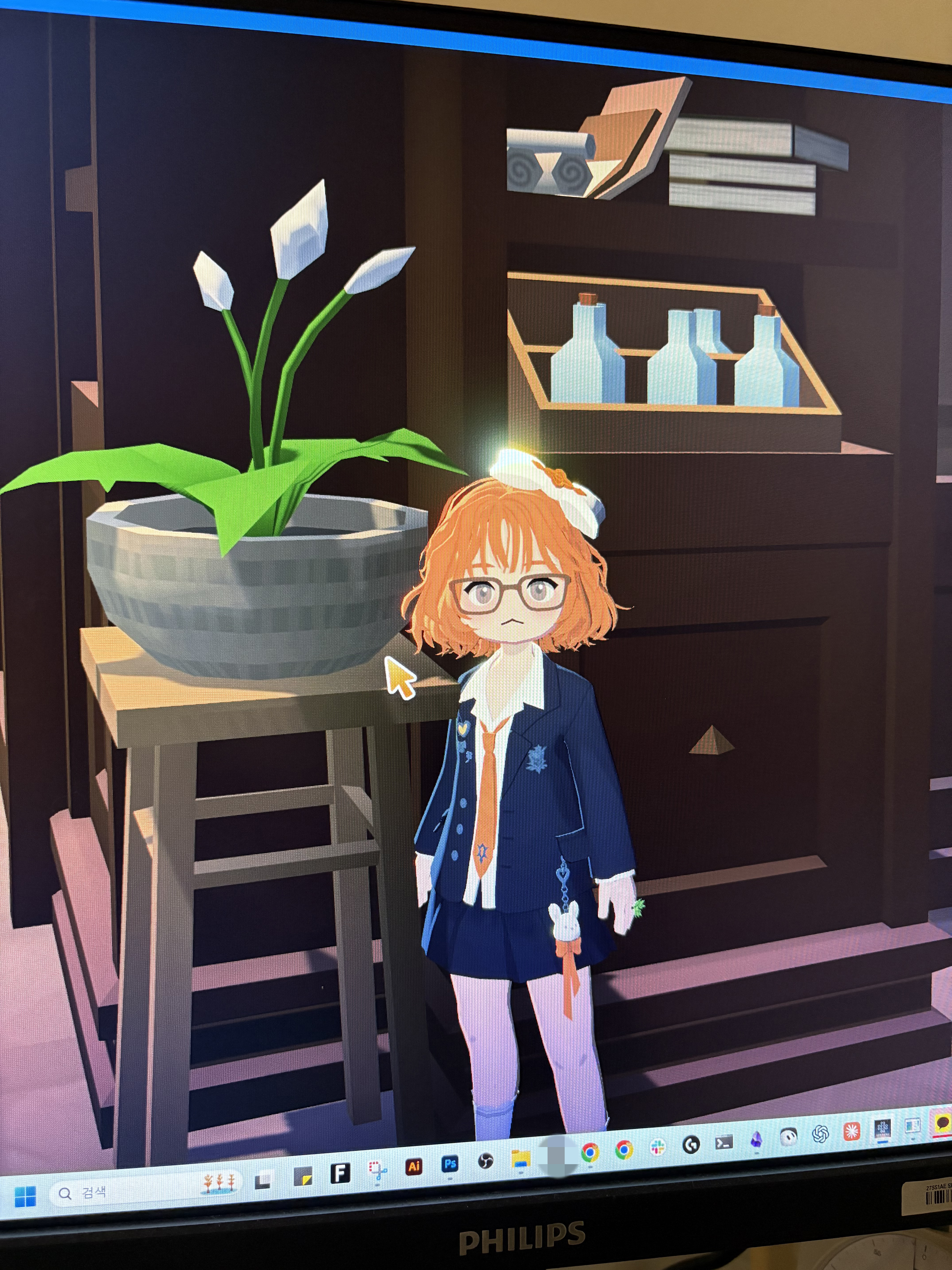
|
(Image description: Me playing on PC, as usual) |
|---|
I wasn't really in a position to focus on the game. So I left Mabinogi Mobile running, set my phone on the floor, and tapped the screen every so often while chatting with a friend. Pretty neat, right? You can casually use up your in-game offerings without giving the game your full attention, then focus when you feel like it.
Today, I want to share what made Mabinogi Mobile so easy to fit into my day, based on my own experience.

This was last year. I'd gone on a temple stay to get away from my everyday routine. And while I usually prefer gaming on PC, I had a very clear reason for logging in while I was there.
I couldn't bear to miss out on daily dungeons or let my Demon Offerings and Silver Coins go to waste! For anyone wondering, Demon Offerings and Silver Coins are the in-game currencies you use to access dungeons.
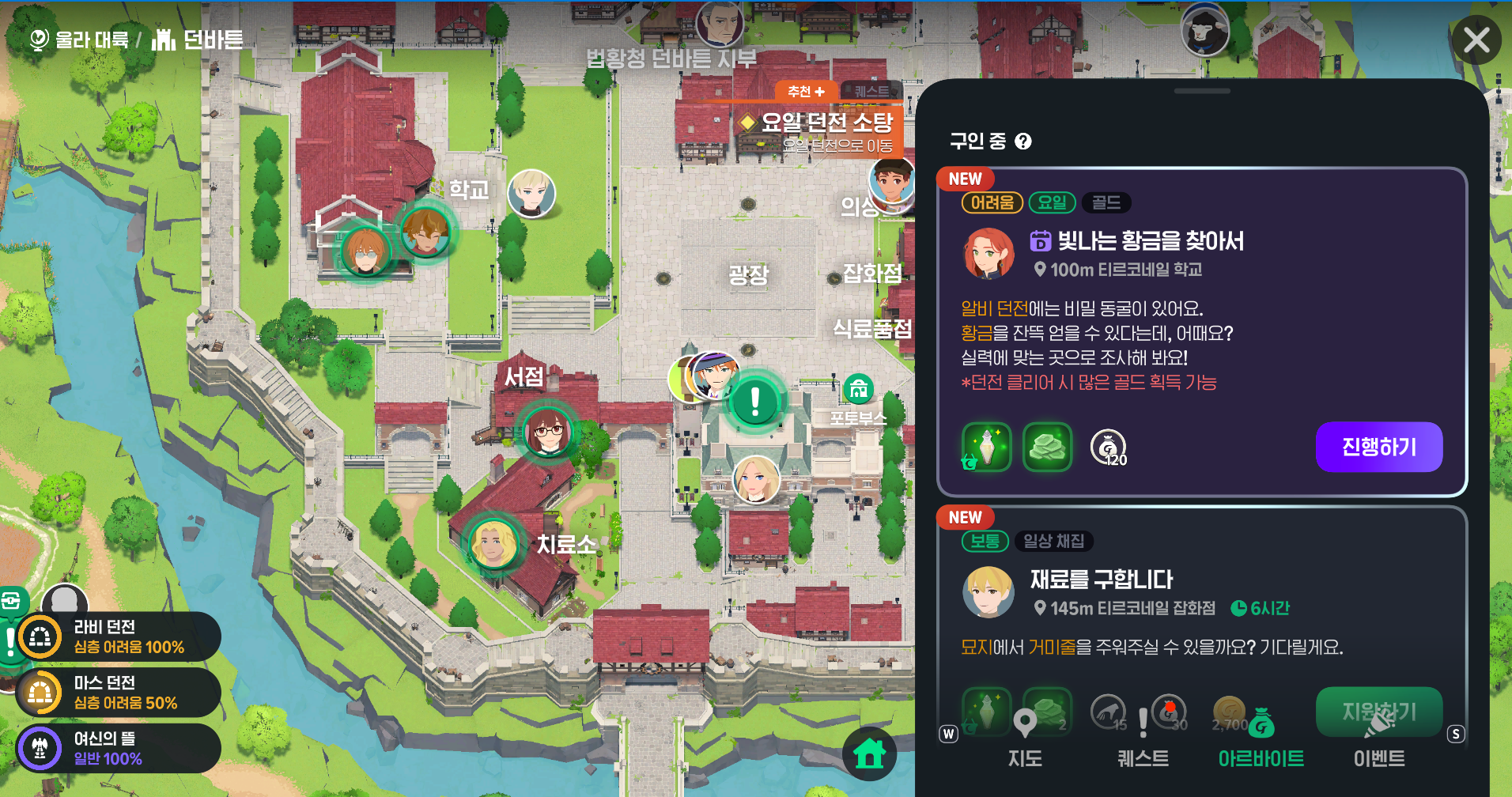
I've talked about daily dungeons before: you accept the part-time job for that day and get started! The available dungeons and rewards change with the day of the week. And since I have an embarrassing history of ignoring them for 2 weeks as a newbie, I wasn't about to miss out again….
The catch? I was chatting with a friend, so I couldn't give the game my full attention. Luckily, Mabinogi Mobile has the Magic Compass, which let me run daily dungeons using auto-battle! No need to keep my eyes glued to the screen—I just checked in now and then and gave it a tap.
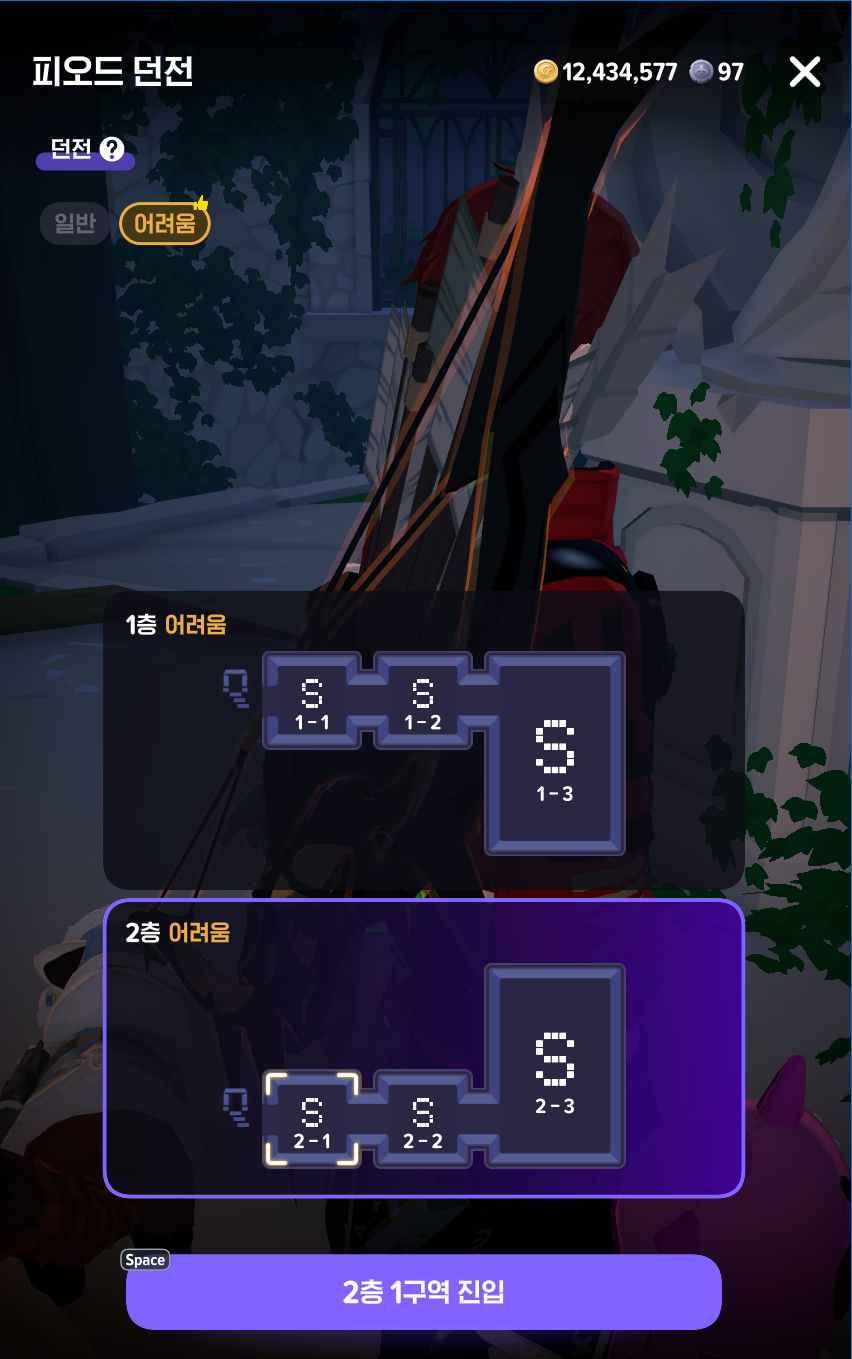
I also got through some deep dungeons and regular dungeons. I wasn't comfortable enough with phone controls to tackle difficult battles, so I kept things simple, running dungeons to use up the currencies I had.
I was so intrigued by the experience that I asked other players about it later, and it turned out a surprising number played exclusively on mobile! These were people who breezed through tough fights like Abyss and raids, so I'd never have guessed. They said it was perfectly doable once you got used to it!
Playing a game on my phone that I'd normally only play on PC was surprisingly reassuring. When life gets busy, I can just play like this and use up my character's offerings without making a big thing of it!

The feature I really came to appreciate was the Magic Compass. Not having to constantly move my character around myself took a lot of the effort out of playing on my phone.
If you're new to it, here's the quick version: the Magic Compass helps you progress automatically through your selected quest. When it's available, it'll appear near the bottom of the screen after your character stands still for a moment.
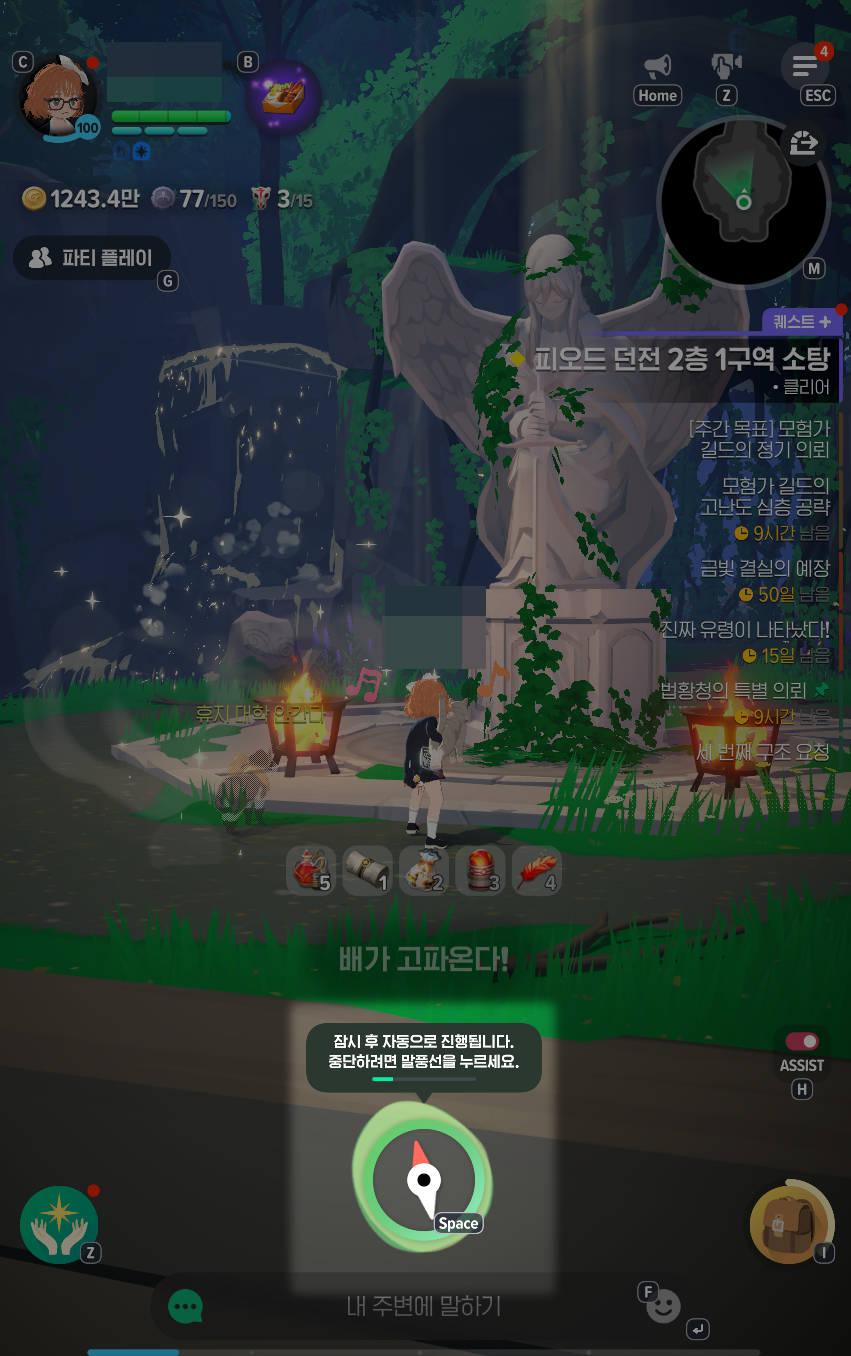
Once I entered a dungeon, I didn't have to worry as much about what to do next—the fighting started automatically! I could just chat with my friend and tap Retry every so often.
You'll also find the Smart Magic Compass in the settings. In supported content, if you leave the controls alone for a set amount of time after the compass appears, a countdown starts, followed by help with the next step.
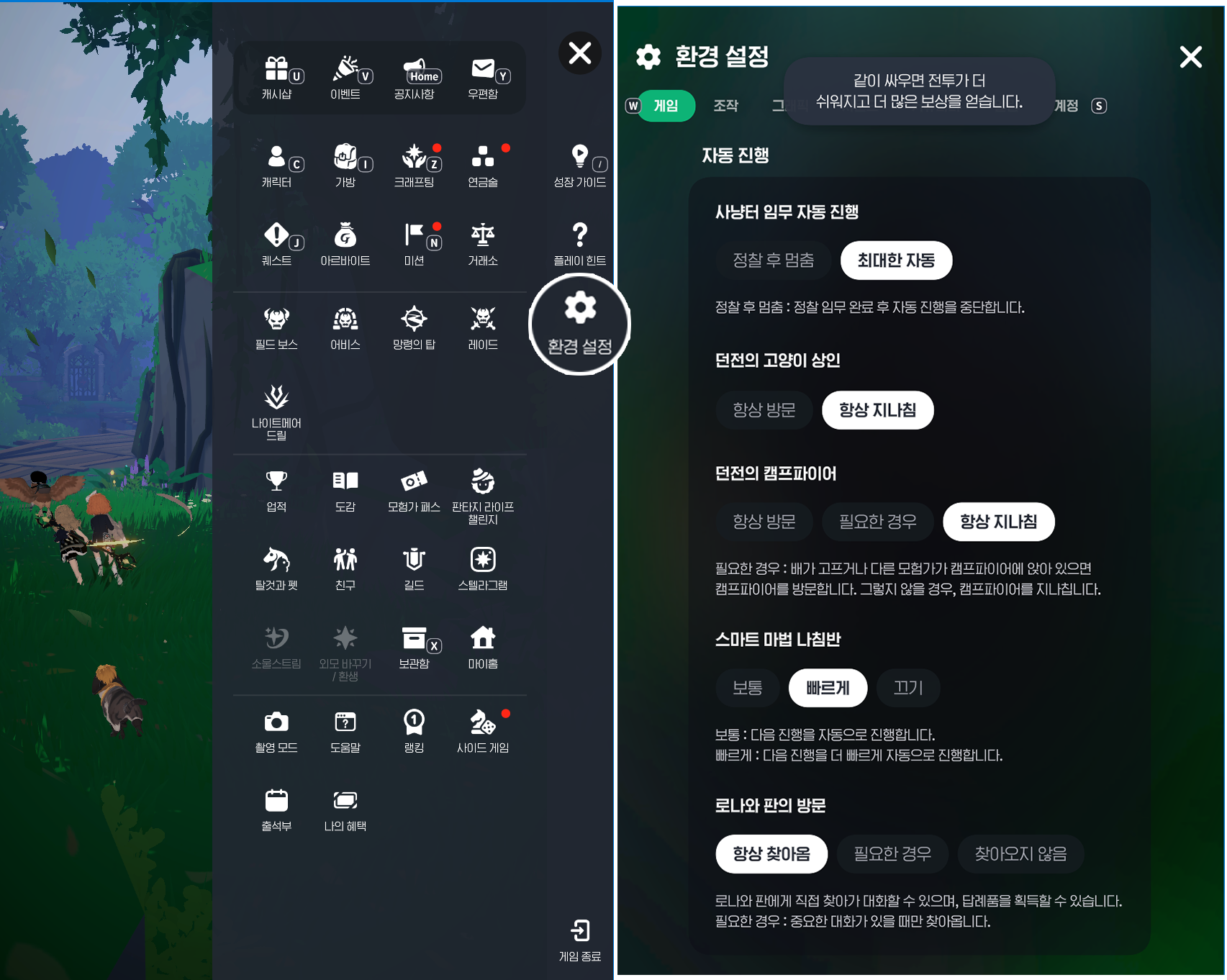
You can turn it off or speed it up under [Settings] → [Game] → [Auto Progress] → [Smart Magic Compass].

While the Magic Compass keeps things moving, Assist Mode handles skills during combat. Together, these two features make it easy to play with one hand, even when you aren't giving the game your full attention.
|
Feature |
How it helps |
|---|---|
|
Smart Magic Compass |
Moves to the next step in supported content after a set time without input |
|
Class Assist Mode |
Automatically uses regular skills to suit the combat situation |
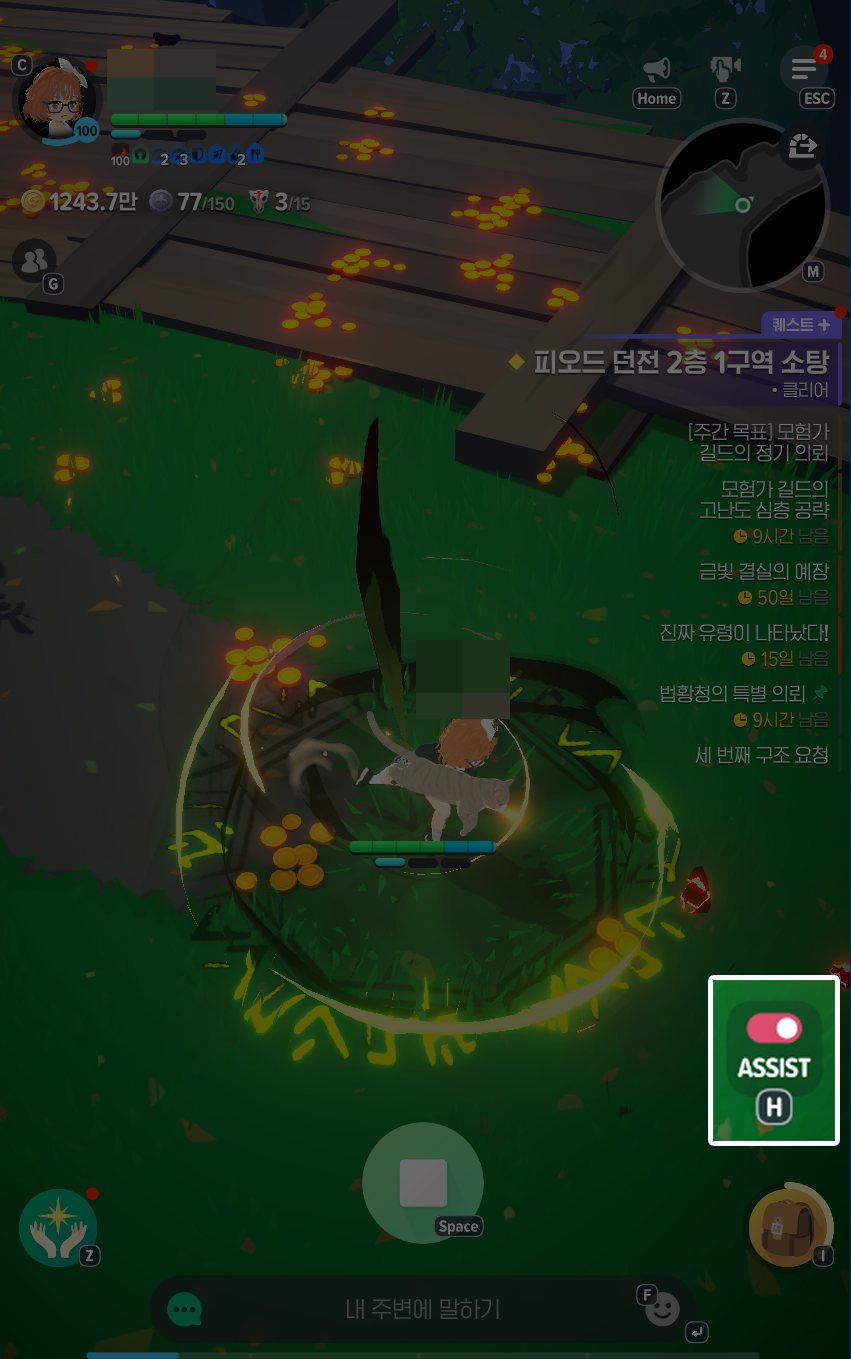
You can toggle Assist with the [ON/OFF] button next to your skill slots. Once it's on, it automatically uses regular skills to suit the fight, but you can still move or tap skills yourself whenever you need to.
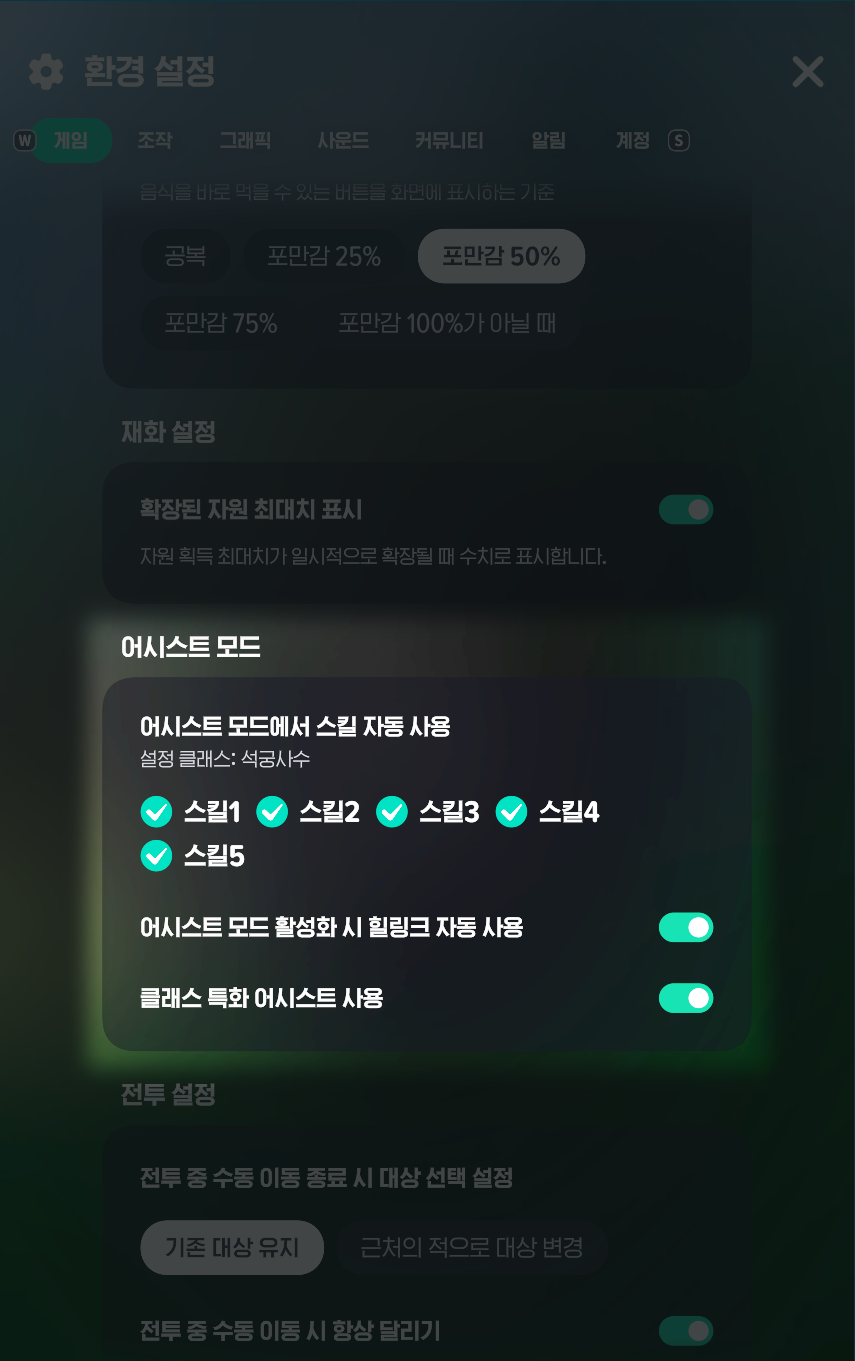
Want to choose which skills it uses automatically? Head to [Menu(≡)] → [Settings] → [Game] → [Assist Mode].
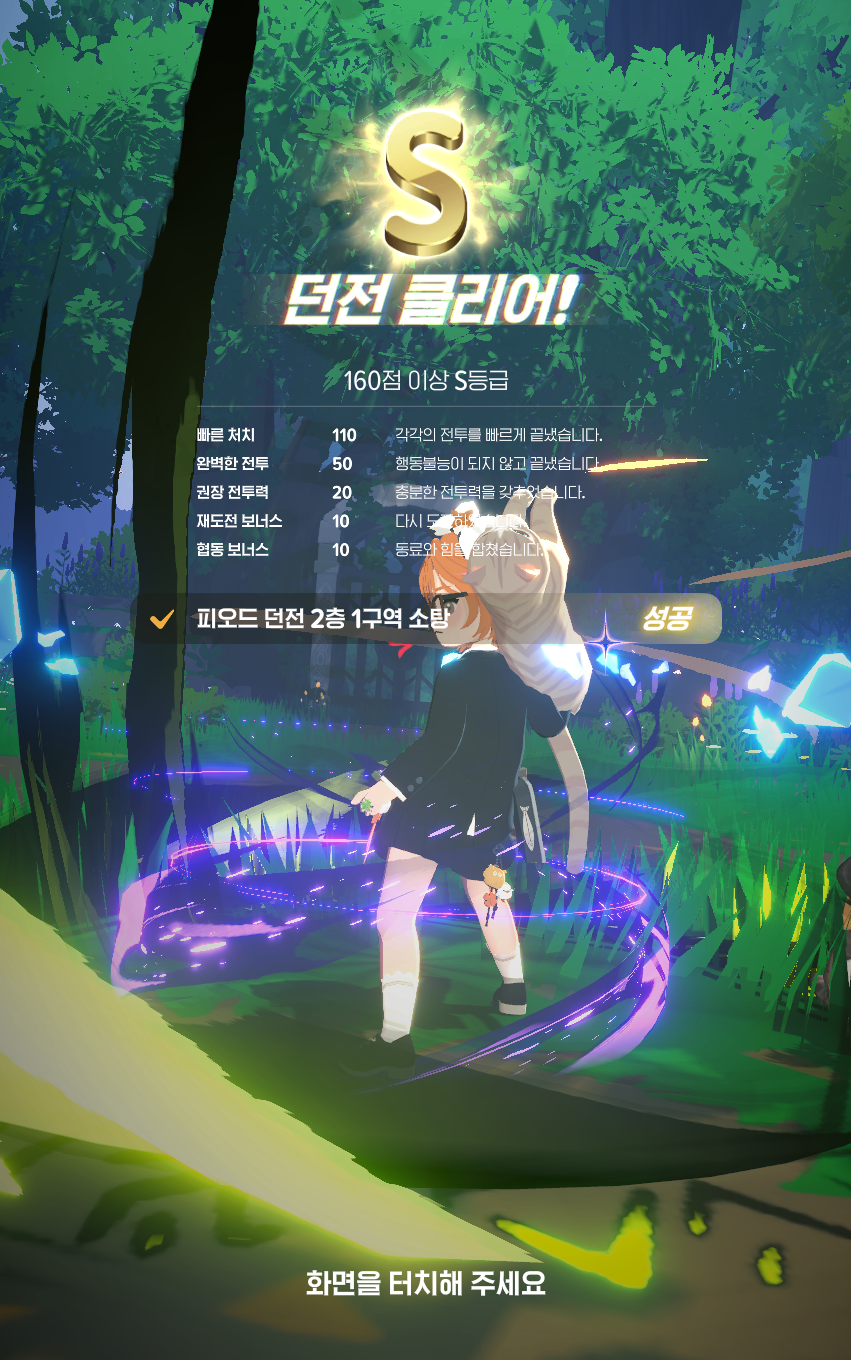
These auto-battle features are what made daily dungeons, regular dungeons, and deep dungeons so easy to run on my phone! If I'd had to keep queuing up every attack myself, I might have spent the whole temple stay gaming and forgotten why I'd gone in the first place.
So while PC is still my usual choice, being able to switch to my phone when I need to really left an impression.

That day, I just left my phone on the floor and gave it the occasional tap while chatting with my friend.
That really stuck with me because I'd always assumed I had to give a game my full attention. Especially an RPG—you know the feeling, right?
But between Mabinogi Mobile's compass system and the Assist feature automatically optimizing how my character fights, sometimes the game handles combat better than I do! That's why I'd recommend Mabinogi Mobile to anyone who hates missing out when they're away from their PC and wants to quickly take care of things on their phone.
So yes, I went on a temple stay to let go of my worldly attachments and came back admiring a game instead. But I think that flexibility is part of what's kept me playing Mabinogi Mobile for 500 days.
PC when I want to focus, mobile when I want to casually work on life skills or processing! To me, that's another part of Mabinogi Mobile's charm!

![[마비노기 모바일] 한 손으로 하는 게임 추천, 세로 모드 설정과 편하게 즐기는 방법](https://peak-file.nexon.com/uploads/20261028_1242_b2264aeb.png)


![[마비노기 모바일] 10년만에 RPG를 시작한 사람이 추천하는 입문자 클래스 추천](https://peak-file.nexon.com/uploads/20261014_1007_f79cd23f.png)