A New MapleStory Feature to Help You Make Memories with the People You Meet In-Game
마빡도로시
This post was written as part of NEXON PEAK activities.
Hello.
Playing online games naturally leaves you with memories of time spent with other players.
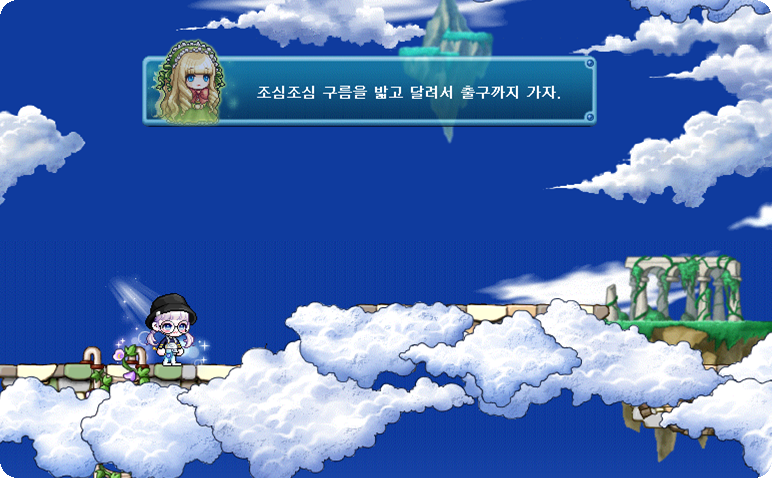
It has been quite a while since I last socialized in-game, but I still remember enjoying the company of many players in the Tower of Oz back when it supported party play.
It is now a solo experience, with no way to meet other players outside the rest areas and lobby. Back then, though, part of the fun was playing together: taking turns helping each other hunt monsters within our level range, or helping—and sometimes hindering—one another on obstacle maps.
I still regularly talk to a few of the people I met then, so those connections mean a great deal to me.
Staying in touch with other players in these different ways can be rewarding and enjoyable in its own right. The upcoming October 22 (Thu) update will introduce a feature that adds a little more variety to those interactions, so I have put together an overview.
What Is the New [Maple Talk] System?
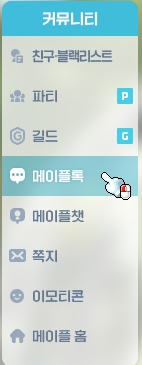
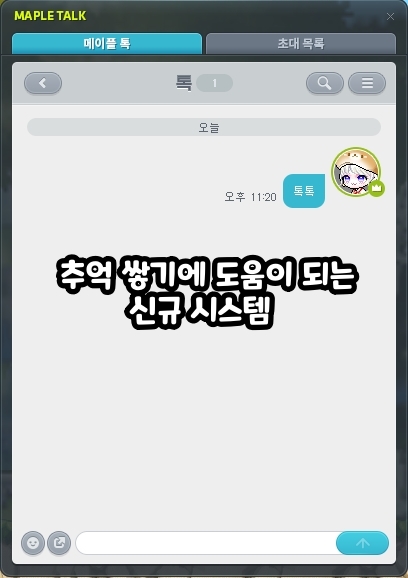
The new feature is called [Maple Talk]. As the name suggests, it works much like the open chat rooms in the popular messaging app KakaoTalk. It is listed under Community in the main menu. New features usually appear at the very bottom, but this one sits near the top, suggesting that it is being introduced as a major feature.
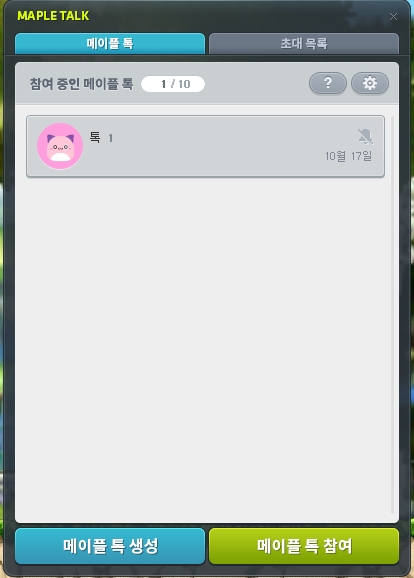
Selecting it from the menu opens the interface shown above. As mentioned, it works much like an open chat room: select Create Maple Talk to create a room, or Join Maple Talk to join another room.
The feature's main distinction is that you can talk to one another through a chat room even while playing in different worlds.
Most players do not usually play in more than one world, but this advantage should be especially useful during Challenger World seasons, when leveling characters in a different world is practically a necessity.
For example, in Challenger World, you cannot move to another world once you have chosen one. Even if server 1 fills up and you end up joining a different server later, you will now be able to stay in touch with friends through Maple Chat. That takes some of the pressure off having to choose the same server.
Based on the previous event schedule, Challenger World runs 2 times a year for 3 months at a time. With it open for half the year, I think this feature will make a meaningful difference.
Creating and Joining [Maple Talk]
Creating and joining a Talk is straightforward and works much like creating or joining an open chat room.
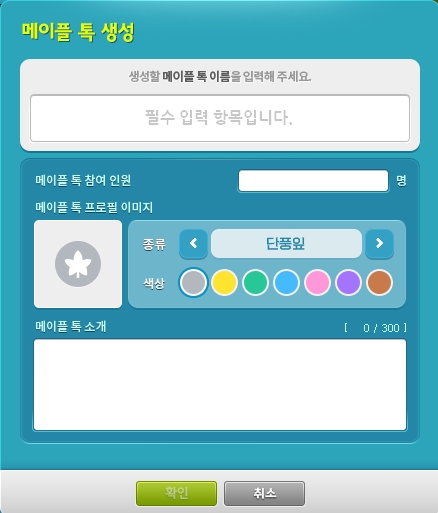
Select the Create Maple Talk button to create a chat room. You can then set the Talk's name, participant limit, profile image, and description. All of these settings can be changed at any time after the room is created.
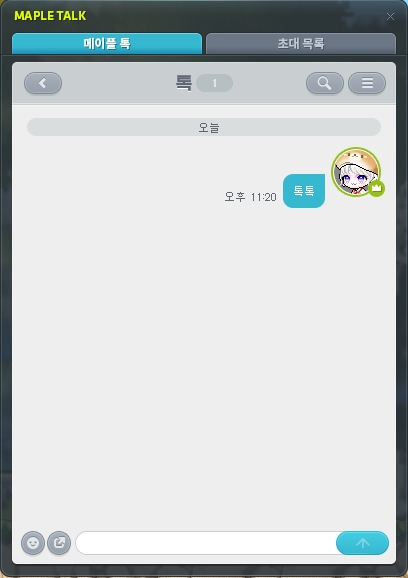

Once you enter a Talk, you can start sending messages. Messages sync between the Talk and the chat window: anything you type in the corresponding chat window tab also appears in the Talk, and messages sent in the Talk appear in the chat window.

You can also select a message to add an emoji reaction or reply.
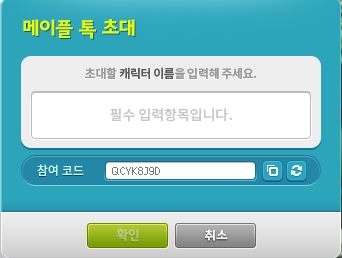

If you created the Talk, you can invite other characters using the Invite option in the settings. If you receive an invitation, select Join Maple Talk in the main interface and enter the code to join.
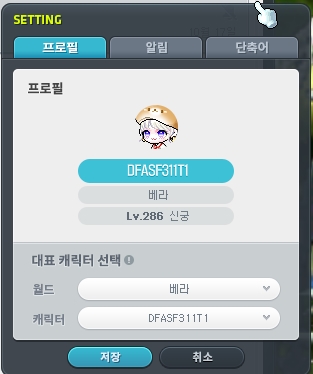
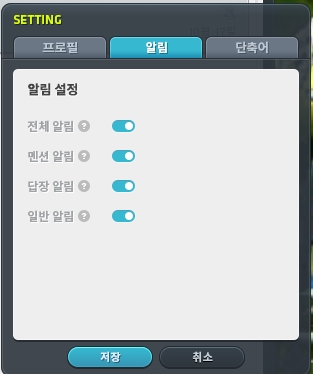
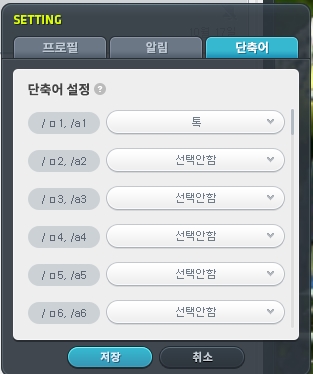
After joining, you can choose your representative character and set up notifications and shortcuts.
[Maple Talk] Details
Here are a few additional details worth knowing, gathered in a short list for easy reference.
-
Maple Talk participation is tied to your Maple ID
-
Each Maple ID can join up to 10 Talks
-
Each Maple Talk can have up to 200 participants
-
Entering '@캐릭터이름' sends a notification to that user
-
Notifications can be set separately for each Maple Talk
-
A room can have 1 owner and up to 5 moderators
-
Chat rooms are automatically deleted if all participants leave or no messages are sent for 30 days or more
-
You can view up to 1 thousand messages per Talk from the past 24 hours
That wraps up this overview of the new Maple Talk feature. It looks like a thoughtfully made upgrade to the existing Maple Chat system.
Thank you for reading.

![[메이플] AI로 만들어본 #폰꾸스티커](https://peak-file.nexon.com/uploads/20260111_1212_4f1-80d4-4f98-ba29-e9045f43bd0e)