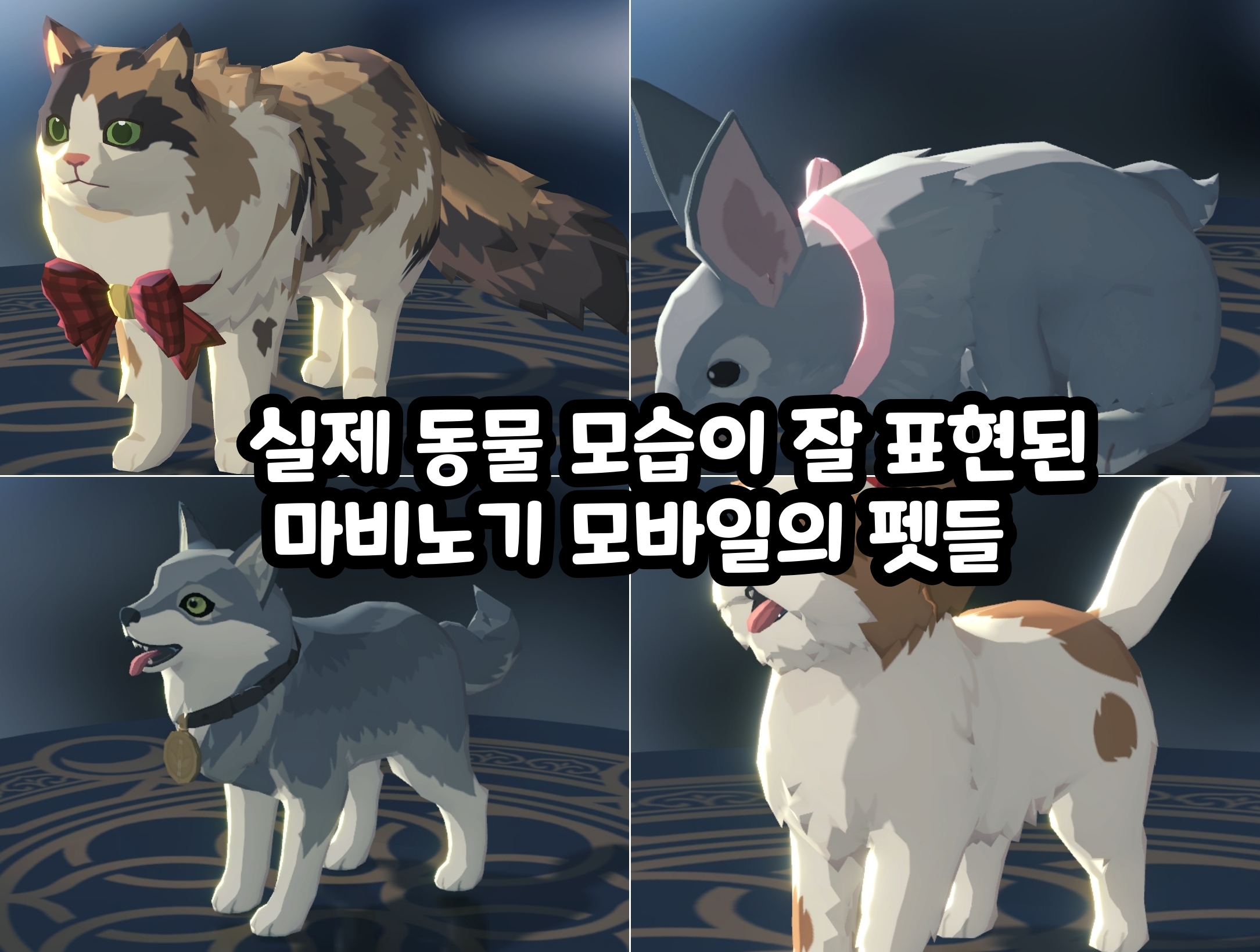
Mabinogi Mobile Companion Pet Guide: Recommended Stats and Skill Setups
곤류

This post was created as part of Nexon's PEAK activities.

Pets in Mabinogi Mobile are charming enough for their looks alone.
But each pet has different companion stats and a unique skill,
so it's worth considering combat performance when choosing one you like.
Exploring with a cute companion while boosting your character's combat capabilities gives you the best of both worlds.
This guide covers what you need to know about raising companion pets,
from the stats and unique skills to check when choosing a pet
to promotion, skill setup, and tag changes.
🐾 Choosing a Companion Pet

There are two main things to check when choosing a pet:
companion stats and unique skills.
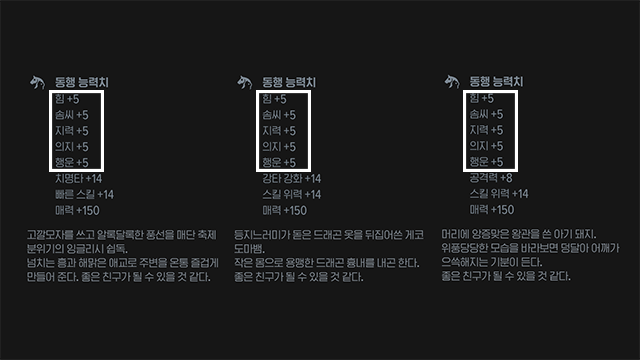
Companion stats include the base stats—Strength, Dexterity, Intelligence, Will, and Luck—
plus two additional stats determined by the pet's type.
All pets have the same base stats,
so focus on the combination of additional stats when making your choice.
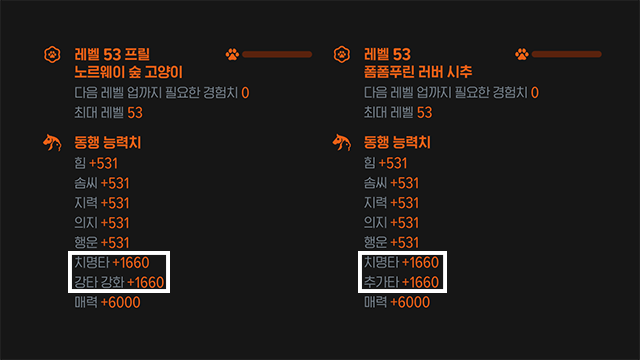
A common approach is to prioritize Critical Hit
and pair it with a stat your class needs.
|
Companion Stat Combination |
Recommended Pets |
|
Critical Hit + Multi-Hit Enhancement |
Light Gray Raccoon (Epic), Brown Cat (Elite), Brown Bear Cub (Rare) |
|
Critical Hit + Heavy Hit Enhancement |
Frilled Norwegian Forest Cat (Epic) |
|
Critical Hit + Additional Hit |
Light Brown Shih Tzu (Epic) |
|
Critical Hit + Break |
Apricot Piglet (Rare) |

Some classes also use other combinations.
For example, some Mages choose the Golden Hamster (Epic) for Skill Power and Skill Speed,
while some Lightning Mages choose the Red Red Panda (Epic) for Multi-Hit Enhancement and Additional Hit.

The recommended stats can vary with your class and combat setup,
so choose a combination that suits your main attack style.
✨ Checking Unique Skills

A pet's unique skill appears at the top of its skill list and is fixed for each pet type.
Its effects only activate at Epic grade or higher.
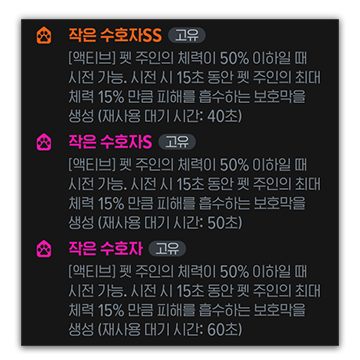
Pets that start at Epic grade have a unique skill marked S,
which upgrades one tier to SS when the pet is promoted to Legendary.
Pets that start at other grades have their unique skill upgraded to S when they reach Legendary.
Here are some common examples.
|
Pet |
Unique Skill |
Main Effect |
|
Pomeranian |
Ultimate Cheer |
Charges the Ultimate gauge |
|
Gecko |
Ultimate Prayer |
Increases Ultimate skill damage |
|
Hamster |
Little Companion's Cheer |
Boosts Heavy Hit damage |
|
Red Panda |
Multi-Hit Roar |
Boosts Multi-Hit damage |
|
Piglet |
Blessing of Abundance |
Increases Additional Hit chance |
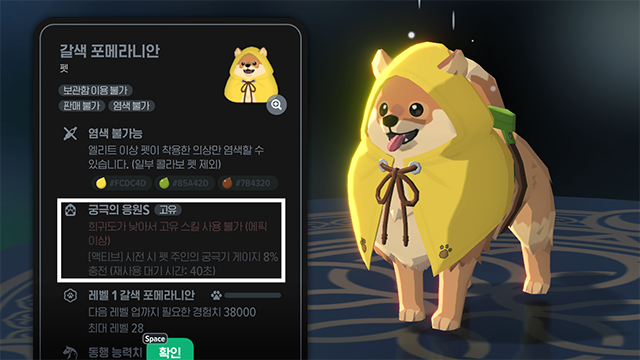
The Pomeranian's Ultimate Cheer charges the Ultimate gauge by 6% at its standard tier, 8% at S, and 10% at SS.
Its base cooldown is 40 seconds, but the Reflexes pet skill can reduce it by up to 60%.
This combination is worth considering for classes that rely heavily on their Ultimate.
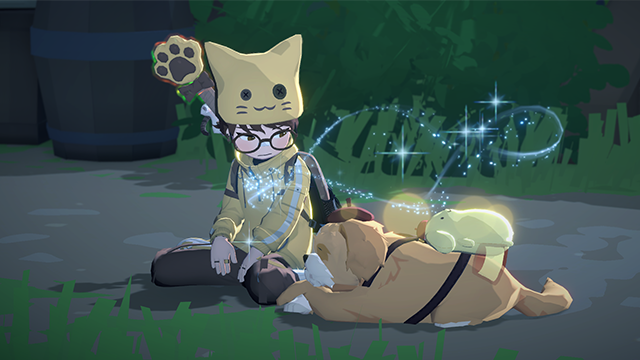
When choosing a pet, check its unique skill as well as its companion stats.
Even pets with the same stat combination can serve different purposes depending on their unique skills.
⚙ Pet Promotion and Skill Setup
 Uncommon
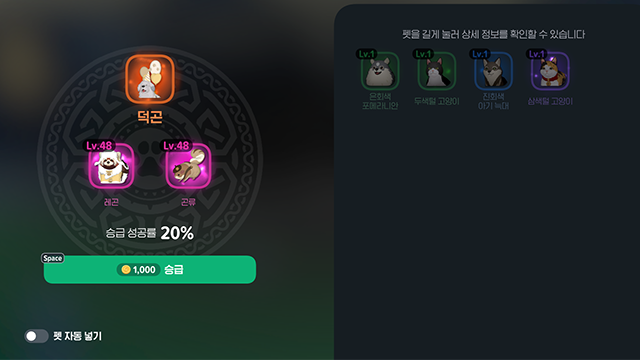
Pet grades progress in this order: Uncommon, Rare, Elite, Epic, Legendary.
Using two pets of the same grade as materials lets you attempt a promotion, with a set chance of success.
Higher grades raise the level cap and increase the number of skill slots.
|
Grade |
Skill Slots |
|
Uncommon |
Unique skill |
|
Rare |
Unique skill + 1 |
|
Elite |
Unique skill + 2 |
|
Epic |
Unique skill + 2 |
|
Legendary |
Unique skill + 3 |
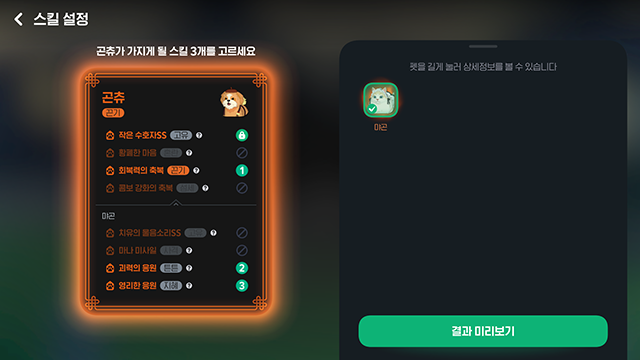
To change a pet's skills, you'll need a material pet with the skills you want and Pet Training Skill Discs.
1. In your bag, select the pet whose skills you want to change, then press 'Change Skills'.
2. Select the material pet.
3. Choose which of the material pet's skills to apply.
4. Proceed with the skill change.
(Changing skills consumes Training Skill Discs,
and the number required depends on how many skills you replace.)
Keep in mind that the material pet disappears after the change, along with any of its skills you did not select.
Recommended Skills
|
Skill |
Main Effect |
|
Reflexes |
Reduces the cooldown of the pet's active skill |
|
Curse of Weakened Defense |
Reduces monster defense |
|
Blessing of Critical Hits |
Increases the owner's Critical Hit stat |
|
Blessing of Additional Hits |
Increases the owner's Additional Hit stat |
How useful each skill is can change from season to season,
so use the list above as a guide to common choices.
🏷 Setting Pet Tags

Each pet has its own tags,
and matching a pet's tag to a skill's tag strengthens that skill's effect.
This can shorten its cooldown, extend its duration, or increase its damage.
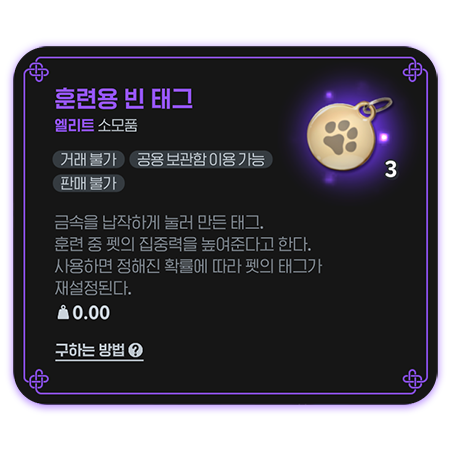
Changing tags is simple.
1. In your bag, select the pet whose tags you want to change.
2. Press the 'Change Tags' button.
3. The tags will change at random.
(Changing tags consumes Blank Training Tags.)

Focus on companion stats, the unique skill, and regular skills first, then work on tags.
Matching tags to the skills you use puts the finishing touches on your setup.
Tags don't make a particularly noticeable difference in combat, so leave them until the rest of your pet's development is complete and you have resources to spare.
📈 A Practical Pet Development Plan
Trying to perfect your pet from the start can be costly and use a lot of materials.
We recommend building up what you need in the following order.
1. Check companion stats: Find a combination of Critical Hit and a stat your class needs.
2. Check the unique skill: See how well it works with your class.
3. Promote to Elite or Epic: Unlock the skill slots you need.
4. Fill two regular skill slots: Prioritize the skills your current setup needs.
5. Promote to Legendary: Strengthen the unique skill and unlock an additional slot.
6. Choose the third skill: Add the skill you need to the extra slot.
7. Match tags: Match your pet's tags to its skill tags.
As a spending guideline, free-to-play and low-spending players should aim for step 3, and moderate-to-high spenders for step 5.
Steps 6 and beyond are best left to those with resources to spare.
🐶 Raising the Right Companion Pet for You
Companion pets offer more than cute looks:
they can also support your character's combat capabilities.
When choosing a pet, check its companion stats and unique skill first,
then develop it to suit your needs through promotion, skill setup, and tag changes.
Promoting a pet to Legendary and perfecting its skills and tags comes at a considerable cost.
Rather than trying to build the perfect pet right away, we recommend investing further when you have resources to spare.


![[피크 챌린지] 알뜰한 코디 생활, 마비노기 모바일](https://peak-file.nexon.com/uploads/20260805_0211_f1abe87c.png)