Exploring FC Online Squads: The Fun of Comparing Teams with Friends in an Online Football Game
네오필

|
This post was created as part of Nexon's PEAK activities. |


Comparing teams with a friend in an online football game is a fun way to discover each other's preferences and find new ideas for your own team.
From favorite players to formations, everyone makes different choices. Even when playing the same game, people build their teams in different ways.
In FC Online, you can use Squad Feed and Squad Maker to explore other players' teams. This time, I looked through the starter and recommended squads, then loaded a Tottenham squad featuring Son Heung-min and Harry Kane into Squad Maker on the website.
|
Contents |
|
1. Where to Start When Comparing Teams in FC Online |
|
2. The Starter Squad I Chose |
|
3. How to Load a Team from Squad Feed into Squad Maker |
|
4. The Fun of Comparing Teams with a Friend |
Where to Start When Comparing Teams in FC Online
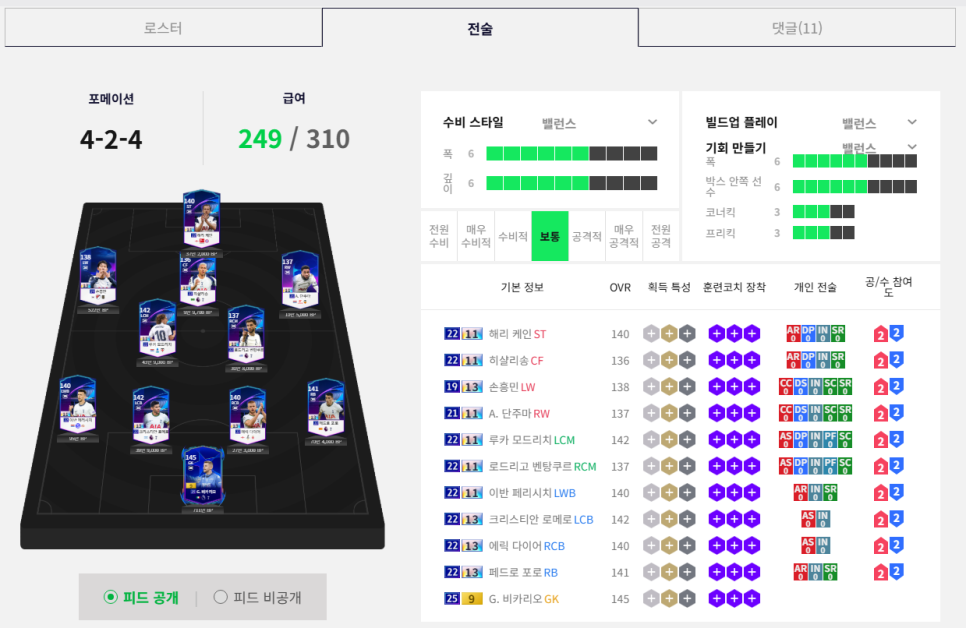
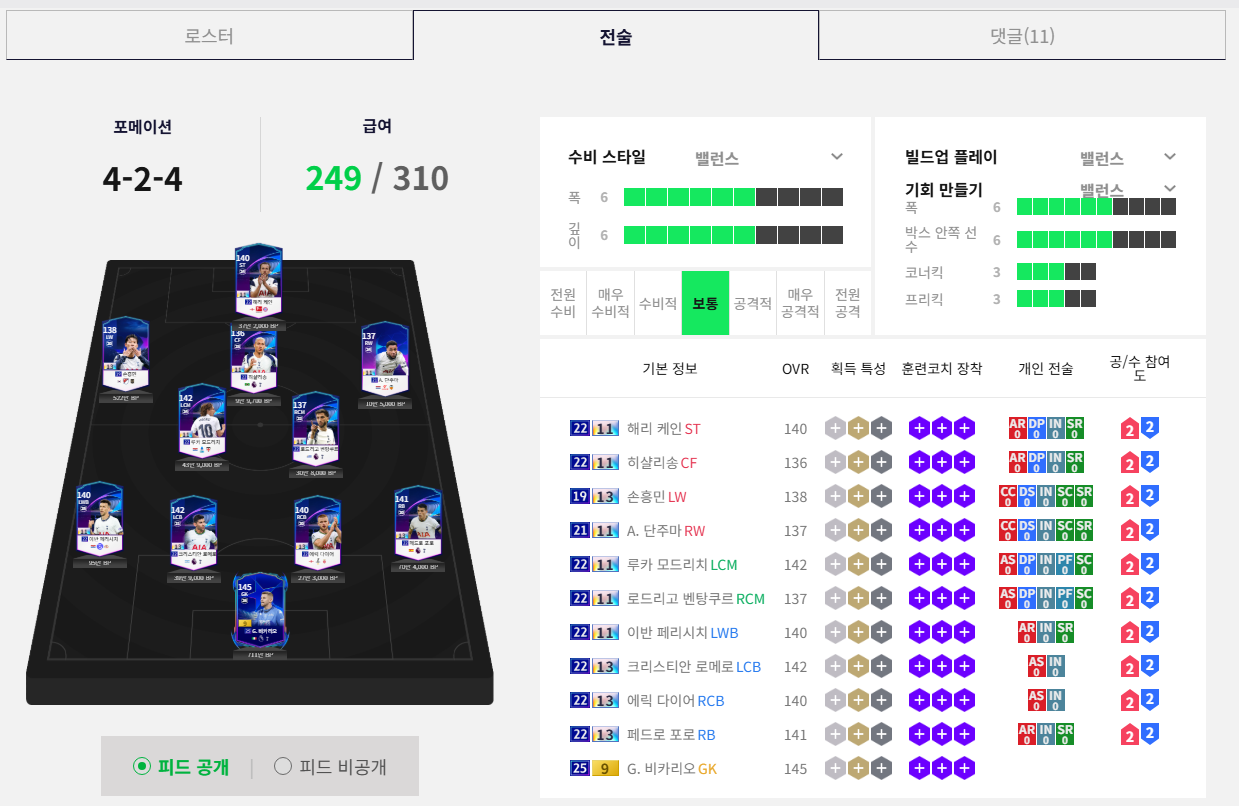
A squad is simply the lineup of players who will take part in a match. Start by checking who is on the team and where each player is positioned.
You do not need to understand every tactical detail right away. Looking at the player lineup, formation, salary, and squad value is enough to spot differences between two teams.
|
Category |
What to Check |
|
Player lineup |
Whether it includes players you like or recognize |
|
Formation |
How the forwards, midfielders, and defenders are positioned |
|
Salary |
Whether the players' combined salary is within the displayed limit |
|
Squad value |
The squad's value based on the players in its lineup |
|
Team Color |
Which bonuses the player combination receives for meeting conditions such as sharing a club or nationality |
It is best to check salary and squad value separately. Even if a team has room under the salary cap, its players are not necessarily inexpensive to buy.
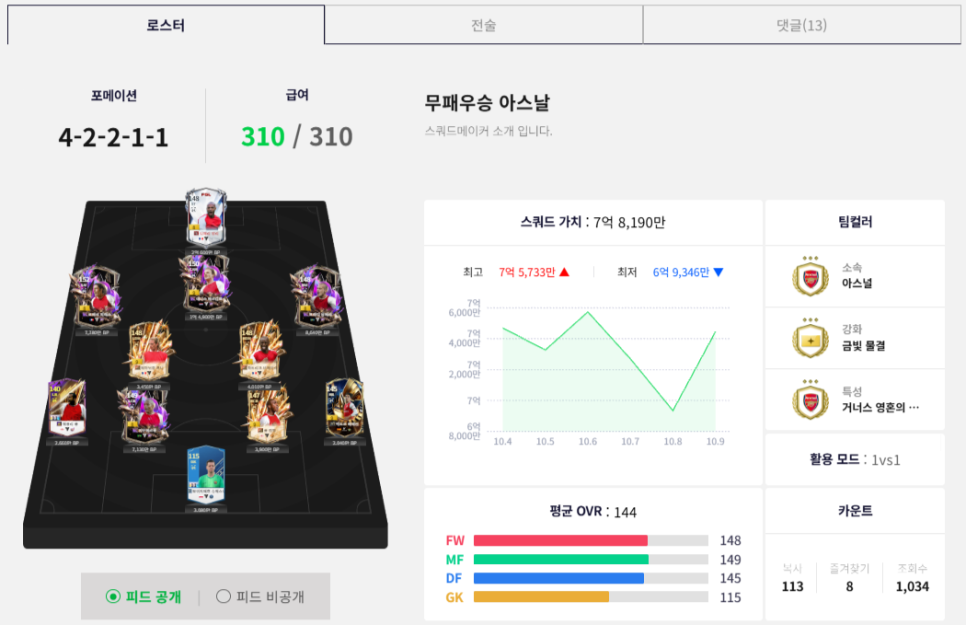
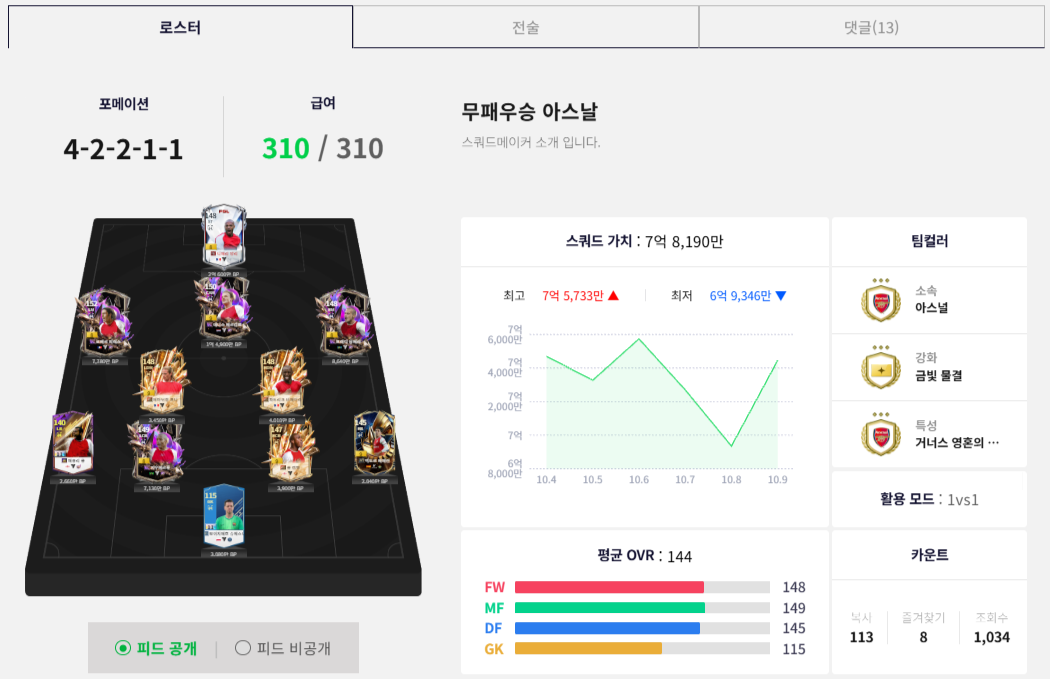
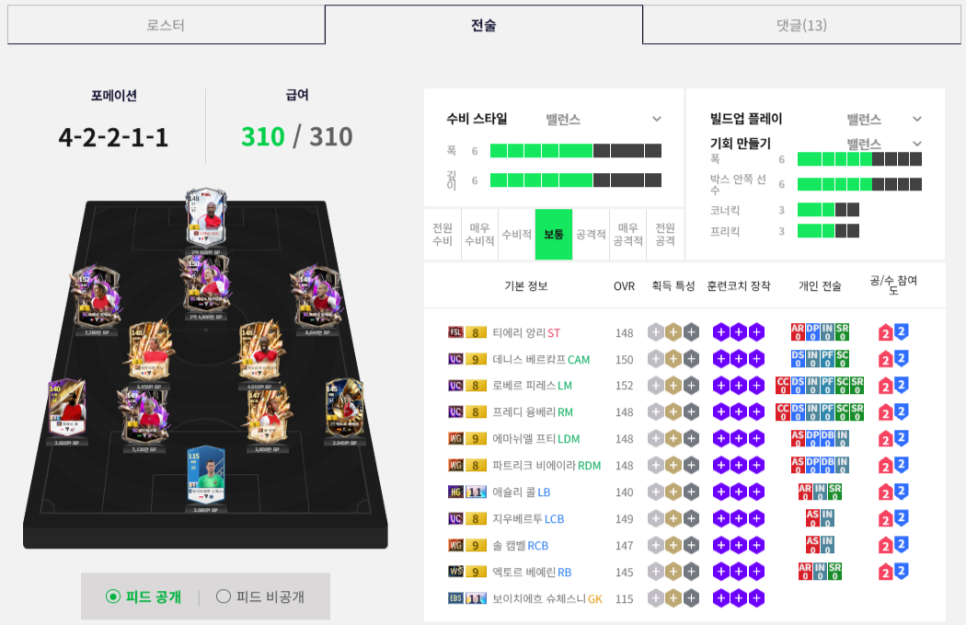
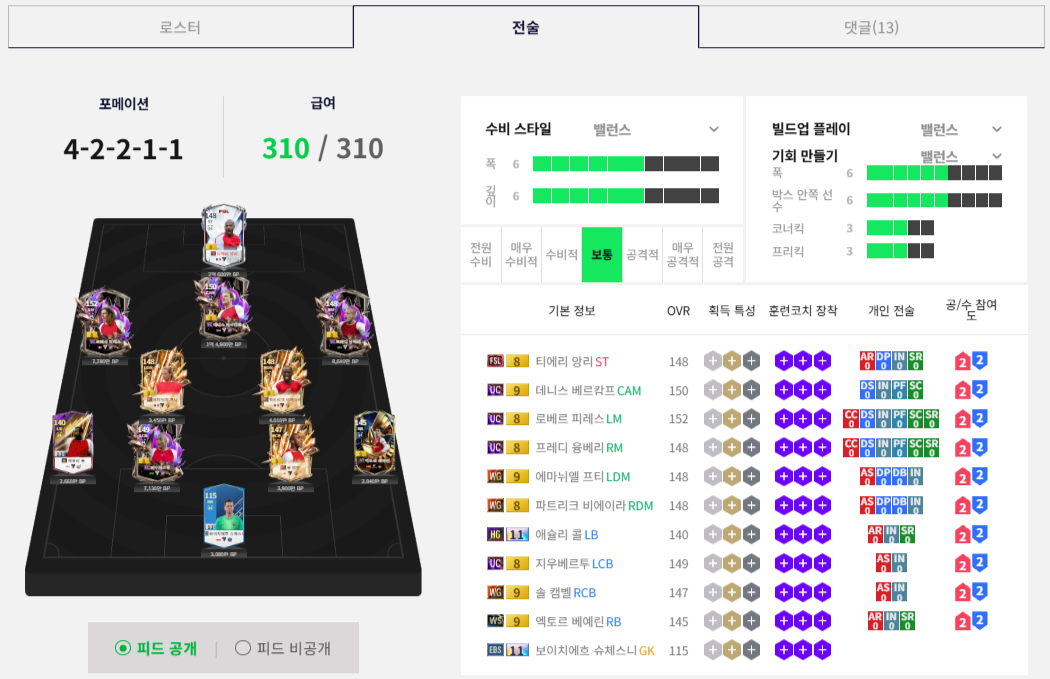
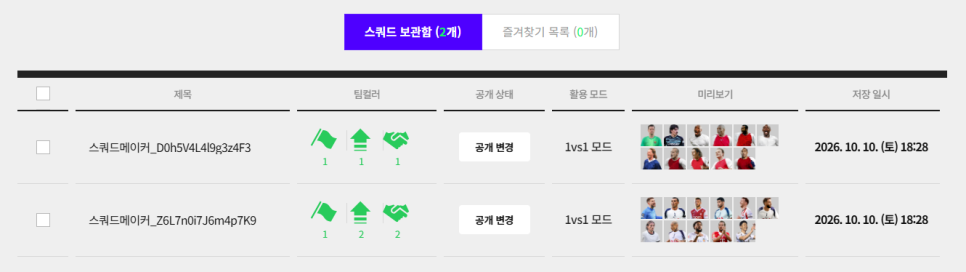
The formations shown on screen were 4-2-4 for Tottenham and 4-2-2-1-1 for Arsenal. The Tottenham squad included Son Heung-min and Harry Kane, while the Arsenal squad included Thierry Henry and Dennis Bergkamp. Comparing them was a useful way to decide which team to try based on my favorite clubs and players.
|
Category |
Champions League Tottenham |
Invincibles Arsenal |
|
Formation |
4-2-4 |
4-2-2-1-1 |
|
Key players |
Son Heung-min, Harry Kane |
Thierry Henry, Dennis Bergkamp |
|
Salary |
249/310 |
310/310 |
|
Squad value |
15,979,700 |
781,900,000 |
|
Average OVR |
139 |
144 |
Tottenham had 61 remaining under the salary cap, while Arsenal was using the full 310. There was also a large difference in squad value, so I needed to consider budget and salary as well as my preferred players.
The Starter Squad I Chose
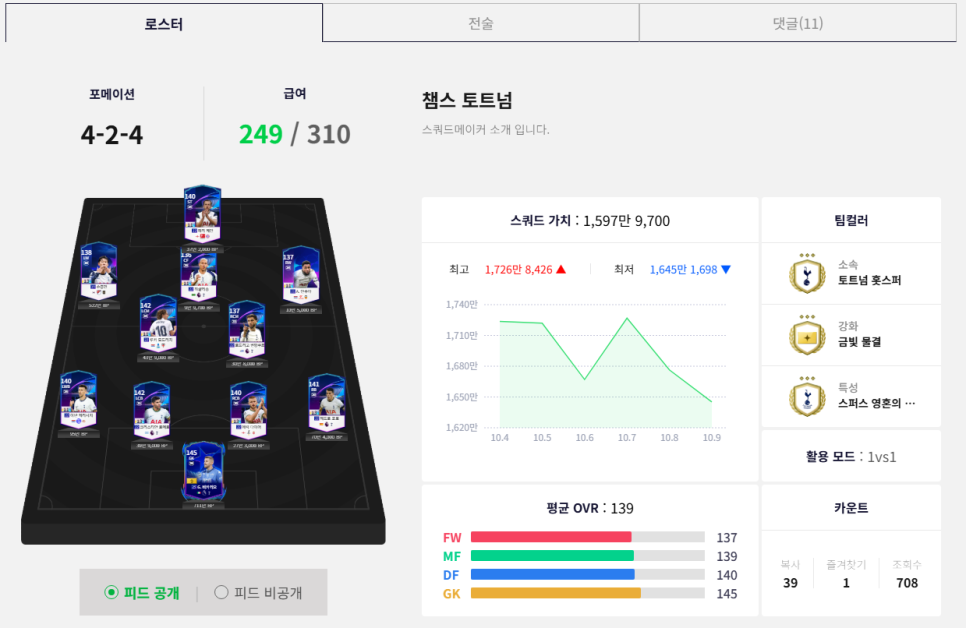
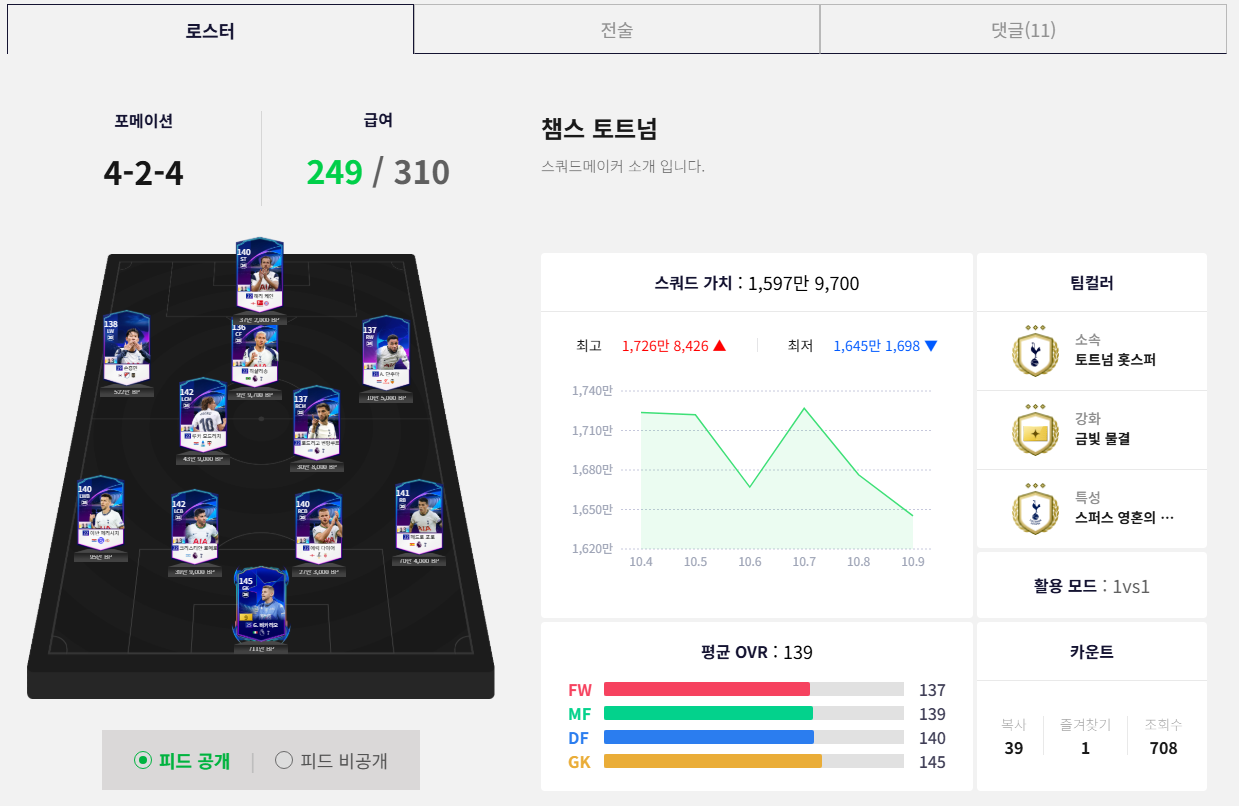
Of the teams I browsed, I chose to load a starter squad called “Champions League Tottenham.” It had familiar players such as Son Heung-min and Harry Kane, along with room under the salary cap, making it a good place to start.
Other players' interest also influenced my choice. Among the squads I browsed, it stood out for how often it had been copied and how many views it had received.
Starting with players you recognize can make an unfamiliar team-building screen a little easier to explore. When comparing teams with a friend, discussing which players you chose and why you picked a particular club naturally reveals each person's preferences.
How to Load a Team from Squad Feed into Squad Maker
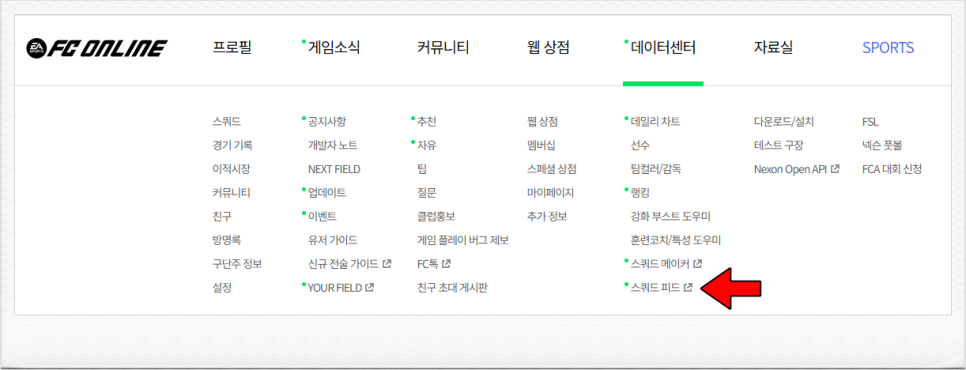
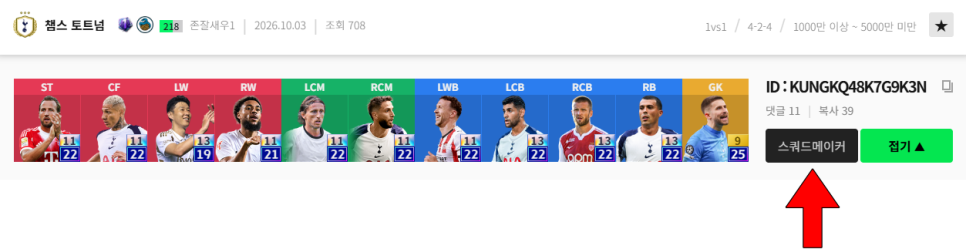
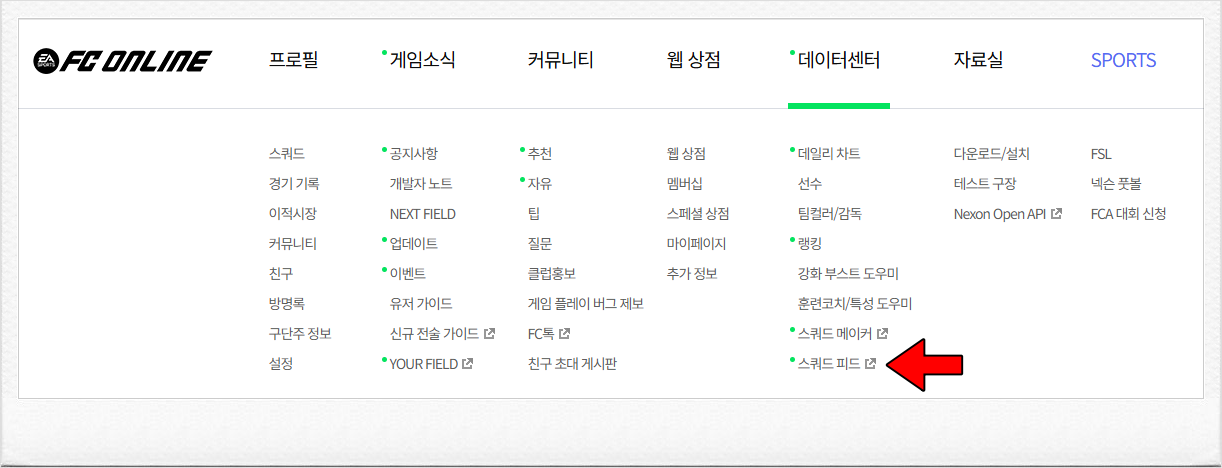
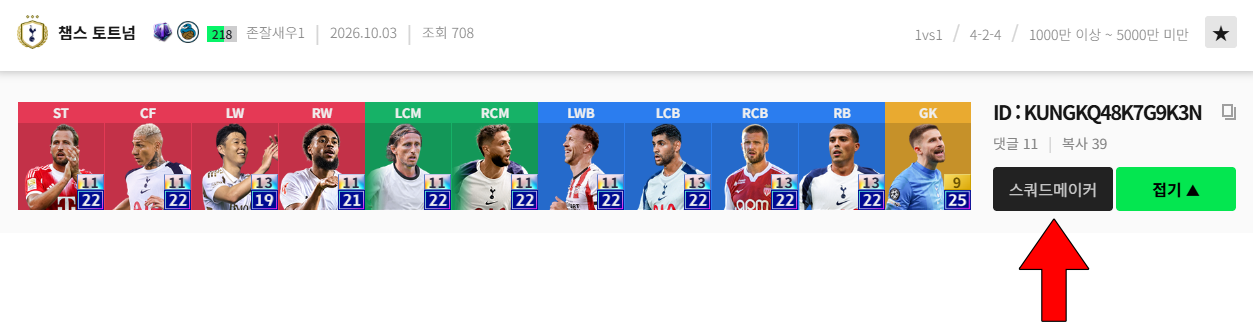
Once you find a team you like, you can load it into Squad Maker for a closer look. Click that team's “Squad Maker” button in Squad Feed to copy its feed ID.
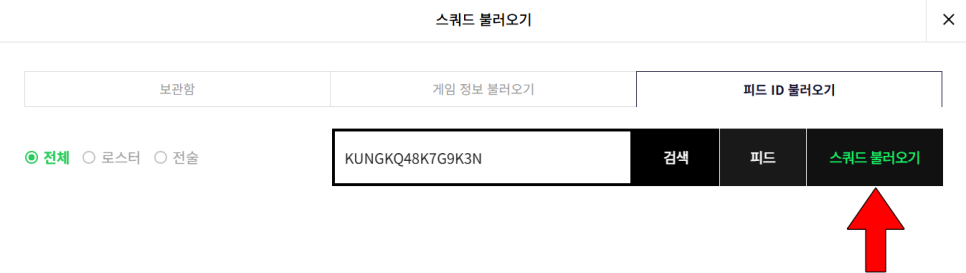
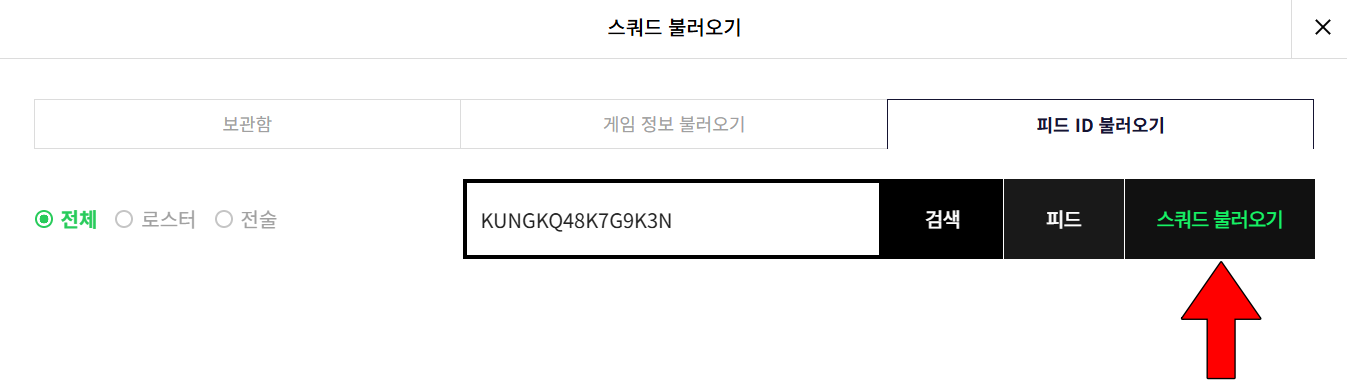
Then select “Load Squad” in Squad Maker and enter the copied share ID to load the team.
-
Find a team that interests you in Squad Feed.
-
Click that team's Squad Maker button to copy its ID.
-
Select Load Squad in Squad Maker.
-
Enter the share ID to load the team lineup.
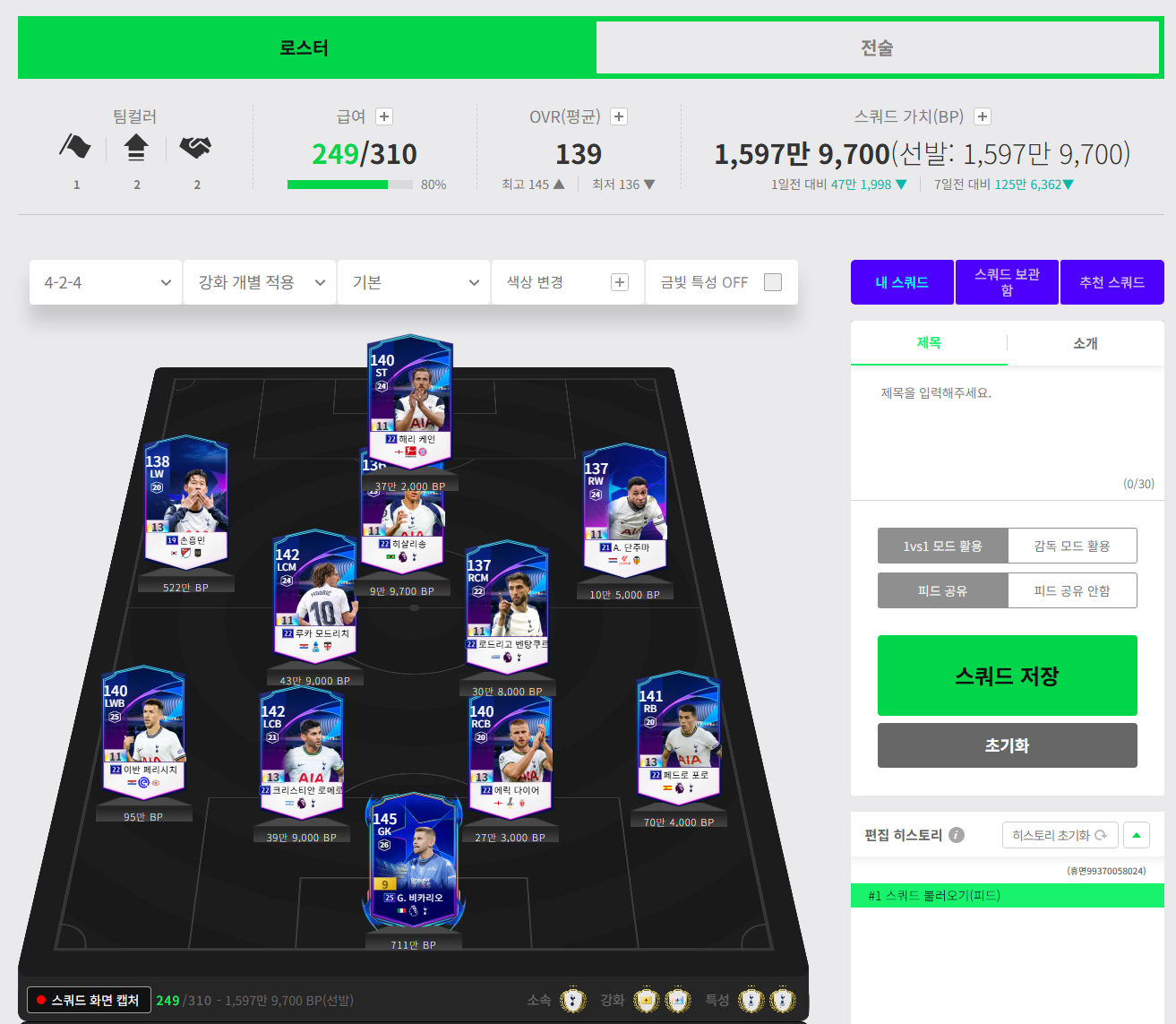
Once the squad is loaded, you can review its player positions, formation, and team and individual tactics. Use the existing setup as a reference while trying different players or considering other ways to arrange the lineup.
You can also load a squad by searching for another team owner's name. This is useful when you and a friend want to look at their team together.
The Fun of Comparing Teams with a Friend
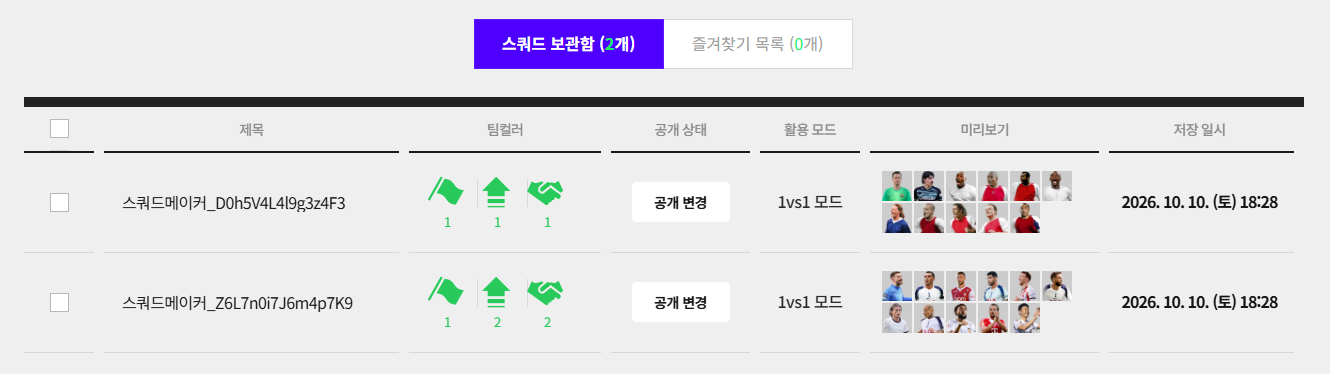
First, even people who share a love of football have different team-building preferences. Some may build around a favorite player such as Son Heung-min, while others may prefer to collect players from the club or national team they support.
Looking at each other's teams and discussing your choices can reveal different perspectives, even on a single player. Discovering players you did not know well or starting a conversation about a friend's favorite club is part of the fun.
Second, you can find ideas for changing your own team. Comparing teams with different players and formations side by side, like the Tottenham and Arsenal squads I explored here, can help you think about which players to use and where to position them in your own lineup.
If comparing teams interests you, you can also play a match with a friend. Classic in Special Match lets you compete 1-on-1 with a friend, and matches against opponents registered as FC Rivals are recorded as FC Derby Matches. It is a way to compare the teams and tactics you have put together on the pitch.
Comparing teams is a good fit for anyone with a favorite football player or club, or anyone who enjoys discussing team building with friends.
Frequently Asked Questions
Q. What can I do in FC Online's Squad Maker?
You can position players, choose formations, and set team and individual tactics, among other options. You can also load other players' squads to use as a reference.
Q. How do I load a team I like from Squad Feed?
Copy the feed ID using that team's Squad Maker button, then enter the share ID under Load Squad in Squad Maker.
Q. What should I look at first when comparing teams with a friend?
The player lineup and formation are an easy place to start. If you want to recreate the squad, it is also worth checking its salary and squad value.
Wrapping Up


Taking part in different events together is another way to have fun.
That covers how to use FC Online's Squad Maker and what to look for when comparing teams. Familiar players caught my eye at first, but a closer look revealed plenty of other things to compare, including formations and salaries.
Talking with a friend about your favorite players and the teams you each want to build could reveal a new way to enjoy FC Online together.


![[피크 챌린지] 복귀장벽낮은게임 FC온라인 선수키우기 이벤트로 다시 시작하기](https://peak-file.nexon.com/uploads/20260618_0532_e7cece10.png)