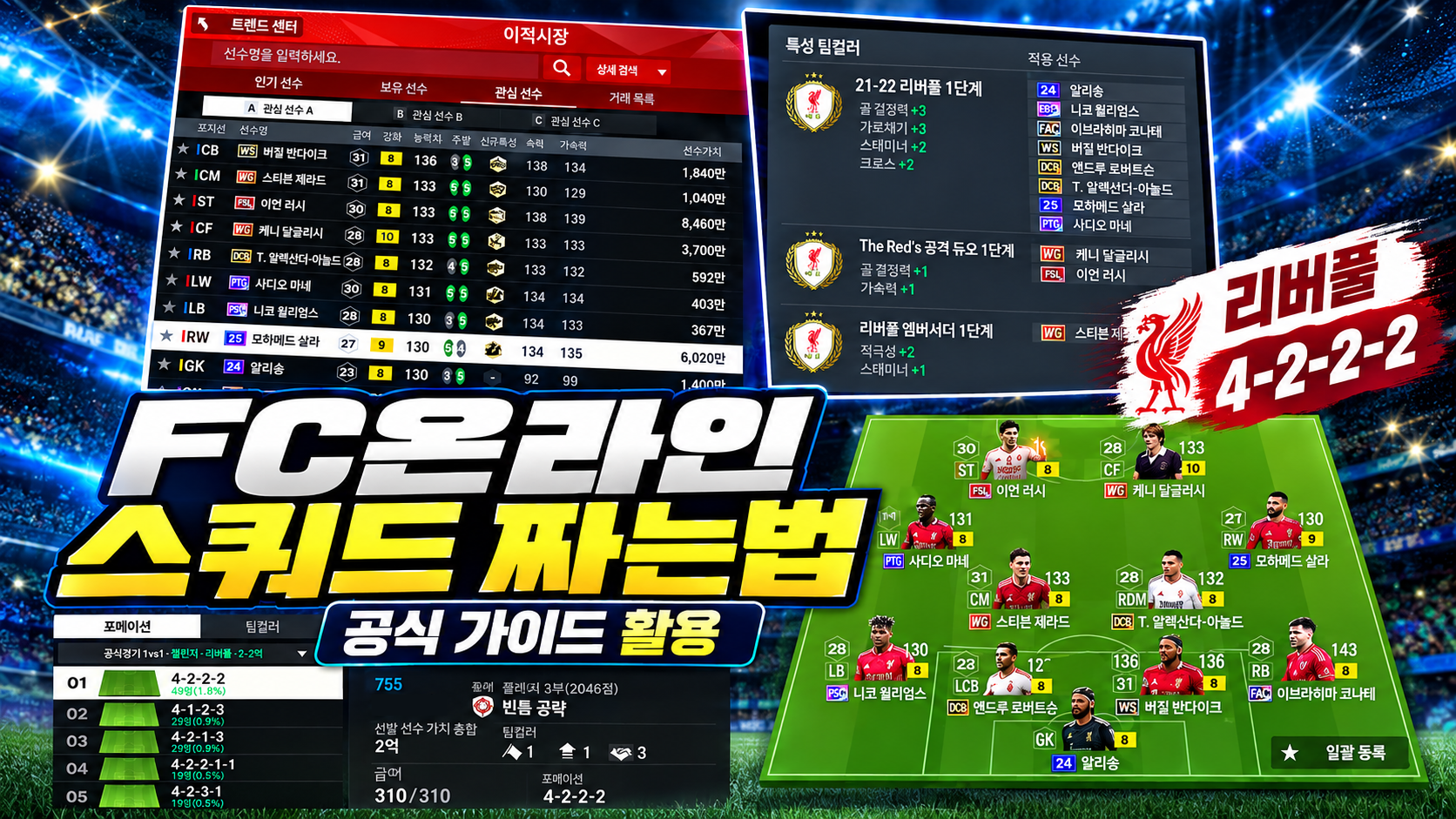
How to Use the FC Online Official Guide - How Should You Build Your Squad?
네오필

|
This post was created as part of Nexon PEAK activities. |


When building a squad in FC Online, it helps to first learn the basic systems through the official guide, then use the Data Center and Squad Maker to review player combinations. Even the same player can have different stats depending on the class, and before signing anyone, you can adjust the overall squad by checking team color and salary.
For new users who want to build a team around their favorite players but are not sure where to start, and for returning users looking to rebuild their squad after a long break, this guide organizes the official resources in a simple Q&A format.
Q1. Where can I find the official guide?
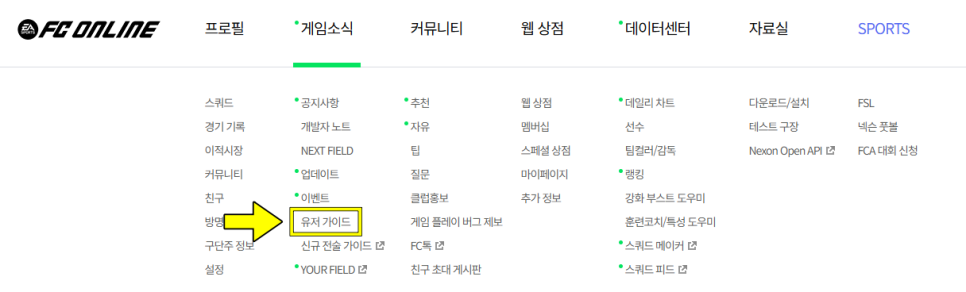
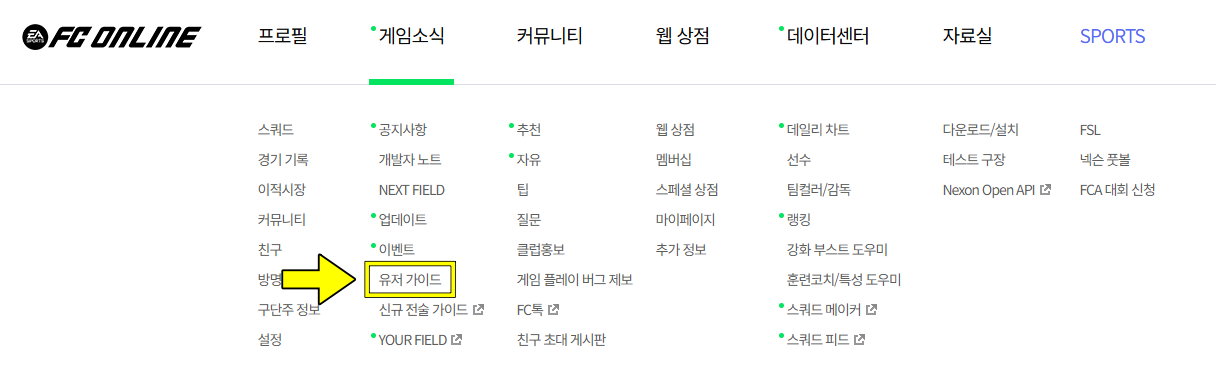


You can find it on the FC Online official website under Game News → User Guide.
A good place to start is the “Team Building and Squad Management” section of the Comprehensive Guide for New/Returning FC Online Club Owners. It walks you through squad management features, class differences, player acquisition, and how to use the transfer market in one flow.
Once you understand the basics from the guide, use the tools below as well.
|
What to check |
Official page |
How to use it |
|
Basic concepts of squad building |
Learn how team building and player signing work |
|
|
Information on players you want to sign |
Find candidates by class, position, salary, and other conditions |
|
|
Effects of player combinations |
Check the team color you want and its stat effects |
|
|
Formation and player placement |
Place players and set up tactics |
|
|
What tactical settings mean |
Understand defensive style and build-up settings |
Q2. In what order should I build a squad?


First, set your available BP and decide the overall direction of the team you want to build. It is much easier to narrow down candidates once you decide whether to build around a favorite club or national team, or around a player you definitely want to use.
At this stage, check the effects of the team color you want in the Data Center, and confirm whether the players you plan to use actually qualify for it. When replacing a player, it is useful to check not only the individual stats but also whether the team color effects your squad already had will still remain.

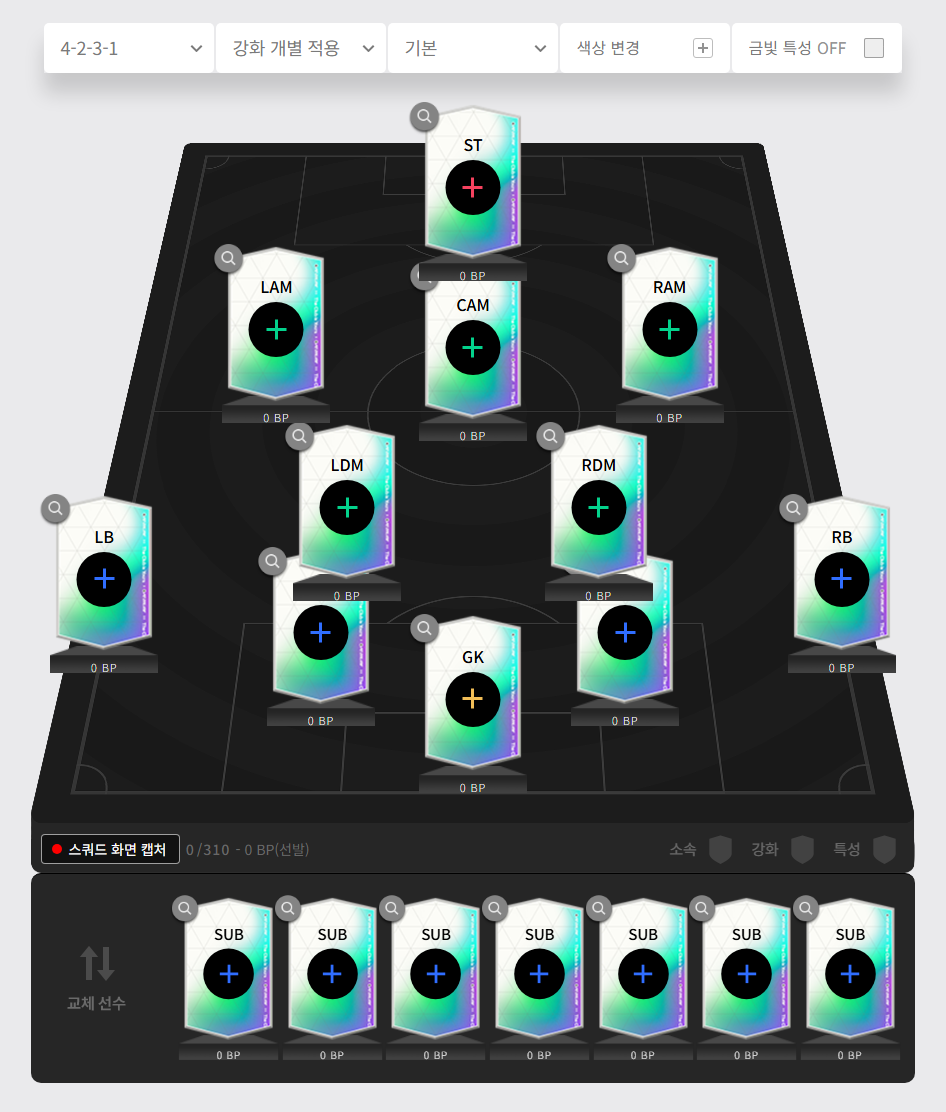
Next comes the formation. For example, if you are building a 4-2-3-1, you need to think not only about the lone striker, but also about the roles of the attacking midfielder and the two defensive midfielders. Once you separate who will finish chances, who will link passes, and who will support the defense, the key stats you need become clearer as well.
Q3. If it is the same player, which class should I choose?

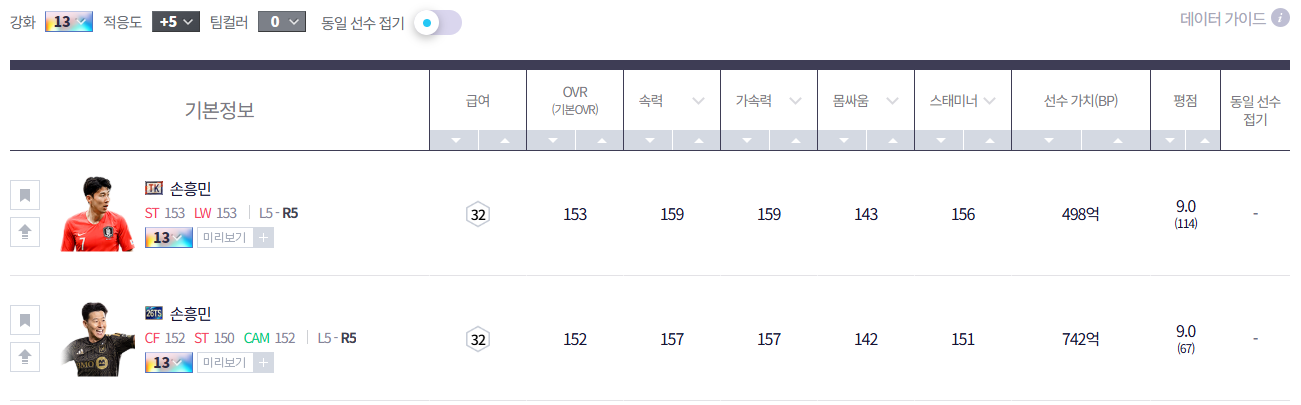
According to the official guide, even the same player can have different unique traits and some detailed stats depending on the class. For that reason, instead of signing a player based on the name alone, it is important to compare classes after deciding which class and enhancement level you want to use.
In Data Center Player Search, you can filter candidates by class, position, salary, and other conditions. When comparing players, it also helps to match settings that affect stats, such as enhancement level and adaptation.
The criteria for choosing a player depend on the role you want that player to fill. For example, if you want a striker to make runs in behind and finish chances, start by checking sprint speed, acceleration, and finishing. If you want a midfielder to link passes in the center, compare short passing and ball control. These are useful standards for narrowing down candidates, but for the final choice, it is also worth considering how the player feels when you actually control them in game.
Q4. How should I adjust things if I am short on BP and salary?

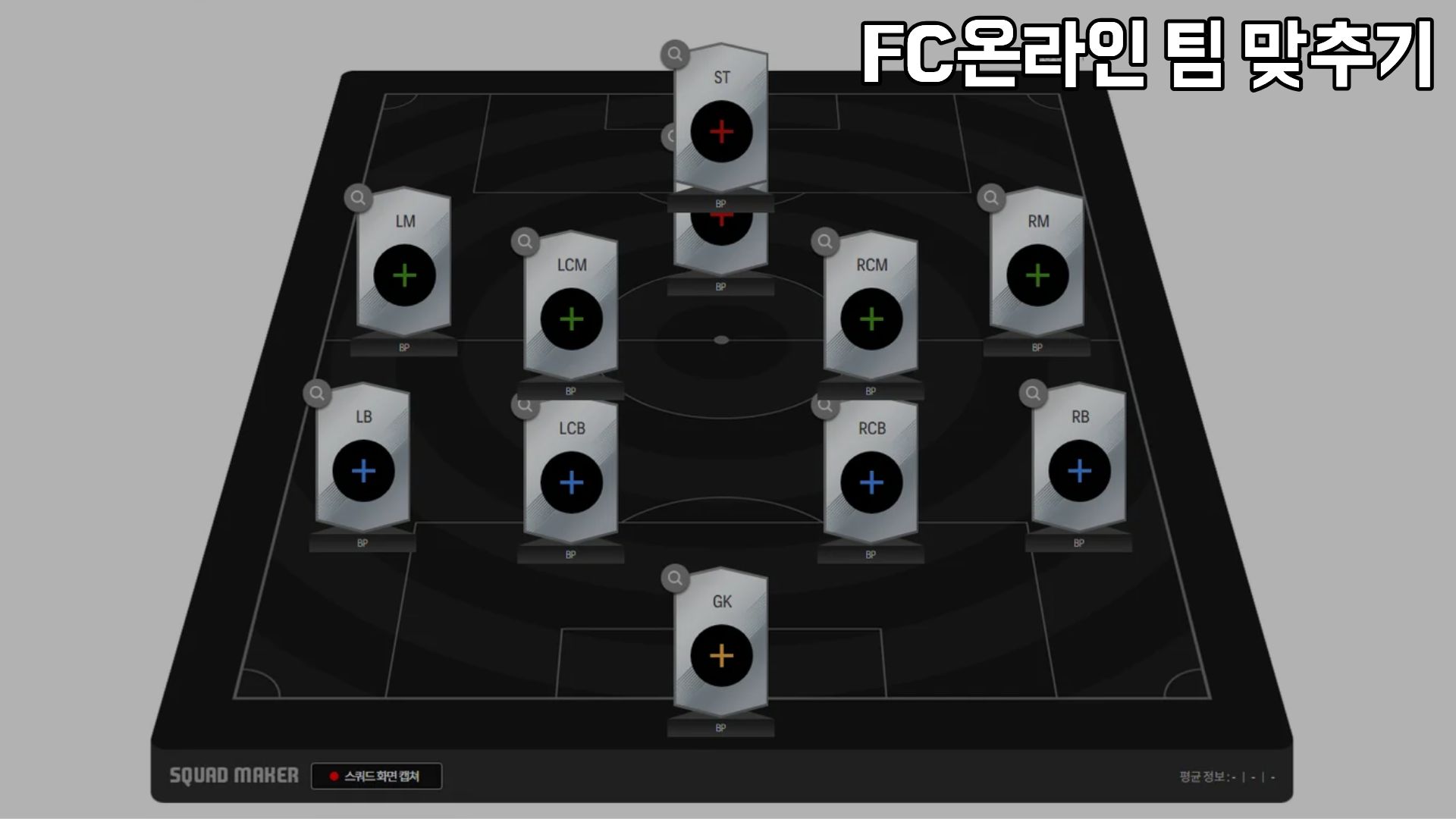
Once you have your candidates, place them in Squad Maker and review the team as a whole. You can set the formation and player placement, as well as team tactics and individual tactics. You can also load your current club information first and check which positions need reinforcement.
BP budget and salary need to be checked separately. Even if you have enough BP to buy the players, you still need to adjust the squad if it goes over the salary cap for the mode you plan to play. Check the salary limit shown in the game, and use the transfer market to confirm actual prices and listings.
For example, suppose your completed squad ends up 3 salary over the limit. In that case, decide which core players you definitely want to keep, then lower the salary in other positions by looking for different classes. After making changes, check again whether the key stats for that position and the relevant team color are still maintained.
The same approach works when your BP budget is too low. If too much BP has been allocated to one position, compare other classes or enhancement levels for that spot and see whether you can still complete the rest of the lineup.
Q5. Is the squad build finished once player placement is done?

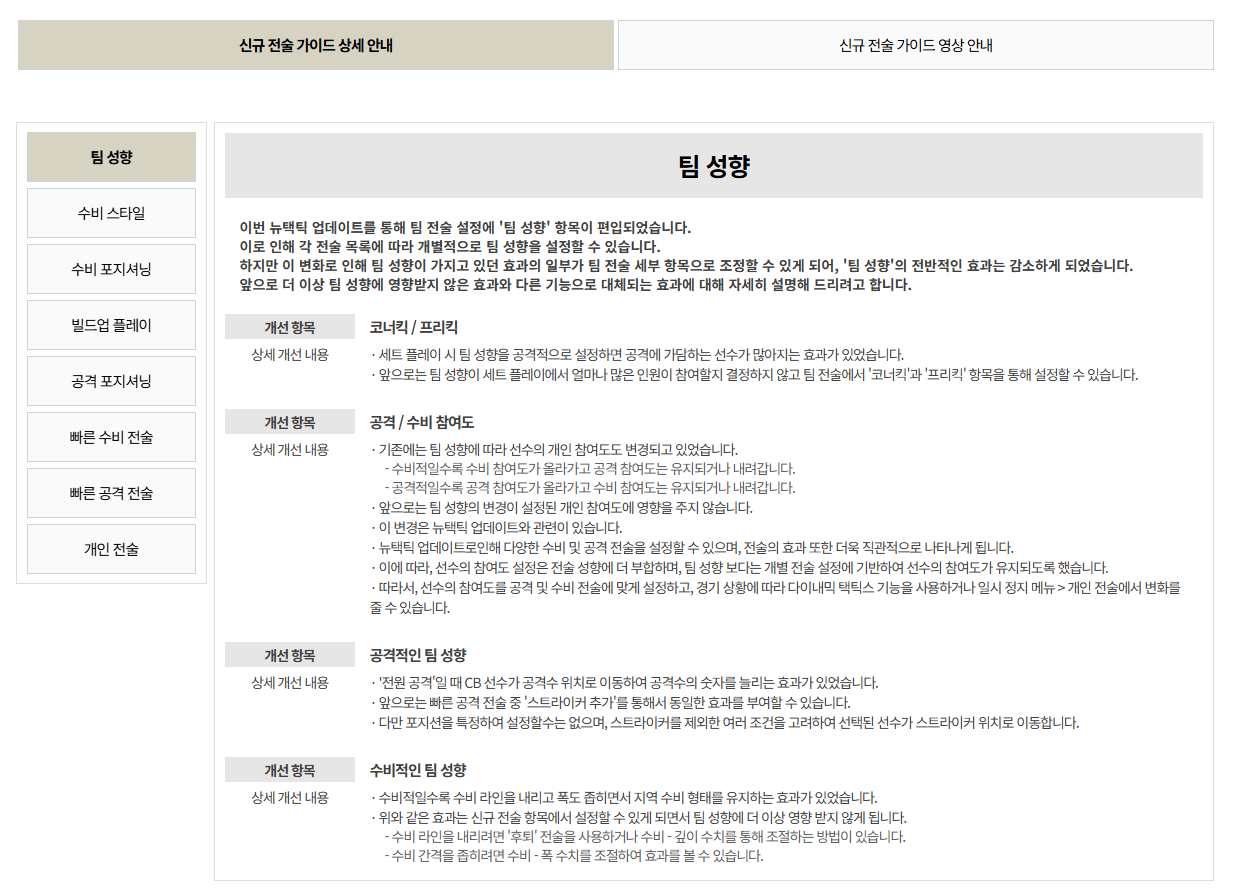
Reviewing tactics as well makes the criteria for choosing players much clearer.
For example, the official tactics guide explains that “Constant Pressure” helps disrupt the opponent’s build-up, but it also uses a lot of stamina. Applied to squad building, that means there is a reason to check both the stamina of players who will frequently join the press and the substitute options behind them.
If you want to build attacks slowly through passing combinations, read the explanation for “Slow Build Up” and review which players and positions will handle that passing link. In other words, when deciding whether to include a player, think about the movement and role you want that player to take on as well.
If you mainly plan to play Official Match 1vs1, set a few points to check in real matches, such as pass connections, striker movement, and second-half stamina. If something feels uncomfortable, it is usually easier to find a setup that suits you by adjusting one thing at a time instead of changing both players and tactics at once.
In Closing


FC Online is a game where collecting your favorite players is part of the fun, and so is building a team around them. If you learn the system through the official guide and review combinations through player search and Squad Maker, it becomes easier to explain why each player was chosen.
Rather than trying to perfect every position from the start, begin with the players you definitely want to use and adjust the squad step by step within your budget and salary limit. Playing matches with the team you built and improving the weaker areas along the way is also part of the enjoyment of squad building.