[MapleStory] How to Manage Daily Tasks with a Scheduler and Make Playing Less Overwhelming
달냥
![[MapleStory] How to Manage Daily Tasks with a Scheduler and Make Playing Less Overwhelming](https://peak-file.nexon.com/uploads/20260904_1213_a320164d.png)
Hellooo~ (˶ˊꇴˋو(و ⁾⁾
Nexon Picker 달냥 here.
The longer you play MapleStory, the more routine tasks you have to keep up with, from daily quests and Monster Park to weekly quests and bossing.
Rather than trying to do every bit of content without fail, I keep things manageable by prioritizing only the quests my characters currently need to progress.
Knowing exactly what needs doing helps cut down on unnecessary playtime, as well as the time spent wondering where to start after logging in.
When you're leveling multiple characters for Link Skills, boss rewards, Union, and so on, it's especially easy to find yourself wondering:
“Did I… do this character's dailies…?”
“How far did I get with the weeklies…?”
Even going back to check whether you've completed those quests can become a bit of a hassle.
This is where the MapleStory Scheduler comes in handy.
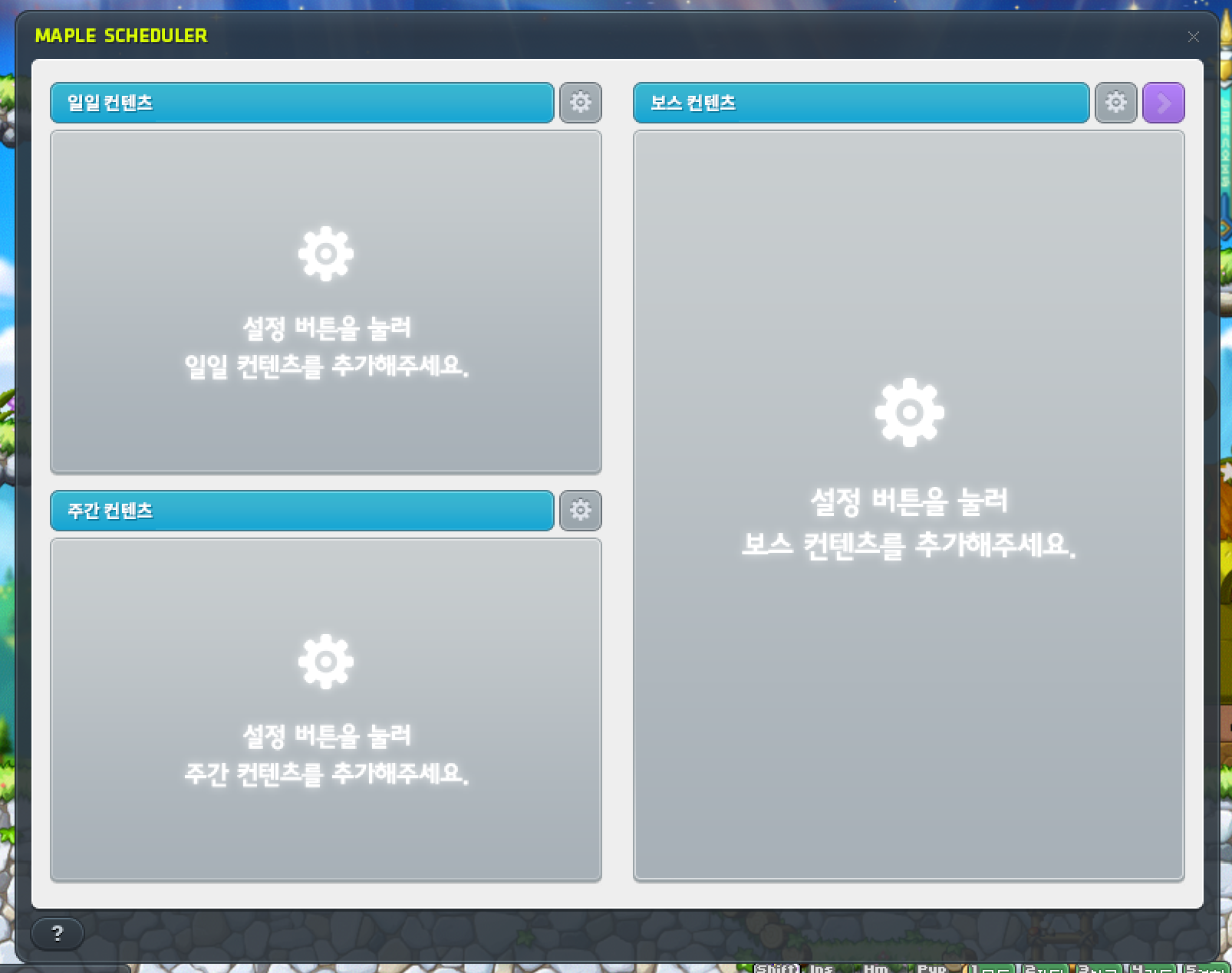
It keeps your daily, weekly, and boss quests together in one place and lets you see which ones you've completed right away, so there's less need to remember every task or dig through menus.
I manage my dailies by setting up a separate list of necessary quests for my main and each of my alts, then checking the Scheduler first whenever I log in.
In this post, I'll walk you through the short daily routine I follow when playing MapleStory.
| Contents |
① Use the Scheduler to Focus on the Dailies You Need
② A Quick Daily Play Routine
③ Who Can Benefit from the Scheduler?
1. Use the Scheduler to Focus on the Dailies You Need
You can find the Scheduler under Adventure in the MapleStory menu.
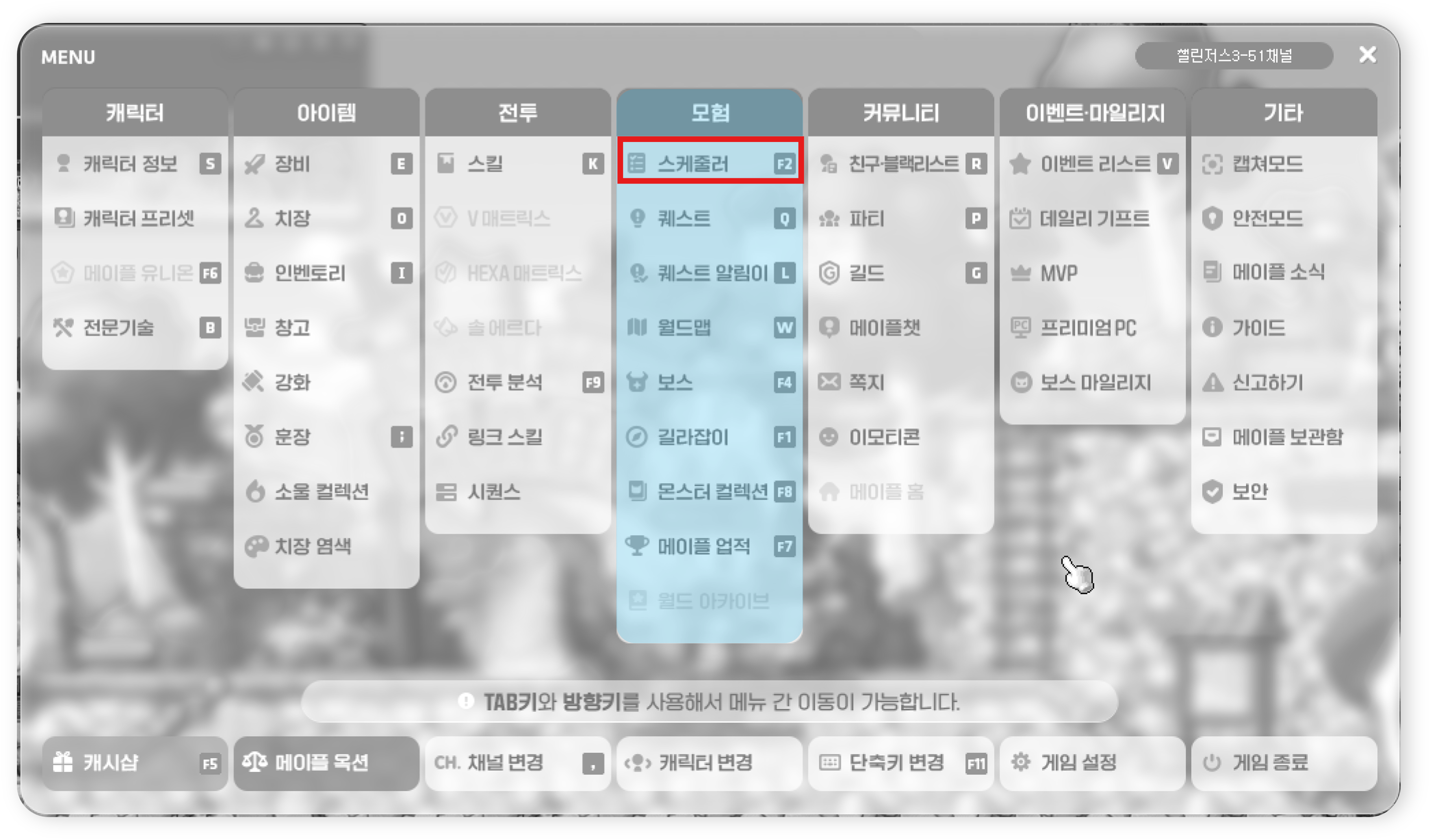
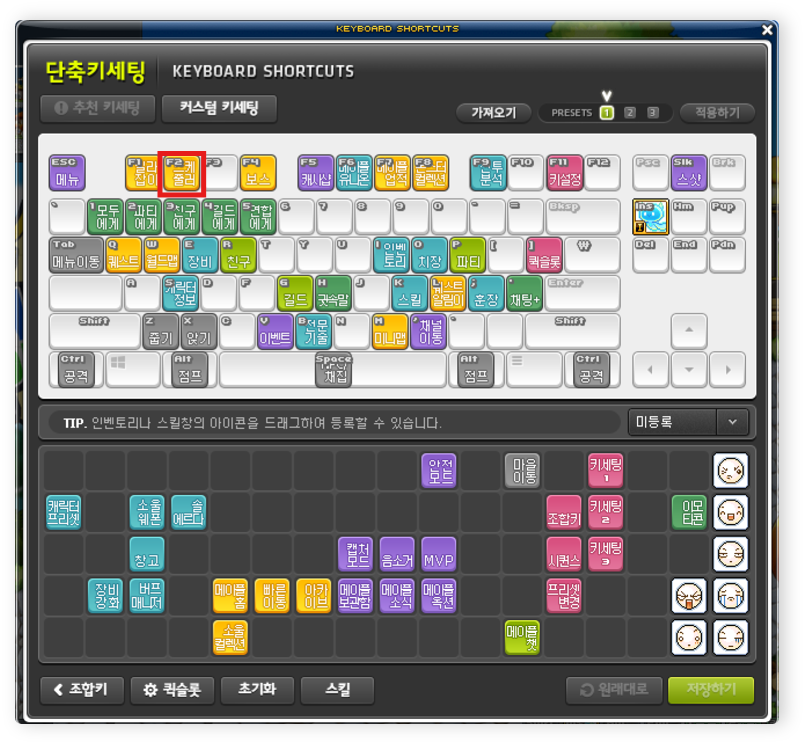
Since it's a feature you'll use often, assigning it a hotkey makes it easier to open whenever you need it.
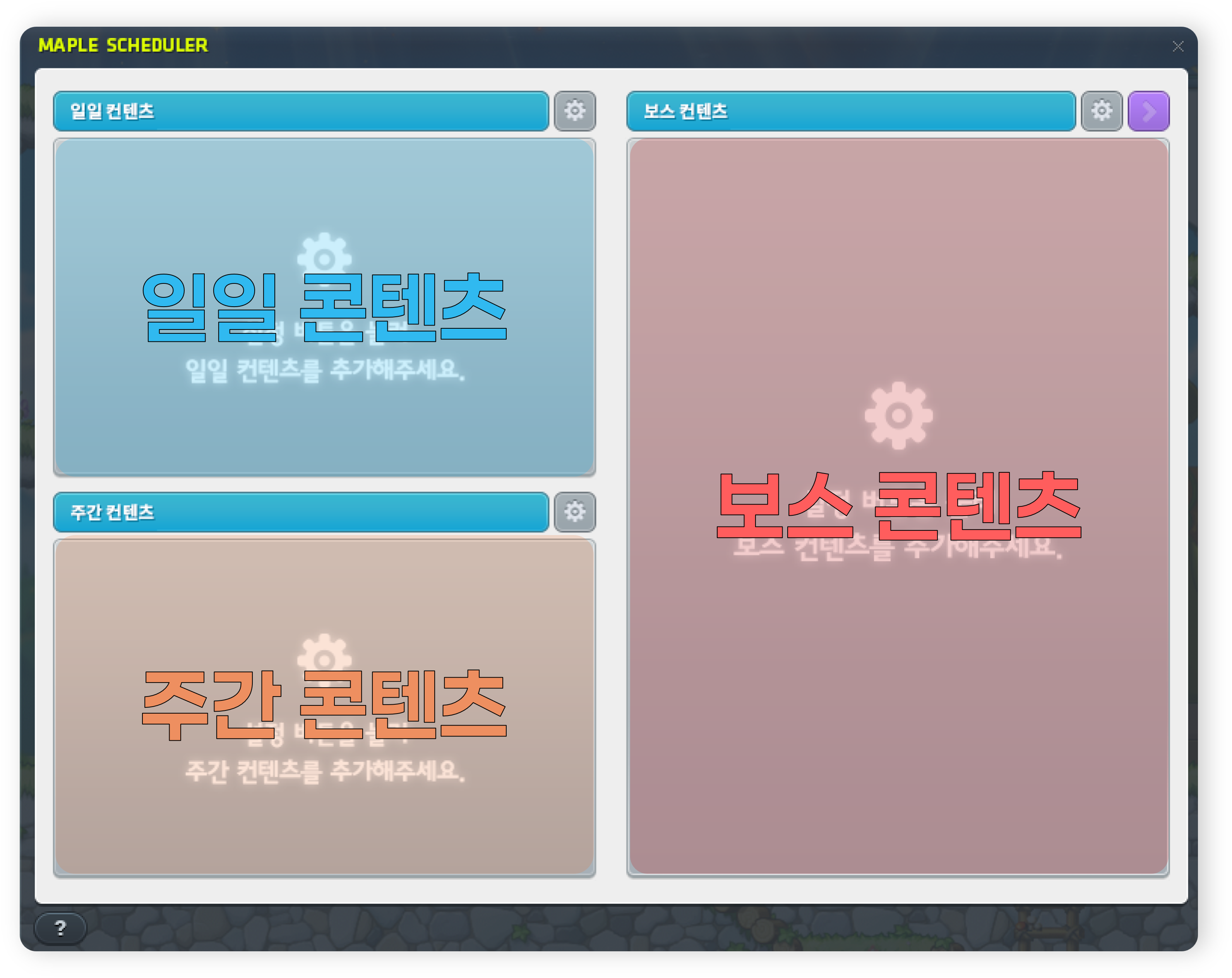
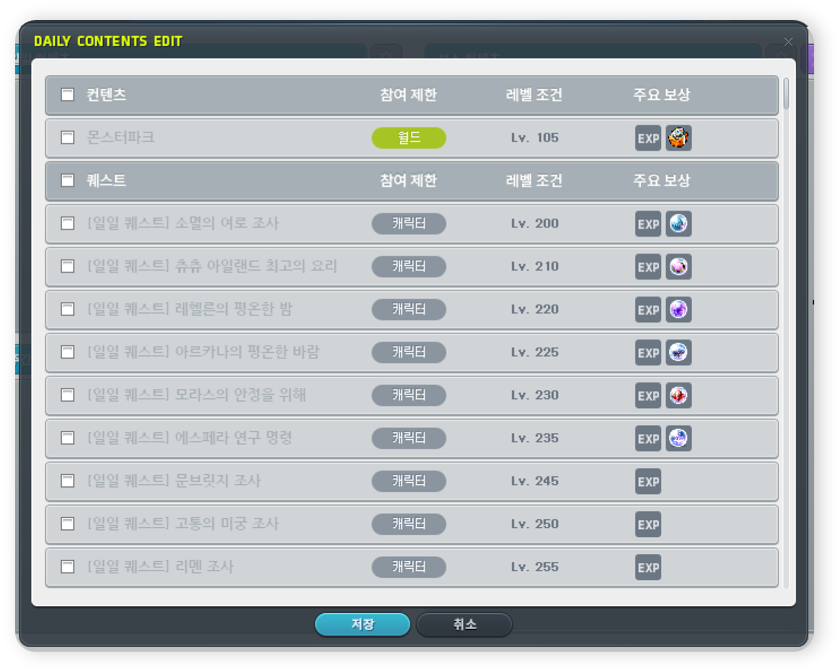
The Scheduler lets you set up quests for daily, weekly, and boss content separately.
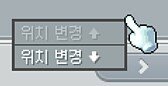
└ You can also change a mission's position by right-clicking.
The key here is to select only the quests your character currently needs, rather than adding every single quest.
For example, as you can see in the image below, my Vanishing Journey Symbol has already reached MAX,
so I don't need to accept any Vanishing Journey quests.
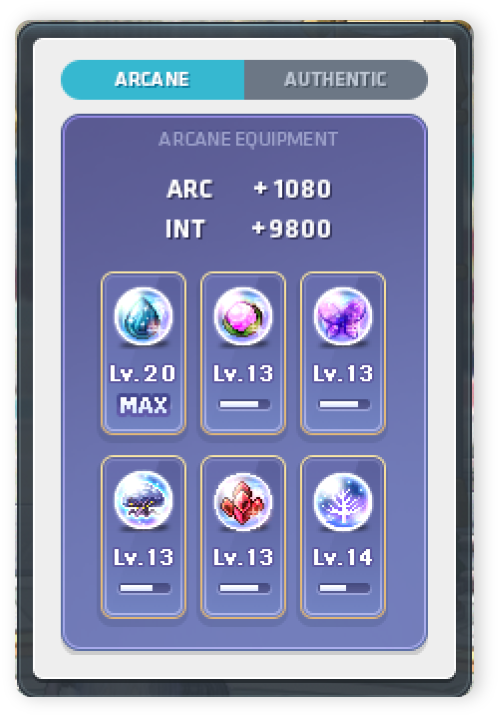
In other words, you can keep your list focused by leaving out content you no longer need for progression.
These days, daily quests require fewer monster kills, and with instant clears now available for both Monster Park and daily quests, you can spend Maple Points to get them done more easily. I'm really happy with how much time that saves. Back in my day…!
2. A Quick Daily Play Routine
When I log in to MapleStory, I usually open the Scheduler first to check what I need to do that day.
[메이플 접속 후 하는 일]

1. 접속 후 스케줄러에서 퀘스트 확인
2. 필요한 심볼 일퀘 진행
3. 몬스터파크 등 짧은 사냥 일퀘 진행
4. 시간 남으면 주간 콘텐츠 진행
Since weekly content doesn't need to be done every day, rather than cramming it all into one day, I prefer to save it for days during the week when I have more time to play.
That means saving more time-consuming activities, like Epic Dungeons or guild content, for days when I have some time to spare.
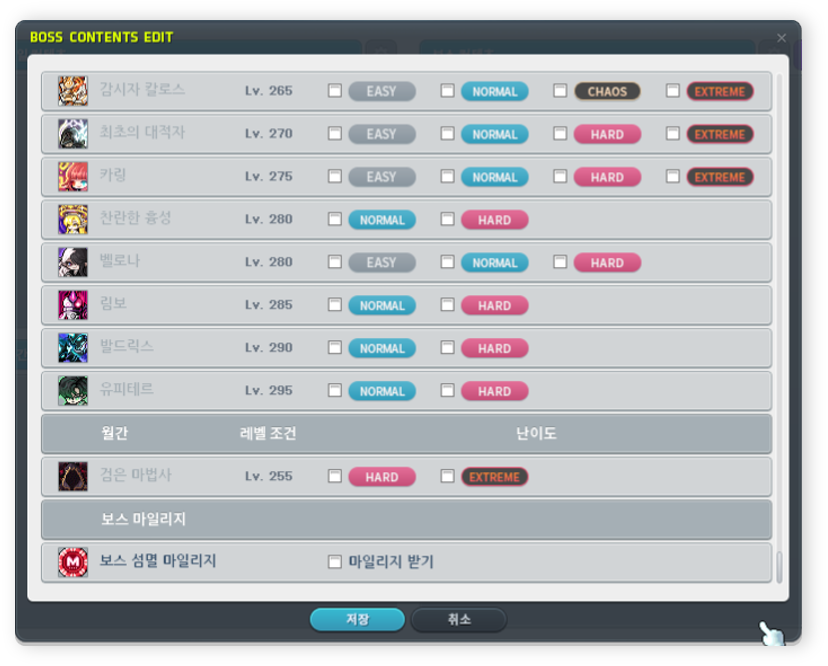
For bosses, adding only the difficulties you actually run and claim rewards from makes it easy to check which ones you've defeated that week.
For me, the biggest convenience is being able to check everything from daily → weekly → boss content at a glance just by opening the Scheduler.
3. Who Can Benefit from the Scheduler?
With all that in mind, I especially recommend the MapleStory Scheduler to the following players:
-
Players leveling multiple characters at the same time
-
Players juggling so much daily and weekly content that they often lose track of what they've done
-
Players who don't have much time to play on weekdays
-
Players who want a quick way to check just the routine tasks they need to do
The Scheduler doesn't reduce the number of tasks you need to do,
but I find it quite useful because it takes some of the effort out of remembering and repeatedly checking what you've done and what's left.
If, like me, you keep missing things while trying to keep up with multiple games and their content, I'd recommend starting with just your must-do content in the Scheduler and using that to guide your play sessions.
Rather than trying to finish every routine task in one day, I think separating what needs doing today from what can wait until later this week is a good way to enjoy MapleStory with a little less pressure.
If you didn't know about the Scheduler or haven't started using it yet, why not give it a try?
That's all for this post!
I'll be back next time with more to share about games.
달냥 signing off!

![[피크 챌린지] 메이플스토리 보스 개선 살펴보기](https://peak-file.nexon.com/uploads/20260627_1252_f9fec588.png)
![[메이플] 피로도 제로! 데벤져 260~289레벨 꿀자리 사냥터](https://peak-file.nexon.com/uploads/20260607_0851_5d32fab0.png)
![[마비노기 모바일] 게임 속 인연이 게임 밖으로, 디스코드와 다른 게임까지 이어진 이야기](https://peak-file.nexon.com/uploads/20261021_1024_42a76b52.png)