[PEAK Challenge] Try Decorating Your Mabinogi Mobile Profile
마포감튀
![[PEAK Challenge] Try Decorating Your Mabinogi Mobile Profile](https://peak-file.nexon.com/uploads/20260809_0949_a6c82e87.png)
[Joining the Nexon PEAK Post Challenge]
Hello!
I’m MapoFries.
Today, I’m going to show you your profile in Mabinogi Mobile!
More specifically, how to decorate your Stellagram.
You know that Stellagram vote that pops up every day when you log in?
Let’s take a look at what your Stellagram looks like and how to change your pose too.
Getting into Stellagram
Since it feels like a profile feature, did you tap the portrait in the top left first?
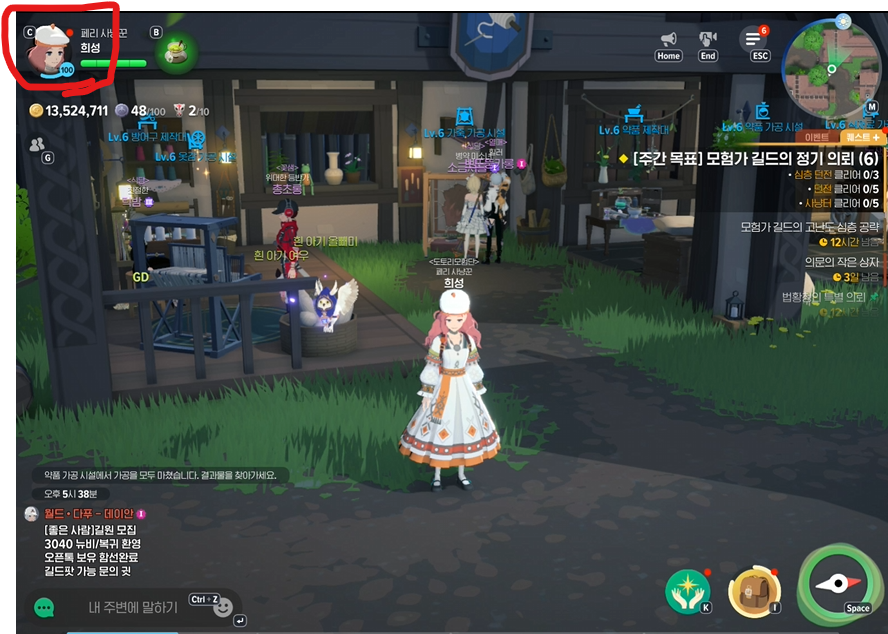
It’s not there!
You can get to Stellagram through All Menu - Stellagram.
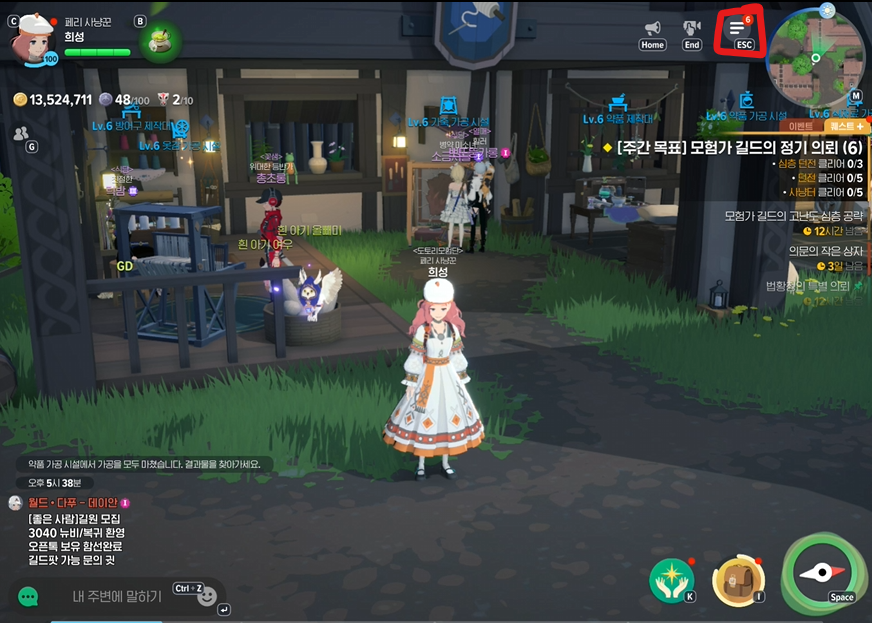
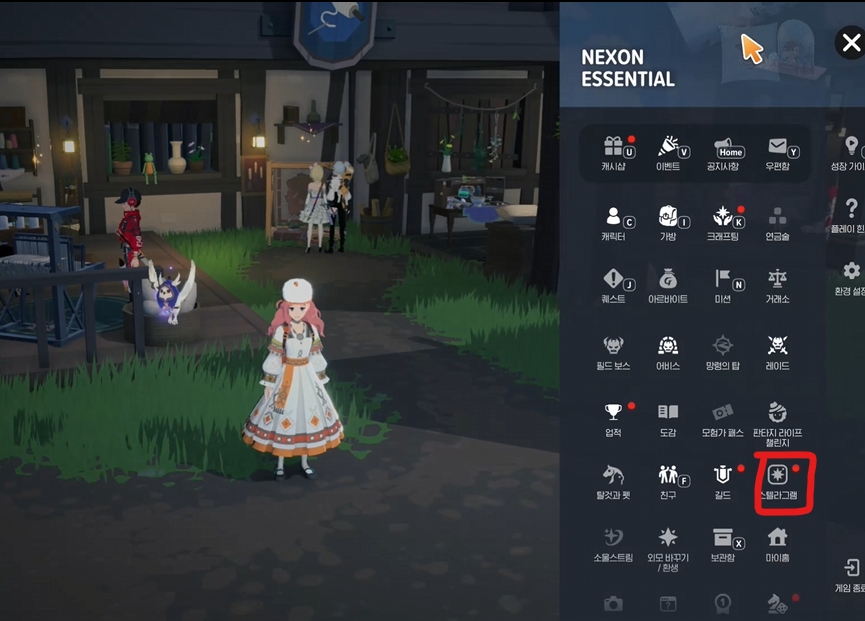
You’ll find My Stellagram in the very bottom menu here.
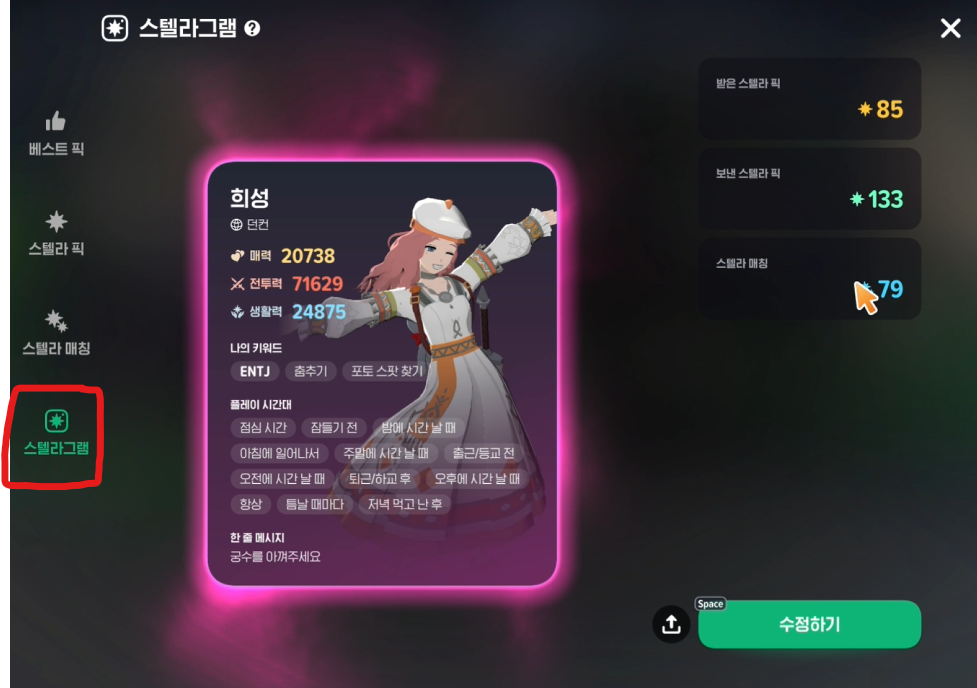
Decorating your Stellagram
Now tap ‘Edit’ in the menu and let’s change up your Stellagram.
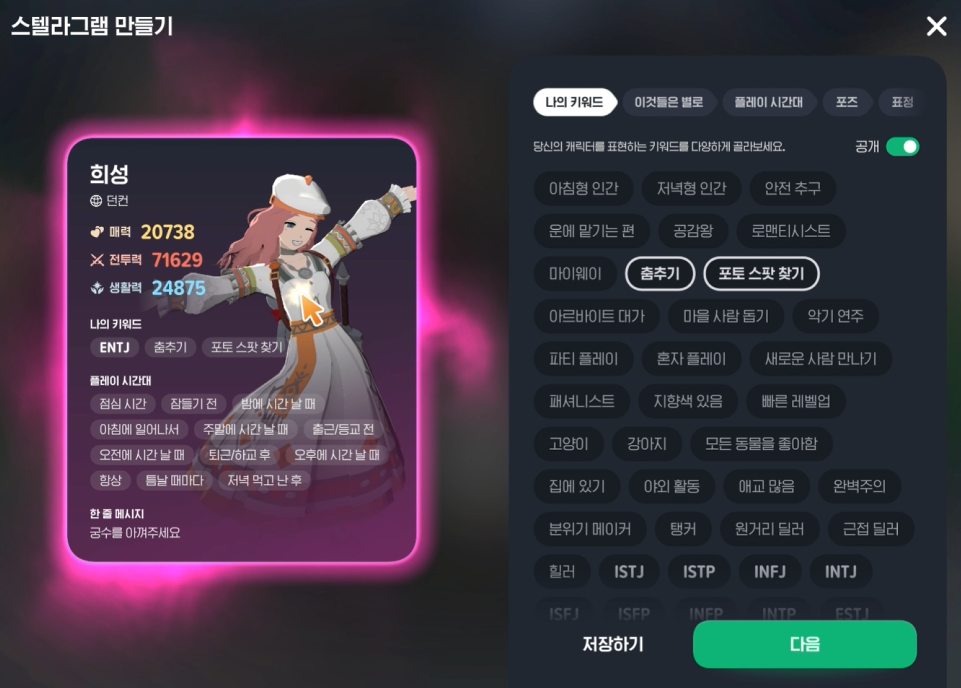
You can add all kinds of keywords on Stellagram to show off who you are.
You can set keywords for info about yourself, things you don’t like, your main playtime, and more.
And now for the big one: poses!
In the ‘Pose’ menu, you can choose whichever pose you want.
Let’s take a quick look through them.
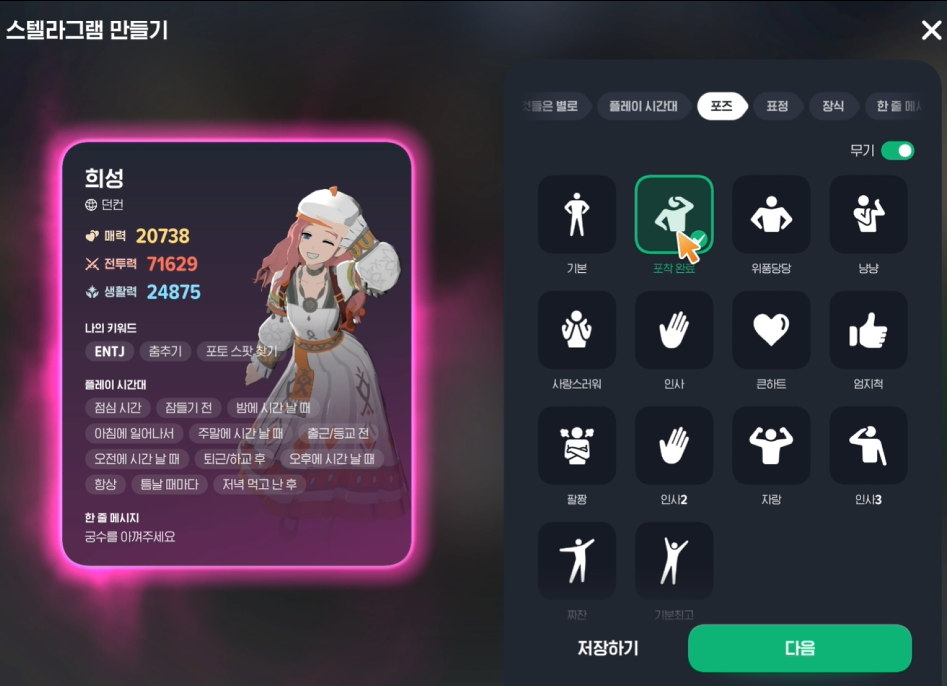
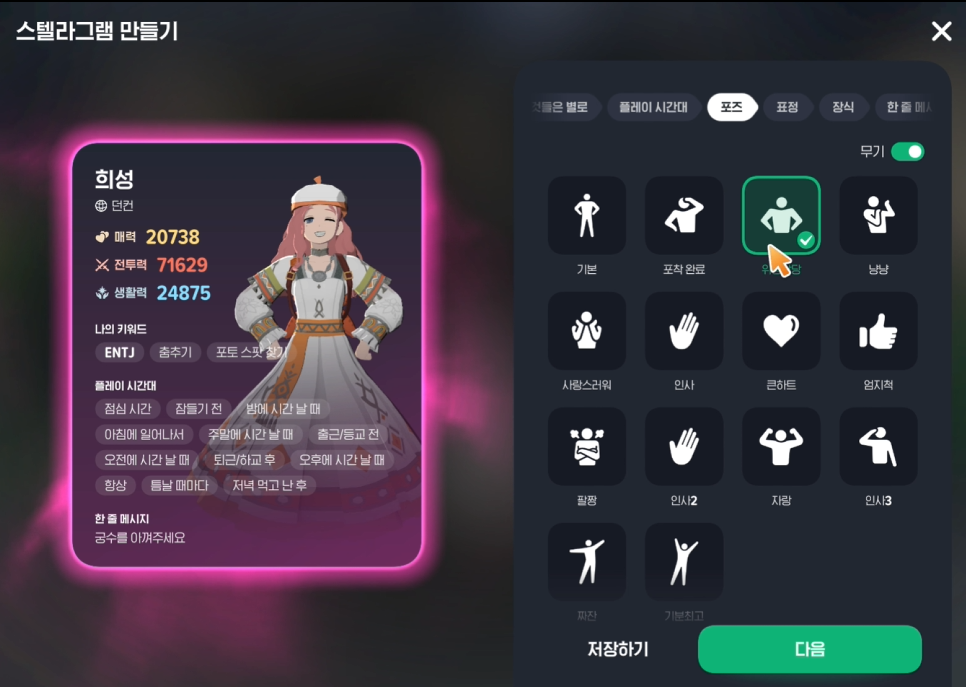
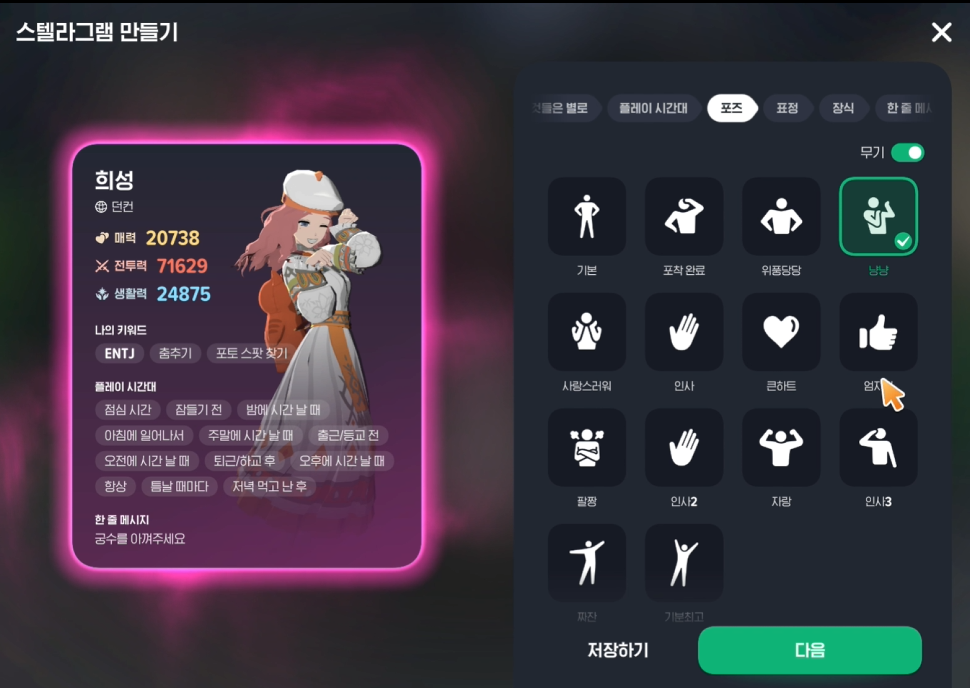
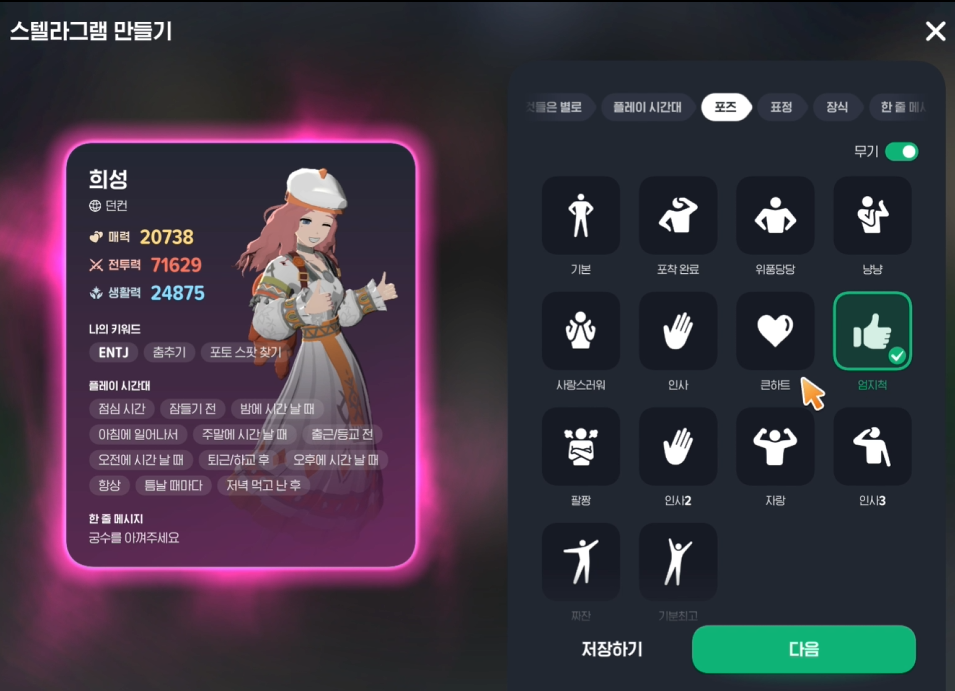
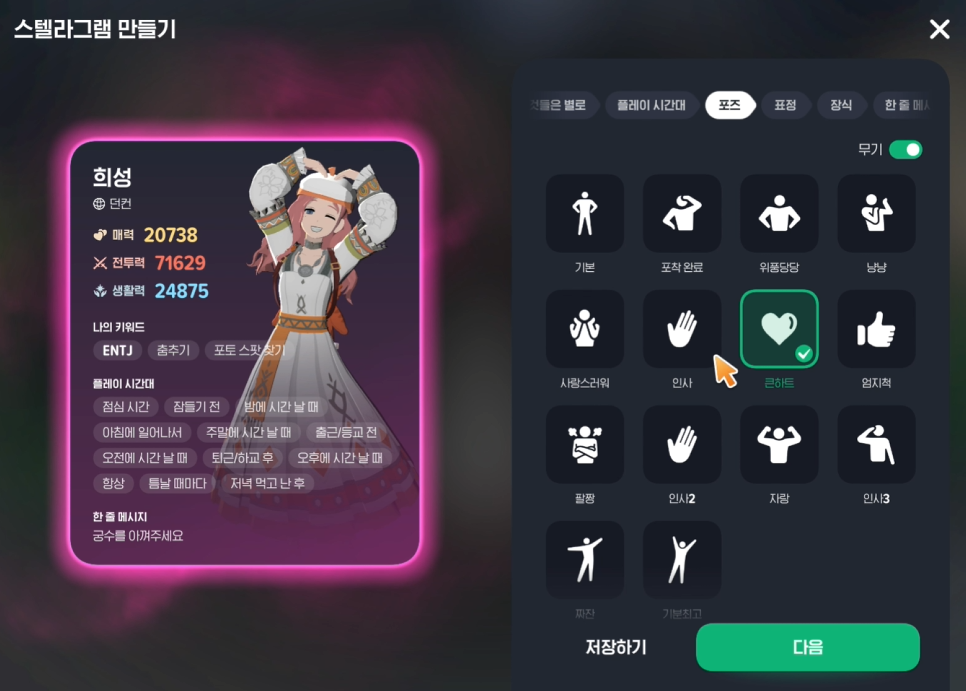
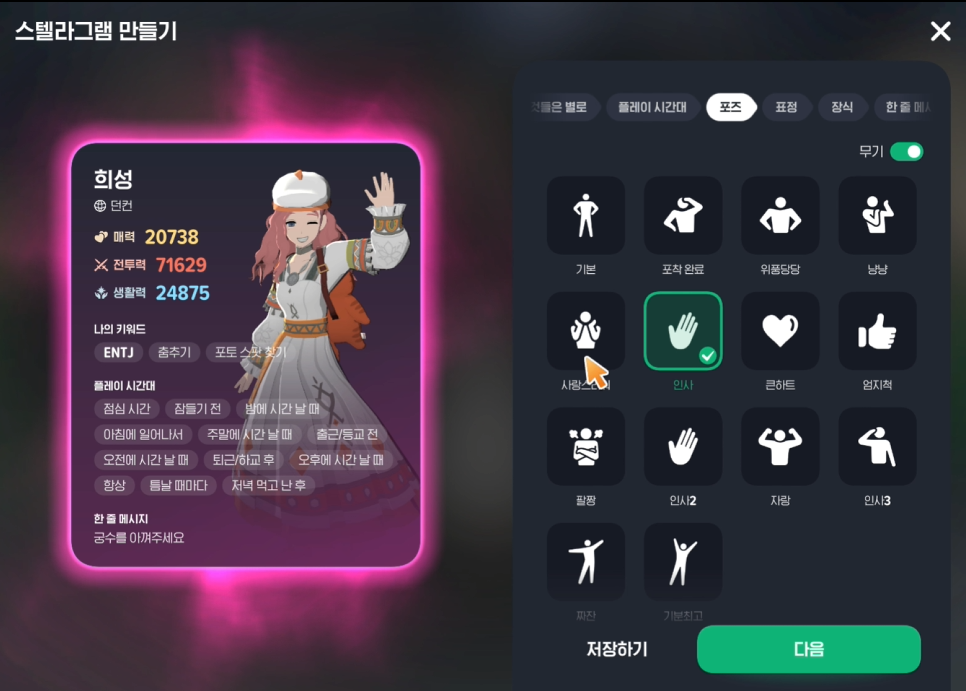
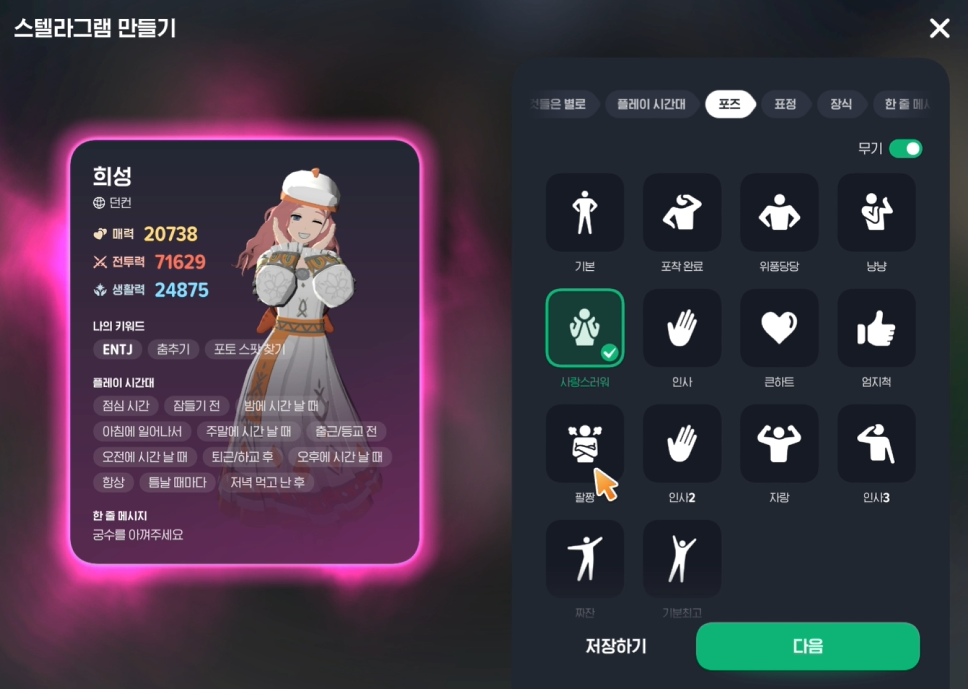
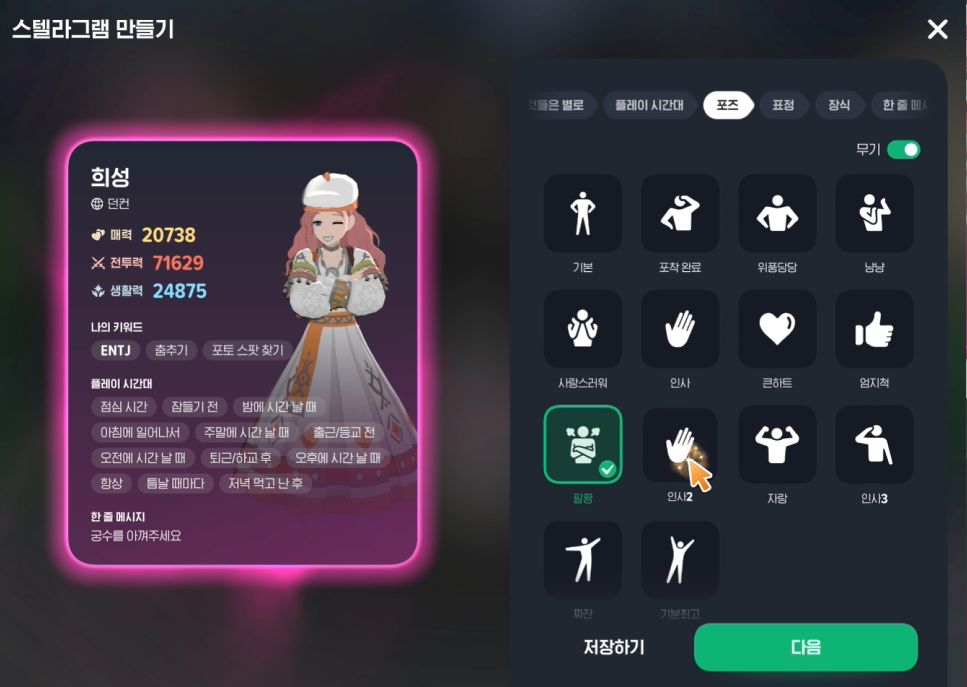
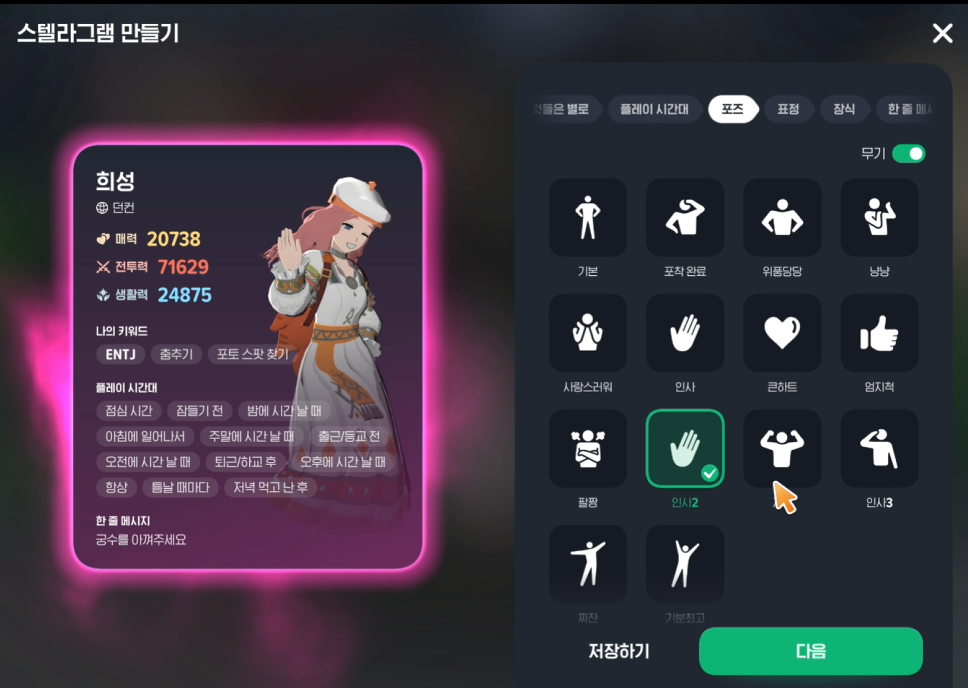
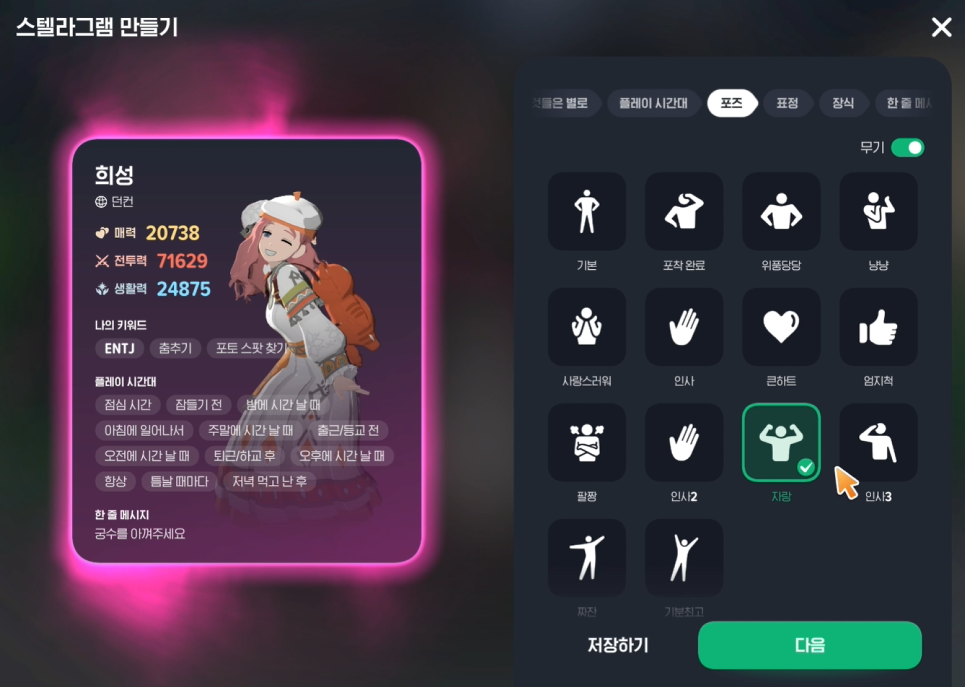
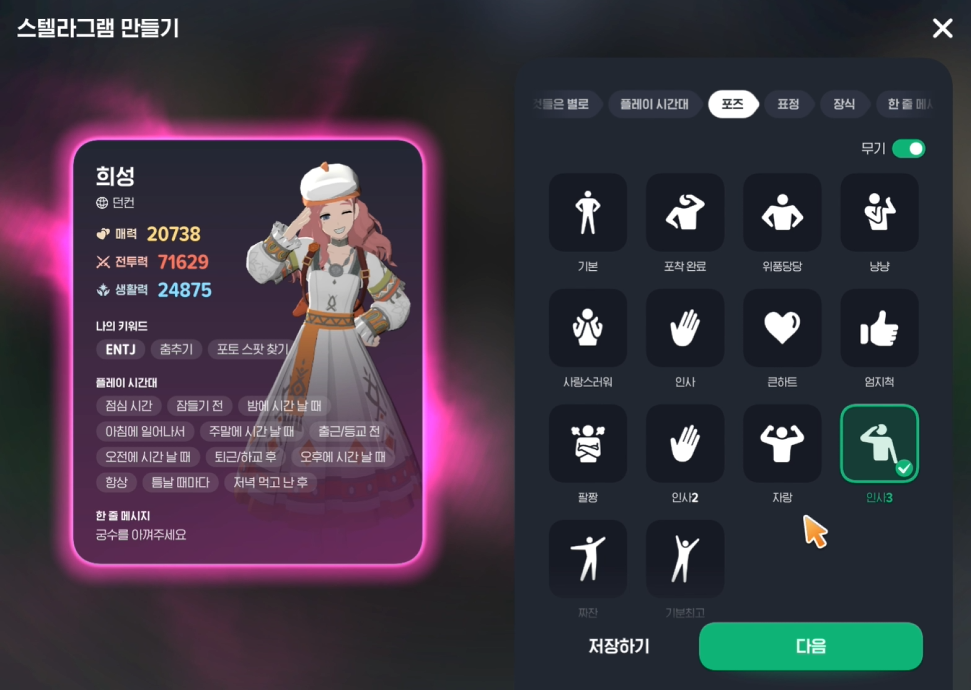
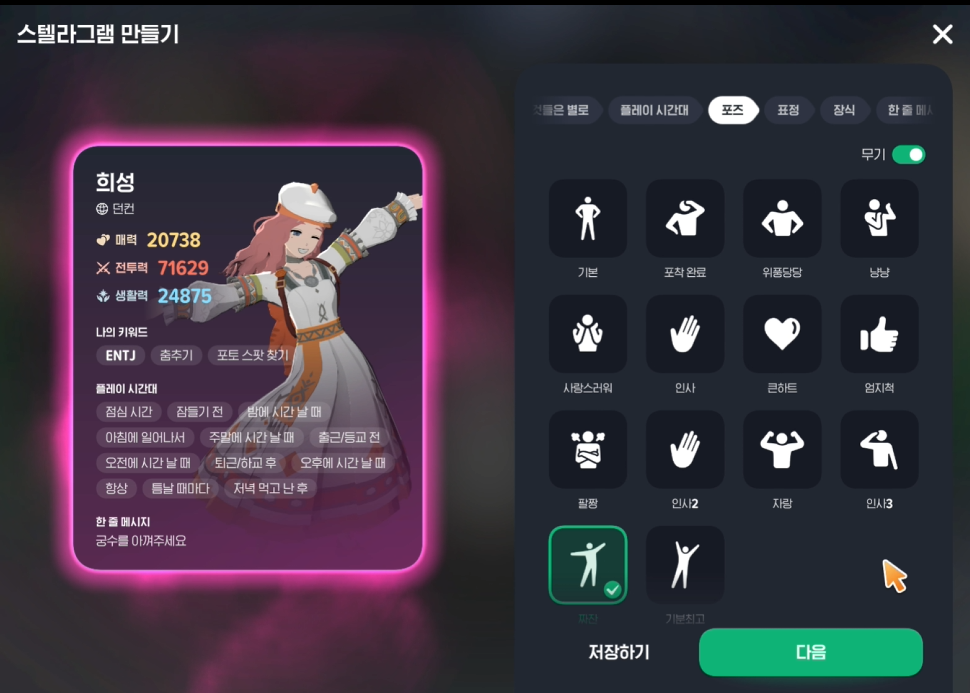
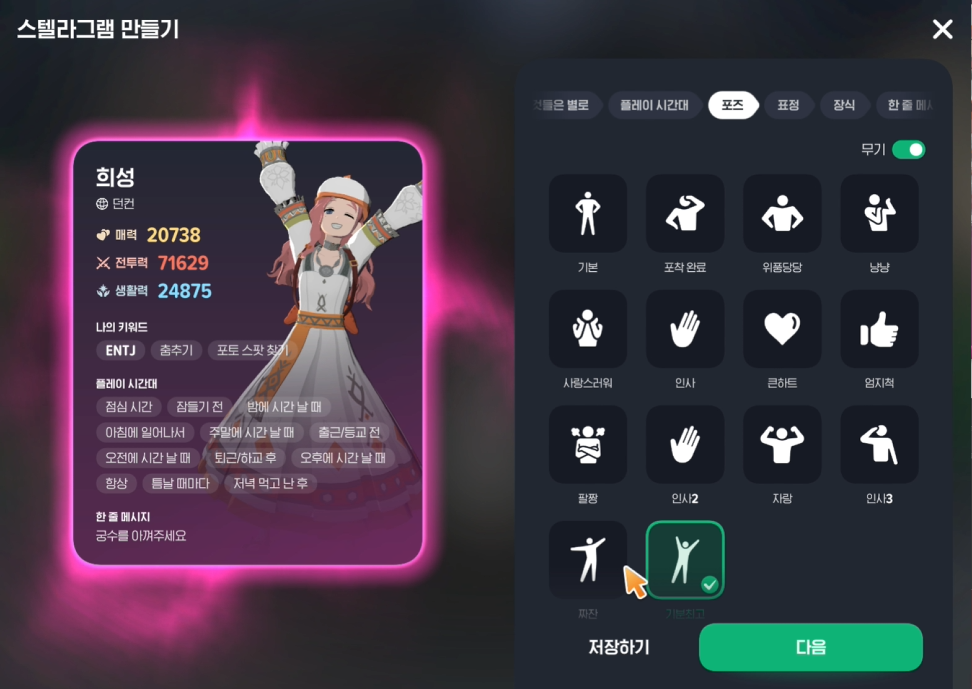
But wait—you’ve seen poses that aren’t listed here?
Yep.
There are some poses that don’t show up here.
Those are the ‘Basic’ poses.
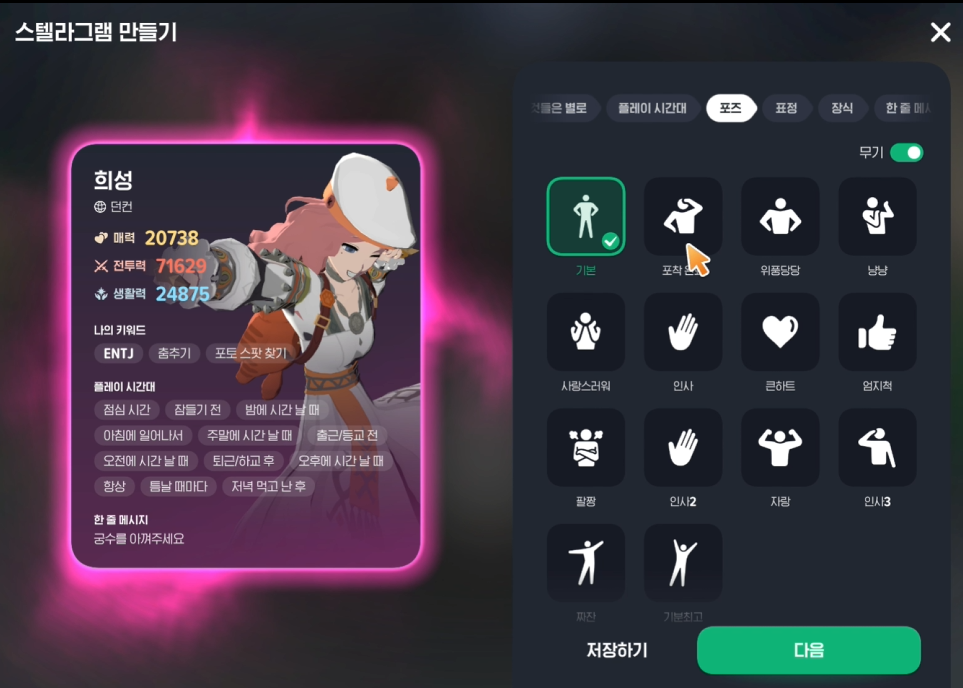
These poses look different depending on what gear you have equipped.
Here are a couple of examples.
(Archer)
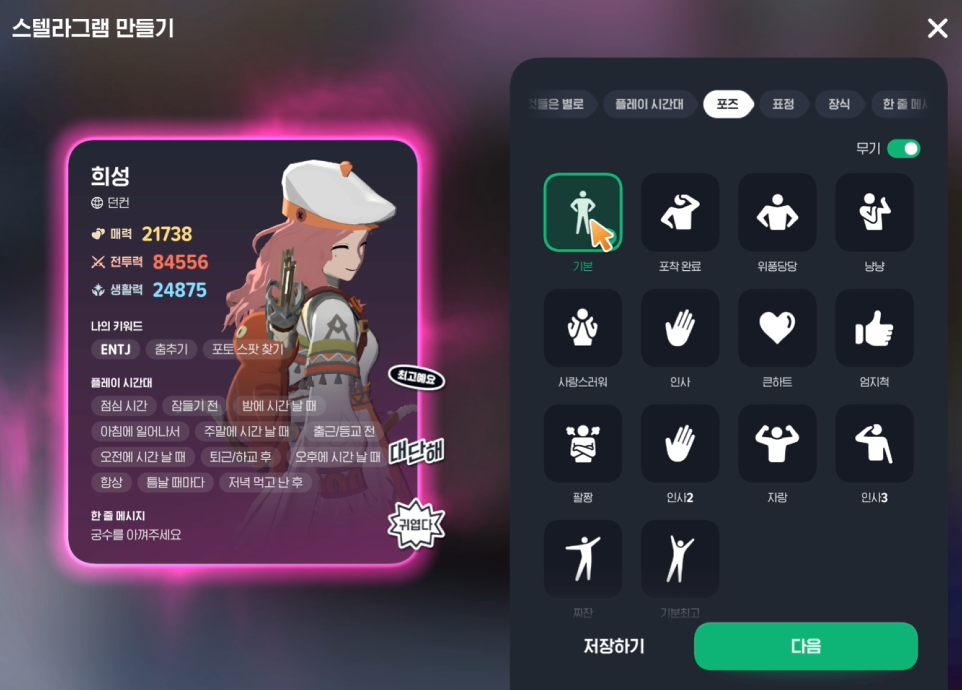
(Swordsman)
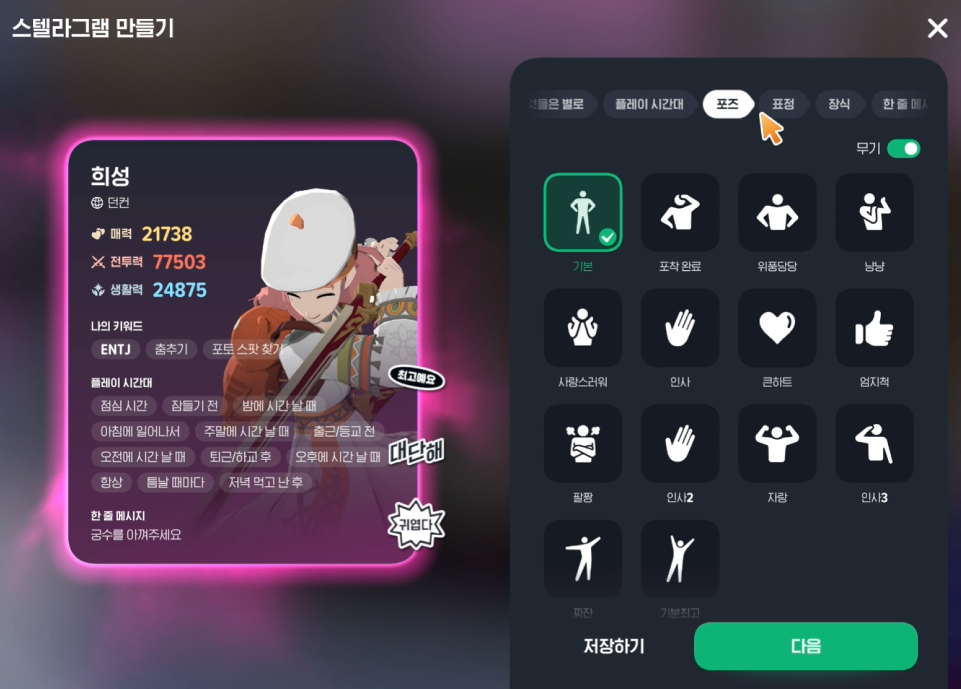
So the basic pose changes by class depending on which weapon you have equipped.
Stellagram isn’t that hard, right?
You should try showing off your character with Stellagram too!

![[피크 챌린지] 던전앤파이터 모바일, 바쁜 일상 속 짧은 플레이로도 확실한 성장의 재미를 주는 넥슨의 라이트한 선물](https://peak-file.nexon.com/uploads/20260727_1155_4e306626.jpg)
![[피크 챌린지] 힘이 들 땐 하늘을 봐. 나는 항상 혼자가 아니야.](https://peak-file.nexon.com/uploads/20260720_0719_63cc3525.png)
![[피크 챌린지] 메이플스토리, 게임성 콘텐츠 추억까지 다 갖춘 최고의 게임](https://peak-file.nexon.com/uploads/20260805_0631_de693536.jpg)