[PEAK Challenge] Mabinogi Mobile’s In-Game Information System
곤류
![[PEAK Challenge] Mabinogi Mobile’s In-Game Information System](https://peak-file.nexon.com/uploads/20260721_0636_4ccf1ba2.png)
Participating in the Nexon PEAK Post Challenge

Play MMORPGs long enough, and there are times when you open a search engine more often than the game itself.
Looking up information on external sites is a natural part of the genre,
whether you need gear setups, item sources, or class guides.
Mabinogi Mobile is a little different, though.
When I have a question, rather than searching the internet,
I usually check whether I can find the answer in the game first.
Even on major update days, the compendium is the first thing I open.
📖 A Compendium for Browsing Runes and Fashion
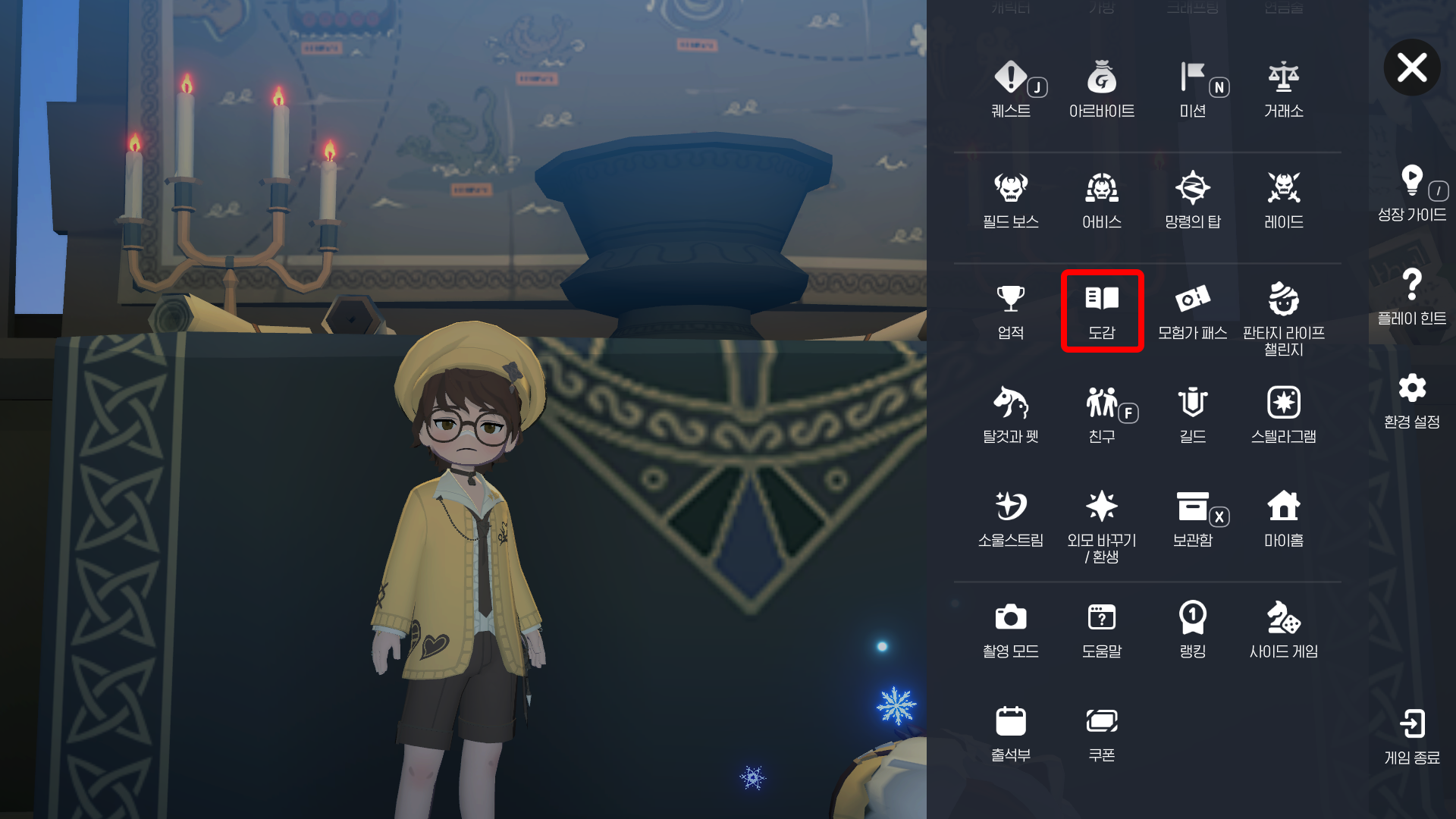
When a major update arrives, I check the new runes first.
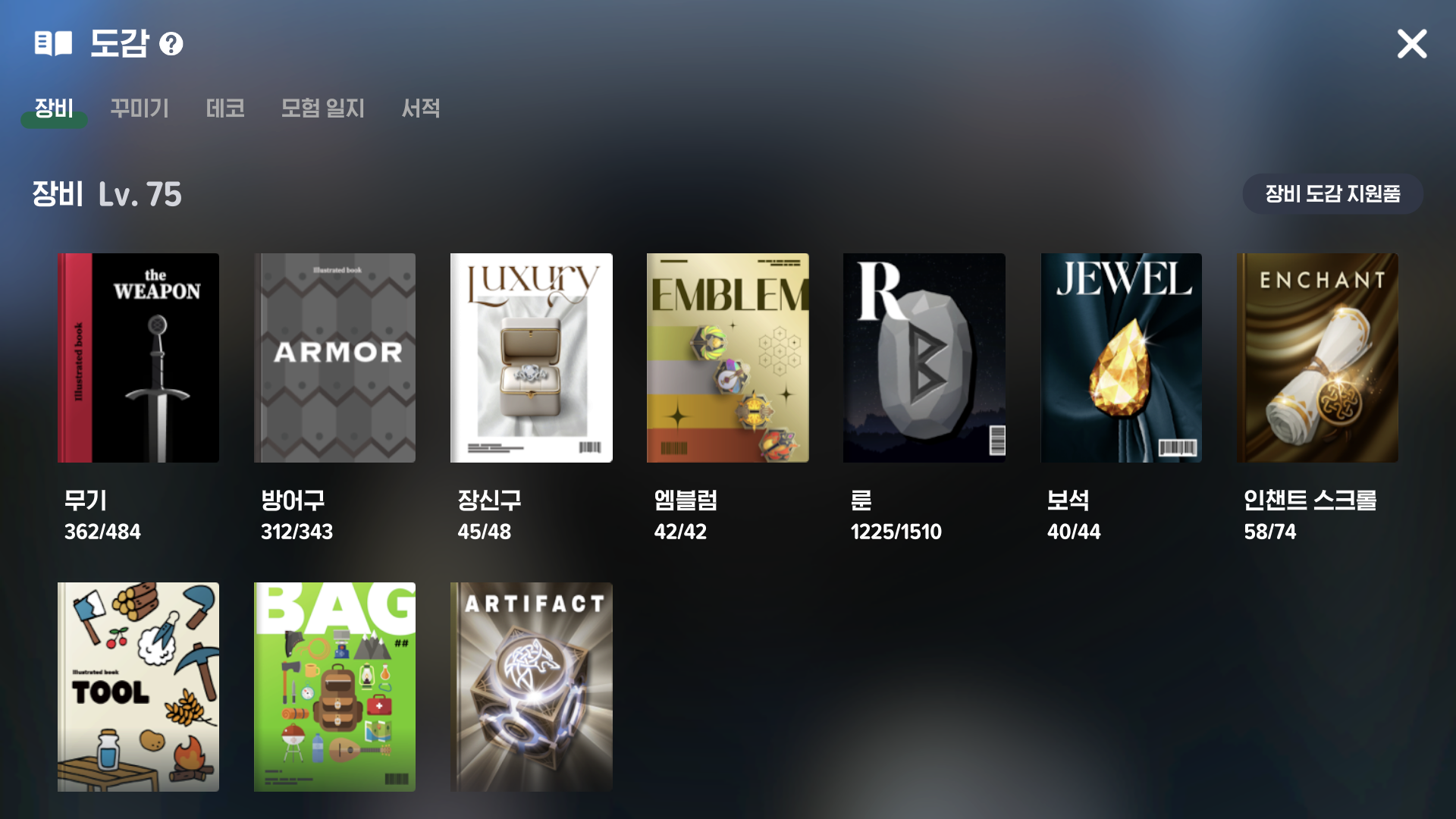
The compendium lists all weapon, armor, accessory, and emblem runes,
including the effects of runes you have not obtained yet.
Accessory runes are organized by class, while other runes are sorted by rarity,
making it easy to find the information you need.
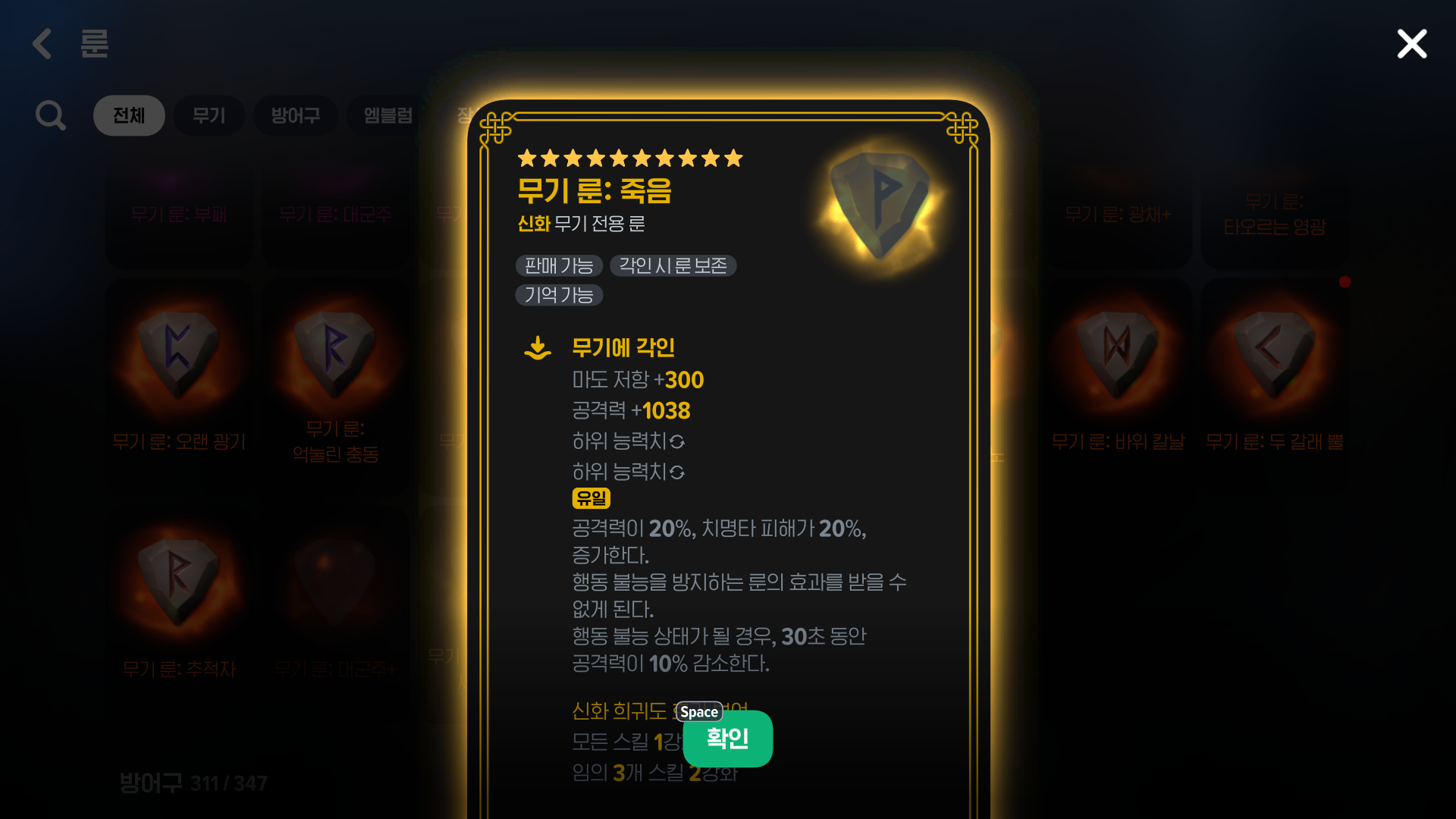
I enjoy reading through the new rune effects to see which might suit my class,
then thinking ahead about the setup I want to work toward next.
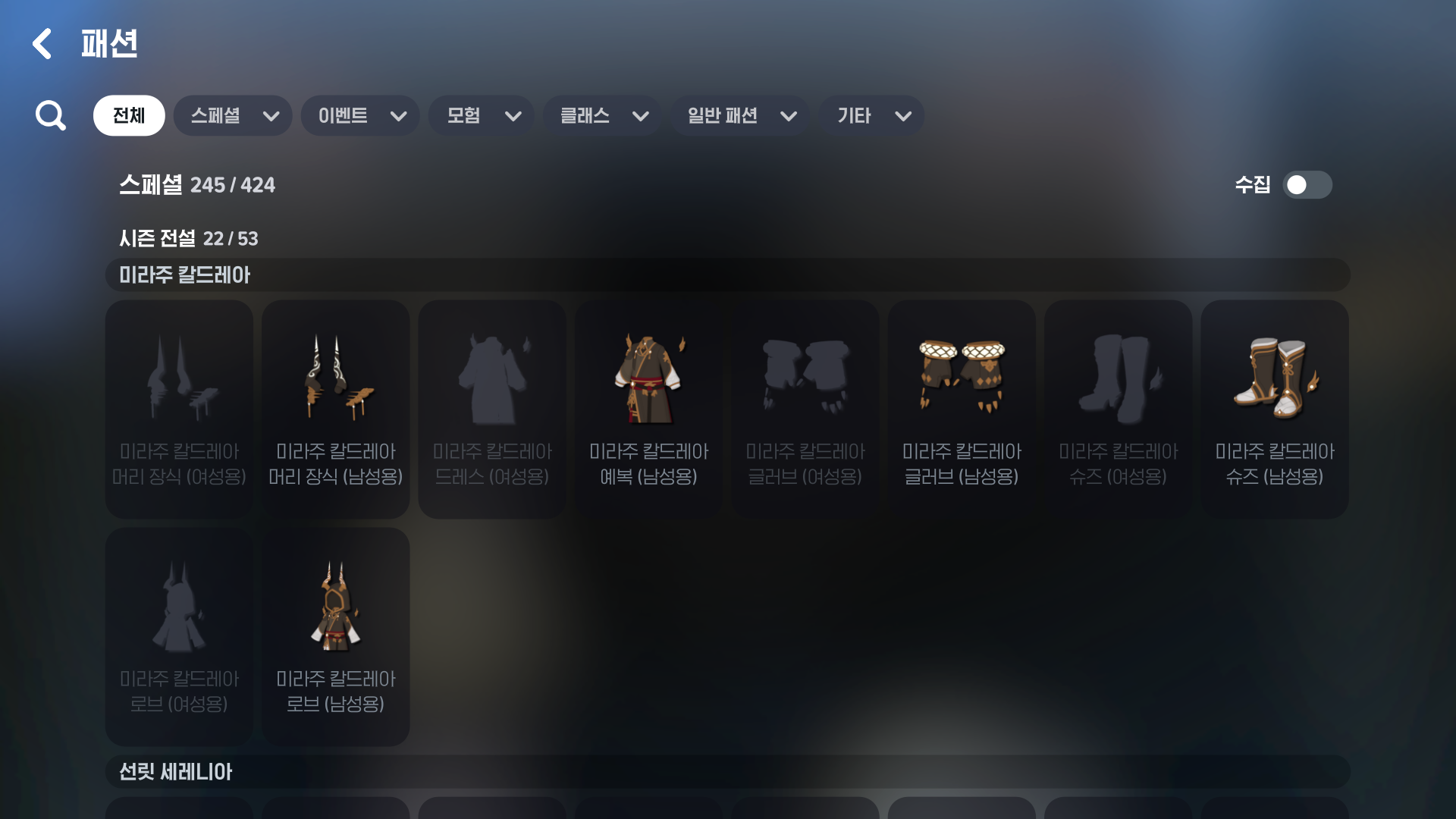
The fashion compendium is another feature I use often.
It includes every outfit, even those that are no longer available,
and reading the item descriptions feels like getting a glimpse into the world of Mabinogi Mobile.

A recently added feature also lets me preview outfits on my character,
so I can enjoy trying on outfits virtually while I wait for them to return.
🧭 Item Sources and Quick Navigation
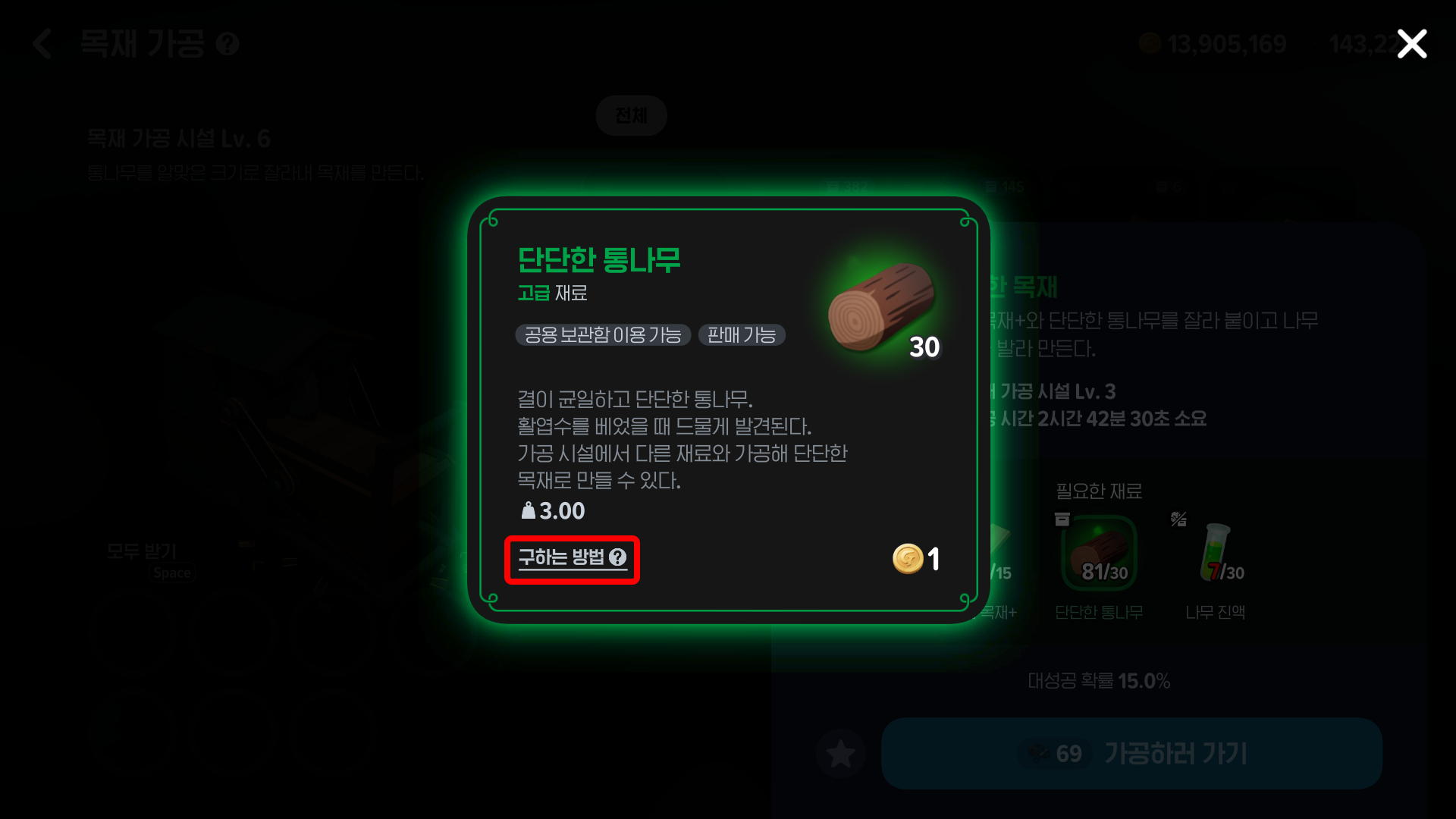
When I need crafting materials or quest items, How to Obtain is the feature I use most.
I simply open the item's information and select How to Obtain.
This immediately shows the available sources, such as gathering, hunting grounds, dungeons, and the marketplace.
For items found through gathering or in dungeons, Quick Navigation can take me straight to the relevant location,
so I rarely need to look anything up elsewhere.
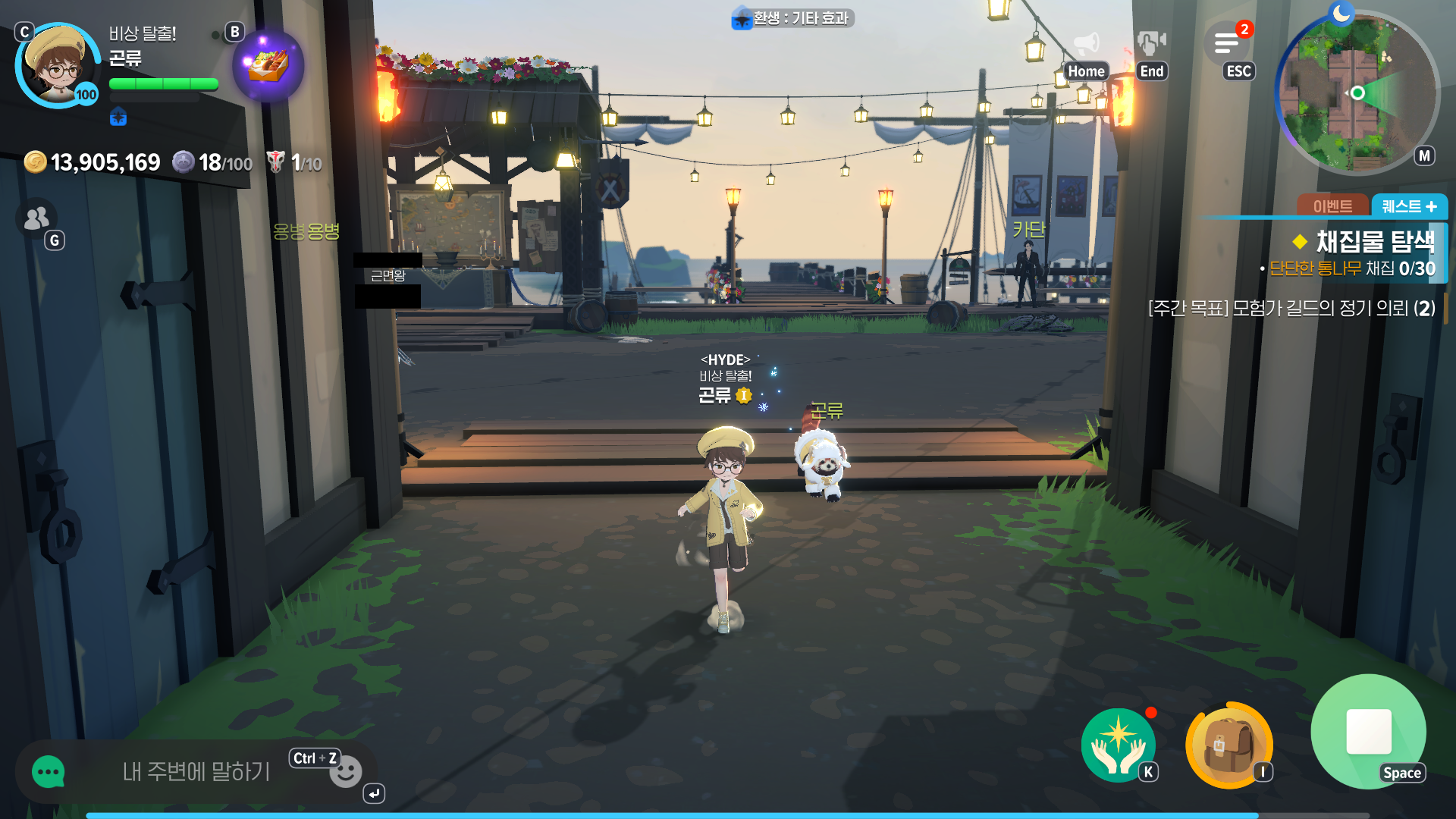
Since the game also supports cross-play on mobile devices,
I find it more convenient to log in and check the compendium or item information even when I am out.
It is much faster than browsing multiple websites for a guide.
⚒ Class-Specific Recommendations
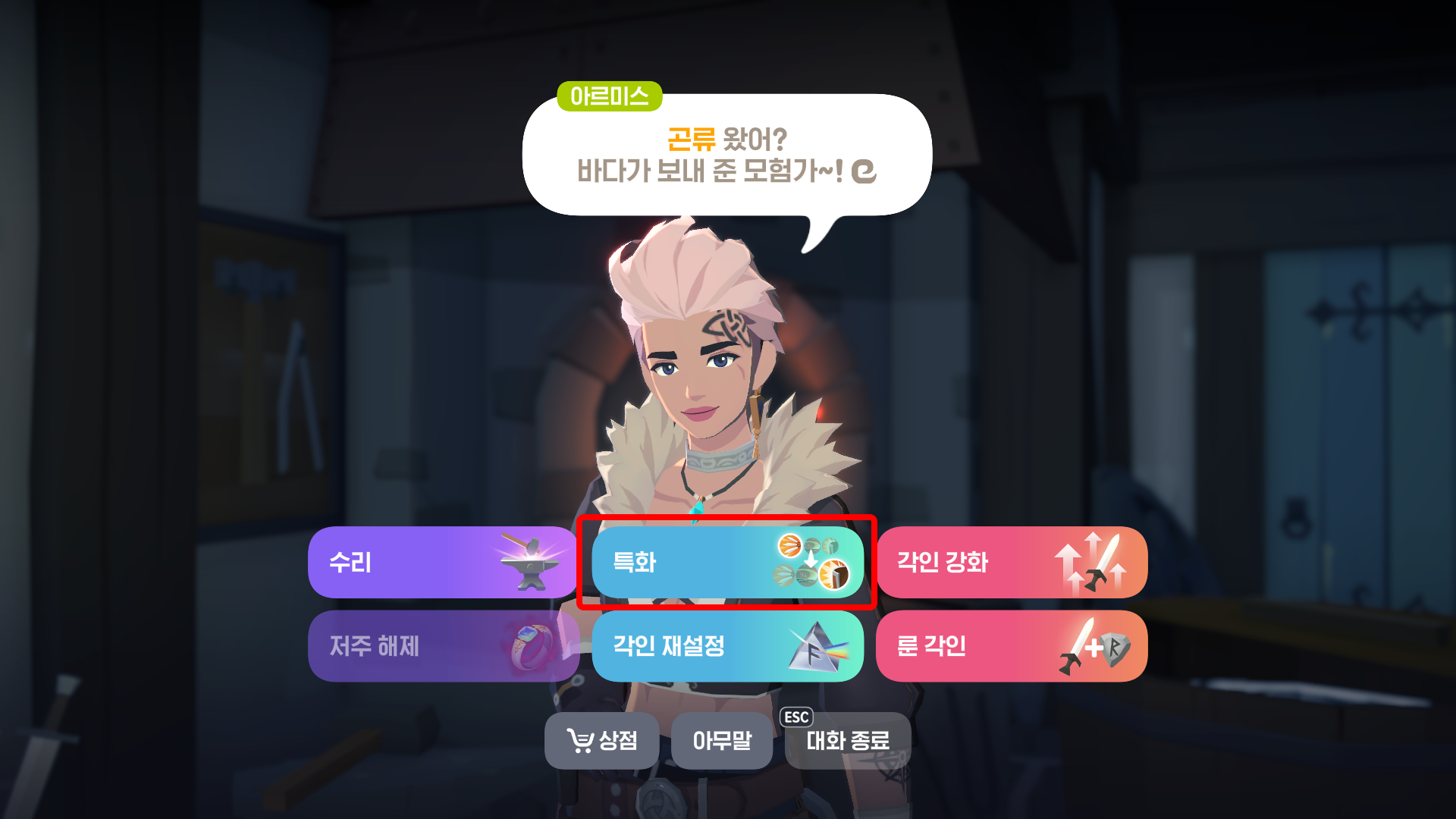
The game also offers recommendations to help you develop your class.
At blacksmith and weapon shop NPCs, enabling the specialization recommendation toggle in the Specialization tab
automatically selects skills to specialize in based on your class.
For gem crafting, you can open the Change Gem Tags tab at a bank NPC,
then check the recommended tags to see which gem tags suit your class.
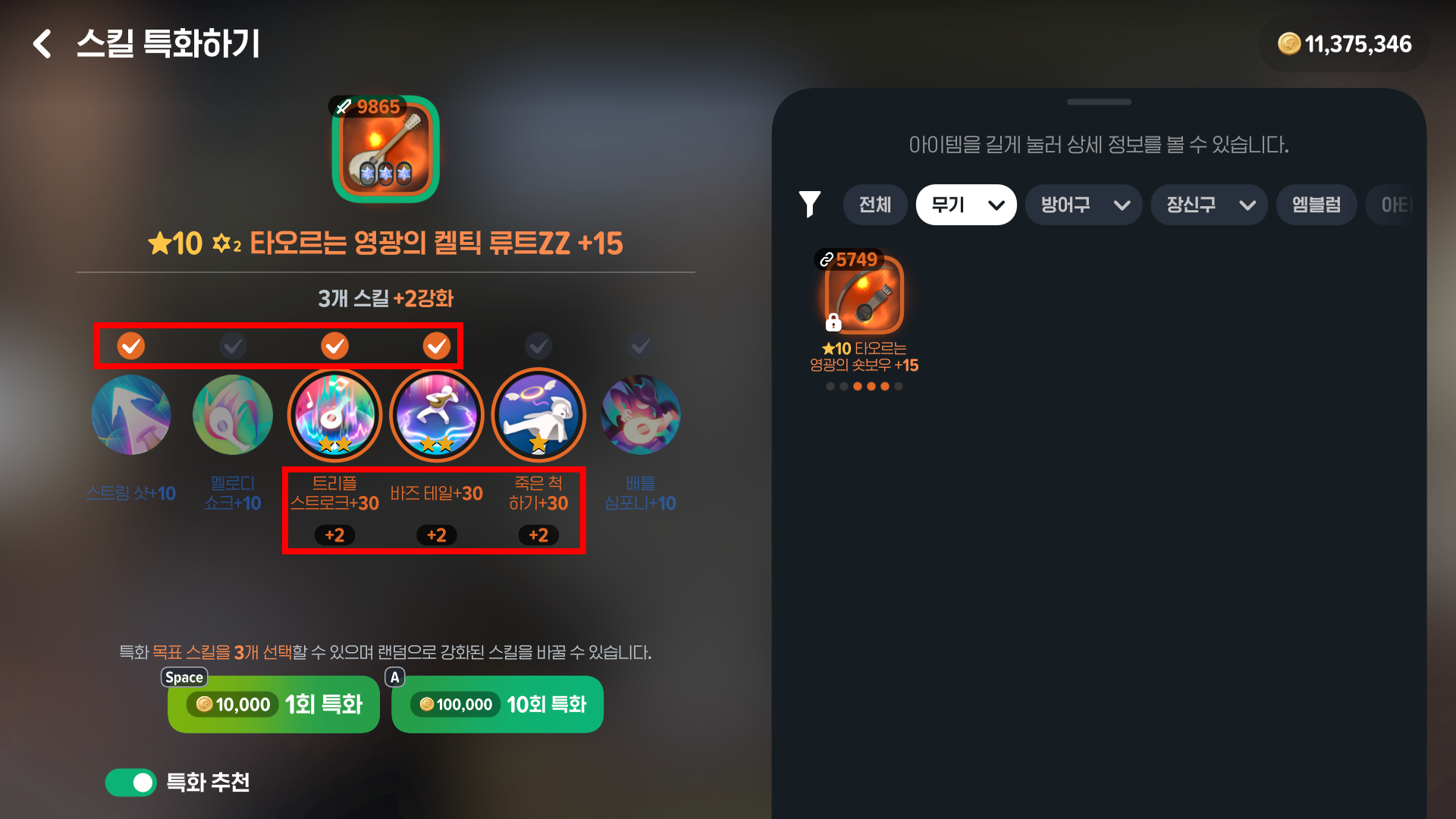
Of course, these recommendations do not cover every situation.
The skills worth specializing in can vary depending on your accessory runes,
but the recommendations do not currently account for that.
For example, when a Bard uses the Ambush accessory rune,
specializing in skill 5, Play Dead, is more effective,
but the feature bases its recommendations on the default setup and suggests skill 1, String Shot, instead.
🤔 A Few Areas for Improvement
I find these features convenient, but there are a few areas I would like to see improved.
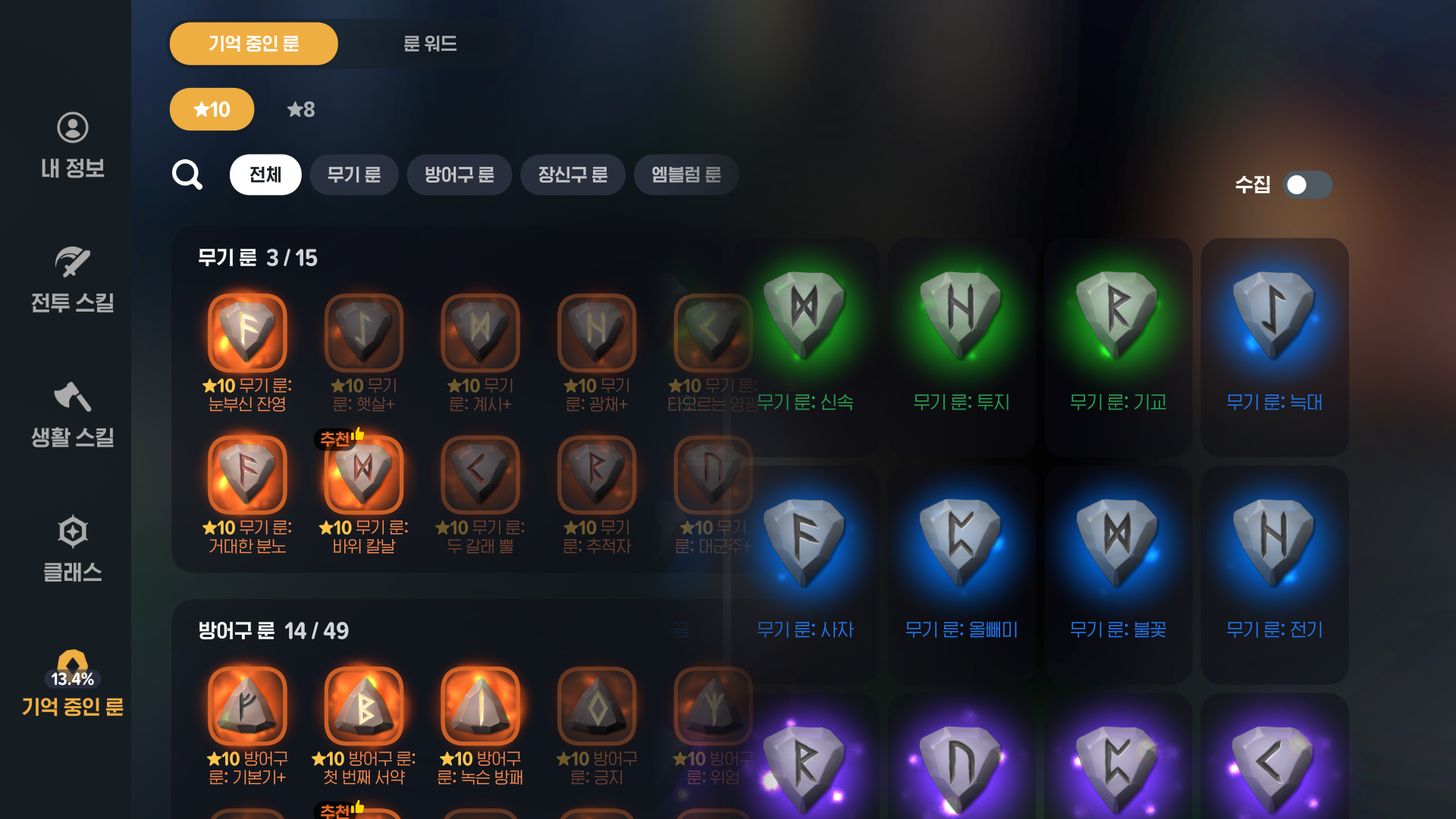
The rune compendium and the Remembered Runes section in the character menu serve very similar purposes,
so I think combining them could make sense.
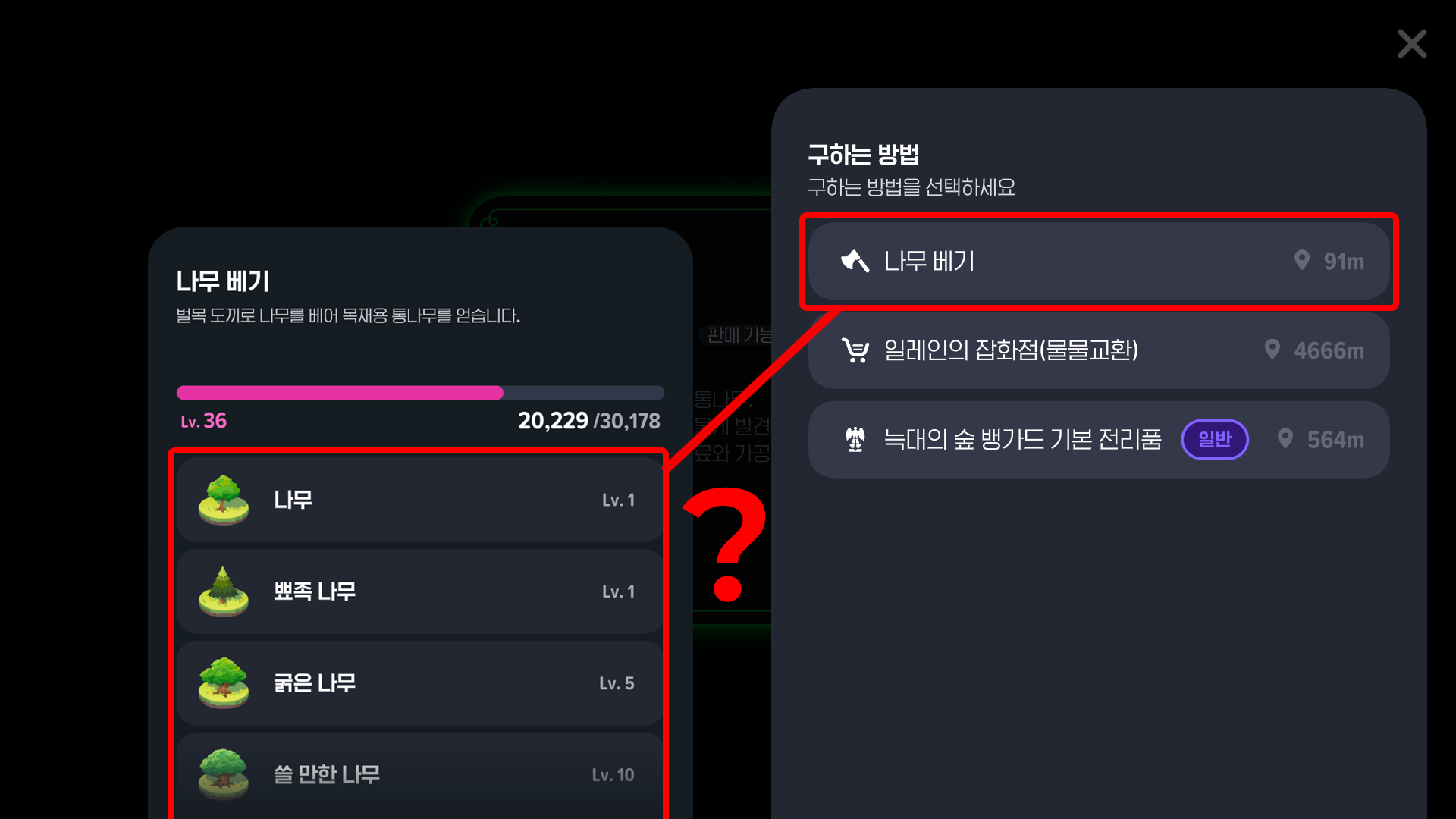
I would also like the How to Obtain information to be a little more detailed.
For example, it explains that getting a 'Sturdy Log' requires chopping down trees,
but does not specify which types of trees to cut.
I still consult external communities or guide sites sometimes,
but I find the information I need within the game far more often.
Whether I am checking new runes in the compendium, finding item sources,
or using recommendations to plan my character's development, I can do most of it in-game.
Instead of briefly closing the game to look something up, I can set my next goal right there and keep playing.
To me, that is the greatest strength of Mabinogi Mobile's information system.

![[피크 챌린지] 지친 하루 데이브 더 다이버로 다이빙!](https://peak-file.nexon.com/uploads/20260728_1053_ac50b496.jpg)
![[피크 챌린지] 와! 엘소드! 로딩화면도 다양하다!](https://peak-file.nexon.com/uploads/20260624_0631_6aa3704f.jpg)
![[피크 챌린지] 클래스 레벨을 하나씩 채워가는 재미](https://peak-file.nexon.com/uploads/20260804_0844_0170782c.png)
![[피크 챌린지] 10년간 질리지 않은 게임! FC온라인!](https://peak-file.nexon.com/uploads/20260721_1025_e661014e.jpg)