[PEAK Challenge] I didn’t realize it until I properly dialed in my Sudden Attack gear setup—especially my mouse and monitor.
드록바원툴
![[PEAK Challenge] I didn’t realize it until I properly dialed in my Sudden Attack gear setup—especially my mouse and monitor.](https://peak-file.nexon.com/uploads/20260704_0355_9a768061.jpg)
Taking part in the Nexon PEAK Post Challenge
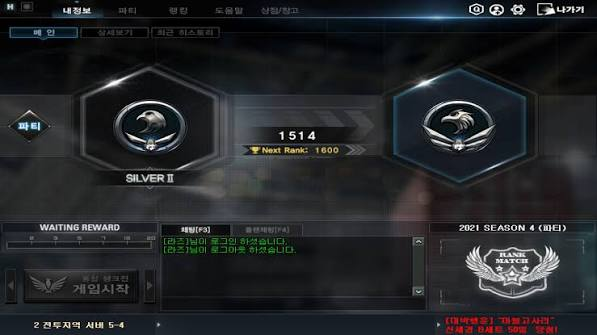
I used to think my Sudden Attack score wasn’t improving because I just wasn’t good enough, but once I properly dialed in my gear settings, I realized that wasn’t the real problem.
Today, I want to talk about how setting up my G Pro X Superlight mouse and HP x24ih monitor changed the way I played Sudden Attack.
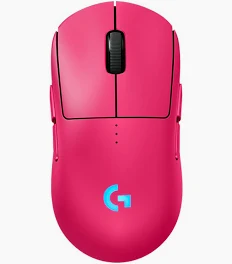
I picked up a G Pro X Superlight after watching pro streams
I watch streams from top Sudden Attack BJ players pretty often, and one day I noticed that most of them were using the Logitech G Pro X Superlight. At first, I assumed it was just a sponsorship thing, but the more I looked into it, the more I realized it was more than that.
There are a few reasons the G Pro X Superlight is so highly regarded among FPS players. For starters, it’s an ultra-light 61g mouse, so it puts a lot less strain on your wrist. That alone is a bigger advantage than it sounds like, especially during long sessions. It also uses the HERO sensor, and the feedback on its precision and crisp click feel was overwhelmingly positive. Anyone who plays FPS games knows how important click accuracy is when you’re trying to lock in your aim.
I bought one while still not completely convinced, but I could feel the difference as soon as I started using it. My wrist felt lighter, and my aim felt a lot more stable. Compared to my old mouse, the improvement stood out most when I was playing sniper positions where precise shots really matter.
One thing to keep in mind is that the G Pro X Superlight doesn’t have a dedicated DPI button, so you have to set it through G HUB. I didn’t know that at first, so I spent a while trying to figure it out. After digging through community posts, I also learned that you need to save it to the onboard memory, or the DPI resets after a reboot. Since a lot of players said 400 to 800 DPI works best for Sudden Attack, I locked mine at 600 DPI, and that ended up feeling just right.
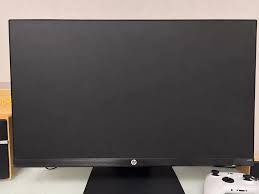
HP x24ih: I didn’t expect 144Hz to feel this different
Once changing my mouse started affecting my gameplay, I found myself paying attention to my monitor too. My old 60Hz display always felt like it was holding something back. So I switched to the HP x24ih, and honestly, I didn’t expect the gap to be this noticeable.
As for the HP x24ih specs, it comes with a 144Hz refresh rate, 1ms response time, an IPS panel, FreeSync Premium support, and 99% sRGB color gamut coverage. It gets a lot of praise as a value-for-money gaming monitor because the specs are so solid for the price.
The first thing I noticed after switching was just how much smoother everything looked. Going from 60Hz to 144Hz made enemy movement look much clearer and far less choppy. Since Sudden Attack supports up to 84FPS, I could take real advantage of what a 144Hz monitor offers. The 1ms response time meant there was barely any ghosting when tracking fast-moving enemies, and FreeSync Premium helped clean up frame stutter, so the overall experience felt much smoother.
The IPS panel’s wide viewing angles were another plus. Compared to VA or TN panels, there was no color distortion even when viewing from different angles, so enemies near the edges of the screen still looked clear. The anti-glare coating also helped reduce eye strain regardless of the lighting in the room.
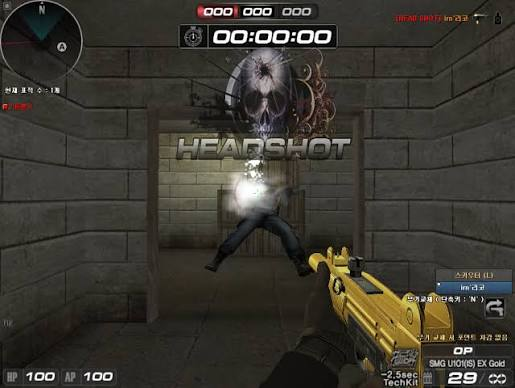
Once I dialed in the settings, my score changed too
After locking my G Pro X Superlight to 600 DPI and properly setting the HP x24ih to 144Hz, my aim felt much more stable. Before that, I would miss fast-moving targets all the time, but once my mouse sensitivity and monitor response were working together, my reaction speed felt noticeably faster.
The first change I really noticed after adjusting my setup was how much my K/D improved in deathmatch. I used to react a beat late whenever someone swung around a corner, but once the monitor response was faster and my mouse sensitivity felt consistent, handling those moments became much more natural. That was when I first really felt that a single setting could matter even more than pure skill.
Before changing my gear, I thought skill came before settings. Now I know your skill only really shows when your setup can support it. If you’ve been thinking about your Sudden Attack settings, start by checking your mouse DPI and monitor refresh rate. The difference will probably feel a lot bigger than you expect.
![[피크 챌린지] 퀘스트를 따라 걷는 여정, 메이플스토리가 '혼자 하기 좋은 MMORPG'인 이유](https://peak-file.nexon.com/uploads/20260628_0250_4f62a17d.jpg)
![[피크 챌린지] 게임 장르 : 변화의 양면성](https://peak-file.nexon.com/uploads/20260623_0247_194b432a.png)
![[피크 챌린지] 10년간 질리지 않은 게임! FC온라인!](https://peak-file.nexon.com/uploads/20260721_1025_e661014e.jpg)
![[피크챌린지]장수게임](https://peak-file.nexon.com/uploads/20260723_1055_91476f10.png)