Mobile Gaming Heat Management Tips (Feat. Galaxy)
팀쿡

Here are some tips for managing heat while playing mobile games.
During long gaming sessions, heat buildup can make your phone increasingly uncomfortable to use.
This heat also affects your battery’s lifespan, so managing it is important.
You can reduce heat by adjusting a few settings. Here’s how.
1. Gaming Hub App Settings
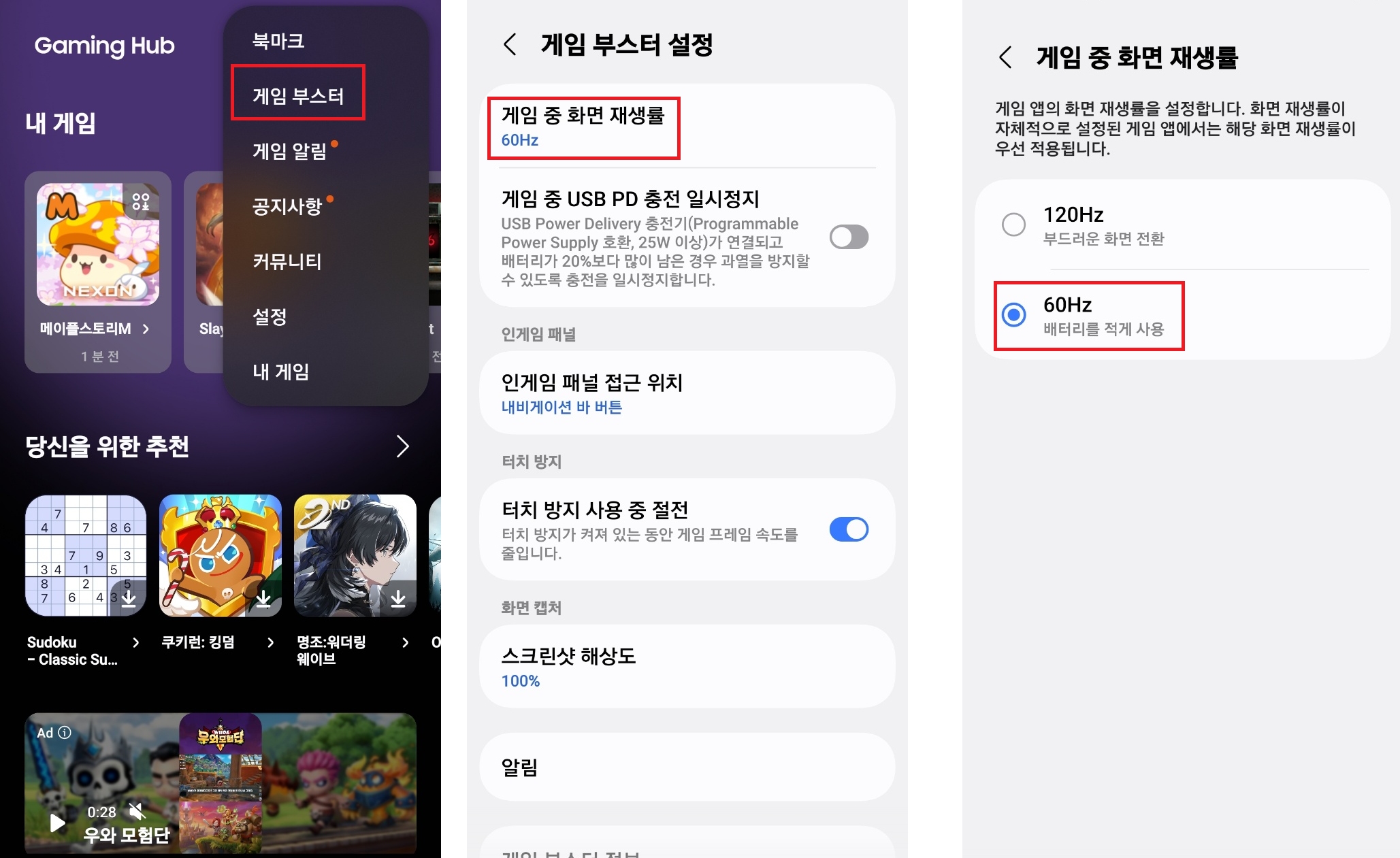
Go to Gaming Hub → Game Booster → Set the in-game screen refresh rate to 60Hz
-
This reduces battery use to minimize heat.
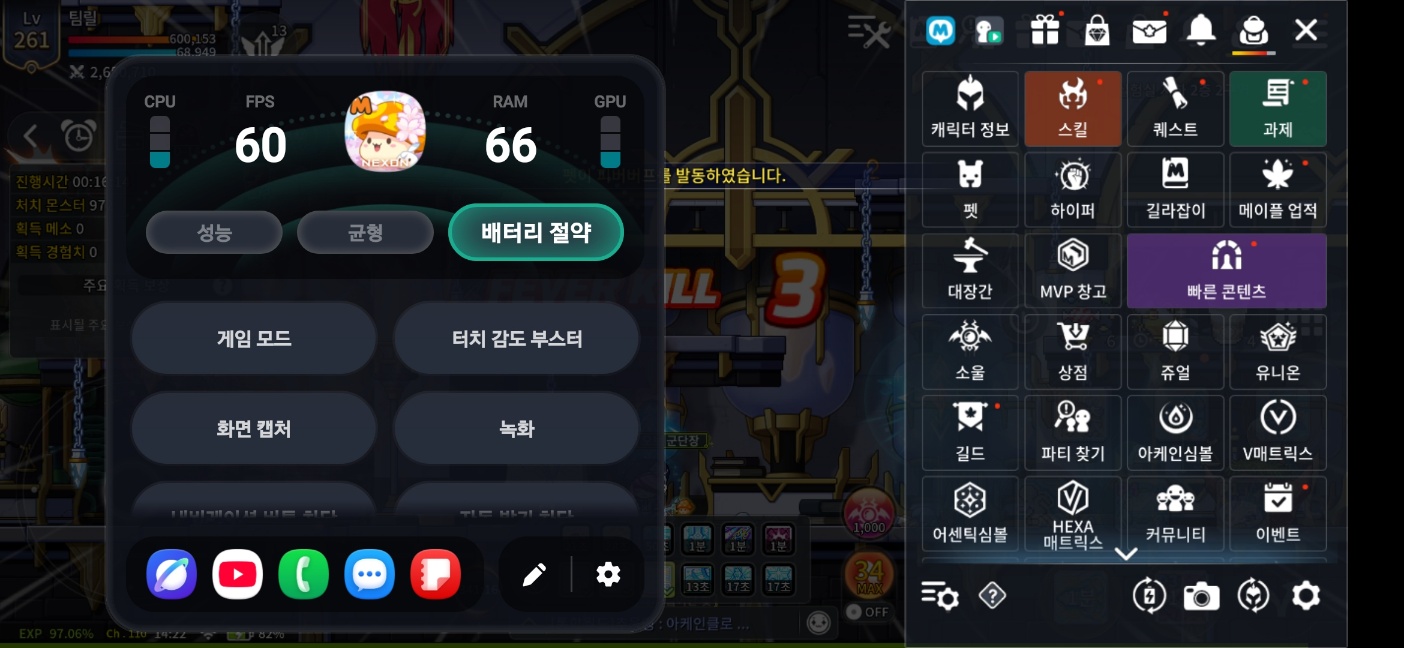
While playing a game, select the Gaming Hub icon in the navigation bar
→ Choose Battery saver from the Performance / Standard / Battery saver options
2. In-Game Performance Settings
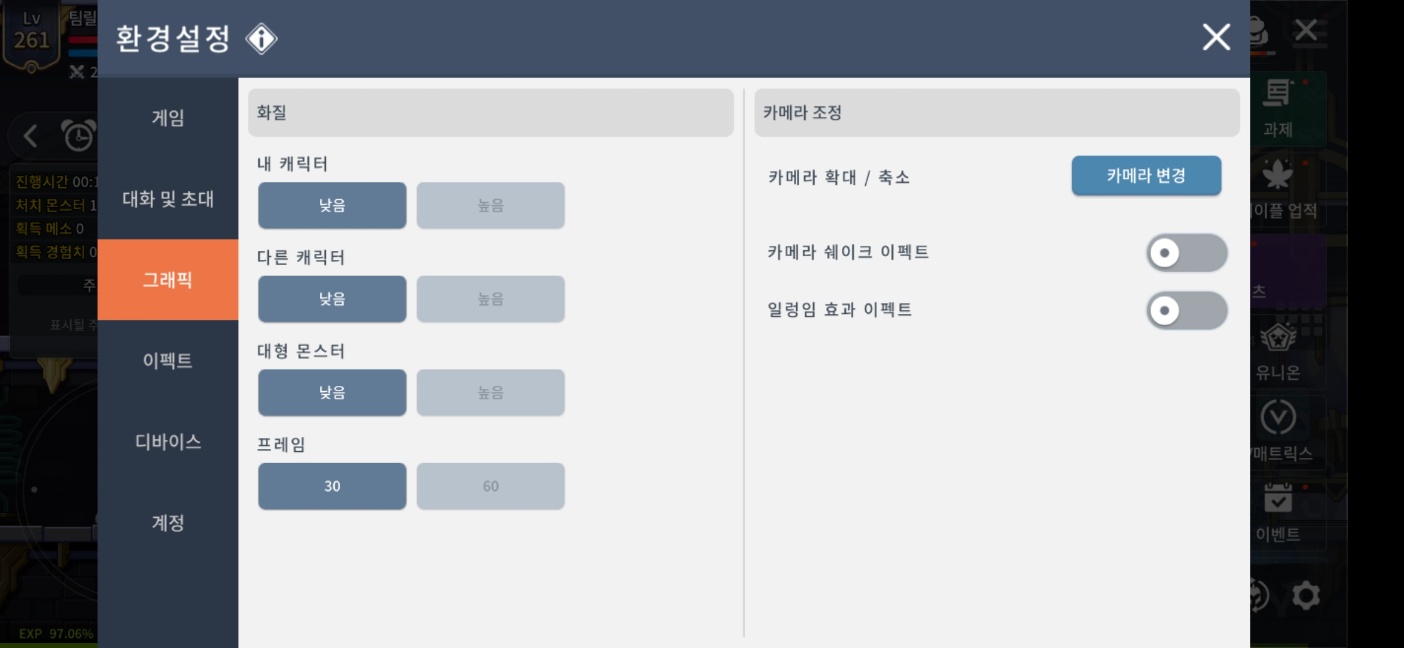
In Settings, turn off effects and set graphics to the lowest level
-
The game may look plain with fewer effects, but these adjustments help reduce heat.
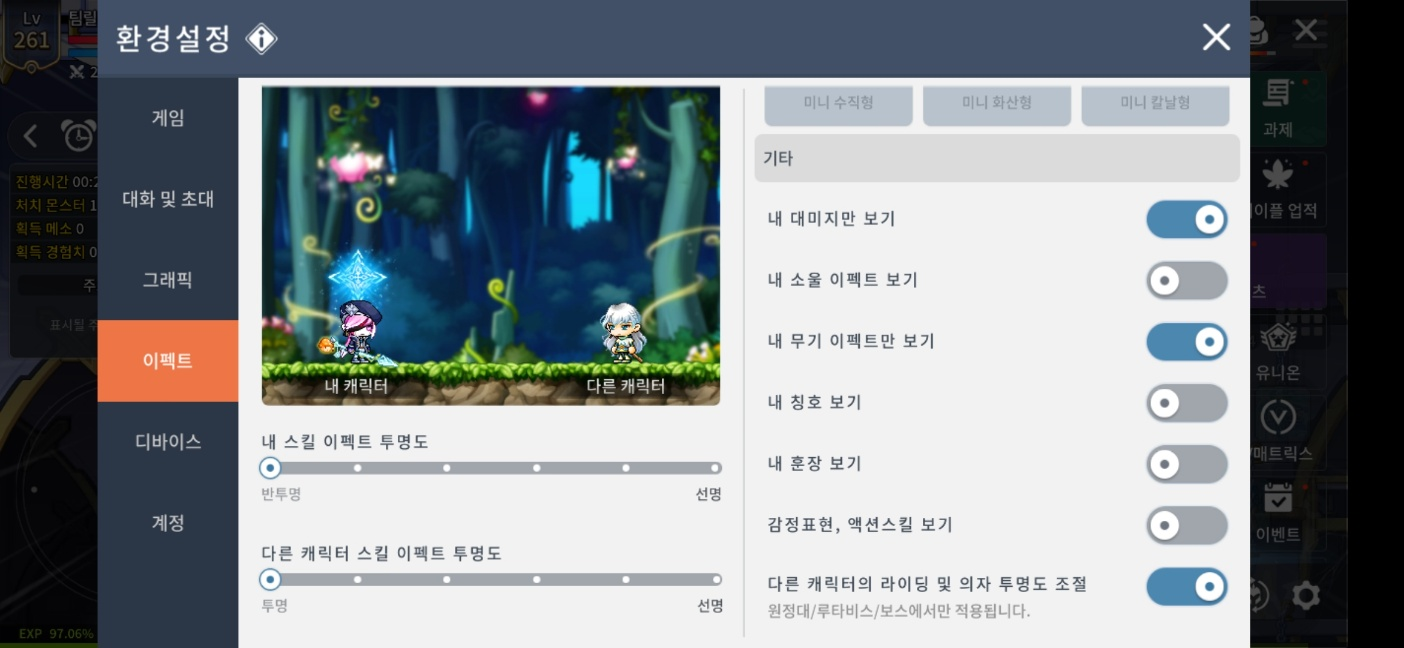
Set effects to transparent and choose to display only your own skill effects
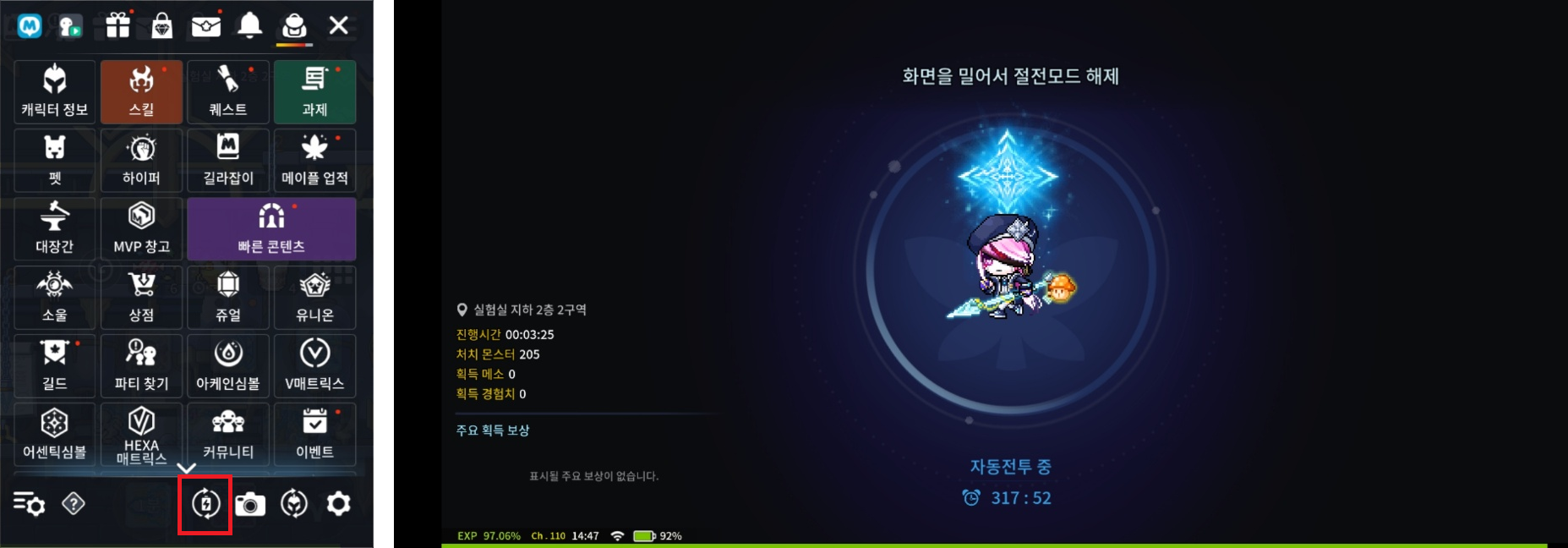
In MapleStory M, you can find Power Saving Mode at the bottom of the hamburger menu.
Power Saving Mode displays only essential information, making it a useful option for reducing heat.
3. Performance Settings Outside the Game
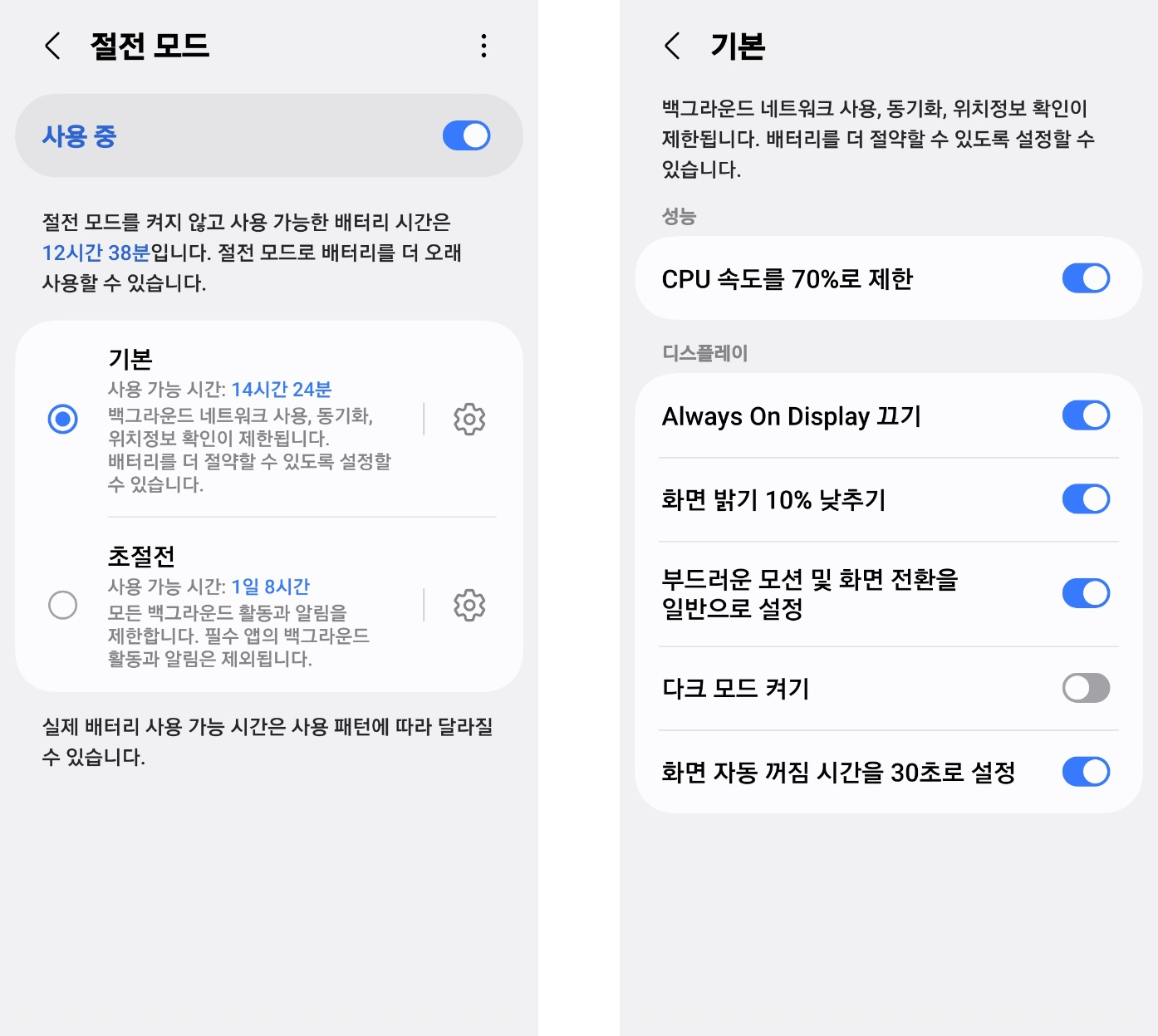
Enabling Power saving in your phone’s settings limits CPU speed.
Alternatively, Ultra power saving mode lets only permitted apps run, which helps manage heat.
Other options include using “Device care” to keep background apps to a minimum and lowering
the screen resolution.
Restricting performance across all these settings may lead to stuttering and frame drops during gameplay,
so aim for a balance between heat reduction and performance.