A Guide to Key Systems in MapleStory’s Official Menu
마빡도로시
Hello.
This article is a new player guide for those who are just starting the game.
MapleStory has an enormous amount of information to take in, so while considering which topic would be most useful, I realized that simply looking up what each option in the ESC menu does could feel overwhelming for someone just starting out.
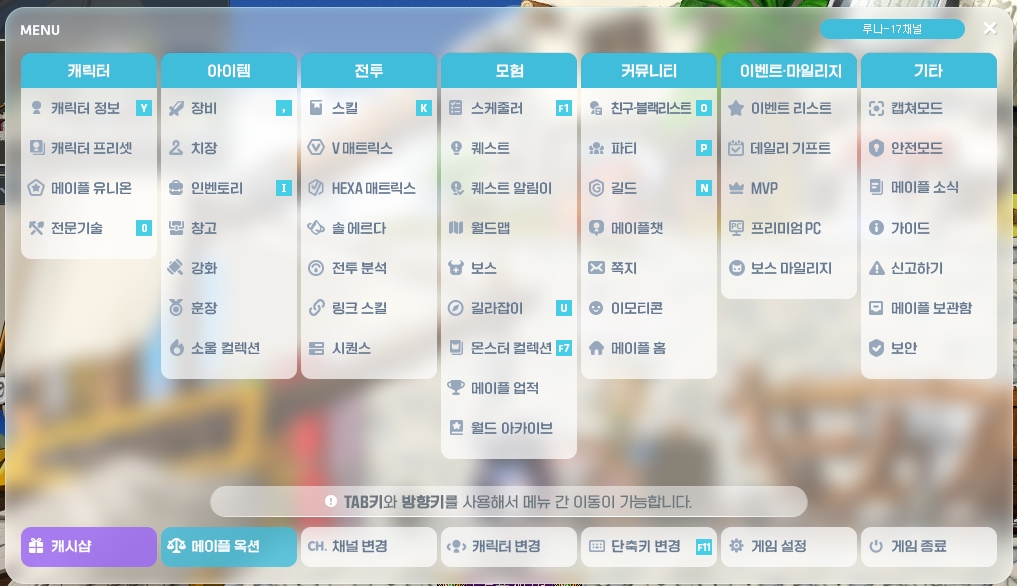
The options shown here were rearranged in a relatively recent UI overhaul and cover features that players need to know. This guide briefly explains what each menu does and the functions it offers, with related information included where useful.
Notes on the Maple Auction
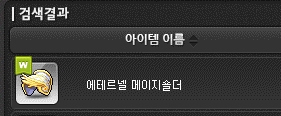

Because of this system, commonly referred to as the tariff, you cannot purchase items from other worlds between 9:55 AM and 10:05 AM.
[Character]: Character Info
You can check your character's Combat Power and other stats here, as well as configure Hyper Stats and Inner Ability.
-
Converted Stats
Alongside Combat Power, you will encounter metrics called "converted stats (equipment conversion/HEXA conversion/boss ratio)" across virtually every MapleStory-related platform, including in-game. Although these are unofficial metrics, players rely on them even more than official figures when attempting bosses, recruiting party members, planning upgrades, and assessing other aspects of progression, so they are important to understand. For example, searching for your class + boss + ratio makes it easy to find videos, posts, and other information from players with the same setup, e.g., "Can Ren clear Easy Kalos at 130%?"
You can check these metrics by entering your character name on the converted main stat website. The site also offers useful features tailored to your character, including recommendations for an efficient upgrade order and optimization tools for Hyper Stats, Legion blocks, and Link Skills, making it a valuable resource as you progress.
-
Custom Background
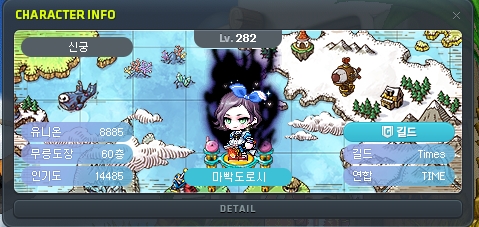
This changes the background behind your character, as shown above. The example is a World Archive reward, though backgrounds are usually event rewards based on the event's theme. Once obtained, they appear in a shared list accessible to all characters in the same world.
-
Custom Illustration

This feature lets you request an AI illustration of your character through the Custom Illustration tab in Quick Move.


Following an event-based beta test, this is now a permanent feature, with prices shown above. Since the illustrations are AI-generated, the first attempt may not produce the quality you want. You can choose to display saved illustrations in Character Info and story quests.
[Character]: Character Presets
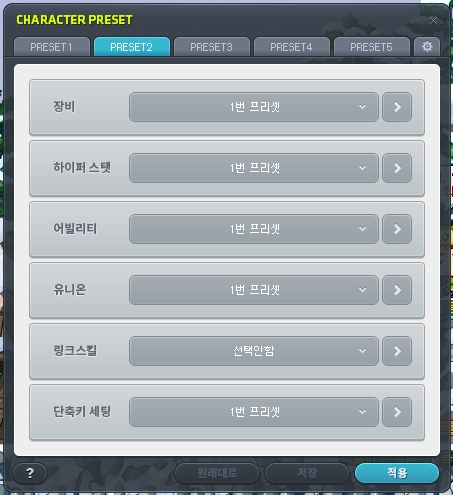
This menu lets you create presets by configuring each of the 6 categories shown above. Presets are mainly used to create separate setups for bossing and hunting, and you can rename each one in the settings tab.

Once your presets are applied, you can easily switch between them using the preset change key in your key bindings.
[Character]: Maple Legion

This system provides essential stats as part of what players often call foundational progression, with a focus on leveling multiple characters. Although it was once notoriously demanding, various events and other changes have made it considerably more manageable.
-
Maple Legion
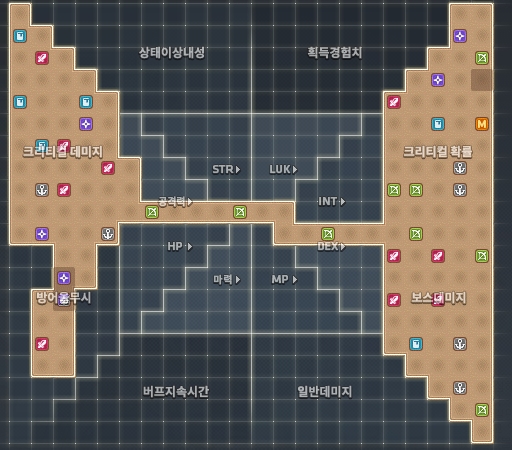
You obtain Legion blocks based on character level and place them on the raid grid to gain bonuses such as Boss Damage, Ignore Defense, Critical Rate, Bonus EXP, and Normal Monster Damage.
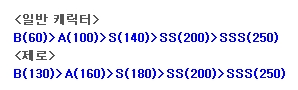
Your rank is based on the combined levels of up to 42 characters in the world and increases every 500 levels. Rank increases used to require Legion Coins, but now take effect immediately once you meet the level requirement.
As a new player, aim for 6000 first, then 8000. Taking advantage of Challengers World and other events can make these goals easier to reach than you might expect.
-
Legion Coins and the Legion Coin Shop

Once Maple Legion is unlocked, Legion Coins accumulate at regular intervals and can be collected through the UI. You can also earn them through weekly quests.
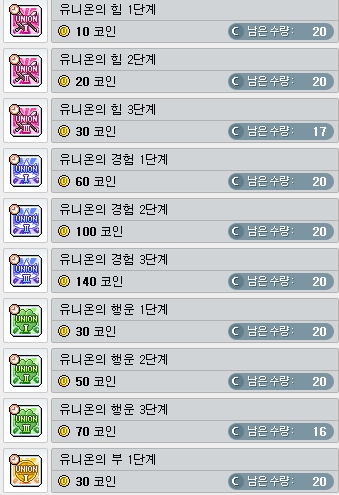
These coins are mainly used to purchase buff items. The terms "Legion Might/Luck/Wealth" refer to Legion's Might, which increases ATT and Magic ATT; Legion's Luck, which increases Item Drop Rate; and Legion's Wealth, which increases Meso Obtained.
-
Legion Artifact
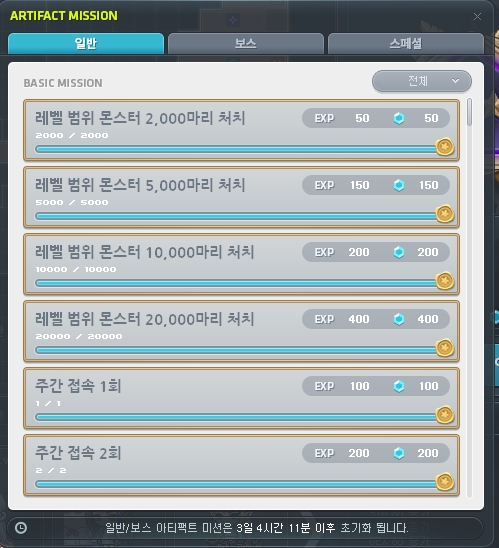
This feature also provides essential bonuses, granting world-wide stats as you level it up naturally through daily and weekly logins, weekly boss defeats, and similar activities. Completing certain achievements awards additional points, though these amounts are not particularly significant beyond the early stages, so pursue them as your circumstances allow.
-
Legion Champion/Champion Raid/Champion's Blessing
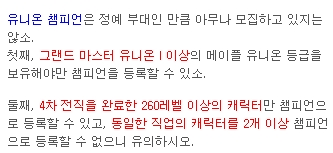
This content unlocks when your total Legion level reaches 8000 and involves developing sufficiently strong alternate characters to earn additional bonuses for those characters.
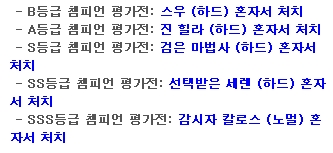
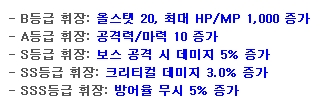
Completing the evaluation battle awards an insignia that grants stats. There are currently 4 slots available for registering Legion Champion characters, although the UI has room for 6. At release, it was stated that the pace of unlocking additional slots would depend on circumstances.
These characters can earn points through the Champion Raid, which resets every month. You can then spend those points on a temporary buff called Champion's Blessing.
[Character]: Professions
-
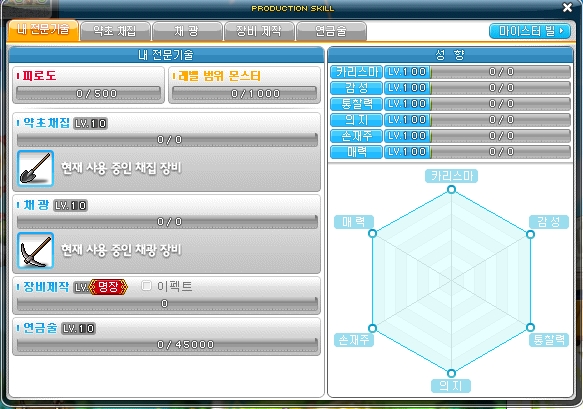
Ardentmill
In addition to Quick Move, this UI lets you travel to Ardentmill at any time. This is the location players mean when they use “ㅁㅂ” or “마빌” in chat to announce an MVP EXP buff.
-
Traits
Traits level up naturally as you play, to a maximum of level 100. They provide various benefits, but Insight's effect is equivalent to increasing Final Damage, so it should be your highest priority. Using 9 Trait Boost Potions from event coin shops will bring a trait to level 100. Another option is the Welcome Maple Package, which costs 9,900 Cash and resets every 6 months; it contains a potion that raises all traits to level 100 in a single use.
-
Herbalism/Mining
These activities are currently unavailable in field maps and can only be done in Ardentmill's dedicated farm areas. Juniper Berry Seed Oil is particularly expensive because it is used to make Wealth Acquisition Potions.
-
Smithing/Alchemy
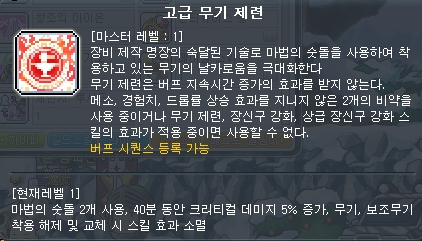
Smithing is popular mainly for the skill shown above, which unlocks at Meister rank, while Alchemy is popular because it allows you to extract equipment starting at level 6. Equipment extraction can yield Superior Item Crystals.
Patrick de Blanc, an NPC who occasionally appears after you defeat Root Abyss bosses, has a random chance to offer profession coupons for sale. Each coupon guarantees a 1-level increase up to level 10, so you can take your time leveling these professions.
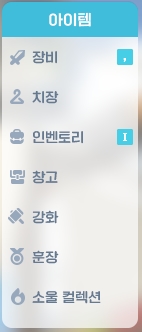
[Item]: Equipment
This opens the equipment window, where you can also use equipment presets. Players occasionally report that equipment has disappeared while using presets; if this happens, check each preset carefully.
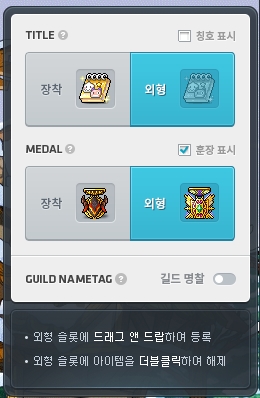
The menu in the lower-left corner lets you choose whether medals and titles are visible, which medal and title provide your stats, and which ones are displayed for their appearance.
[Item]: Cosmetics
This works much like the equipment window, except that it is used to equip cosmetic items. The same caution about presets applies here.
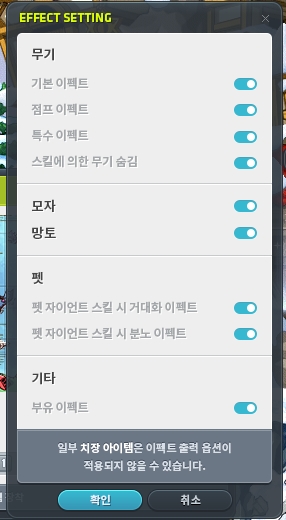
You can toggle various effects on or off to suit your preferences, as well as adjust weapon animations.
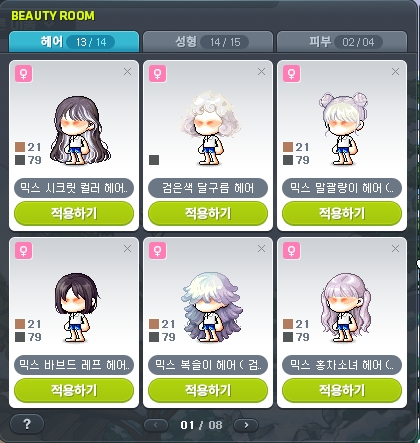
You can also access the Beauty Room to store hairstyles and faces, and manage android cosmetic equipment and damage skins here.
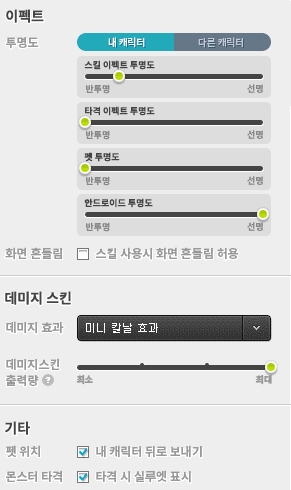
Various cosmetic settings are available in the Effects tab of the game settings.
[Item]: Inventory


This opens your inventory, which also provides access to the menus shown above and to storage. Bags and similar items help keep your inventory organized; this link leads to an article I previously wrote on the subject.
The shop becomes available when you equip an android of a certain rank or higher. Rewards earned through cross-world boss content appear in the Boss Rewards tab.
Mesos are now shared across all characters in the same world, so your balance is identical regardless of which character you log into. Returning players should keep this in mind, as some reportedly spend mesos after mistaking the shared balance for funds left on an alternate character.
[Item]: Storage

This opens your storage. You may occasionally encounter the term "storage preservation," which refers to placing a time-limited item in storage, as shown above, so that its appearance remains there after it expires. Be careful: pressing Retrieve All removes these preserved items.
[Item]: Enhancement
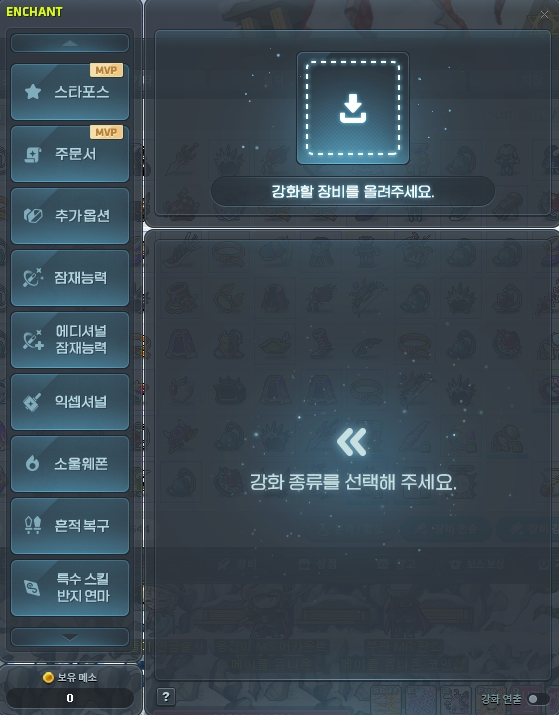
Every type of enhancement available in MapleStory can be performed through this UI.
[Item]: Medals
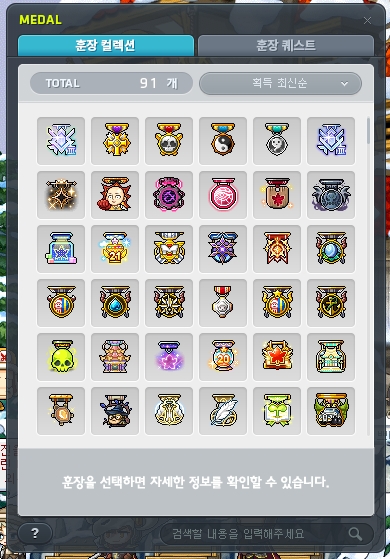
Medals obtained through quests, events, and other sources are stored in this UI.

If a medal you previously earned is no longer in your inventory, you can have it reissued for a small meso fee, as shown here.
[Item]: Soul Collection
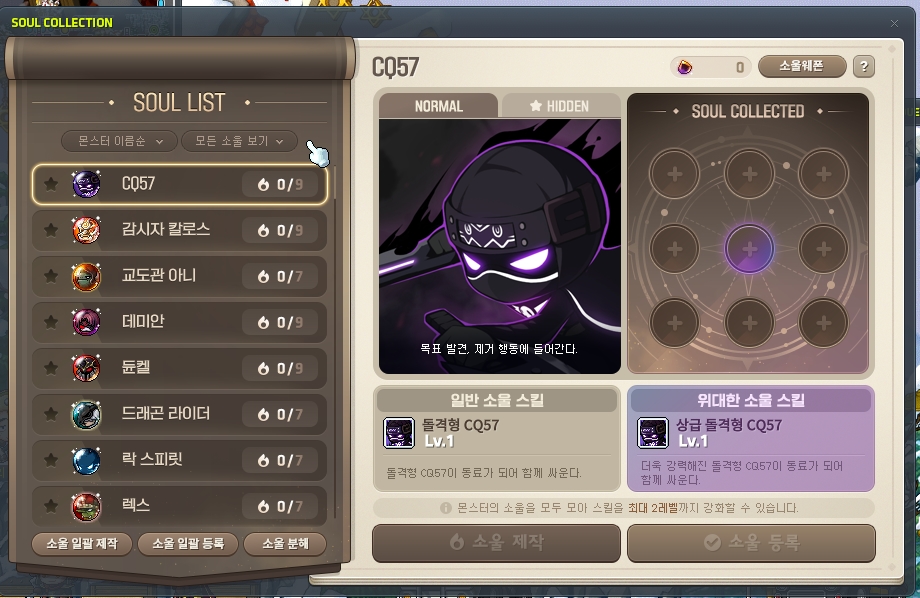
Soul Shards obtained from boss monsters are stored in this UI rather than in your inventory. The collection on the right lets you register completed souls, though this feature is rarely used in practice. Completing a boss's collection reveals a hidden illustration, but these illustrations can also be found online.
-
Soul Crafting
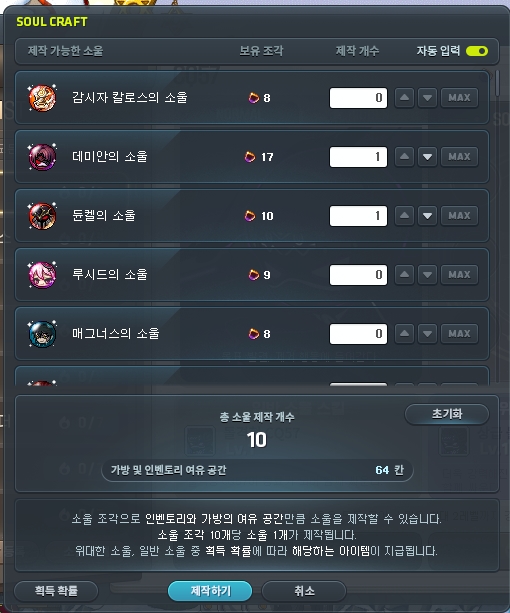
You can craft 1 soul with 10 Soul Shards. Only souls with the highest-tier "Magnificent" prefix are tradable; all others are untradable.
The chance of obtaining a Magnificent Soul is 1%, rising to 5% during Sunny Sunday events that multiply the rate by 5. Players therefore generally save their shards and wait for one of these events to craft souls.
-
Soul Enchanters and Magnificent Souls

Using a Soul Enchanter on a weapon adds a slot for equipping a soul. Soul Enchanters are now readily available from NPC shops.
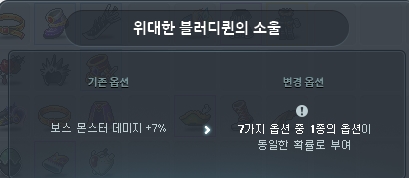
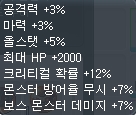
Each soul offers stats, but those with the Magnificent prefix are the ones used in practice. Equipping a Magnificent Soul on a weapon grants one of the random stats shown above, with ATT/Magic ATT 3% being the usual target. Since the result is random, obtaining ATT/Magic ATT can take quite a while if you are unlucky. Prices drop on the day of the Sunny Sunday event, making that a good time to try.
These stats are identical for all bosses from Crimson Queen through 유피테르 in terms of boss difficulty. Only the appearance differs, so using a Magnificent Crimson Queen Soul does not put you at any statistical disadvantage.
Rewards from sources such as the Genesis Pass sometimes include souls with a guaranteed ATT/Magic ATT 3% stat.
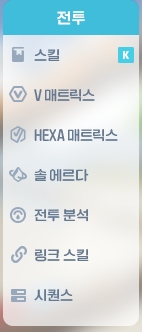
[Skill]: Skills/V Matrix/HEXA Matrix/Sol Erda
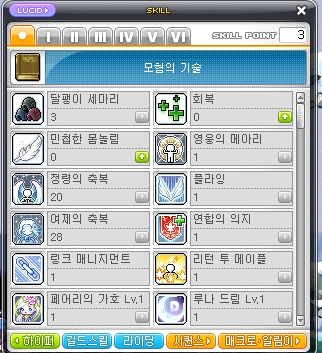
Event skills appear under beginner skills, while the tabs for each job advancement contain the corresponding skills.
The V Matrix becomes available after the 5th Job Advancement at level 200 and uses Nodestone-type items as its currency. A recent update changed it to a point-based system.
The HEXA Matrix becomes available after the 6th Job Advancement at level 260 and uses Sol Erda and Sol Erda Fragments as its currencies.
Skill information varies considerably by class, so you will need to study resources specific to your chosen class.
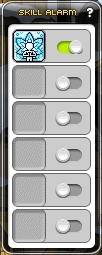
Registering a skill through the notification button in the skill menu enables a notice on the right side of the screen when that skill's cooldown ends.
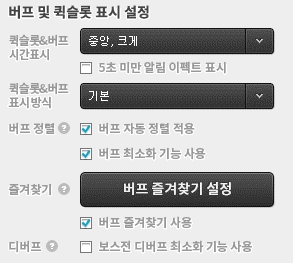
Various skill-related settings are available in the UI tab of the game settings. Enabling buff sorting organizes the buffs in the upper-right corner of the screen by type.
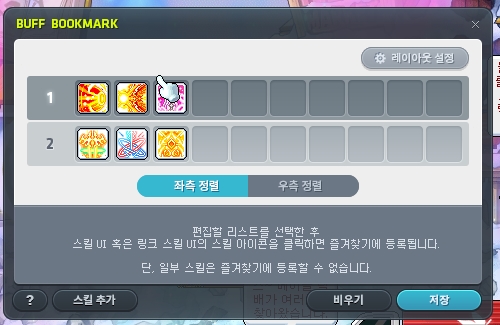

Registering skills as buff favorites adds a separate, movable UI, as shown above.
[Skill]: Battle Analysis
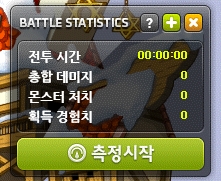

This feature records combat in your current map and shows each skill's share of your damage. Recording stops when you change maps.
[Skill]: Link Skills
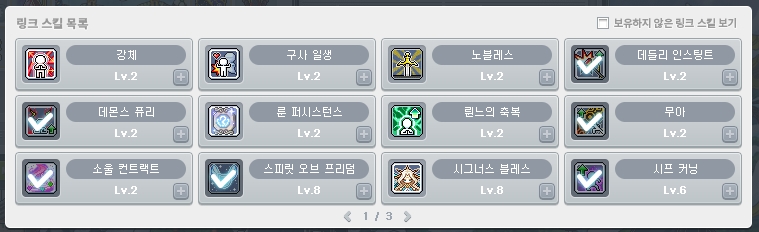
These class-specific skills can be applied to multiple characters once obtained, and they also support presets. Their substantial stat bonuses make them essential. You can equip up to 12, with separate setups used for hunting and bossing.
You will obtain these naturally as you develop your Maple Legion. Link Skill level 1 unlocks at character level 70, level 2 at 120, and level 3 at 285, so level 2 is the practical initial goal.
[Skill]: Sequences
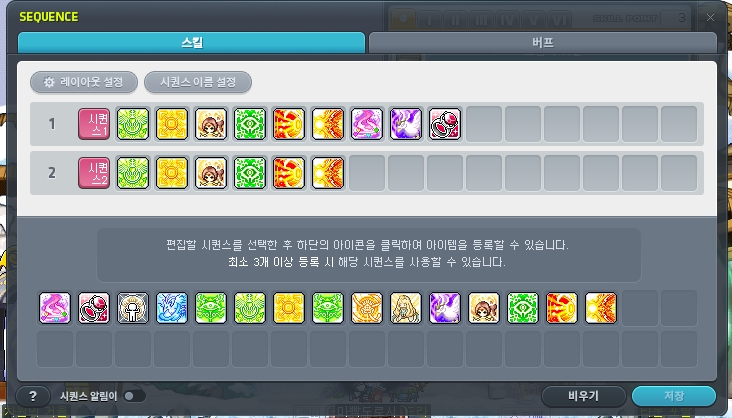
This feature is also accessible through the skill UI and is divided into skill and buff sequences. Activating a sequence uses everything registered to it in rapid succession, making it one of the most essential features to use.
You can purchase items directly from the buff sequence window, but note that instant purchases of Fish Pastry, 마슈르, and Super Power buffs use Maple Points.
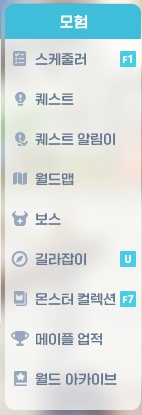
[Adventure]: Scheduler
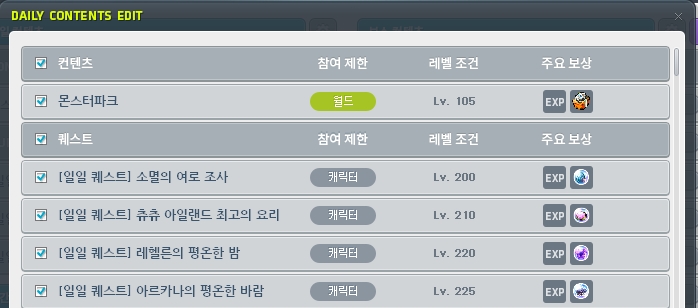
The Scheduler lets you view all daily, weekly, and monthly quests, accept and complete them in bulk, and travel to the relevant content. Its convenience makes it an interface you will use frequently.
[Adventure]: Quests/Quest Notifier
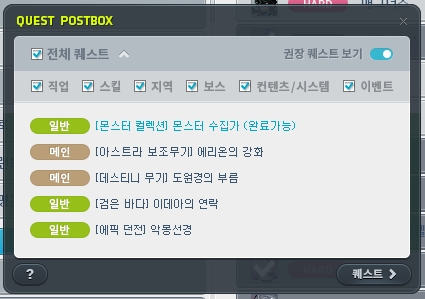
This menu lets you view the various types of quests available.
Regional quests below level 200 currently have limited practical value unless you are leveling a character below 200 without an event or working on achievements. However, several revamps have streamlined both their progression and their stories, so they are worth trying when you have some spare time.
Regional quests for Arcane River and Grandis at level 200 and above can currently all be skipped, except for 기어드락, the highest-level region at present.
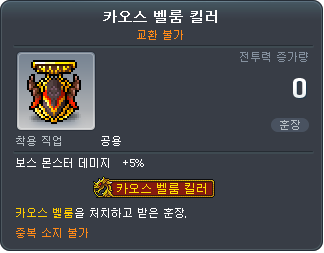
You can use this UI to accept quests such as Echo of Hero, depending on your class. Be sure to complete the Root Abyss quests for defeating Chaos Vellum/Pierre/Von Bon/Crimson Queen at least once: each currently requires only 1 defeat to claim its reward, making these an easy source of medals with good stats.
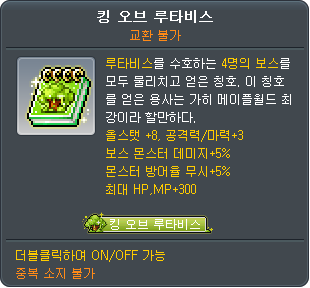
After obtaining all 4 medals, you can claim the permanent title shown above, which is useful if you have no other title.

Events sometimes award permanent titles with stats like those shown above. If you do not have one of these, the King of Root Abyss title shown above is an alternative for characters such as your alts.
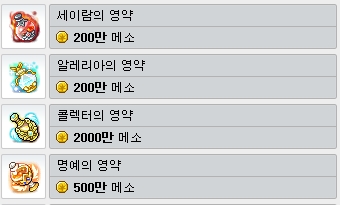
Completing the Collector quest also makes those buff potions available to purchase at any time.
[Adventure]: World Map
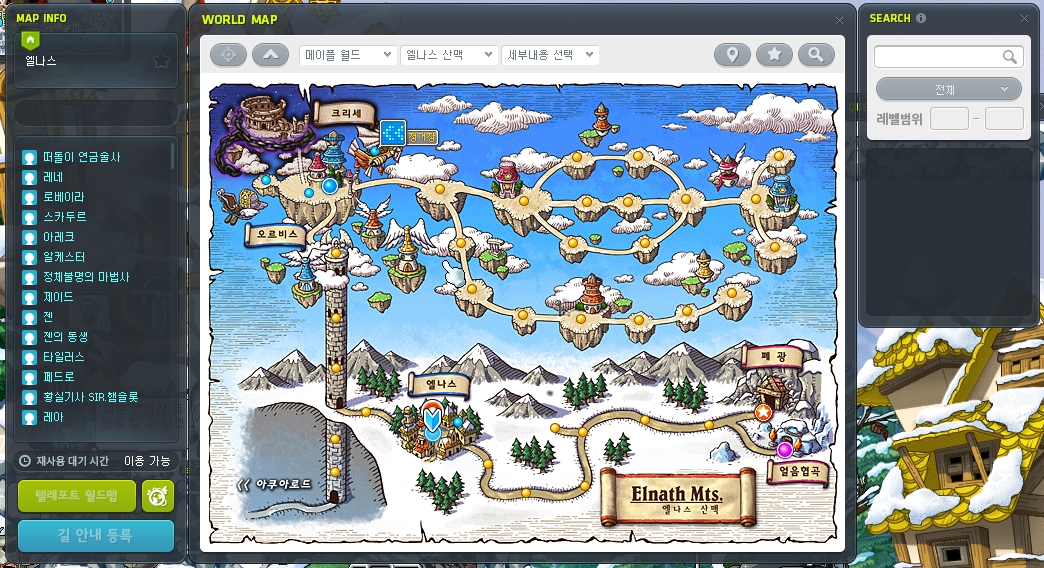
You can search for NPCs, monsters, and other entries here, and double-click a map to teleport to it.
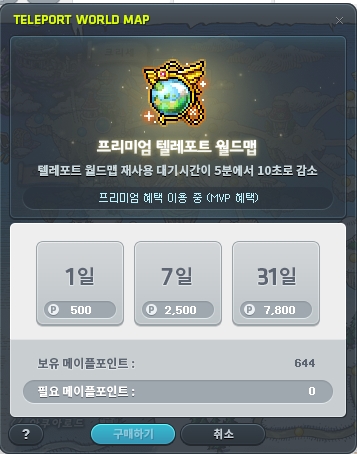
The default teleport cooldown is 5 minutes, reduced to 10 seconds while the premium benefit shown above is active. Available through MVP benefits, events, and other sources, this benefit is essential when working on Artifact area missions, World Archive, and similar activities.
[Adventure]: Bosses
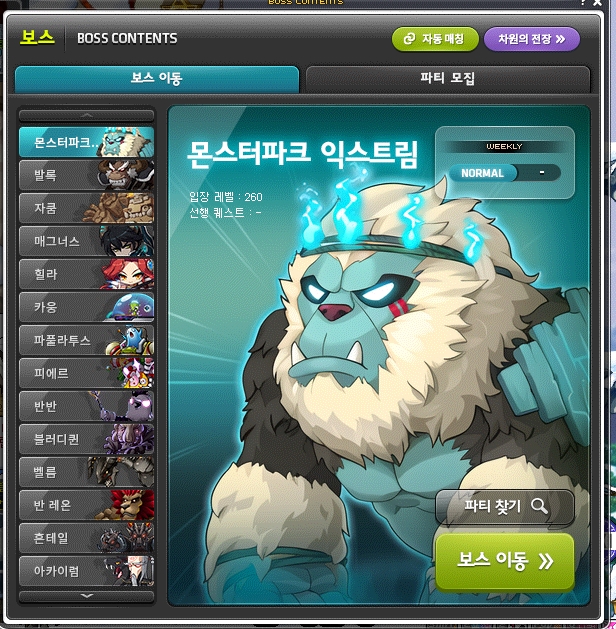
You will generally enter boss encounters through the Scheduler, so you are unlikely to use this UI for travel very often.
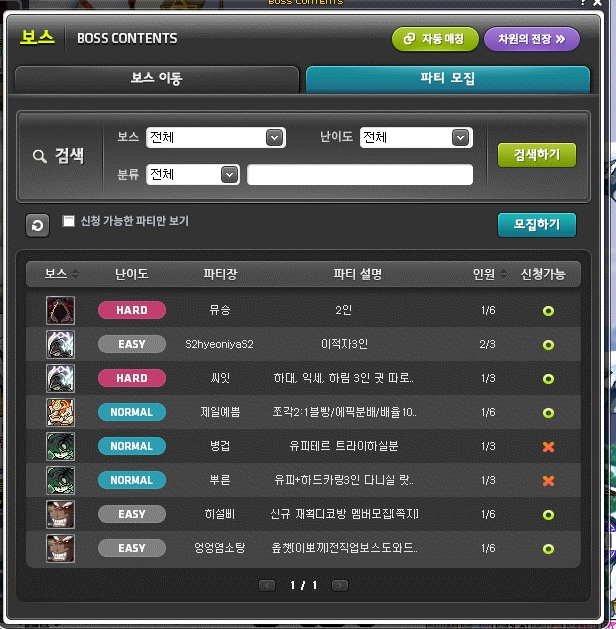
You can recruit party members here, though recruitment is reportedly more active in open KakaoTalk chat rooms or on Discord.
[Adventure]: Maple Guide
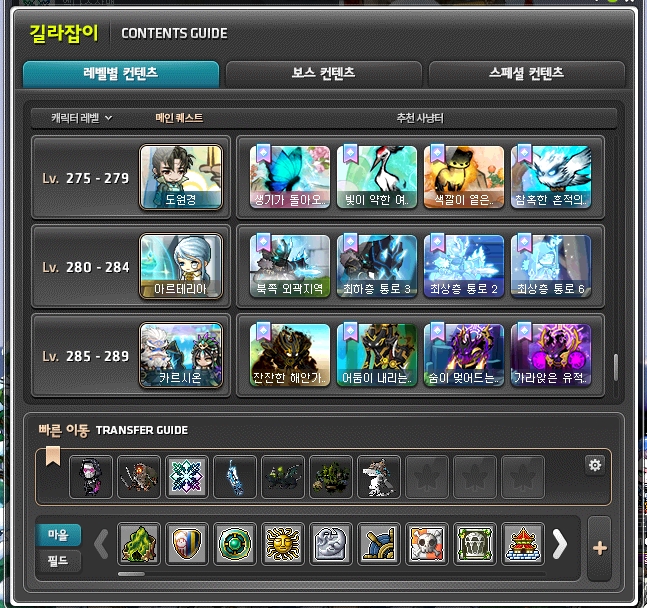
Click a hunting area or region appropriate for your level to travel there. You can also register hunting areas in Quick Move, while right-clicking the square buttons shown above opens the World Map for the corresponding region.
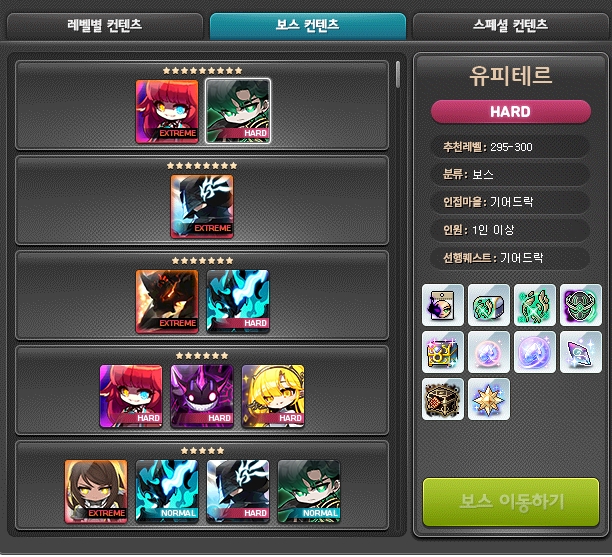
The Boss Content tab shows the official boss tiers and the items each boss drops.
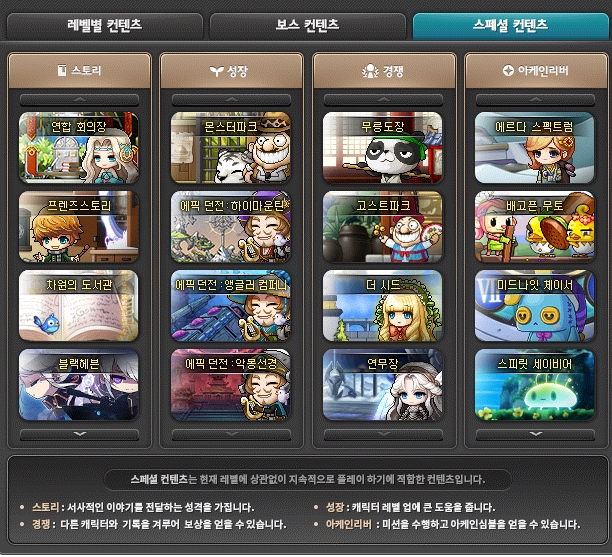
The Special Content tab lists the activities shown here. Since growth content and Arcane River weekly content are accessible through the Scheduler, the main remaining uses for this tab are story and competitive content.
Story content is optional unless it interests you, and the same currently applies to competitive content. None of the four activities needs your immediate attention as a new player. Realistically, The Seed and Ghost Park remain low priorities even later on..
[Adventure]: Monster Collection
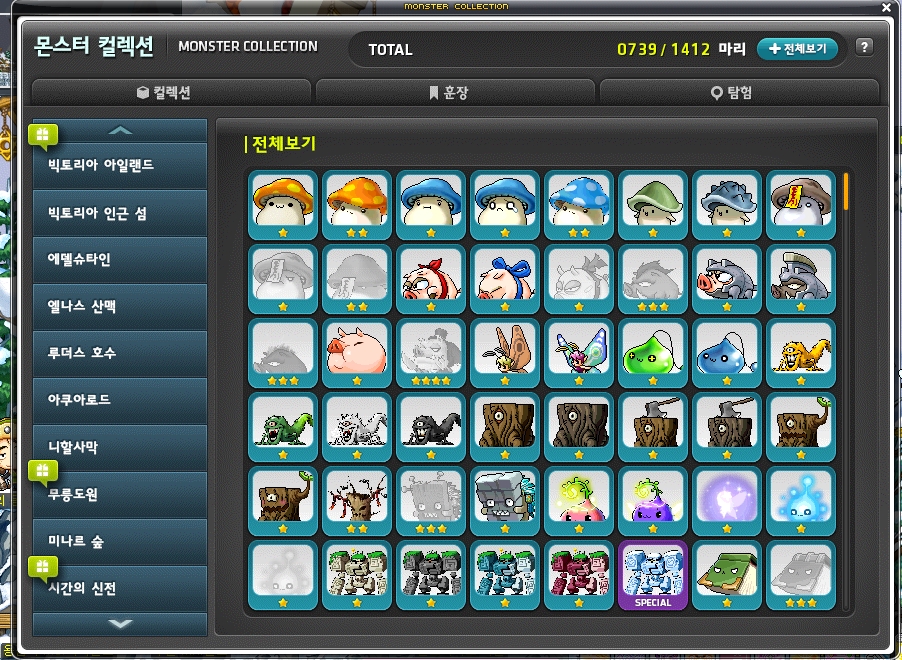
Monster Collection is a collection feature in which each monster you defeat has a chance to be registered. It offers no rewards that meaningfully improve your stats, so you can leave it until later if it interests you. Rewards include medals and cube chairs.
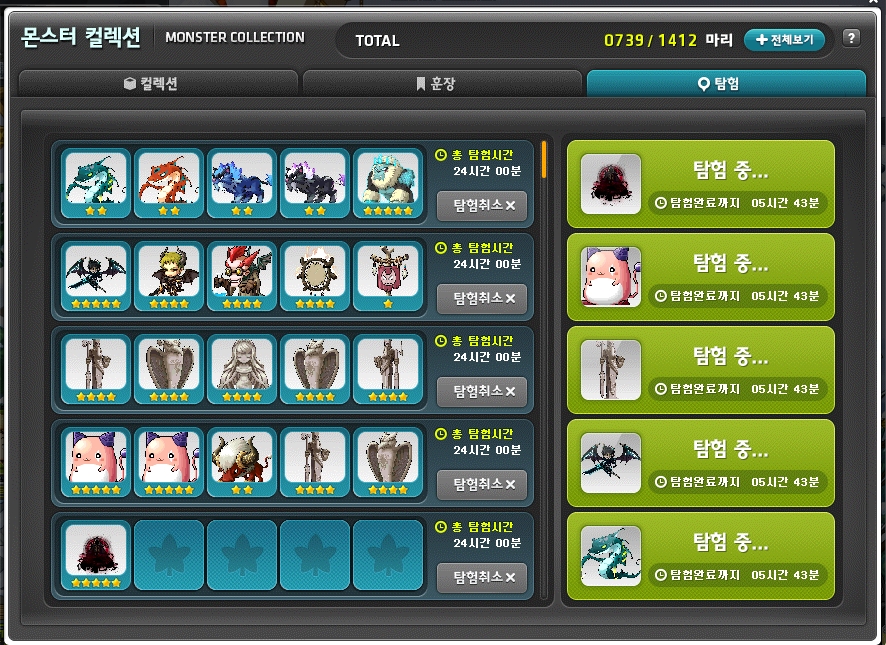
Completing certain rows does, however, allow you to send those monsters on explorations, as shown here. All 5 exploration slots unlock once you have registered 600 monsters. The Substantial Exploration Box provides rewards once every 24 hours, including Reward Points and trait-related items, so explorations are useful to have available.
If you decide to work on the collection later, look out for Sunny Sunday events that occasionally double the Monster Collection registration rate.
[Adventure]: Maple Achievements
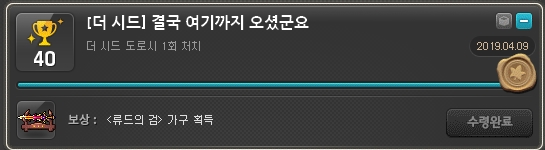
Maple Achievements likewise offers no stat-related rewards and exists purely for completing achievements. There are numerous objectives across hunting, bossing, and other content, with requirements ranging from easy to nearly impossible.
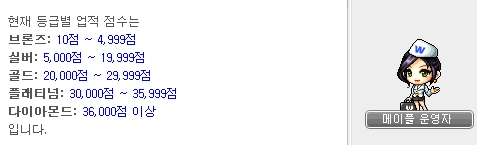
Achievement scores determine your rank, as shown here, but there are no stat-related rewards. You can leave this until later if it interests you.
The Ryude's Sword furniture shown above is a display item for Maple Home, which I will cover below. Some achievements award Maple Home furniture like this.
[Adventure]: World Archive
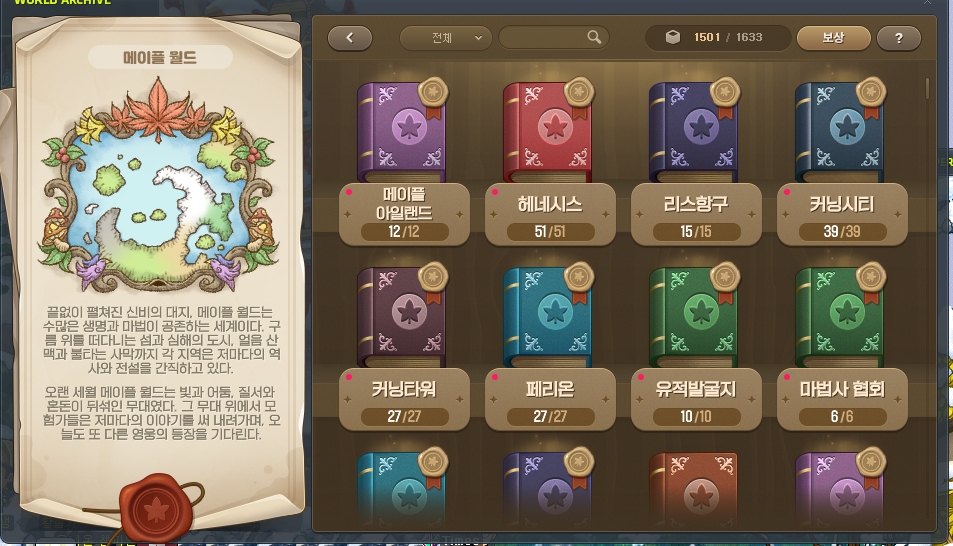
World Archive also has no effect on your stats, but requires much less effort than Monster Collection. You collect investigation records by defeating each monster once or clicking each NPC once.
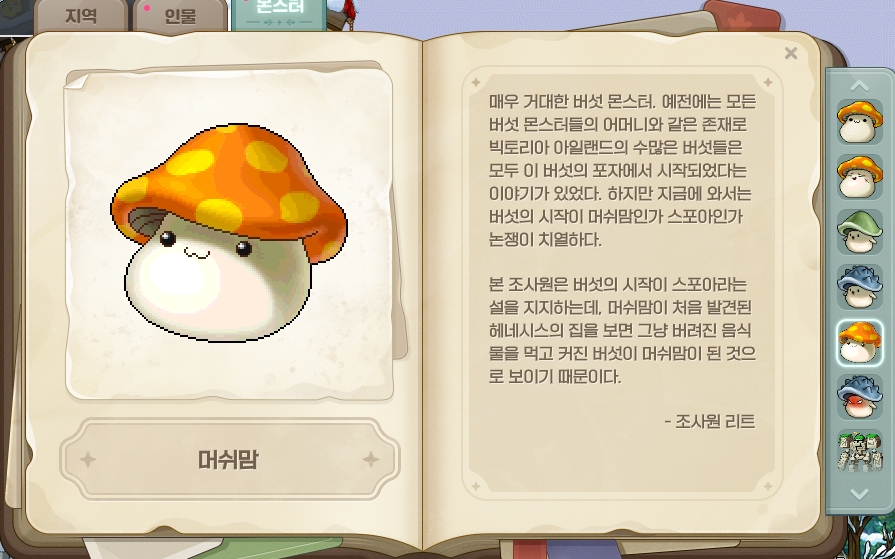
Registering a record lets you view information about the monster or NPC, much like the old Maple Book. Collection rewards include custom backgrounds, chairs, Maple Home furniture, and character selection screens.
You can currently collect records for Victoria Island and Arcane River, with Grandis planned for a future addition. New players do not need to work on this right away.
[Community]: Friends/Blacklist/Party
You can currently add up to 200 friends. Adding someone to your blacklist applies the effects shown below.
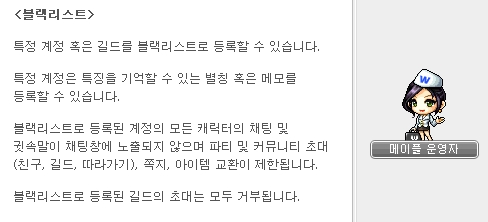
Parties are currently not used for hunting at all and are mainly used for boss encounters.

Options to appear offline or log in privately are available both here and at login. Enabling them makes you appear offline in the friends window even while connected. Be careful if you belong to a guild, however: the guild treats this exactly as though you have not logged in, so you could be mistaken for an inactive member and removed. To avoid this, briefly uncheck the option after logging in offline.
[Community]: Guild
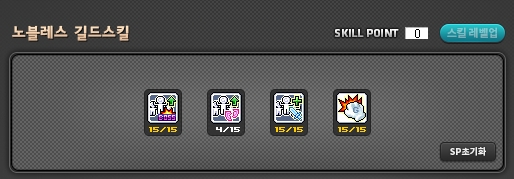
Although guilds are intended for socializing, Noblesse Guild Skills play a somewhat larger role in MapleStory. Guild content that resets weekly awards Guild SP, which lets you use guild skills with substantial stat bonuses.
Underground Culvert, Flag Race, and weekly points all contribute to this, but outside Challengers World, guilds often only require participation in Underground Culvert. Each run takes just a few minutes, so remember to participate every week according to your guild's rules.
In addition to the Noblesse skills above, guild passive bonuses are close to essential. Even if you are not interested in socializing, many guilds exist specifically for these stat benefits, so I recommend finding one to join.
Guild Castle was introduced as a social feature to balance the emphasis on the benefits described above, and it does not affect your stats. All withdrawals from guild storage are recorded.

This option lets you choose whether to receive notifications when other guild members log in.
[Community]: Maple Chat
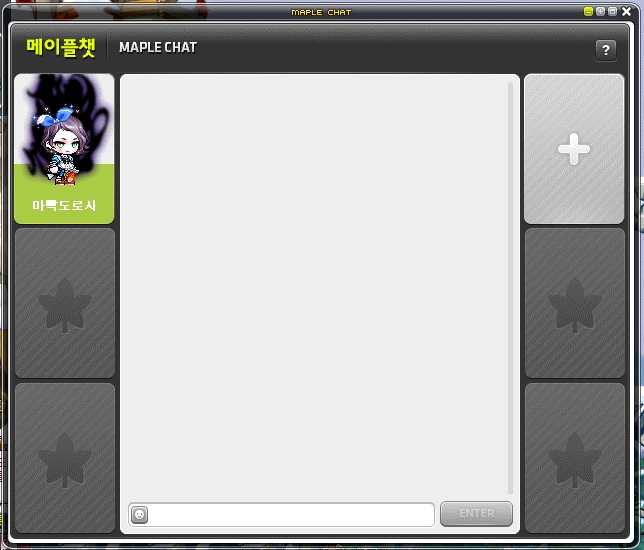
This chat room feature supports up to 6 participants.
[Community]: Notes
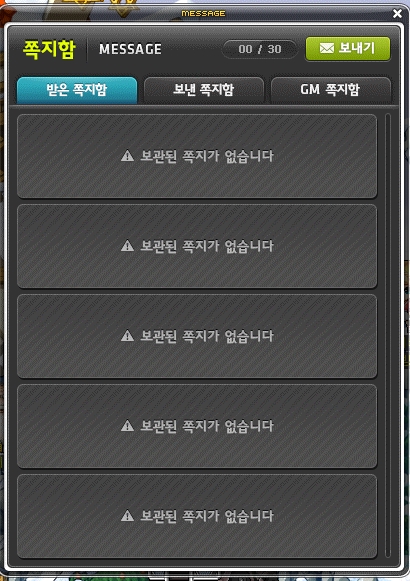
This opens your inbox, where notes are kept for a maximum of 30 days. Check it when a notification appears on the light bulb on the left side of the screen.
[Community]: Emoticons
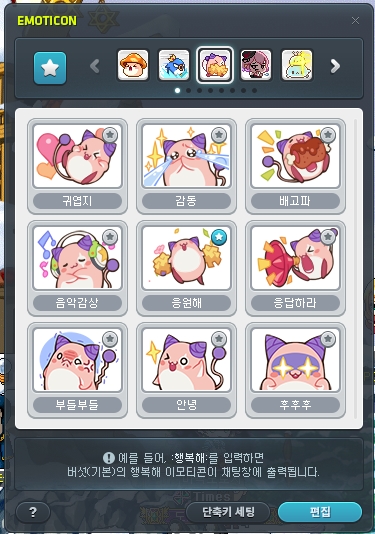
This menu contains emoticons for use in the chat window. As explained above, you can also enter them directly in chat using a colon (:).
[Community]: Maple Home
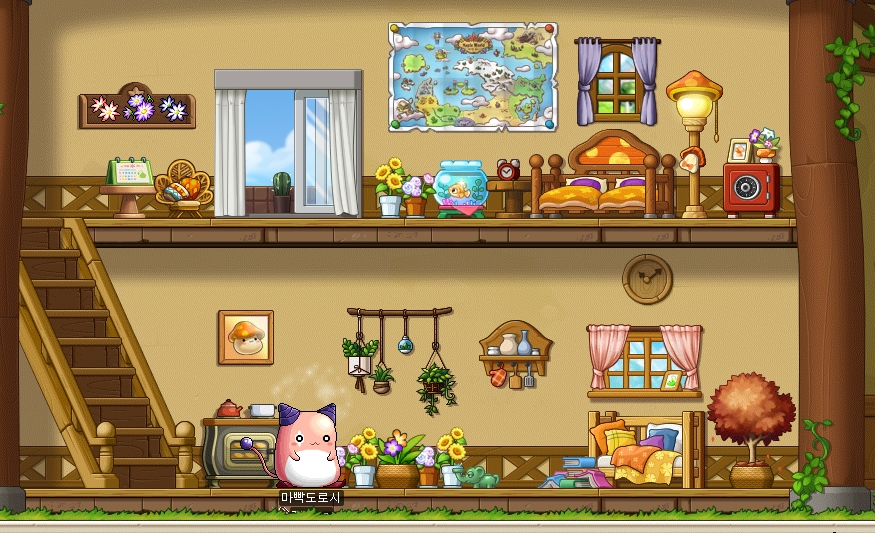
This cosmetic feature becomes available from Spiegelmann at level 260. You receive an empty house to decorate with Maple Home furniture obtained through events, Maple Achievements, and other sources. It has no stat-related elements and has received regular updates since release.
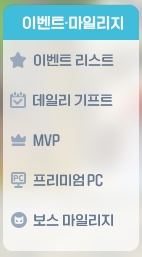
[Events/Reward Points]: Event List
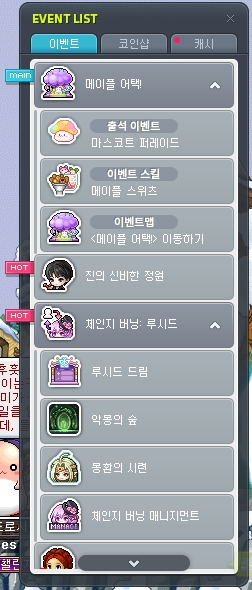
You will usually open this UI through the  star-shaped icon on the left side of the screen rather than through this menu. It displays all ongoing events at a glance, and several rounds of improvements have made it convenient to use.
[Events/Reward Points]: Daily Gift
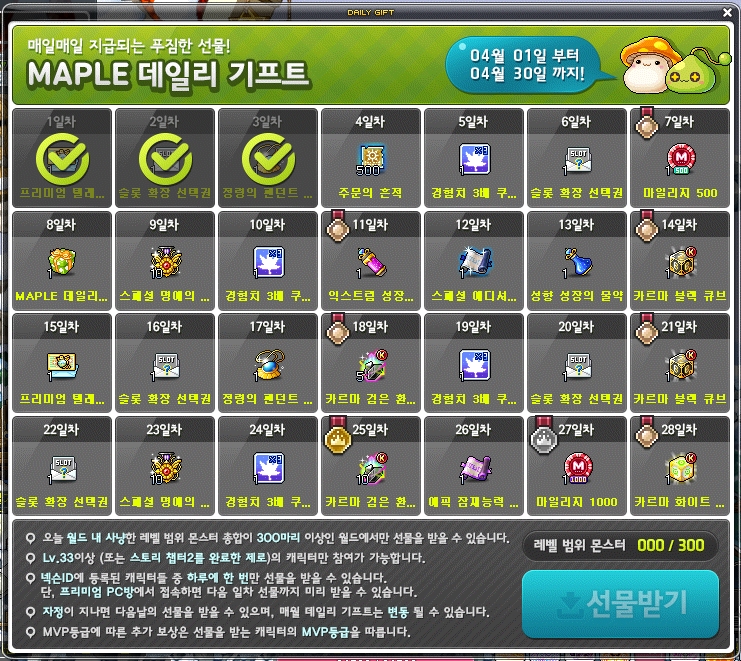
This permanent event lets you check in each day after defeating 300 monsters within your level range, with rewards for up to 28 days of attendance each month. Rewards marked with a medal icon come in additional quantities depending on your MVP rank.
These rewards are useful for existing players, but many, including Character Slot Expansion Coupons, are especially valuable for new players, so try to participate every day. At a PC café, you can receive credit for two days of attendance. Keep in mind that in a month such as February, missing even one day can make full attendance impossible.
[Events/Reward Points]: MVP

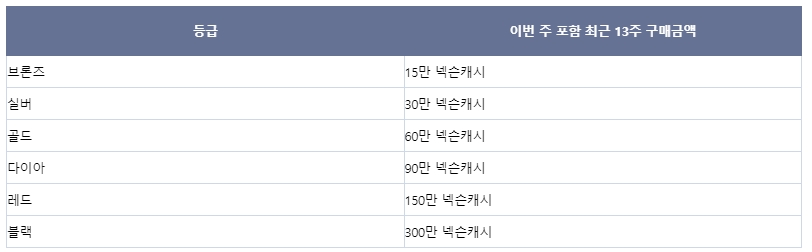
Your MVP rank updates weekly based on the amount of Nexon Cash spent over 13 weeks. Starting at Red, you receive valuable benefits such as Quick Passes for daily and weekly content and free Monster Park entries up to the daily maximum.
[Events/Reward Points]: Premium PC
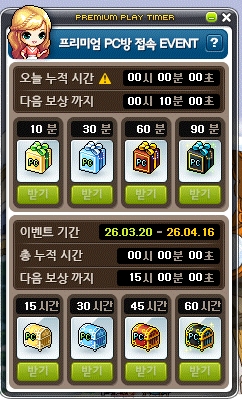
This monthly Premium PC Café login event is accessible through  in the event notifier.
Rewards change each month, and a PC café-exclusive gift shop event also runs during the major summer and winter event seasons.
[Events/Reward Points]: Boss Reward Points

You can collect Reward Points after defeating bosses. Adding this option to your Quick Menu makes it easier to access.
-
Daily bosses: 30 Reward Points
-
Weekly bosses below Grandis: 200 Reward Points
-
Weekly bosses from Grandis onward: 400 Reward Points
-
Monthly bosses: 1000 Reward Points
You can accumulate up to 10,000 Reward Points per day and 50,000 per month. The 700 daily Reward Points available through MapleStory M are separate from these limits.
Reward Points can only be credited once per boss per day. For example, if you defeat Hard Magnus with character A on the 1st and credit the points, you must wait until the following day to credit points from another Hard Magnus defeat.
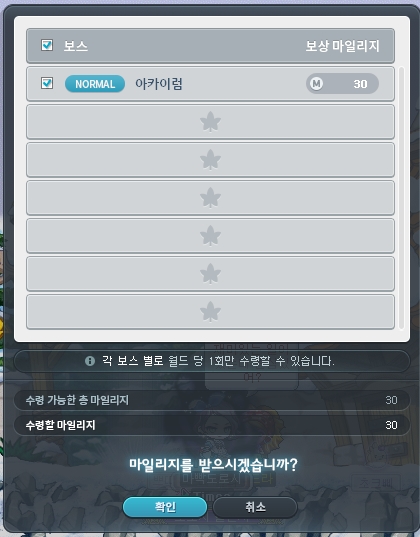
If you have reached the Reward Point limit, do not press Confirm in this window; it will remain in its current state. After the day or month resets, you can press Confirm and visit the Cash Shop to credit the points. Because of the rule above, however, you cannot earn Reward Points from defeating those bosses on the day you credit the saved points, so it is better to defeat them the following day.
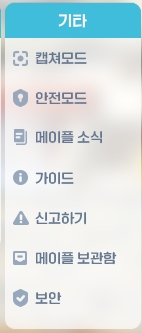
[Other]: Capture Mode

Clicking Capture Mode hides the other UI elements, as shown above. Click again to restore the original view.
[Other]: Safe Mode
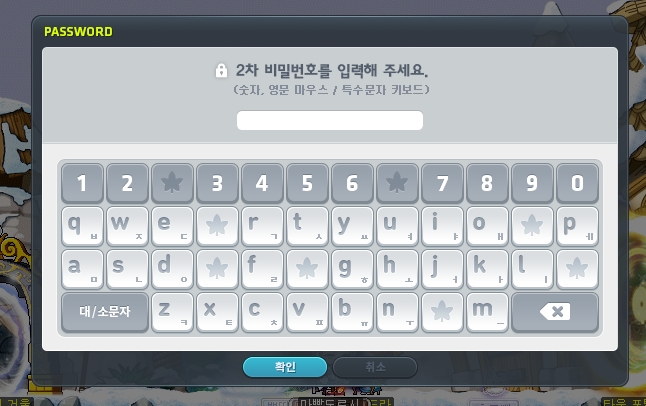
Clicking Protection Mode opens the secondary password window shown above and prevents any actions until you enter the password. This is used when stepping away from the game at a PC café or similar location.
[Other]: Maple News/Guide
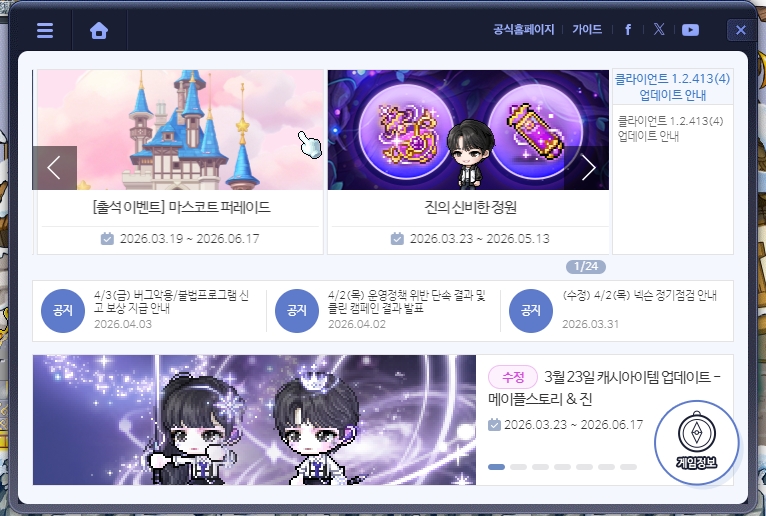
Maple News opens the news window shown here, which also appears when you log into the game. Clicking Guide opens the official guide page written by the game team.
[Other]: Report
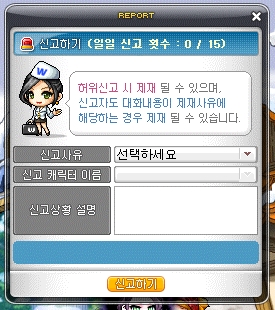
You can submit reports through this menu. Keep in mind that chat restrictions for offensive language and similar behavior are reportedly often applied automatically, not only in response to another player's report.
[Other]: Maple Giftbox
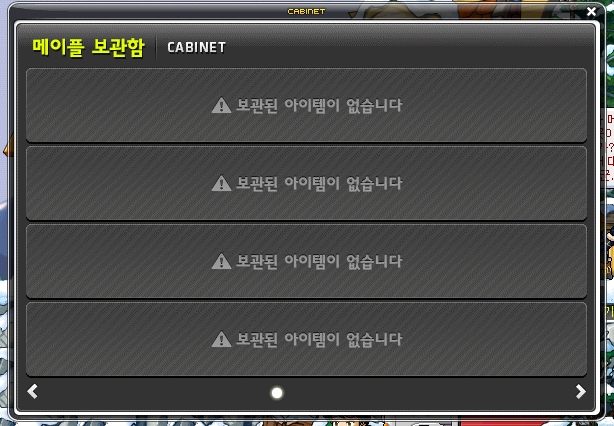
This is where you receive items in special circumstances, such as restored items and campaign rewards.
Quick Menu Settings

You can add any of the menus above to your Quick Menu for direct access without opening the game menu UI. Configure it to suit your needs.
Thank you for reading.