3 wrist stretches to try during an all-night gaming session!
재파민
Hello, fellow game lovers.
I'm 재파민!
It's easy to lose track of time when you're gaming. Once I'm immersed in a game, I often find myself playing in the same position for hours. When that happens, my wrists are the first to feel tired.
Moving a mouse or pressing keys repeatedly for long periods can leave your wrists feeling stiff or heavy. Even a quick stretch can help you get back to gaming much more comfortably.
Today, I've put together 3 wrist stretches you can do during short breaks in an all-night gaming session.
Wrist Stretch 1
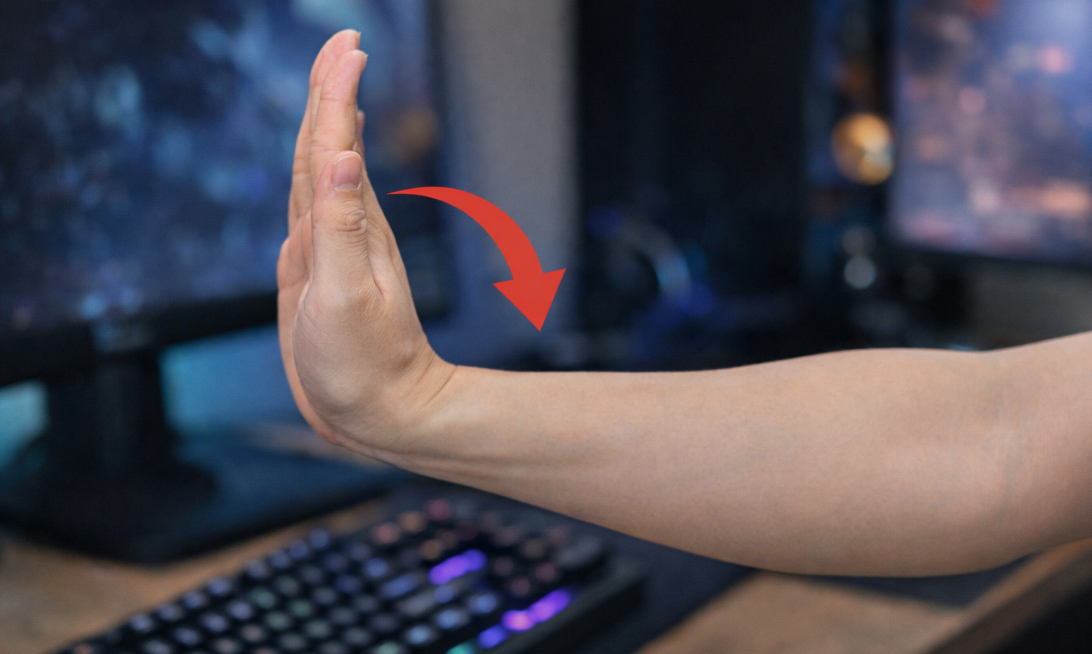
This is a simple, basic stretch that takes very little effort. First, extend one arm straight out in front of you. Then tilt your hand up so your palm faces away from you.
Hold your fingers with your other hand and slowly pull them toward your body. There's no need to pull hard; you only need to feel a gentle stretch along the underside of your wrist.
Hold for about 10 seconds, then slowly release and repeat with the other hand. This is an easy stretch to fit in while a game is loading or after a match.
Wrist Stretch 2
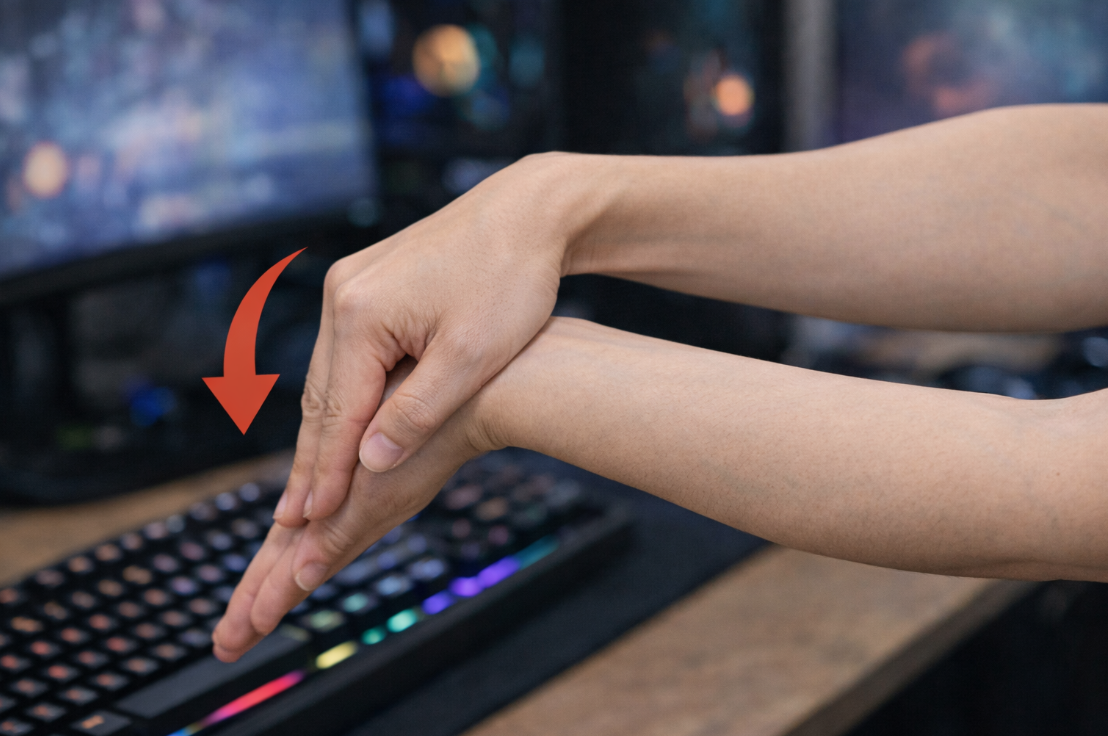
This next stretch works your wrist in the opposite direction. Extend your arm in front of you and bend your wrist so your palm faces downward.
Then place your other hand over the back of your hand and gently press down. You should feel a gradual stretch in the muscles along the top of your wrist.
This stretch is especially helpful if you use a mouse for long periods. I've found that doing it after a long session of FPS or RTS games helps ease some of the tension in my wrists.
Wrist Stretch 3
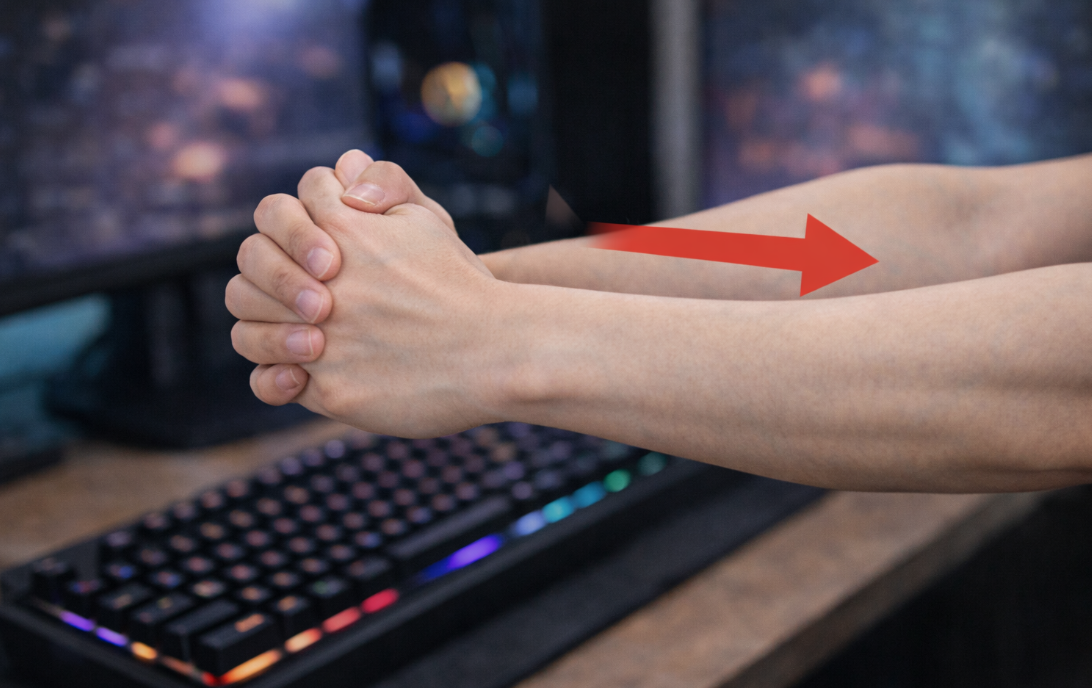
The final stretch is fairly simple but effective at relieving tension. Bring your hands together in front of you and interlace your fingers.
Then turn your palms away from your body as you slowly push your arms forward. Keep your shoulders relaxed and let your wrists and fingers stretch naturally.
Hold for about 10 seconds, then slowly release. I've found this stretch especially helpful when playing games that involve a lot of keyboard input.
During an all-night gaming session, you can become so focused that you barely notice how tired your body feels. But your wrists go through plenty of repetitive movements, so loosening them up now and then is more important than you might think.
These 3 wrist stretches for all-night gaming sessions are simple movements you can do right where you're sitting, so they're easy to fit into breaks while you play.
On days when I spend a long time gaming, I try to make time for these stretches along the way. I think keeping your wrists comfortable can help you play longer and enjoy your games more. Now, back to gaming!

![[모비노기] 화이트 서큐버스 혼내고 캐시 받는 공략 공개!](https://peak-file.nexon.com/uploads/20250929_1152_cfd-684d-48a2-92e9-2ee82be65dd6)
![[마비노기모바일] 험난한 모험길에서도 손목 만큼은 건강하게 지키자!](https://peak-file.nexon.com/uploads/20260308_1100_bb7-9786-4ebf-a5f7-0791e1d5e930)