[Mabinogi Mobile] Inventory Cleanup Tips for When Your Bag Hits Its Weight Limit!
피스타임
![[Mabinogi Mobile] Inventory Cleanup Tips for When Your Bag Hits Its Weight Limit!](https://peak-file.nexon.com/uploads/20260301_0159_65f-9e92-4014-a91c-bdbd6aef5900)
Hello!
I’m 피스타임, a Nexon Picker.

As you play Mabinogi Mobile,
you’ll find your inventory filling up pretty often.
Here’s how I handle it when that happens.
Bold Cleanup?
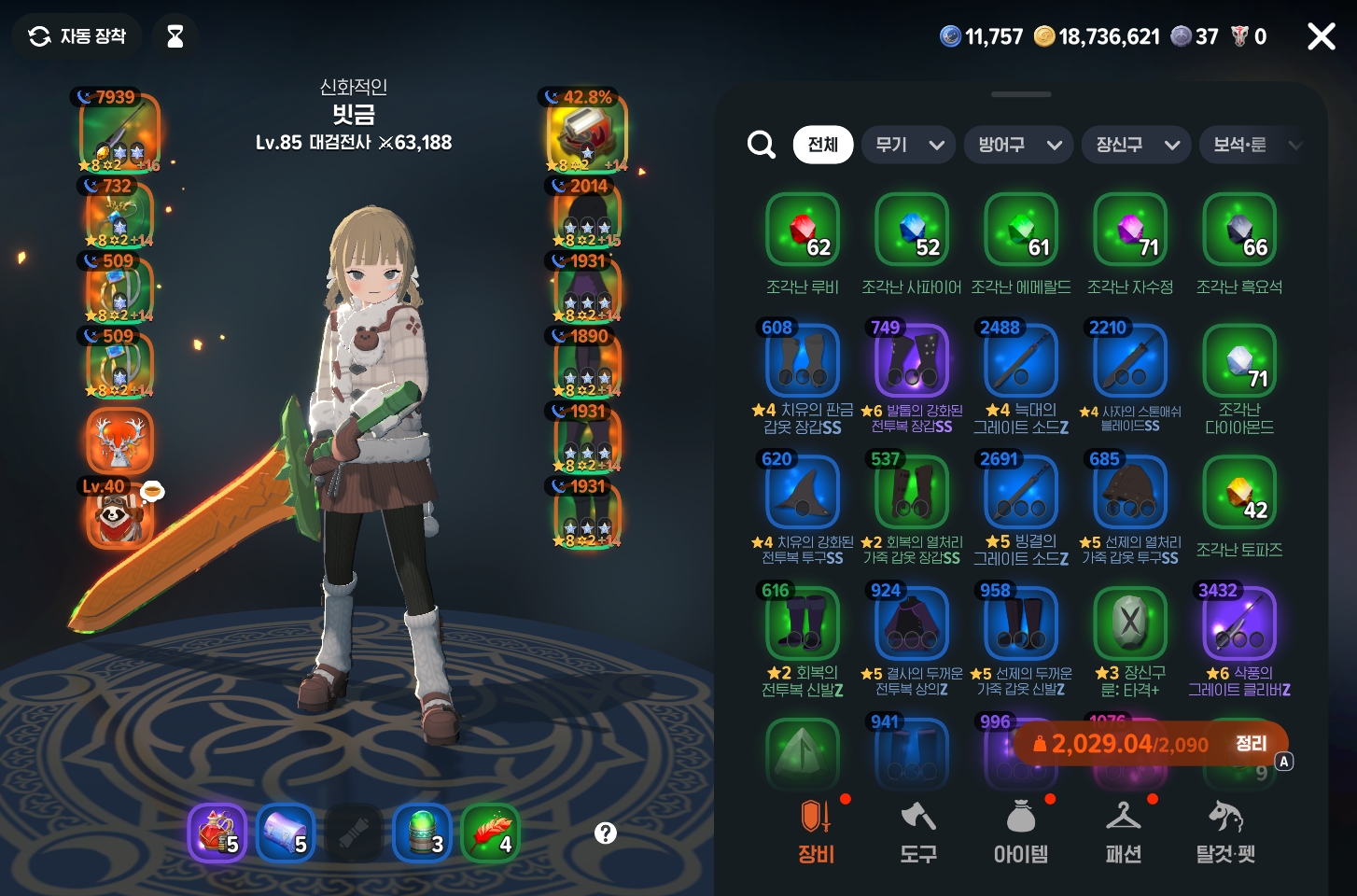
Open your inventory and look for the Organize button in the bottom right.

Bold Cleanup was added recently,
but it really does go all out and dismantle everything,
so I tend to avoid it.
Gold and Junk
Sell Them Right Away!

First, turn off Bold Cleanup
and check Gold and Junk.
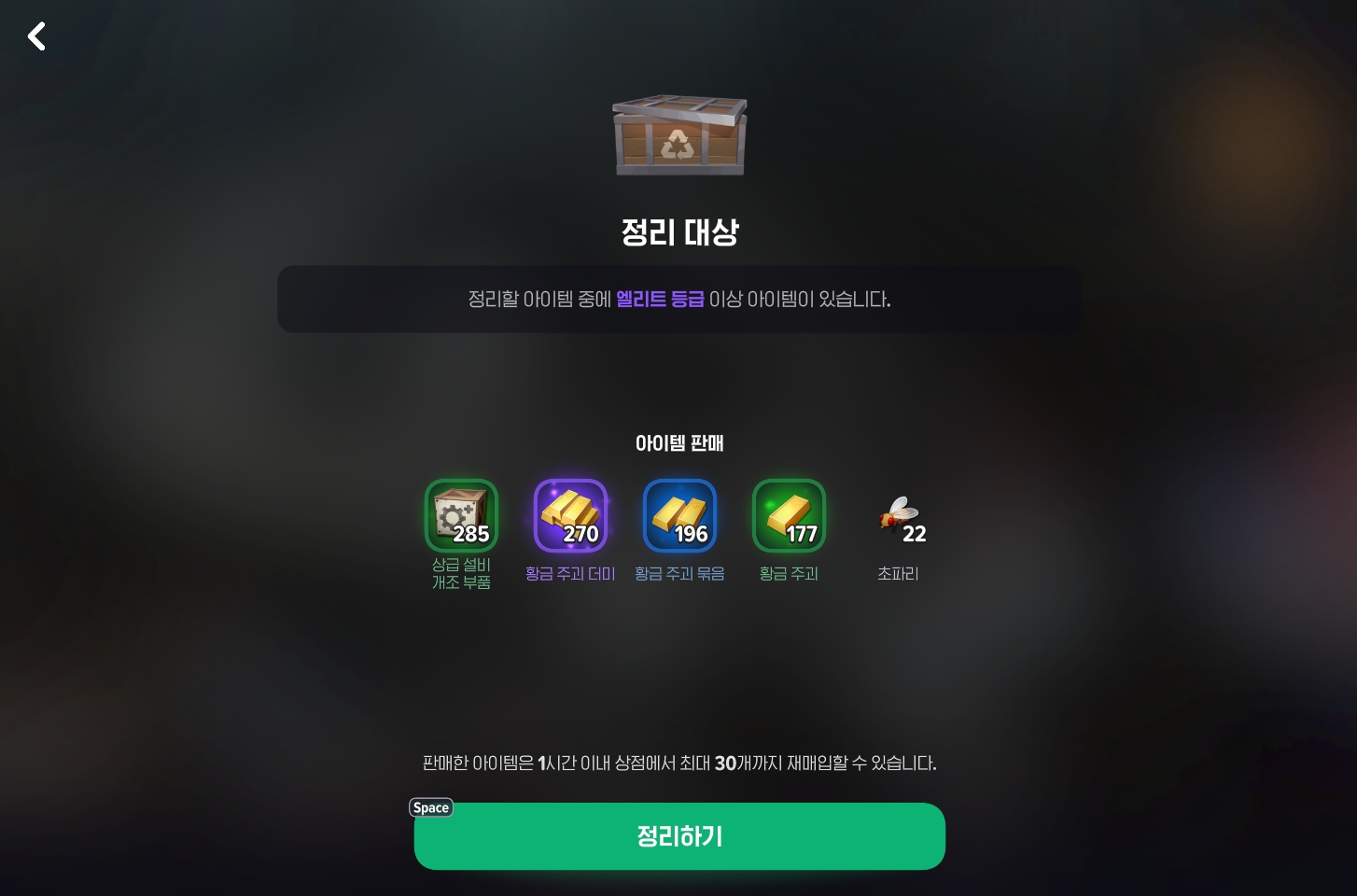
This automatically selects only items meant to be sold for money,
so you can safely sell them off and clear some space.
Finish with Detailed Cleanup!
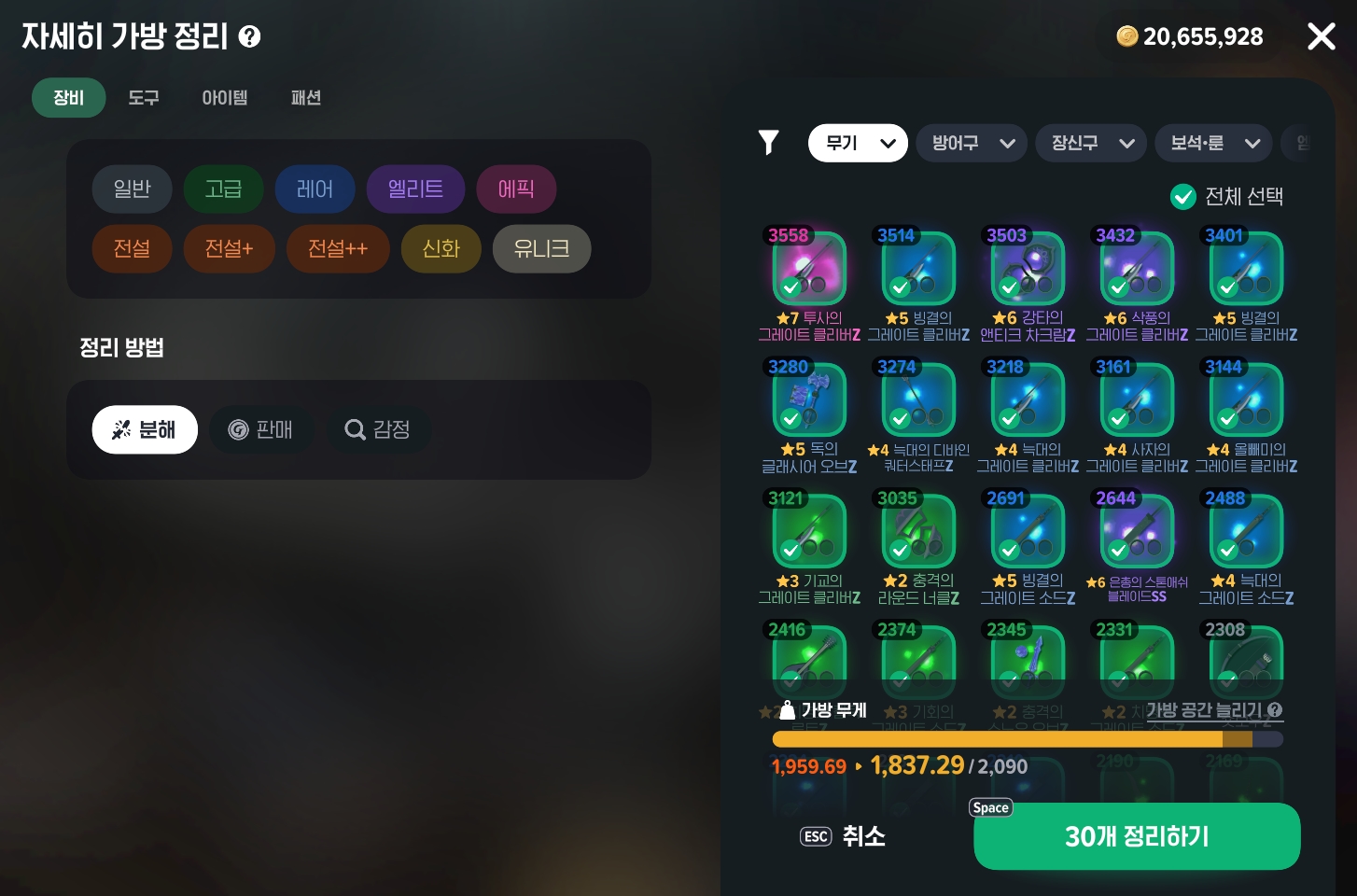
Next, open Detailed Bag Cleanup
and uncheck General to display all your equipment by slot, as shown here.
Now you can sort through your weapons, armor, and accessories.
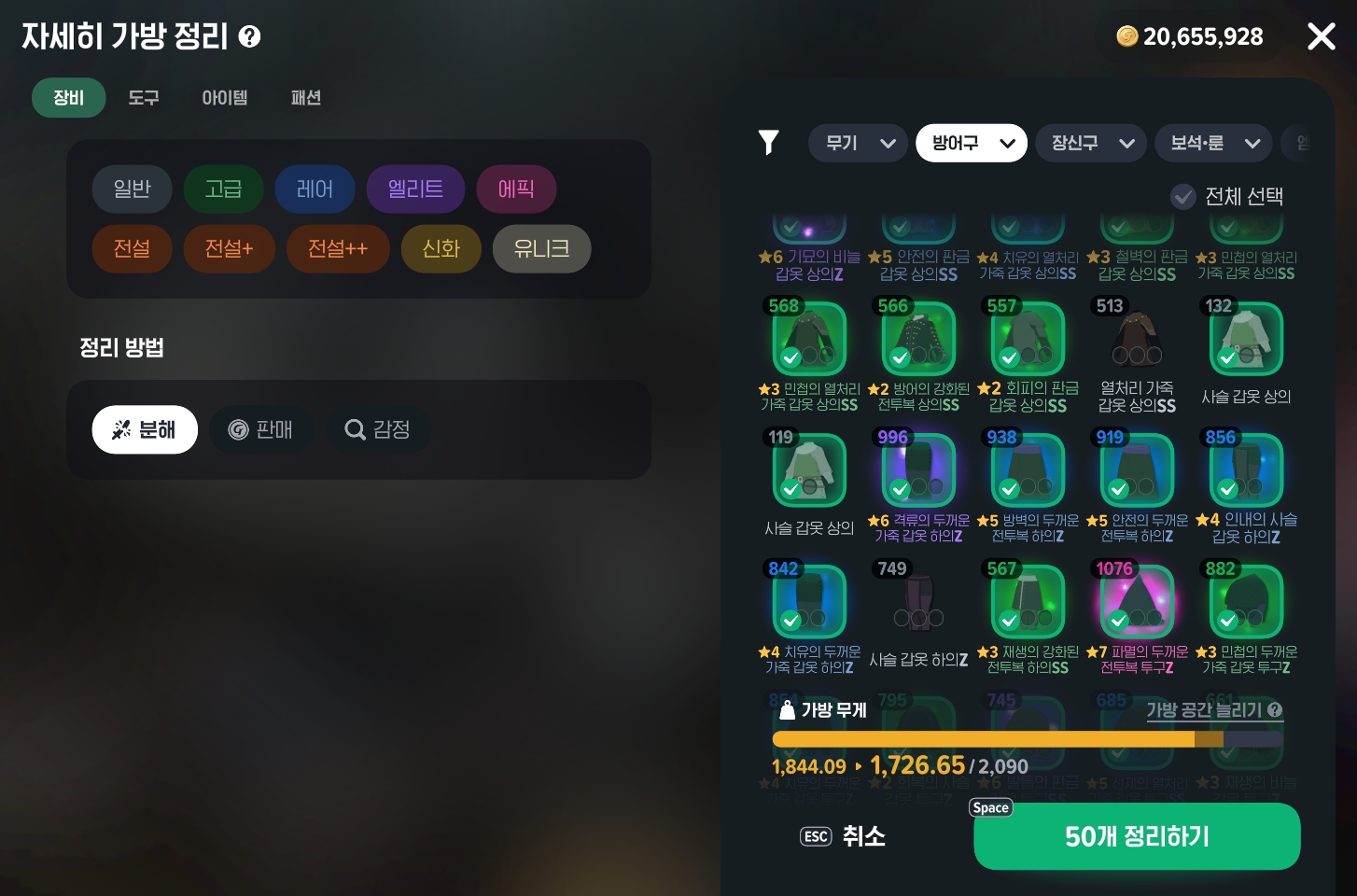
Click Select All in the top right,
then uncheck the rune-free equipment with the highest Combat Power.
If you’re still building up your Combat Power, look through your Uncommon items with green runes
and uncheck the ones with the highest Combat Power.
You may need to use Stat Infusion later,
so keep one of each equipment type with the highest Combat Power.
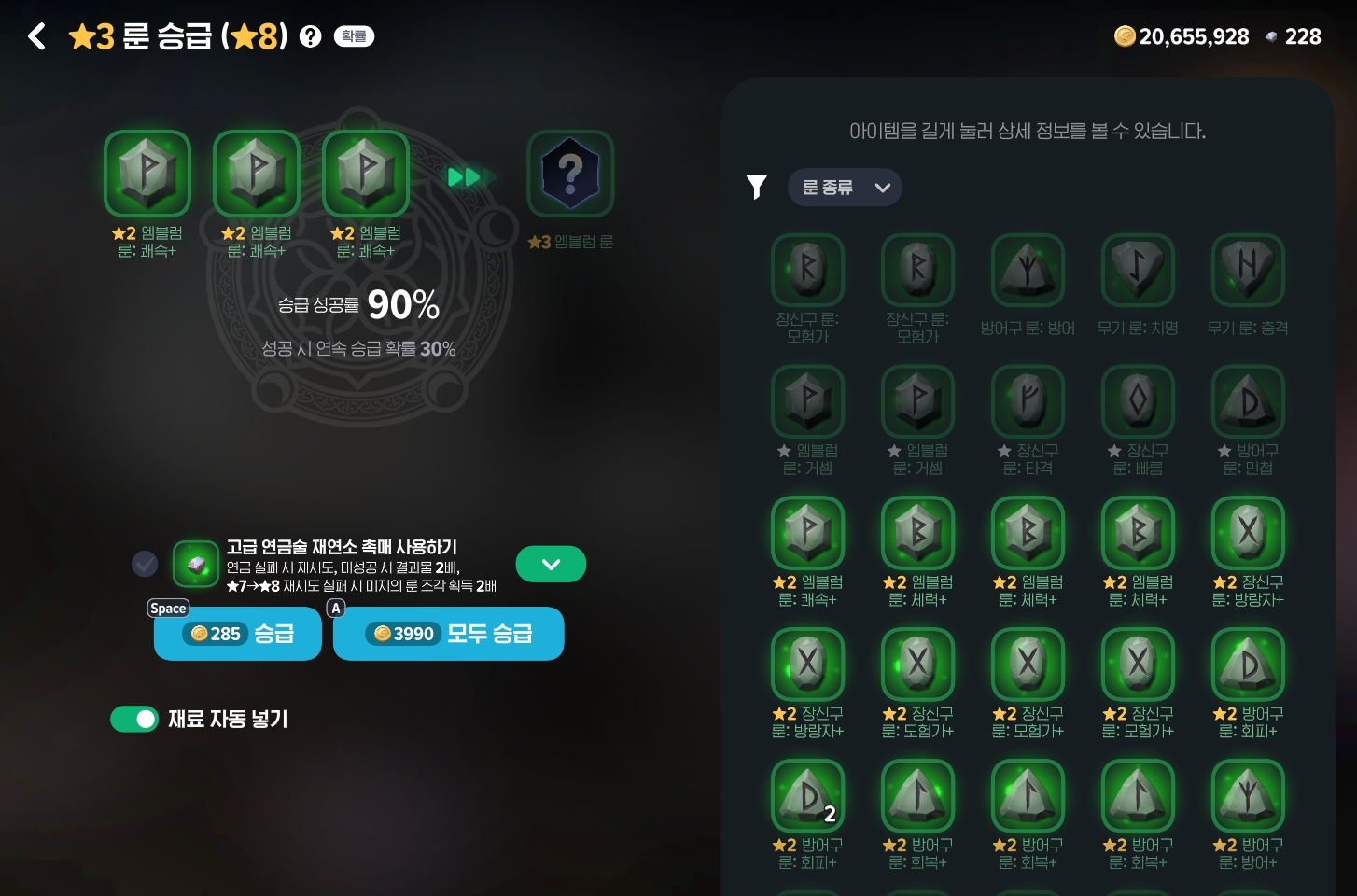
Finally, upgrade your runes
to clear out the lower-tier ones.
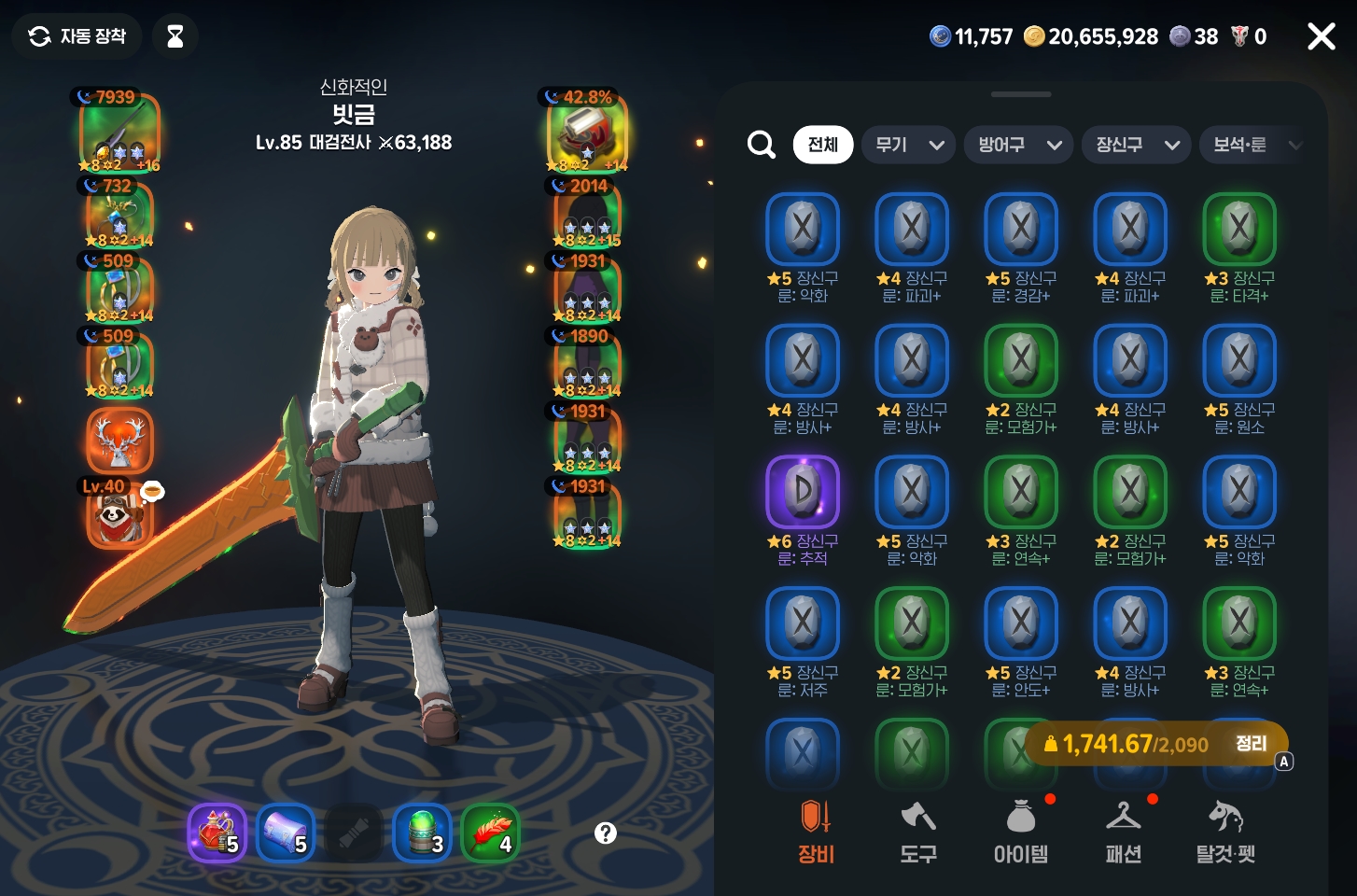
That leaves your inventory neatly organized, as shown here,
with some weight capacity to spare.
If that’s still not enough, click Organize Materials
to cut your material quantities in half, or try using storage!
Just keep in mind that you might regret clearing out those materials later….

![[모비노기] 올라운더 클리어 방법 #고난도 업적 달성기](https://peak-file.nexon.com/uploads/20260308_0630_8b7-dcc6-4360-ab62-7be27053a091)
![[마비노기 모바일] 항마력이 필요한 신규 사이드 퀘스트? 이멘마하 히어로!](https://peak-file.nexon.com/uploads/20251102_0234_93e-5178-4614-ae32-cf9d8a19306a)

![[마비노기 모바일] 해피 뉴 이어! 올해 함께 즐기기 좋은 단체 게임 추천!](https://peak-file.nexon.com/uploads/20251231_0337_480-7b9e-480c-b393-a6ac2885ccb2)