[Mabinogi Mobile] Organize your inventory to keep your carry weight in check!
unknown
![[Mabinogi Mobile] Organize your inventory to keep your carry weight in check!](https://peak-file.nexon.com/uploads/20260301_0922_4c4-ab59-46ad-8985-cd8f02931671)

Hello, adventurer~!
Having fun and making the most of life in Erinn?
The items you carry in Mabinogi Mobile all have weight,
and if your bag goes over the weight limit, you'll be too weighed down to move!
If your bag is bursting at the seams even though you're only carrying the essentials,
or you're hanging on to everything because you're not sure how to sort it all out,
this post is here to help!
Today, I'll share a few simple tips for organizing your inventory!
Let's put them to use and lighten your bag.
1 Try the auto-sort feature
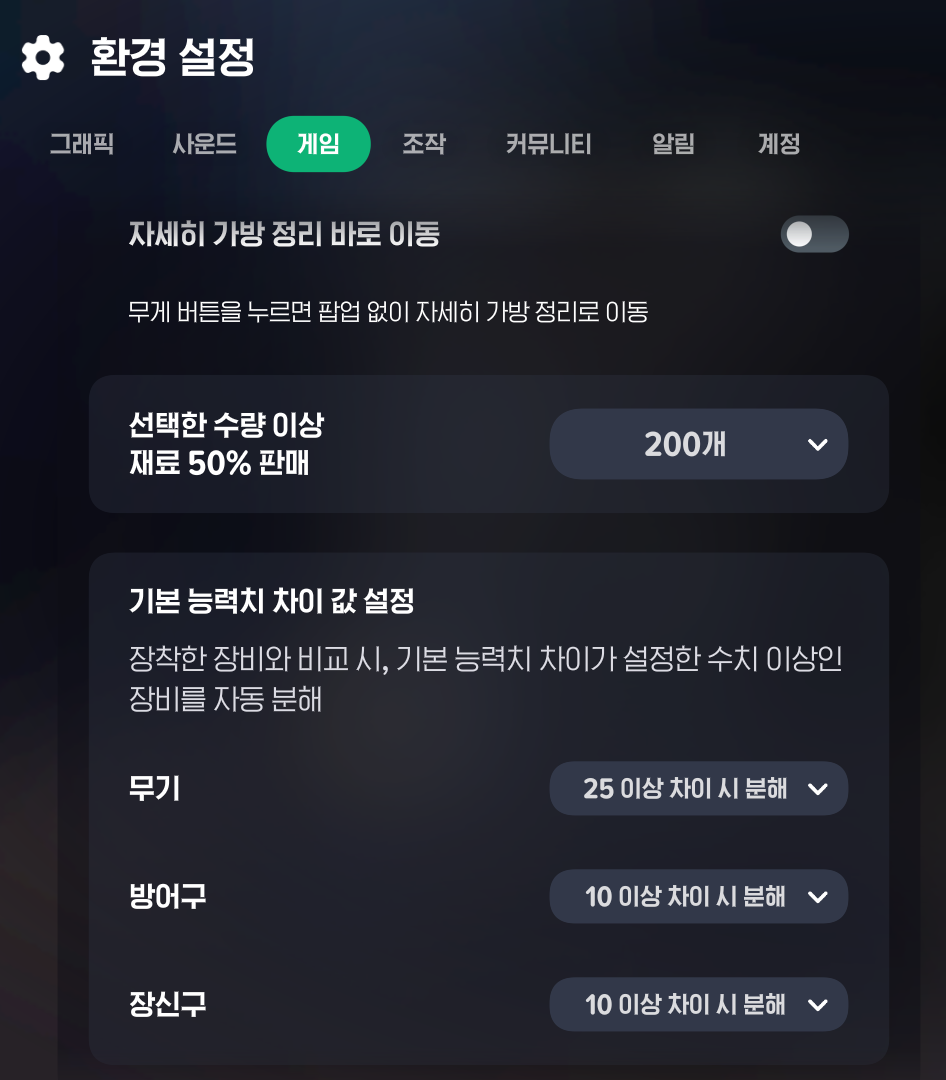
You can turn auto-sort on or off in the “Game” tab under Settings.
When it's on, items are sorted automatically according to your settings.
It's a handy way to clear out unwanted items quickly, so I recommend giving it a try!
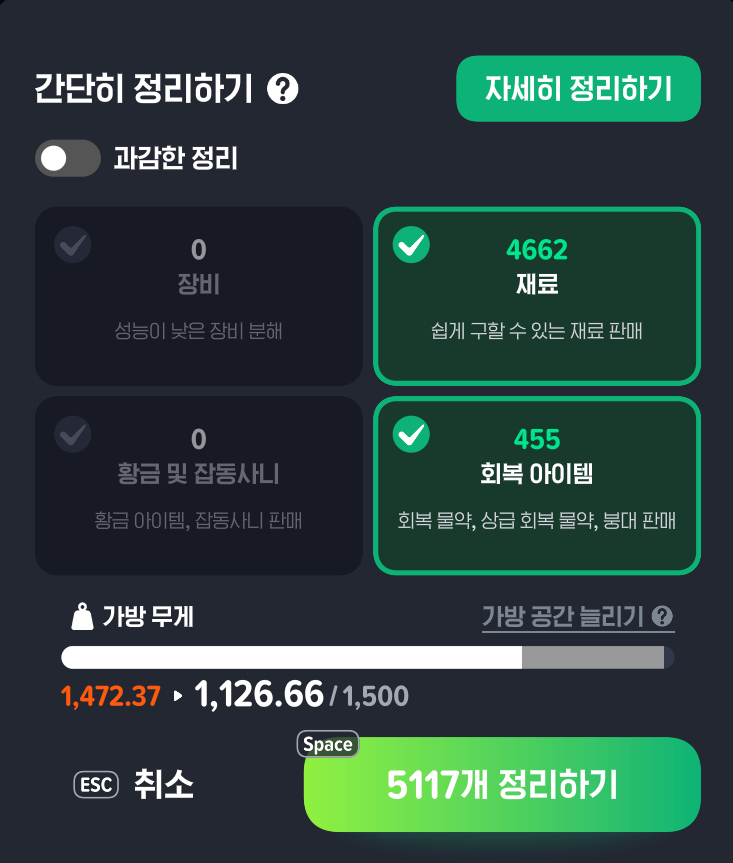
Once you've enabled auto-sort and started clearing out your bag,
you'll see a window like this.
Here, you can take a quick look at which items will be removed,
and see how much lighter your bag will be afterward.
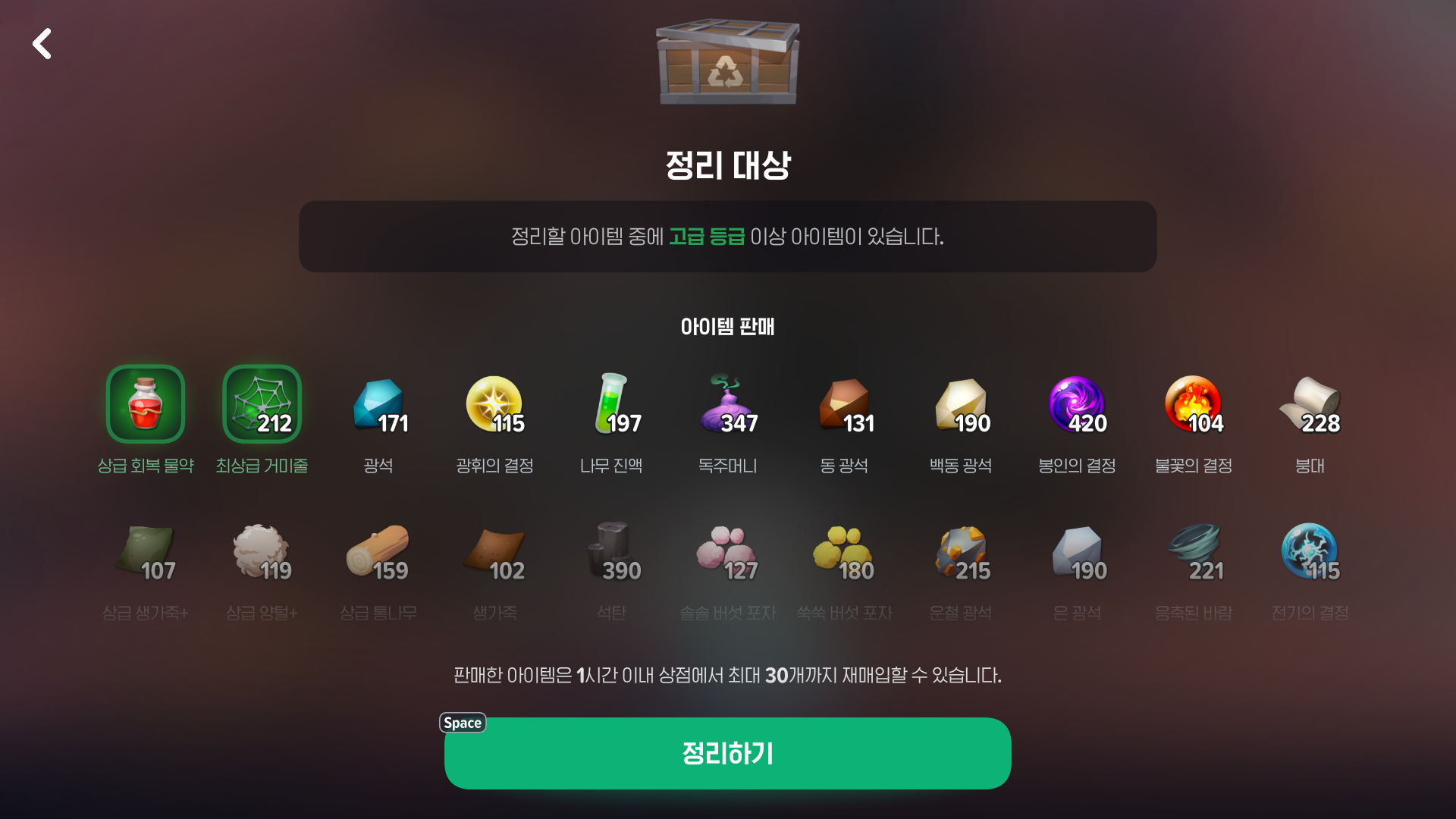
Don't worry—pressing the Clear Out button won't remove anything just yet!
You'll get another confirmation window where you can check exactly which items will be deleted.
Once you've checked the window and made sure nothing you want to keep is selected, press Clear Out!
The selected items will be removed, and your bag will be lighter in no time!
2 Lock your important items
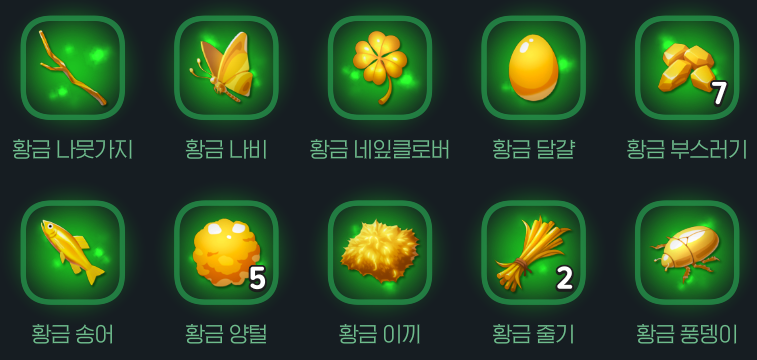
Some items are much harder to get than others.
Just imagine accidentally throwing one of those away—not a pleasant thought💦
Golden materials, enhanced high-grade equipment, runes you've saved for later…
To avoid accidentally breaking these down while clearing out your bag,
make good use of the “Lock” feature!
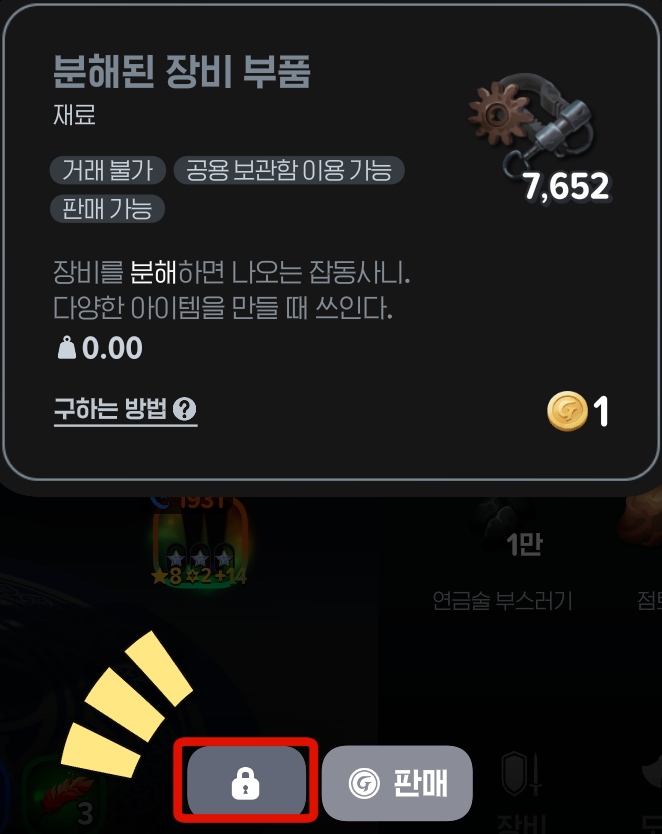
Not long ago, I broke down tens of thousands of “Dismantled Equipment Parts”… all of them, before I realized what I'd done.
I usually clear out items manually, one by one, but I still mistook them for junk and removed them😭

To protect an item from accidental removal, select it and press the padlock icon.
When the icon turns white, the item is locked!
Locked items are excluded when you clear out your bag, so you can rest easy👍
3 Not sure what an item is used for?
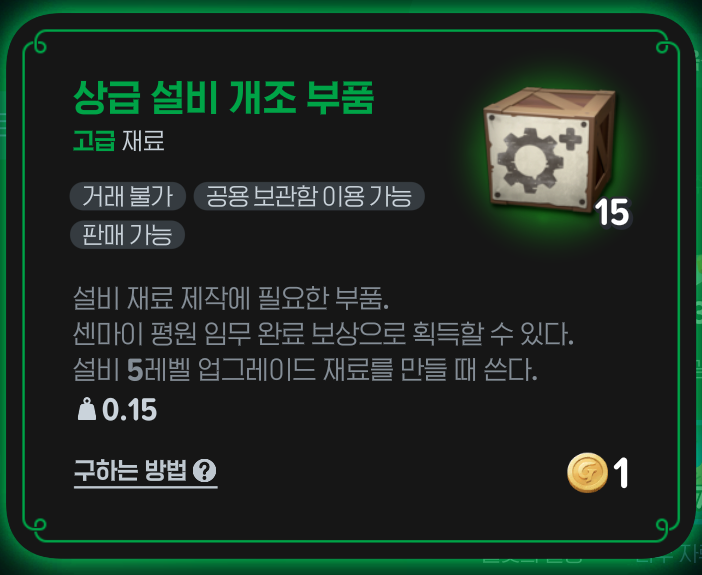
We're all bound to have a few items in our bags that we simply don't need.
Sometimes, reading an item's description is enough to tell you whether it's worth keeping.
For example, I have an item called “Advanced Facility Modification Parts” in my bag.
But I've already fully upgraded all my facilities…
So I don't need this item at all.
It's just taking up weight, so I make sure to select it when clearing out my bag!
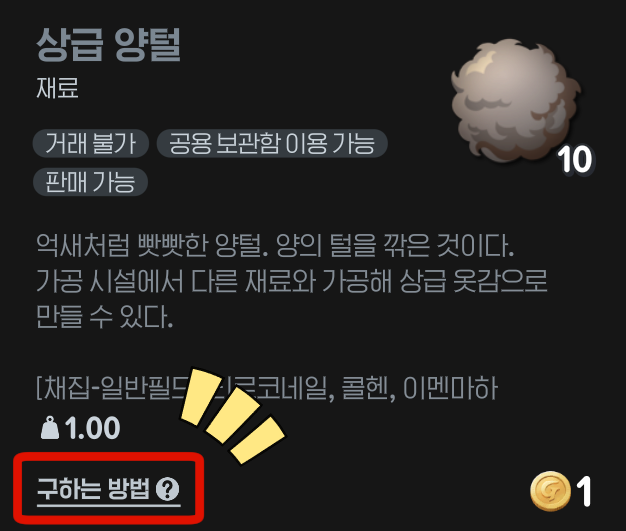
If the description leaves you none the wiser about what an item is for…
Well, hold on to it for now!
Still, you can't hang on to absolutely everything,
so try this approach!
Every item has a “How to Obtain” button.
Press it to find out where and how you can get that item.
If it's easy to get, keep a small amount and clear out the rest.
If it's harder to get, set aside a more generous supply before clearing out the rest👍
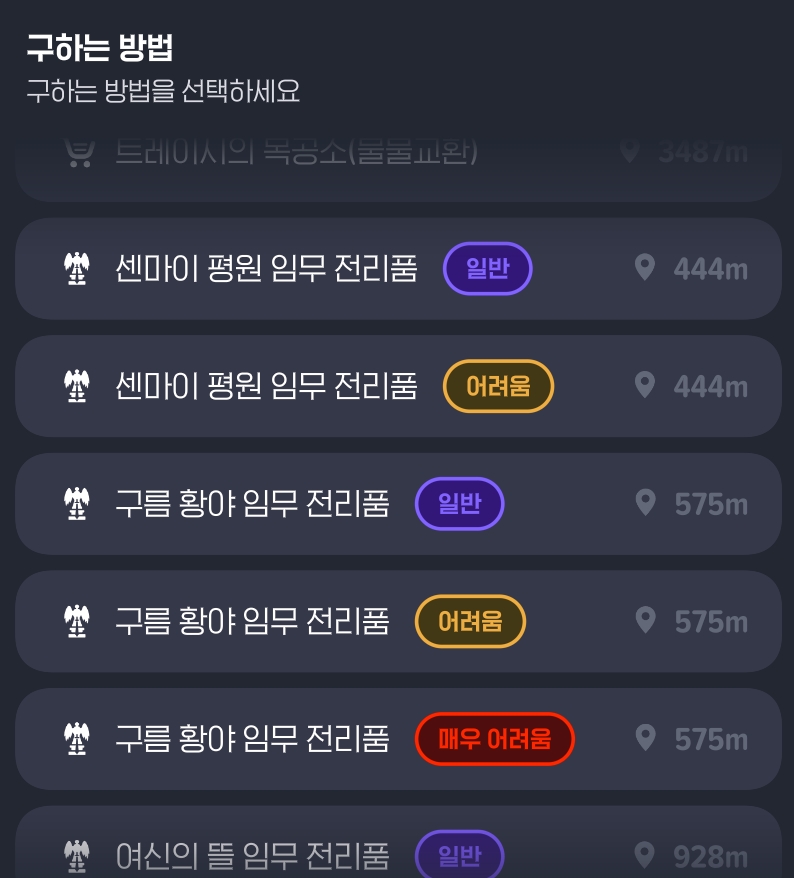
What if an item is only available as loot from a hunting ground?
In that case, I recommend keeping as much as you can!
You'll keep getting stronger as an adventurer,
so eventually you'll only be visiting hunting grounds with the highest level requirements.
But if an item only drops in a lower-level hunting ground…
Getting more later won't be so easy, will it?
Just checking how to obtain an item
can make it much easier to decide what to do with it😉
4 Make good use of storage
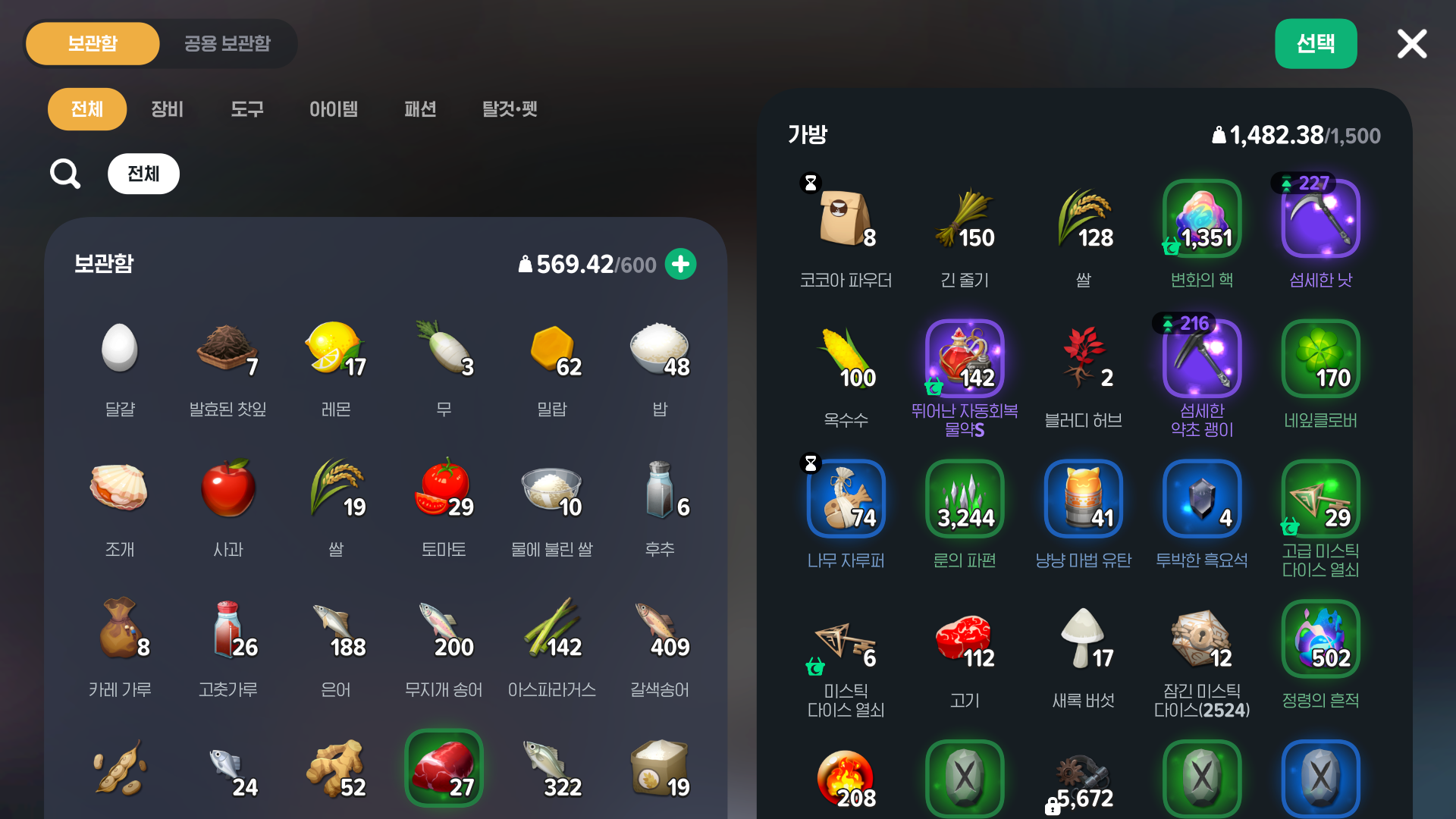
Is your bag still heavy, no matter how much you clear out?
Try using storage to help organize what's in your bag!
There are two types: regular storage and shared storage.
Regular storage can only be used by your selected character.
Shared storage lets characters on the same server share items.
I use regular storage for cooking ingredients and other items that can't go into shared storage.
I end up with quite a lot of fish from fishing, so I tend to put them all in storage.
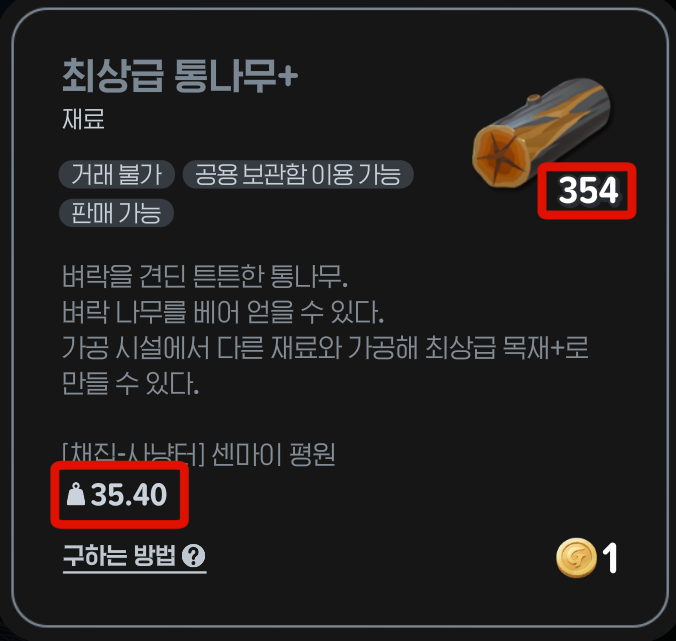
Take a closer look at the materials you've worked hard to gather,
and you might be surprised by just how much they weigh.
It's nice to keep plenty of materials ready to use, but their weight makes that tricky.
Putting them in storage makes adventuring much easier and more comfortable!
For materials you can keep in shared storage,
gathering them with an alternate character is another good way to keep your bag light.
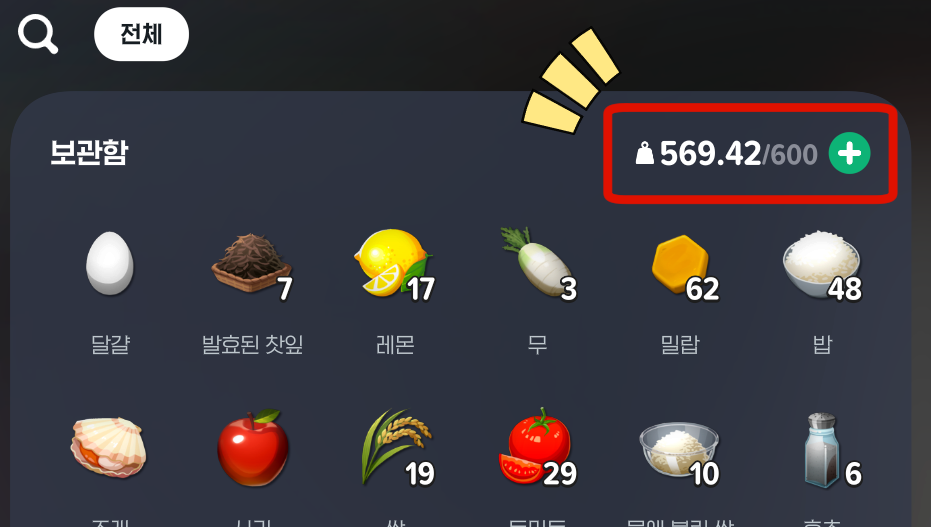
Oh, and storage has a weight limit too,
so if you can afford it, increase its maximum weight capacity to make room for more items!

I hope these tips help you sort out those heavy bags
so you can explore Erinn with a lighter step!
That's all for today.
See you next time, adventurer!
Bye~🖐🖐🖐
![[마비노기 모바일] 게임에서 써먹기 좋은 특수문자 이모티콘 모음!](https://peak-file.nexon.com/uploads/20260118_0705_236-1290-4db6-beda-c2e9a77a0b7d)
![[마비노기모바일] 미션, 심층 던전으로 향해라!](https://peak-file.nexon.com/uploads/20251114_0142_c08-9b5c-4849-9666-21c0234c1f95)
![[피크 챌린지] 복귀장벽 낮은 게임 찾고 있다면? 다시 시작하기 좋은 마비노기 모바일](https://peak-file.nexon.com/uploads/20260618_0957_29eba8ff.png)
![[마비노기 모바일] 생활력 6,000 달성, 이렇게 해보세요!(신규 모험가)](https://peak-file.nexon.com/uploads/20251115_0905_d99-c0a2-4a0c-b91a-bb428da4012a)